Appearance
Manage work orders as a dispatcher
Dispatchers assign pending work orders to service groups or engineers. Service group dispatchers receive their group's work orders and assign engineers within that group.
Overview
| Role | Responsibility | Default assignment scope |
|---|---|---|
| Dispatcher | Process organization-level pending work orders | Service groups or engineers |
| Service group dispatcher | Process work orders assigned to their service group | Engineers in that group |
On the web, you can dispatch from a list, map, or configured Gantt chart. The App supports engineers and collaborating engineers, but not map dispatch.
Before you begin
IMPORTANT
- Organization-level dispatch requires the Dispatcher role.
- Group dispatch requires the Service Group Dispatcher role.
- Reassignment requires permission for the Reassign action. Ask an administrator if it is unavailable.
Procedure
Manage pending work orders on the web
Go to Tasks > Work Orders Pending Assignment.
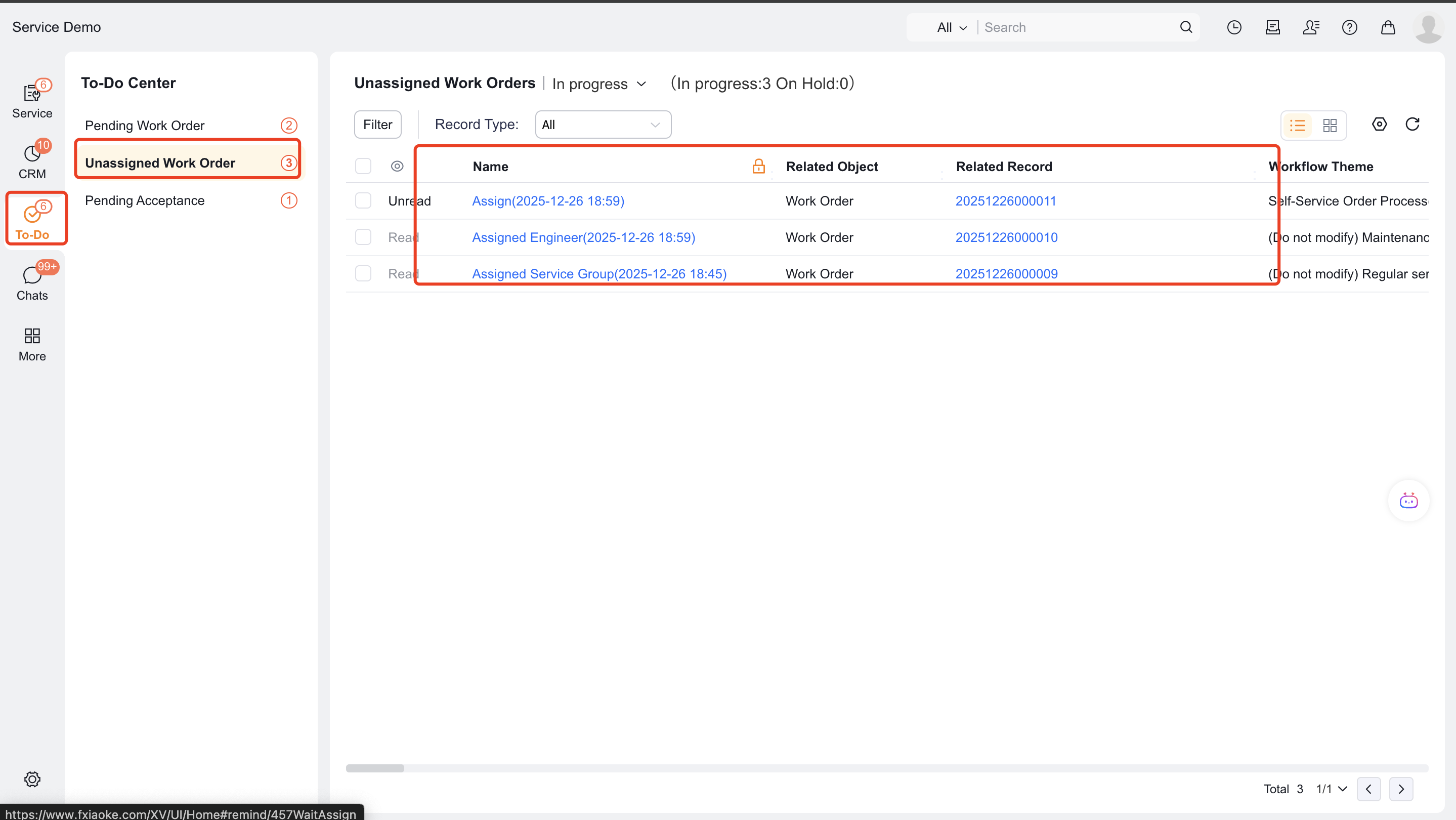
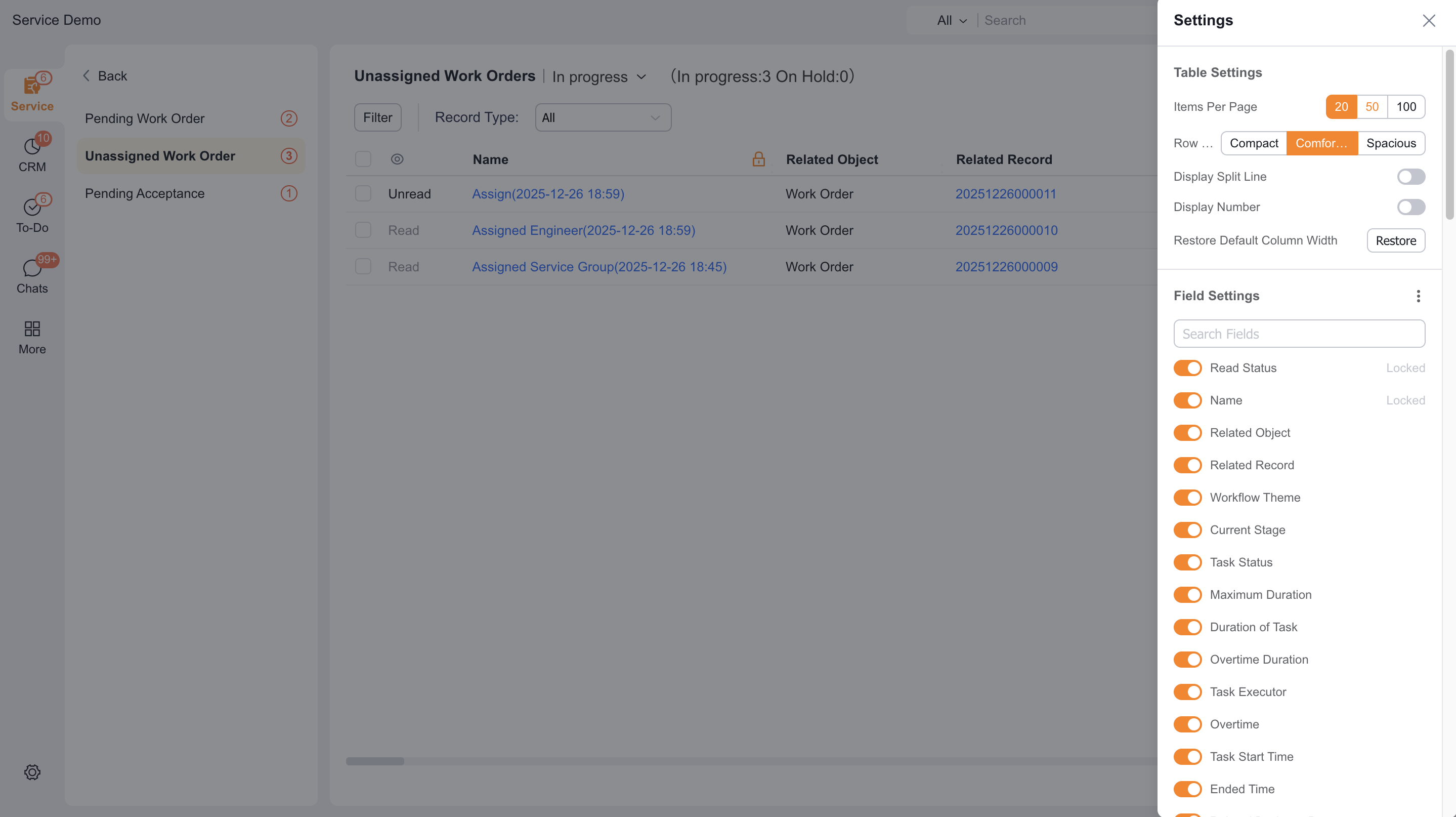
To change displayed fields, select Settings, choose fields, and then select Apply.
Select a work order, then select Assign Work Order.
Choose the target and method:
- To assign a team, see Assign a service group.
- To assign an individual, see Assign an engineer.
- To plan by location or time, see Dispatch with Gantt charts and maps.
Verify the work order and target before submitting.
Assign a pending work order in the App
Before starting, confirm that an administrator added Pending Assignment to the Service Pass workspace.
- In the workspace, open Pending Assignment.
- Select a work order, then select Assign Work Order.
- Select the responsible engineer and any collaborating engineers.
- Select OK.
NOTE
The App does not support map dispatch. Use the web to find nearby resources.
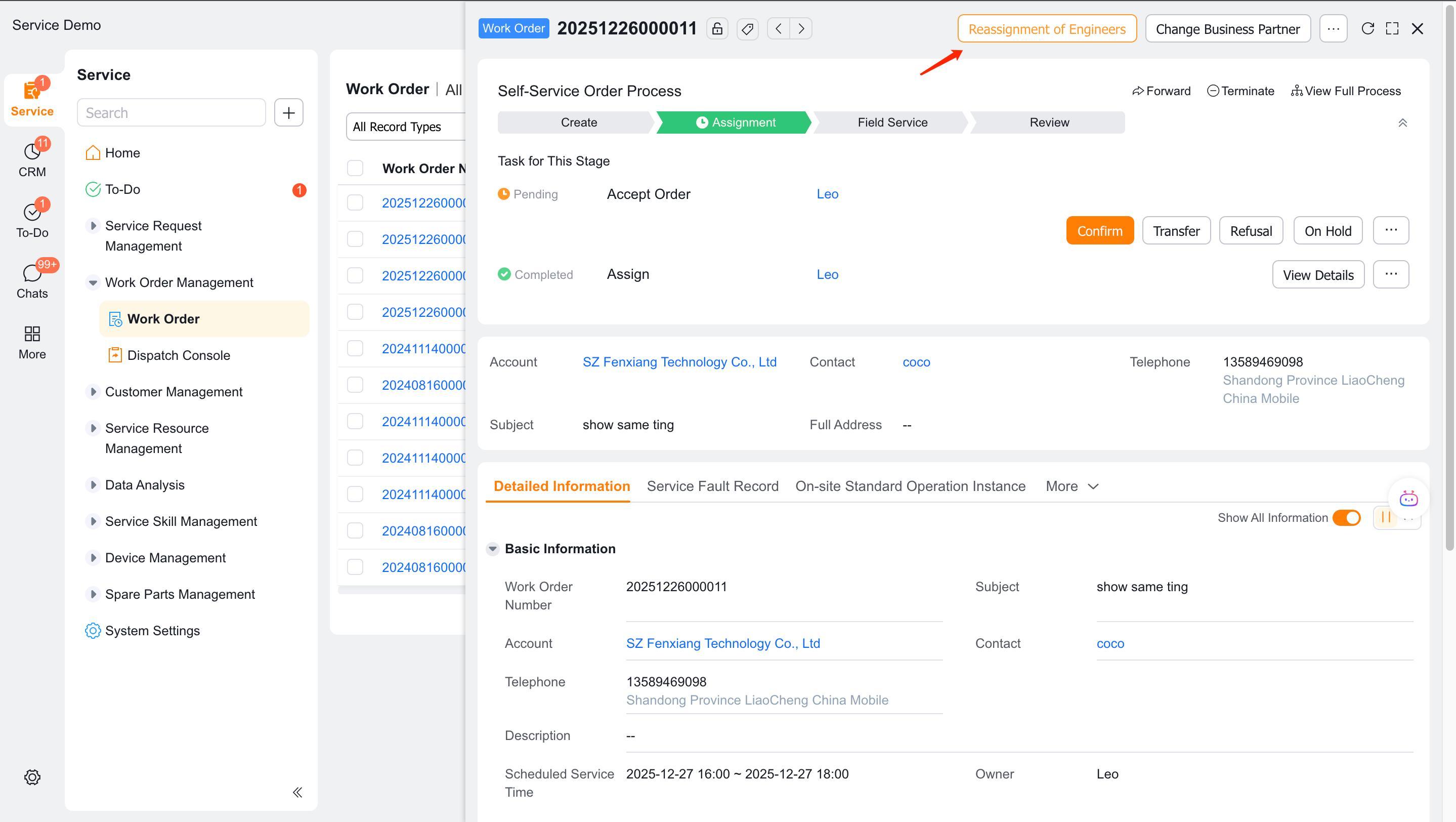
Reassign an assigned work order
- Find the work order that requires reassignment.
- Select Reassign in the action area.
- Select a new target and submit.
Expected result
- The work order records the assignment or reassignment.
- The next owner can continue the configured process.
Notes
- Service group dispatchers can normally select only engineers in their group.
- Map dispatch is available only on the web.
- Administrators control access to reassignment, rejection, and transfer actions.