Appearance
Repair spare parts
Overview
Spare parts repair refurbishes defective parts recovered during after-sales service. Repaired parts can be shipped or consumed again. This capability requires advanced mode and the current spare parts consumption feature.
Before you begin
- Spare parts advanced mode and new version of spare parts consumption have been enabled.
- Have operational authority over spare parts maintenance configuration, maintenance plans, maintenance tasks and internal work orders.
- Prepare a customer for internal repair work order, product data and serial number inventory already exists.
1. Enable spare parts maintenance
Enter Service Pass Application > System Settings > Business Plug-in > Spare Parts Management > Spare Parts Maintenance.
Enable spare parts maintenance, and configure maintenance plan generation rules, maintenance task serial number filling methods, and internal work order customers according to the page.
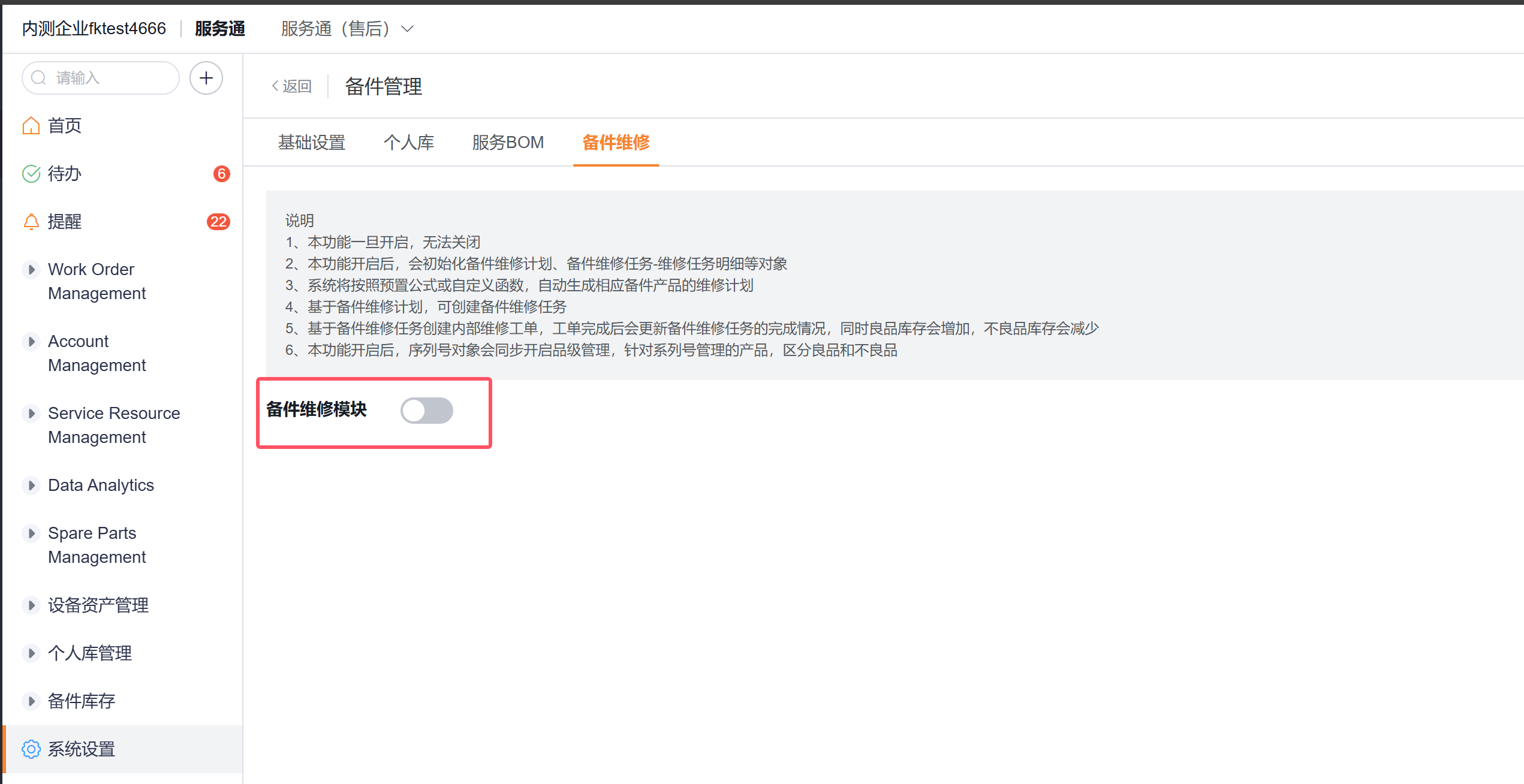
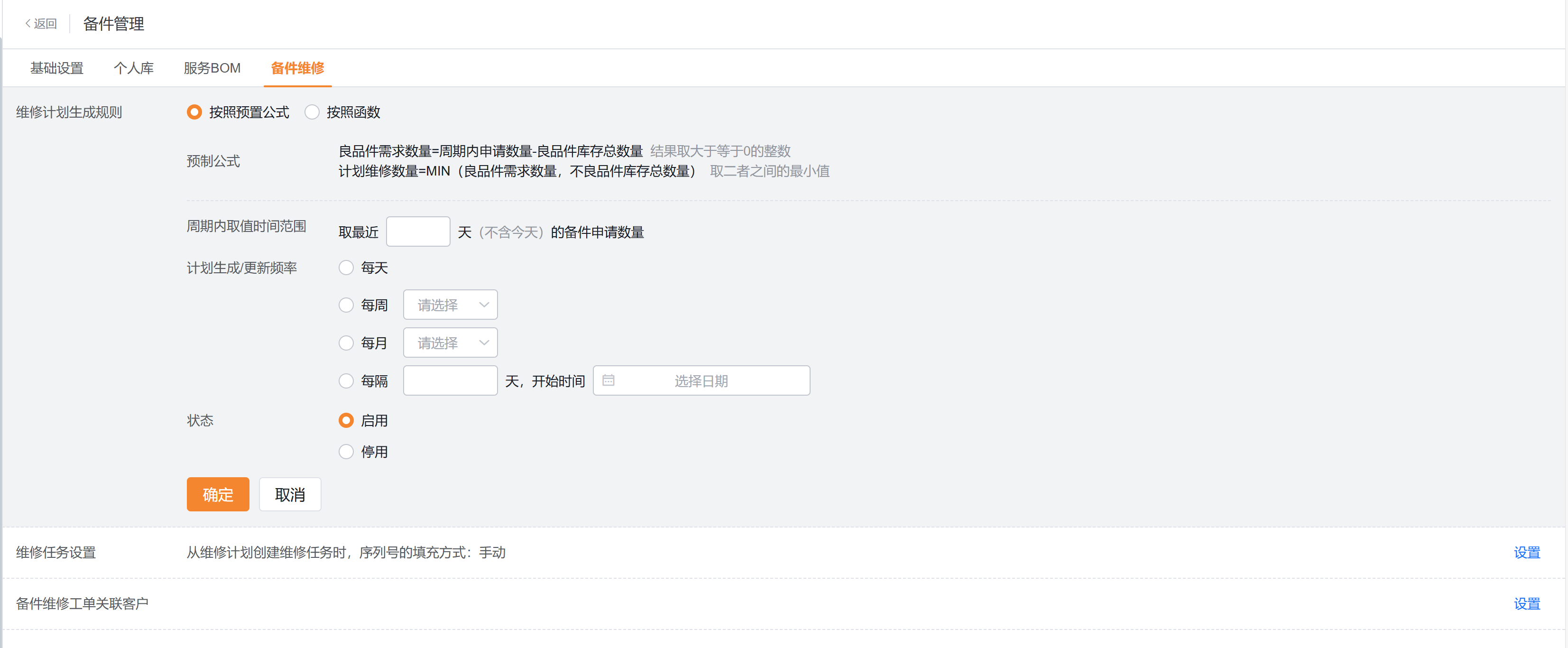
After activation, the system initializes the spare parts maintenance plan, spare parts maintenance tasks and details, and initializes work orders of the internal spare parts maintenance business type.
2. Generate maintenance plan
Generate a plan according to the configured rules in the spare parts maintenance plan list.
Check the planned cycle request quantity, good product inventory, defective product inventory, planned maintenance quantity and completed quantity.
Check some or all plans with normal status and click Generate Maintenance Task.
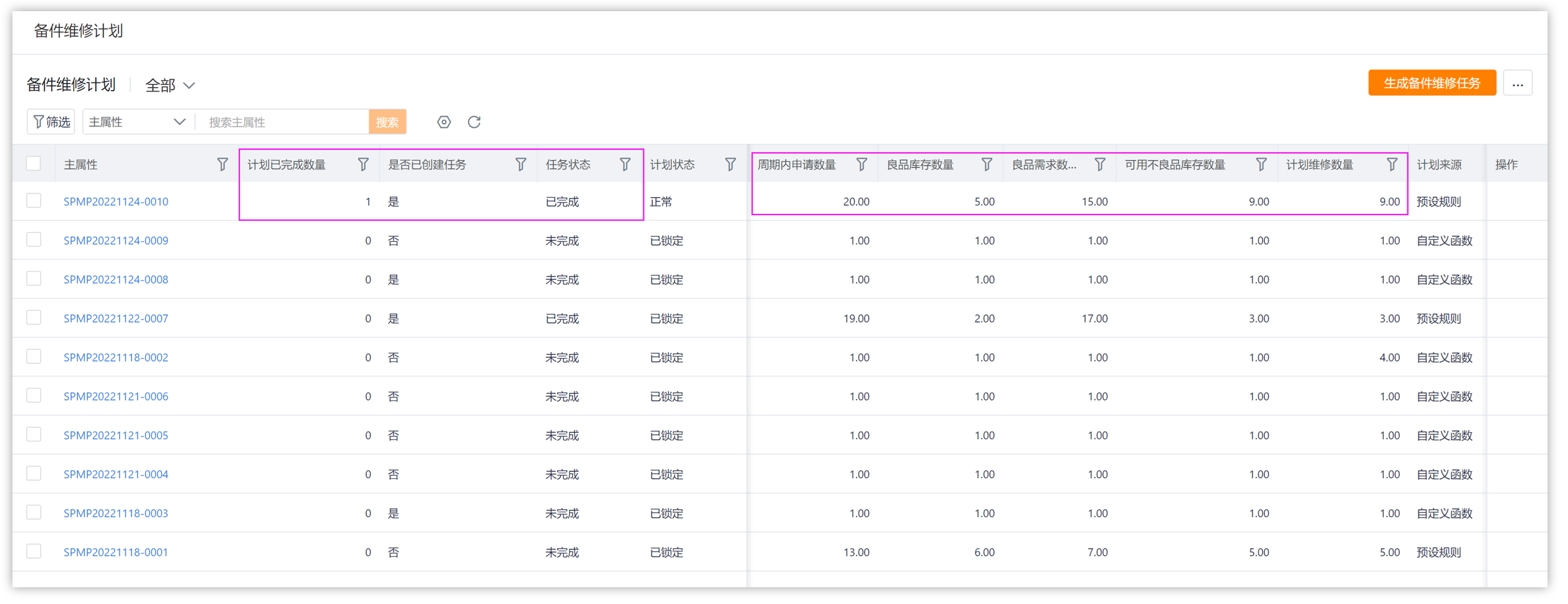
Repair plans can currently be generated only by rules. Manual creation and import are not supported.
3. Create maintenance tasks
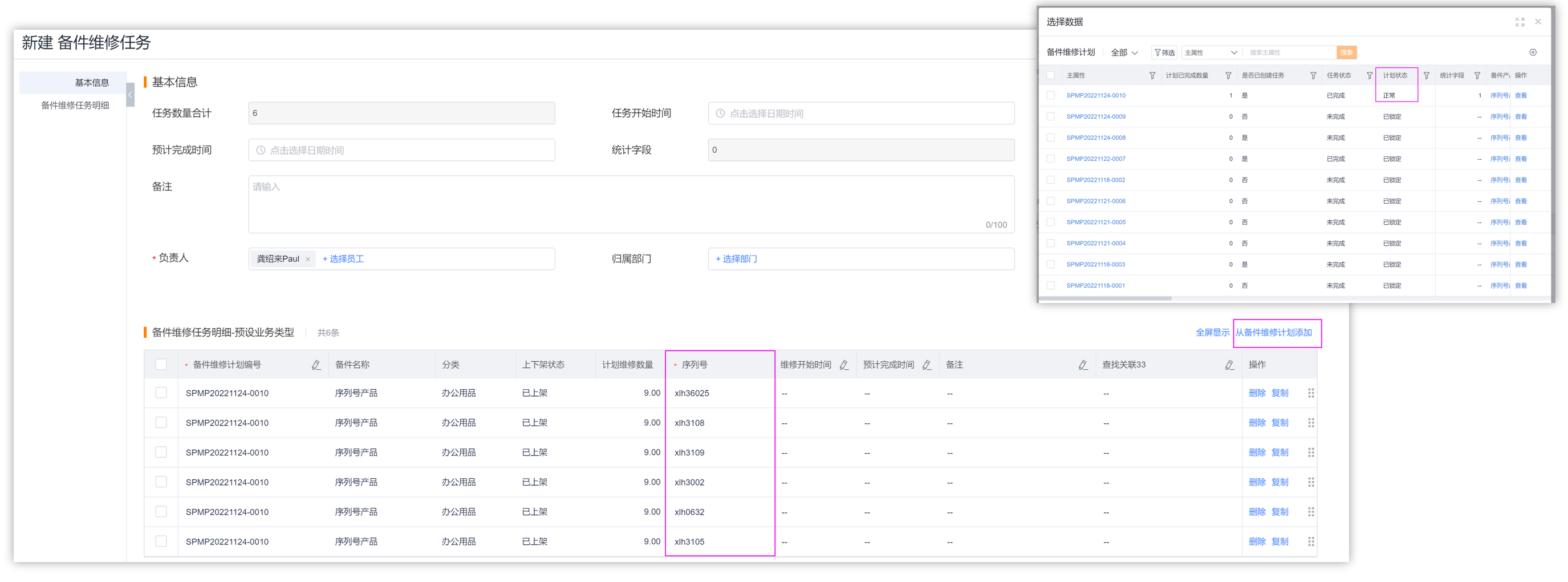
Tasks can be generated in batches from the maintenance plan, or you can create a new maintenance task and select a maintenance plan with a normal status.
After adding plan details, fill in automatically according to the configured serial number filling method, or manually select the serial number of defective products.
4. Generate and complete internal maintenance work orders
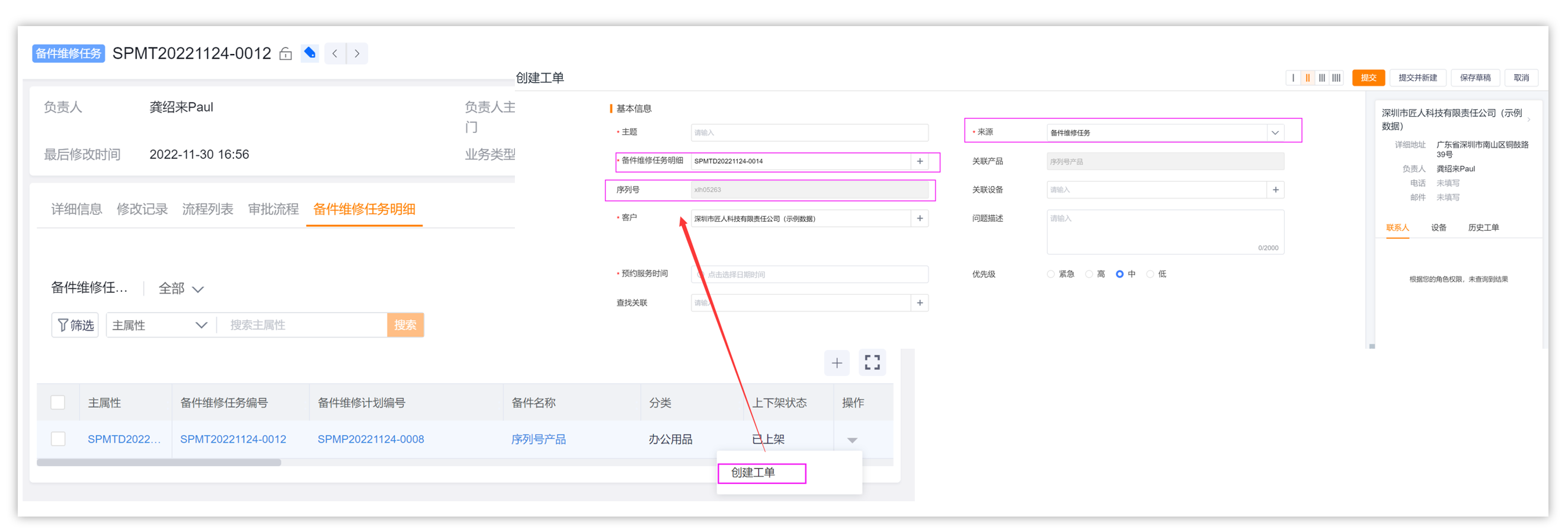
Create a work order of internal spare parts maintenance business type in the maintenance task details.
The work order will be associated with the maintenance task details and bring the serial number; to specify the configured internal maintenance customer, it is recommended to use the virtual customer established by the enterprise itself.
Assign maintenance engineers according to internal work order process.
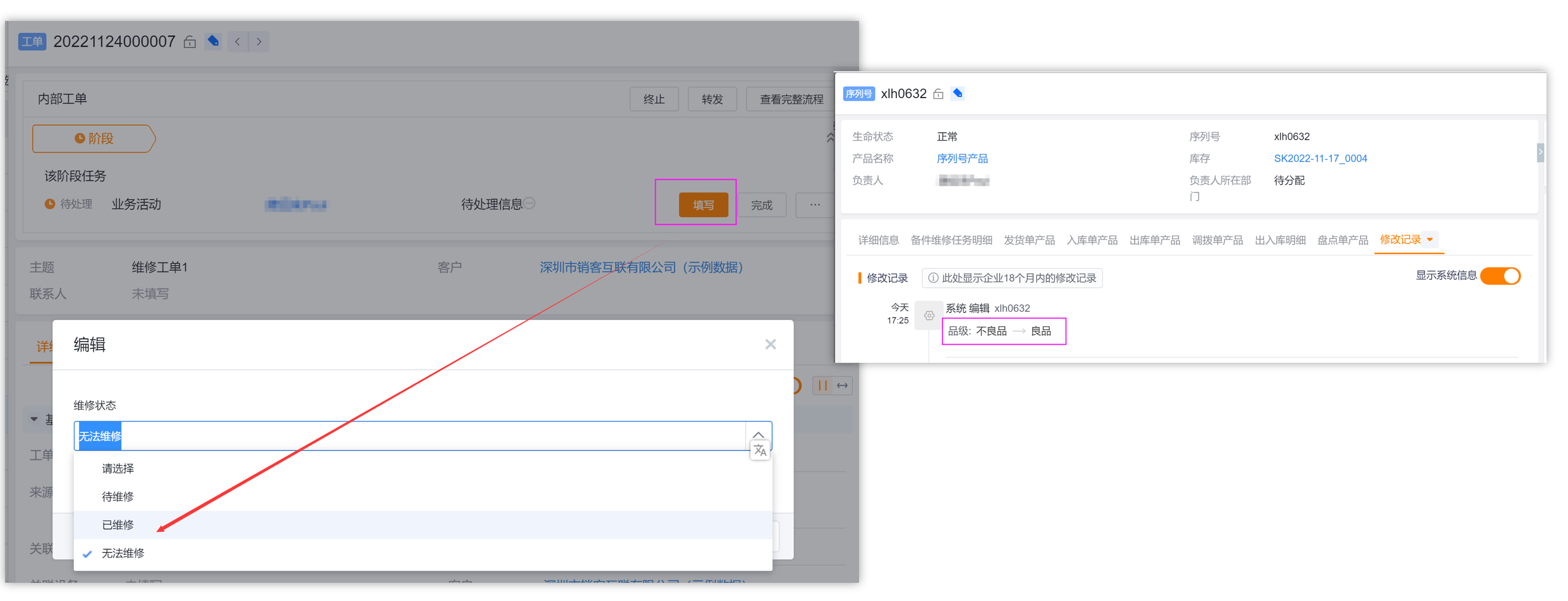
The maintenance engineer fills in the maintenance status when completing the work order. After selecting Repaired, the serial number grade changes to good product, the inventory of good products increases, and the inventory of defective products decreases.
5. Verify the repair results
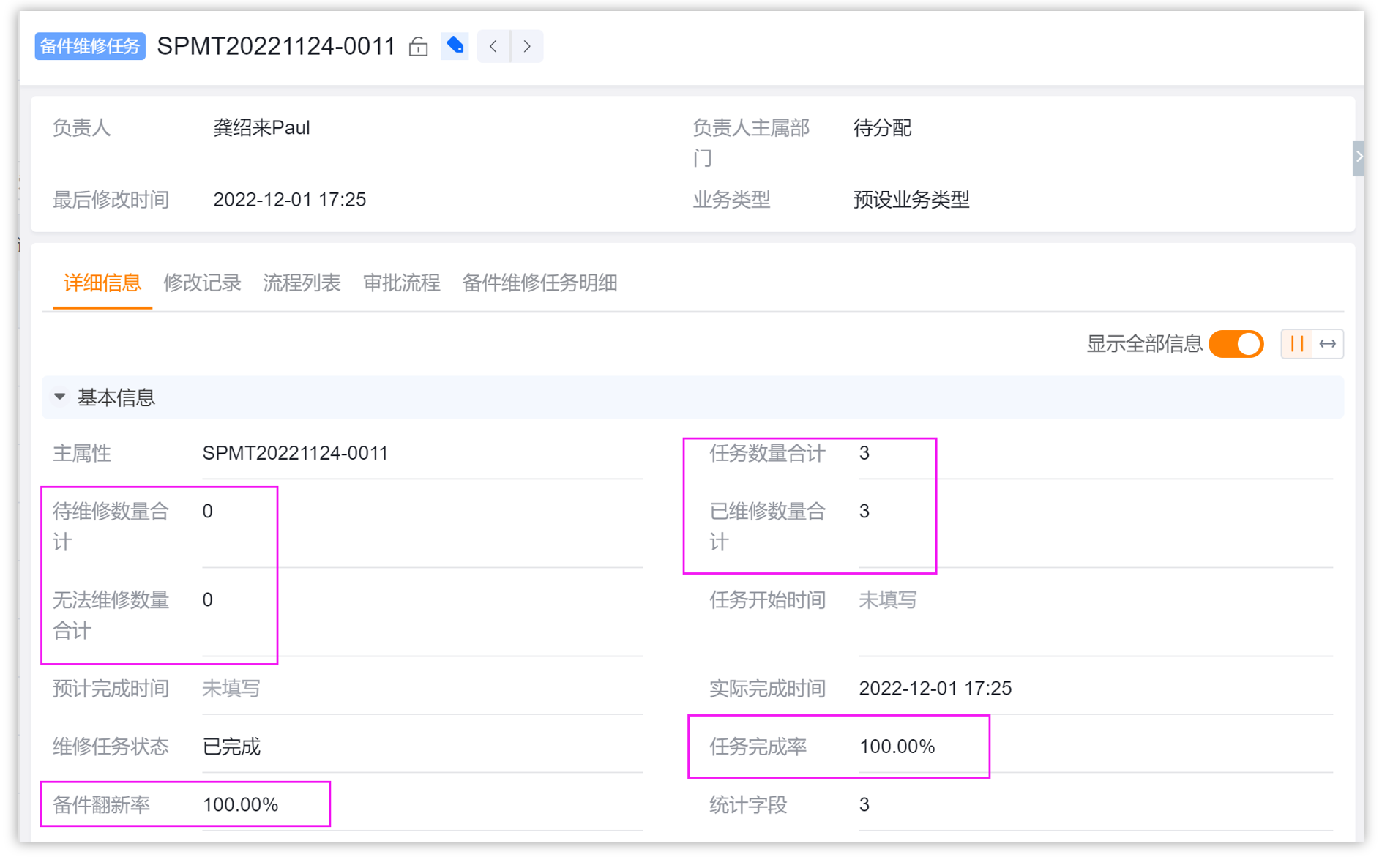
Return to the maintenance task list to view task status, completion rate and renovation rate.
Check the grade of the corresponding serial number and the inventory changes of good and defective products.
Expected results and validation
- Repair plans, repair tasks, and internal repair work orders can be traced through their relationships.
- After the internal work order is marked as repaired, the corresponding serial number becomes a good product, the inventory of good products increases and the inventory of defective products decreases.
- The completion rate and renovation rate of repair tasks are consistent with the details of completed repairs.
Notes
- Spare parts repair is unavailable in simple and standard modes.
- The serial number is manually populated by default, and can also be changed to automatically randomly select available serial numbers in the configuration.
- When the internal maintenance work order is not completed or the maintenance status is not "Repaired", defective products will not be converted into good products.