Appearance
Configure a custom work order process
Overview
This guide is intended for Service Pass administrators and explains the configuration entry, key configuration items, and verification points of this topic.
Before you begin
- Use the Service Pass administrator or an account with the permission to configure this topic.
- First confirm that the business objects, roles, channels or plug-in dependencies of the scenario corresponding to the text are enabled.
- Prepare test work orders, test accounts or test channels to verify configuration results.
Procedure
- Enter the Service Management page according to the scenario section below, and confirm the target object or process node.
- Complete the configuration according to the options, roles and channel conditions in the scenario section and save it.
- Use the corresponding role or test record to verify the entry, trigger conditions and final results.
1. Introduction to custom work order process (business flow)
The service process refers to the flow process of configuring work orders for the company's work orders. For example, if the company has different types of work orders, with different work order processes, the Fenxiang after-sales service process can realize the collaborative implementation of tasks by multiple people through standard business flows.
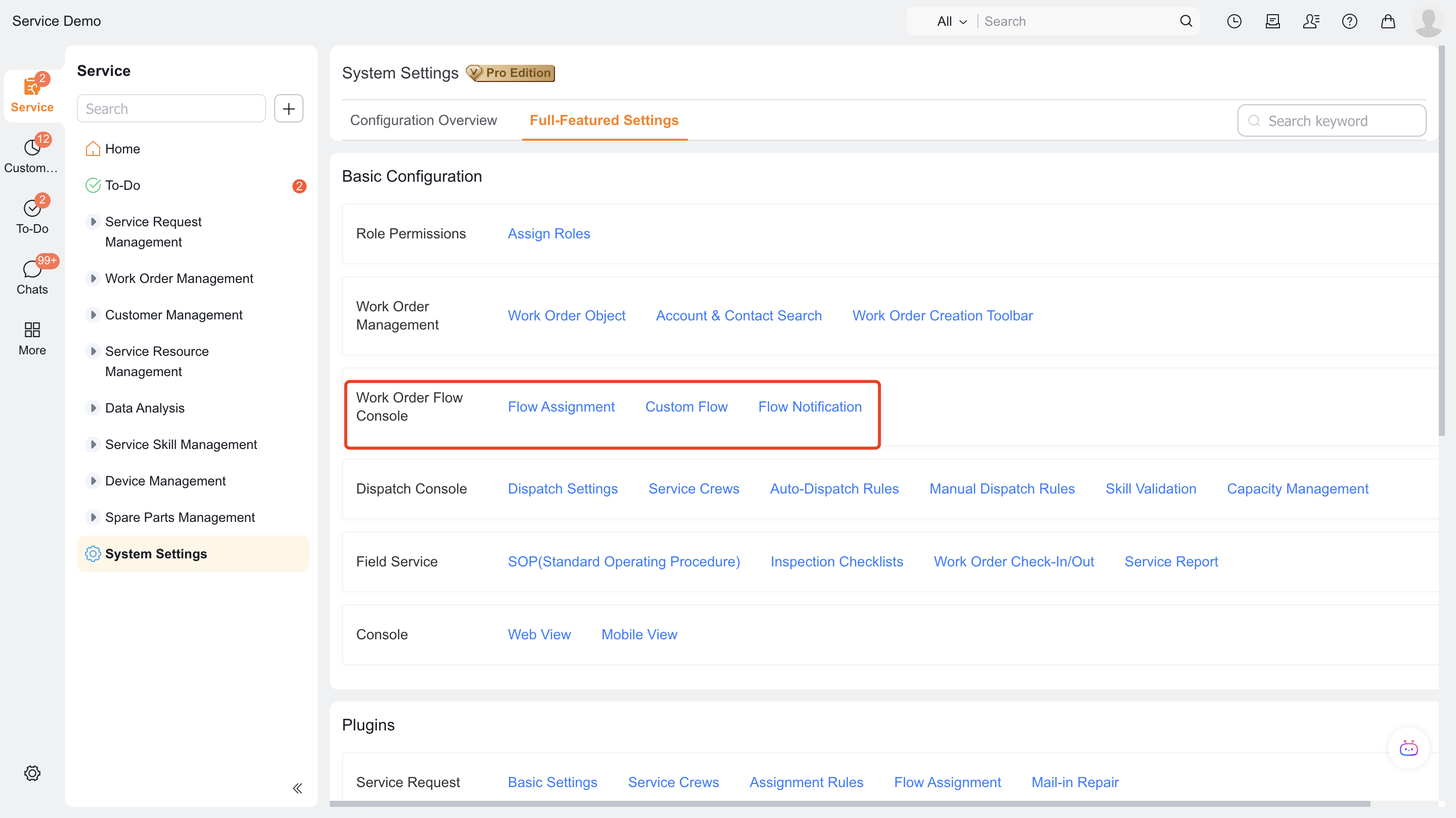
Function entrance: Service Pass > System Settings > Full Function Settings
Work order process allocation: You can select an existing or create a new process. One business type (work order type) corresponds to a service process. This page will display the existing work order business types and existing business processes. If the process is empty as shown in the figure, it is because the process has not been created yet.
When you create a work order for a business type with an assigned process, the process starts automatically. You don't need to configure a workflow trigger.
Select New Work Order Process in the upper-right corner to create a process.
2. Create a new work order process (business flow)
2.1 Create new work order process (business flow)
- Select New Work Order Process > Configure Basic Information > Configure Process.
- Note: The process initiator must select a work order
2.2 Process (Business Flow) Node Description
- Business node: usually used to perform object operations such as: editing objects, creating new associated objects, etc.
- Approval and countersigning: used for single or multi-person approval
- Automatic node: used for automatic execution, usually used with functions
- Branch: supports data with different conditions to execute different processes
- Parallel: allows multiple people to perform multiple tasks in parallel
For process-node examples, see Work order process configuration example.
Business development node
- Assigned engineer:
- Assign service group
- Assign service provider
- Assignment within the service group
- Take orders
- On-site standard operations
- Inspection team
- Service reports
- Service evaluation
- Service return visit
- Service provider standard operations
- Terminal handling
The following example shows Service Pass administrators how to configure a basic service process.
Configuration scenario description:
1. Work order acceptance
- The key points of work order acceptance configuration are to configure the fields and layout of the work order object. For details, please refer to:
2. Work order dispatch-order distribution
- The first dispatch node can assign the work order to a service group. If teams are divided by territory, assign the service group automatically or manually.
3. Dispatch the work order to an engineer
- Add a second assignment node, which can be assigned manually by the service team leader, or members of the service group can automatically grab orders, or orders can be automatically dispatched within the service group.
4. Door-to-door service
- Option 1: Standard process business node, edit (work order) object or create new associated object (work order service record).
- Option 2: Configure advanced field type + service field node to complete the overall service process actions for engineers.
- Take configuring standard process business nodes as an example
5. Service evaluation and return visit
- Service evaluation rules can be configured according to enterprise needs
- Configure application nodes on the process: service evaluation
6. Work order process flow diagram
- The flow diagram of work orders according to the above process is as follows:
Expected results and verification
- After saving the configuration, use the role, channel or test ticket corresponding to the scenario in this article to verify the entry and results.
- If configured as a process, notification or automated task, both the trigger condition and the next responsible role should be verified.
Notes
- The actual visible menus, fields, buttons and channels depend on the configured role permissions, business type and pre-plugins.
- For grayscale, optional or ability to rely on external channels, first confirm that the dependency is enabled, and then verify it on the test record.