Appearance
Configure general business nodes
Overview
General business nodes are used to schedule a clear on-site processing action in the standard work order process, such as supplementing work order fields, creating work order service records, or registering spare parts consumption. It is suitable for scenes with a single action and no need for multi-process choreography.
A business node can perform only one action. To combine multiple actions, recurring tasks, inspection groups, or procedure check-ins, use an on-site standard operation (SOP) template.
Before you begin
- Use an administrator account with permission to configure work order processes and business nodes.
- The objects, fields or associated records that the node needs to operate on have been determined.
- The Service Engineer personnel field has been configured in the work order object, and the target engineer must have relevant object and data permissions.
Supported actions
| Action | Applicable scenes |
|---|---|
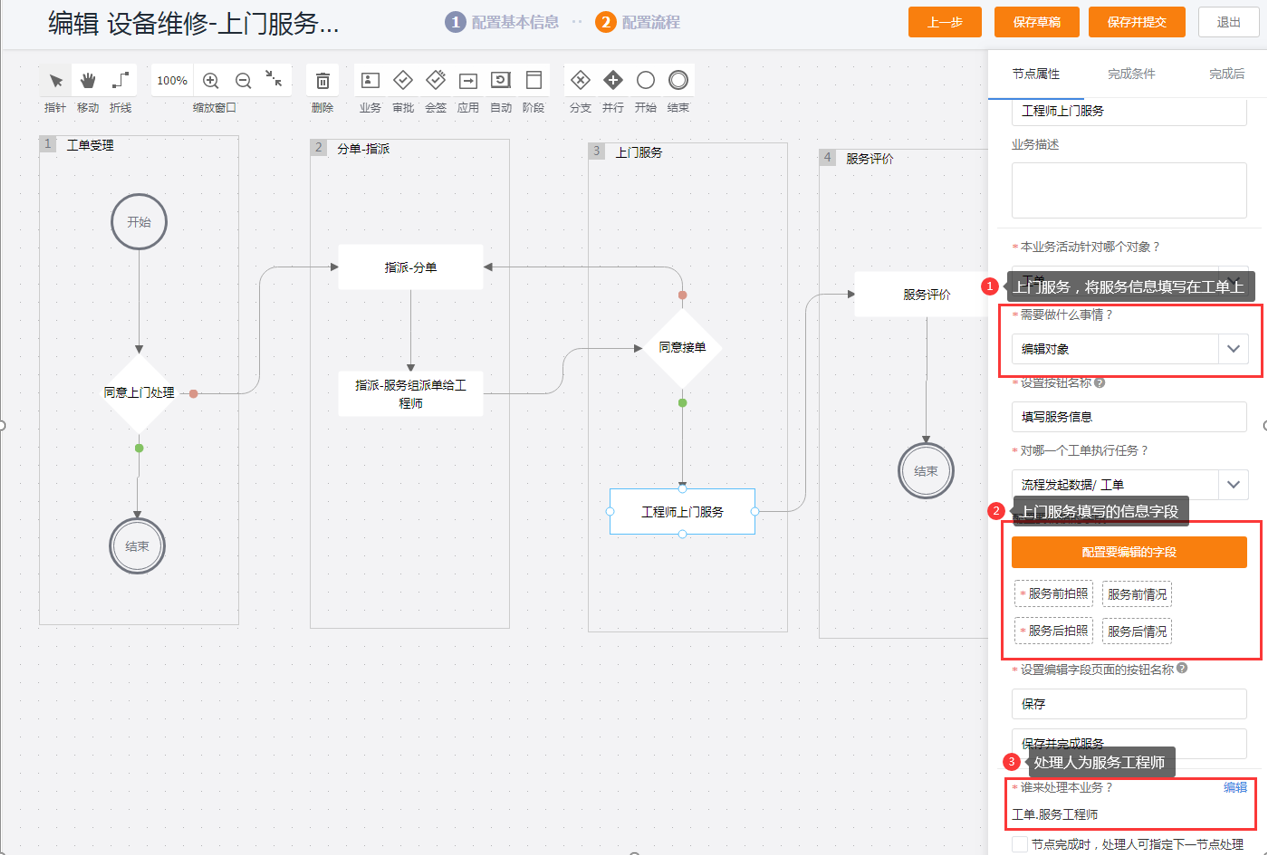
| Edit object | Let engineers add work order or related object fields |
| Create a new associated object | Create a work order service record and other associated data |
| Create new related objects in batches | Create multiple pieces of related data such as spare parts consumption at one time |
| Edit the slave object | Edit the slave object record under the work order |
Operation steps
Open the target work order business process and add business activity nodes during the engineer's on-site processing stage.
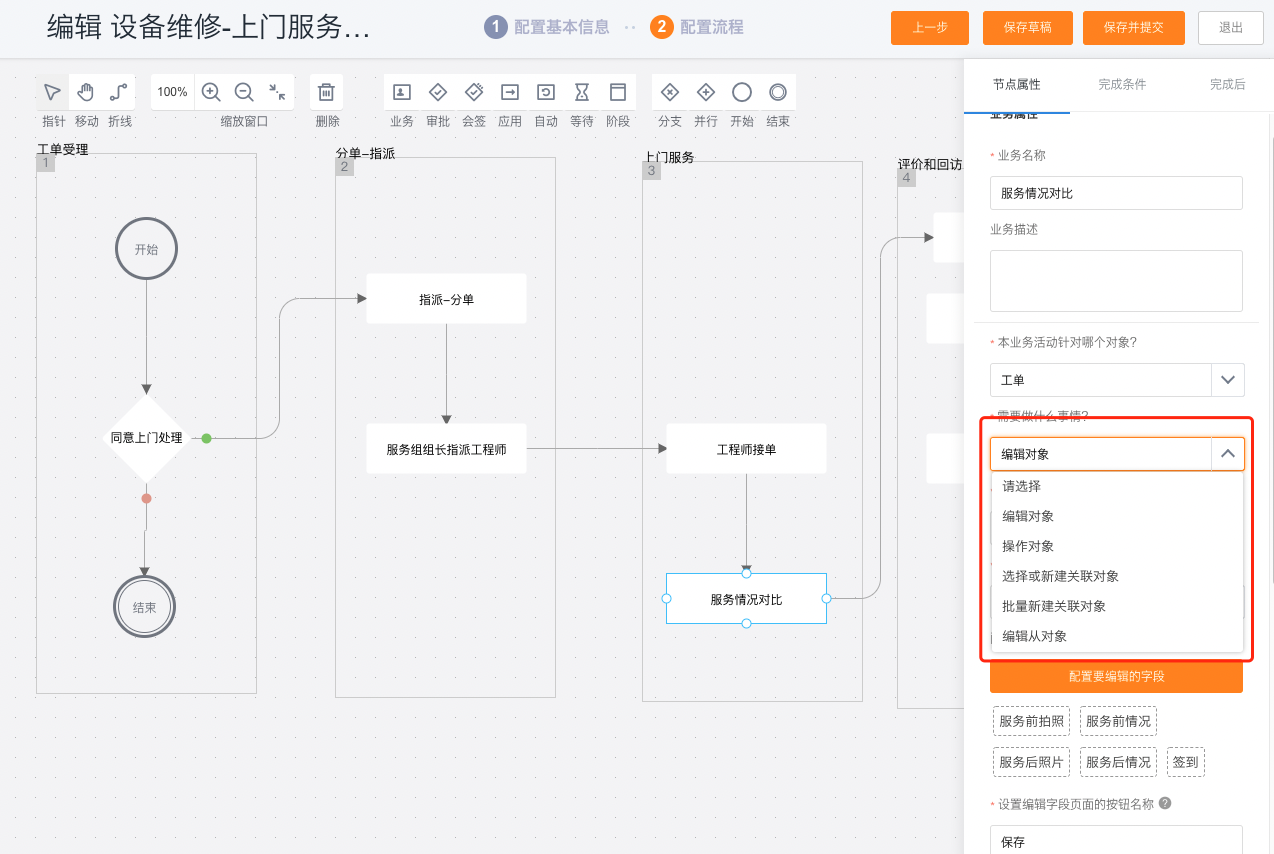
Select the action that this node performs.
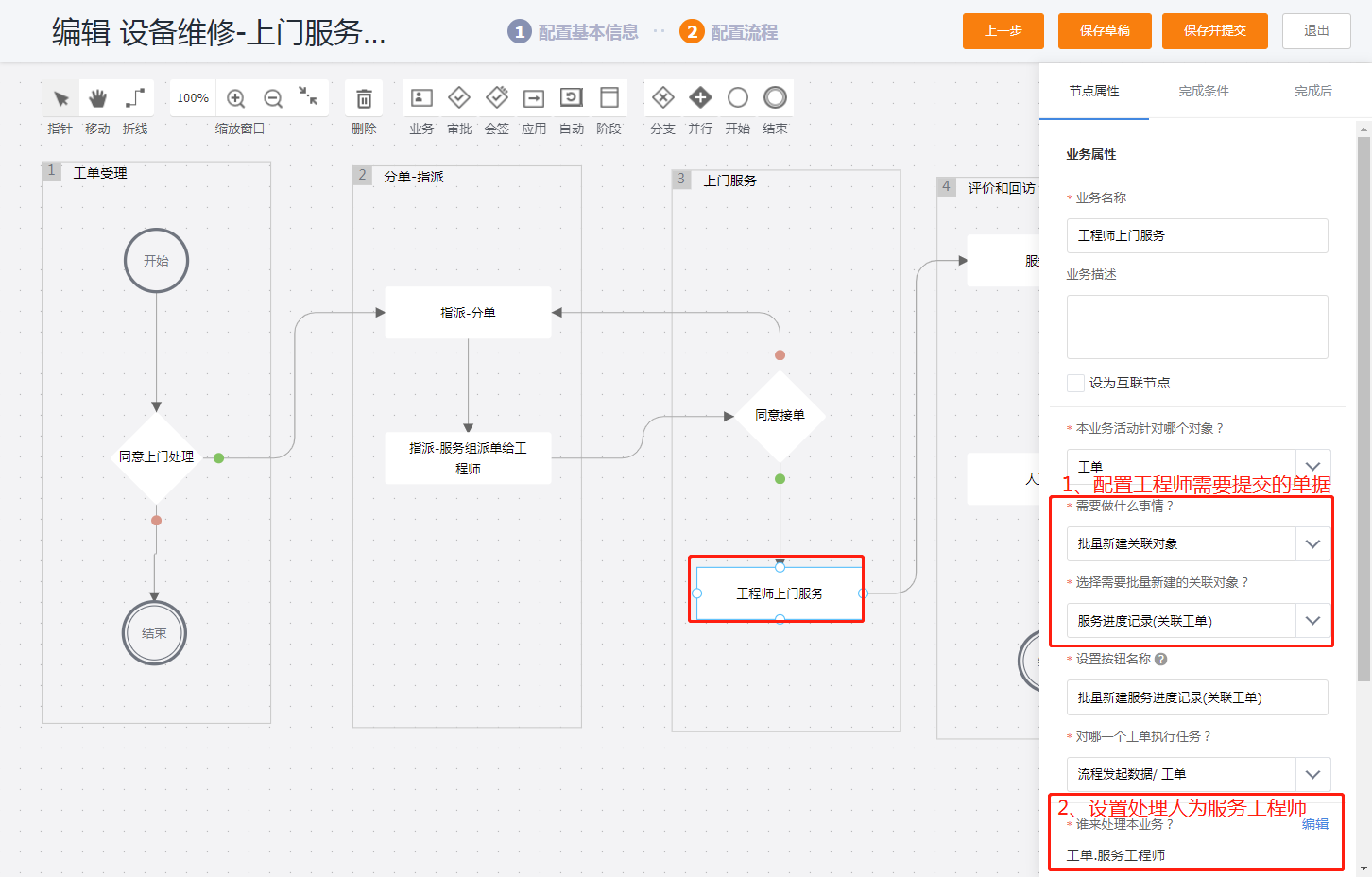
Set the node handler to Object Personnel Field > Work Order > Service Engineer.
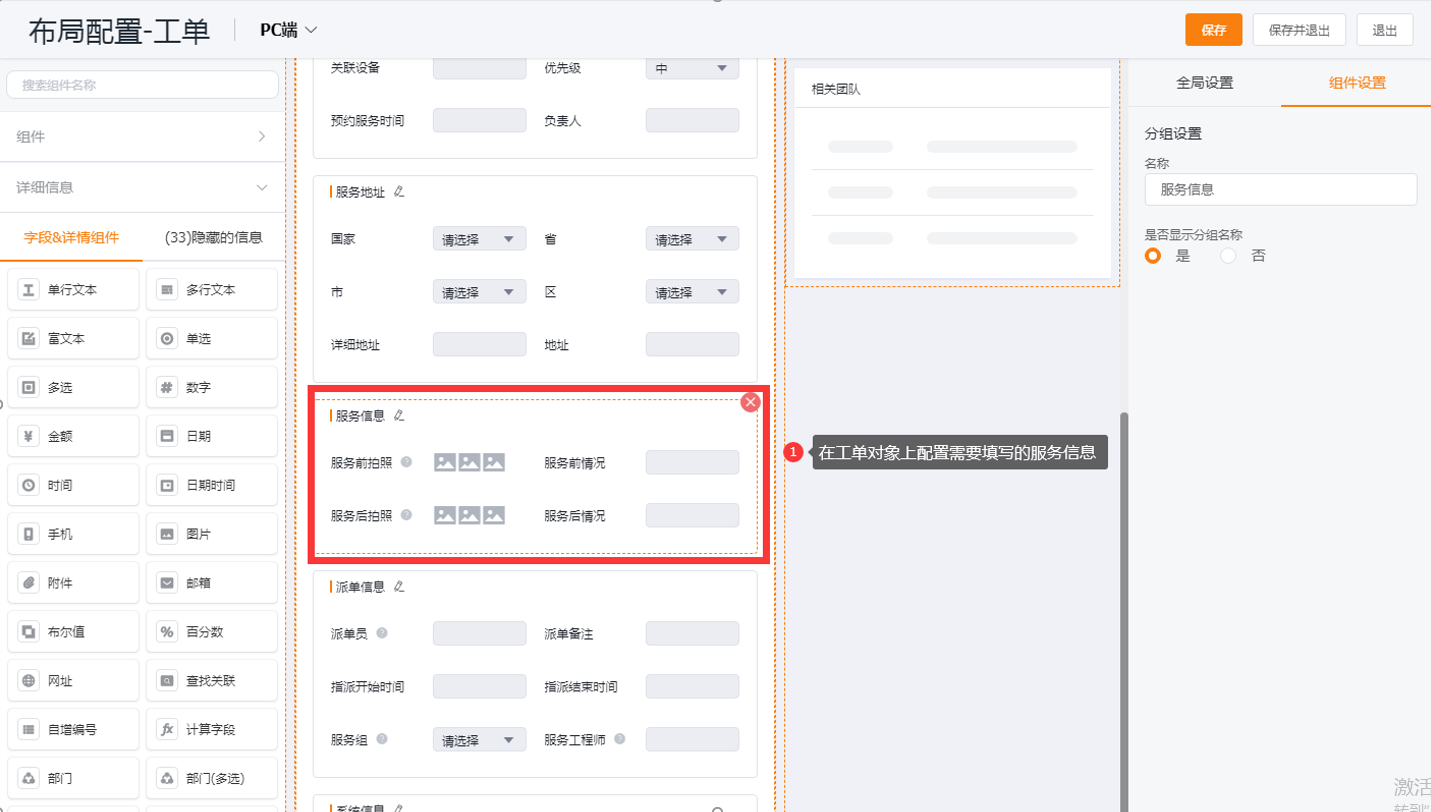
Select the object, field or associated object according to the action type, and configure the page content that the engineer needs to fill in.
Save and publish the process.
User visible effects
After the process enters the node, the service engineer executes the configured single action and submits the data. For example, edit a work order and populate field service record fields.

Expected results and verification
- Enter the node using a test work order with an assigned service engineer.
- Confirm that the task handler is the service engineer on the work order.
- Check that the engineer page only contains actions and fields configured for this node.
- After submitting the action, confirm that the object fields or associated records are generated or updated as configured.
Notes
- Configure only one action in each business node. Do not combine multiple on-site tasks in one general business node.
- For related or detail objects, engineers need the corresponding object and data permissions.
- This page does not cover work order check-in rules. For location, distance, rescheduling, and correction settings, see Configure work order check-in.