Appearance
Service report object
Overview
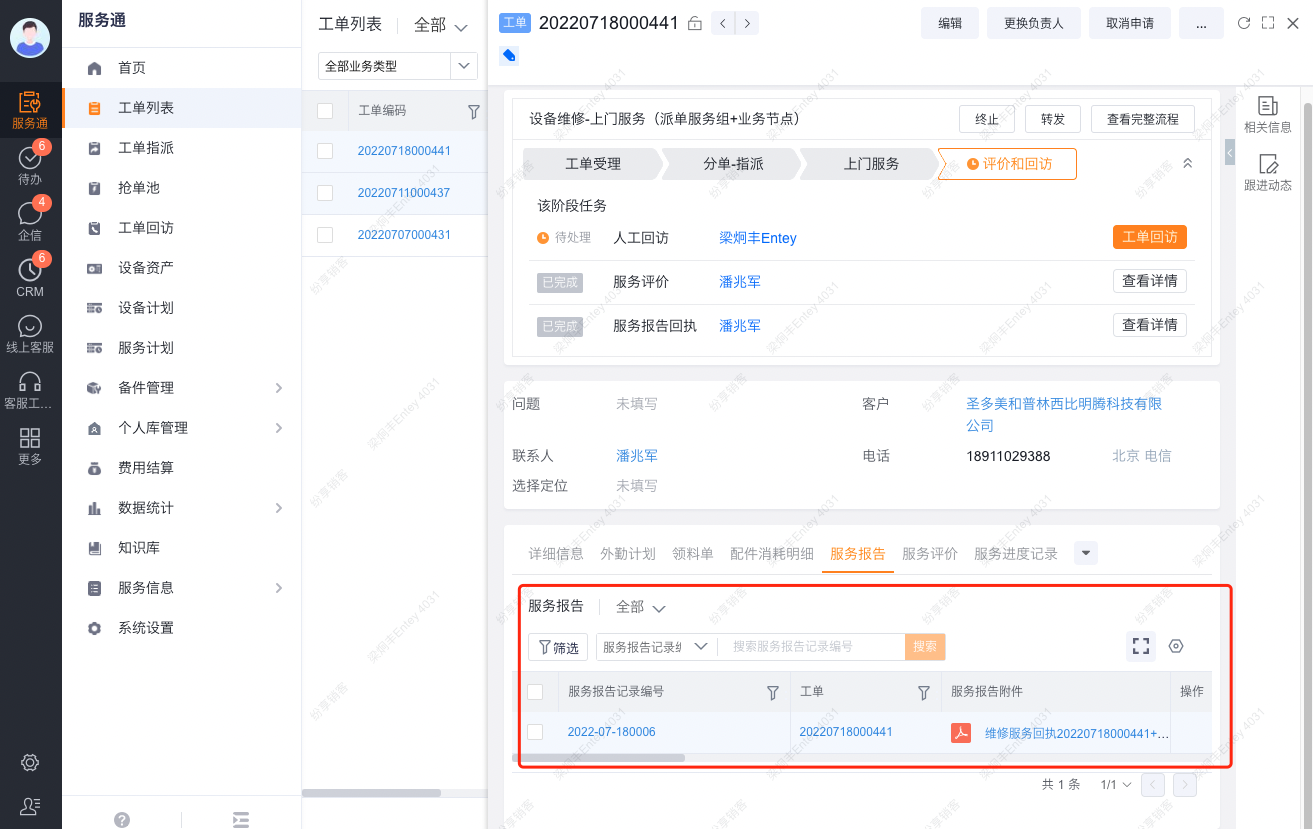
After you enable service reports, the system provides a Service Report object related to Work Order. One work order can have multiple reports. Each generated report is stored as an attachment on its Service Report record.
Object relationships
| Object | Relationship | Description |
|---|---|---|
| Work Order | One-to-many Service Reports | One work order can have multiple Service Report records. |
| Service Report | Related to Work Order | Stores report content and generation results. |
| Service Report Attachment | Detail object or attachment field | Stores each successfully generated file on the Service Report record. |
Generation status
After an engineer uses a shortcut or process action to generate a report, the Service Report Status field updates automatically. Visible values include:
| Status | Reference meaning |
|---|---|
| Draft | The report record exists but is not fully completed or generated. |
| Incomplete | The report generation process is not complete. |
| Pending Customer Signature | The report is awaiting a customer signature. |
| Customer Declined to Sign | The customer declined the signature request. |
| Completed | The report was generated and its current process is complete. |
Verify the generated report
- Review Service Report Status on the work order.
- Open the related Service Report record and confirm that it exists.
- Download or preview the generated file from the attachment field.
Completed means the report generation process is complete. It does not mean the entire work order process is complete. The configured work order process determines that outcome.
Limitations
- Enable service reports and expose the generation action in a process or layout before use.
- One work order can have multiple reports. During troubleshooting, review both the work order and the specific report record.
- Organizations can customize report templates, signature actions, and button labels. This page does not define fixed UI text.