Appearance
Configure collaborative engineers
Overview
Use collaborative engineers when multiple service personnel work on the same work order. A dispatcher can select multiple collaborators at the Assign Engineer or Assign Within Service Group node. The system writes them to the work order's Collaborative Engineer field.
Before you begin
- The primary engineer and all collaborative engineers have the Engineer role.
- The work order process includes Assign Engineer or Assign Within Service Group nodes.
- The subsequent process has clarified which tasks need to be handled jointly by the primary engineer and collaborative engineers.
Procedure
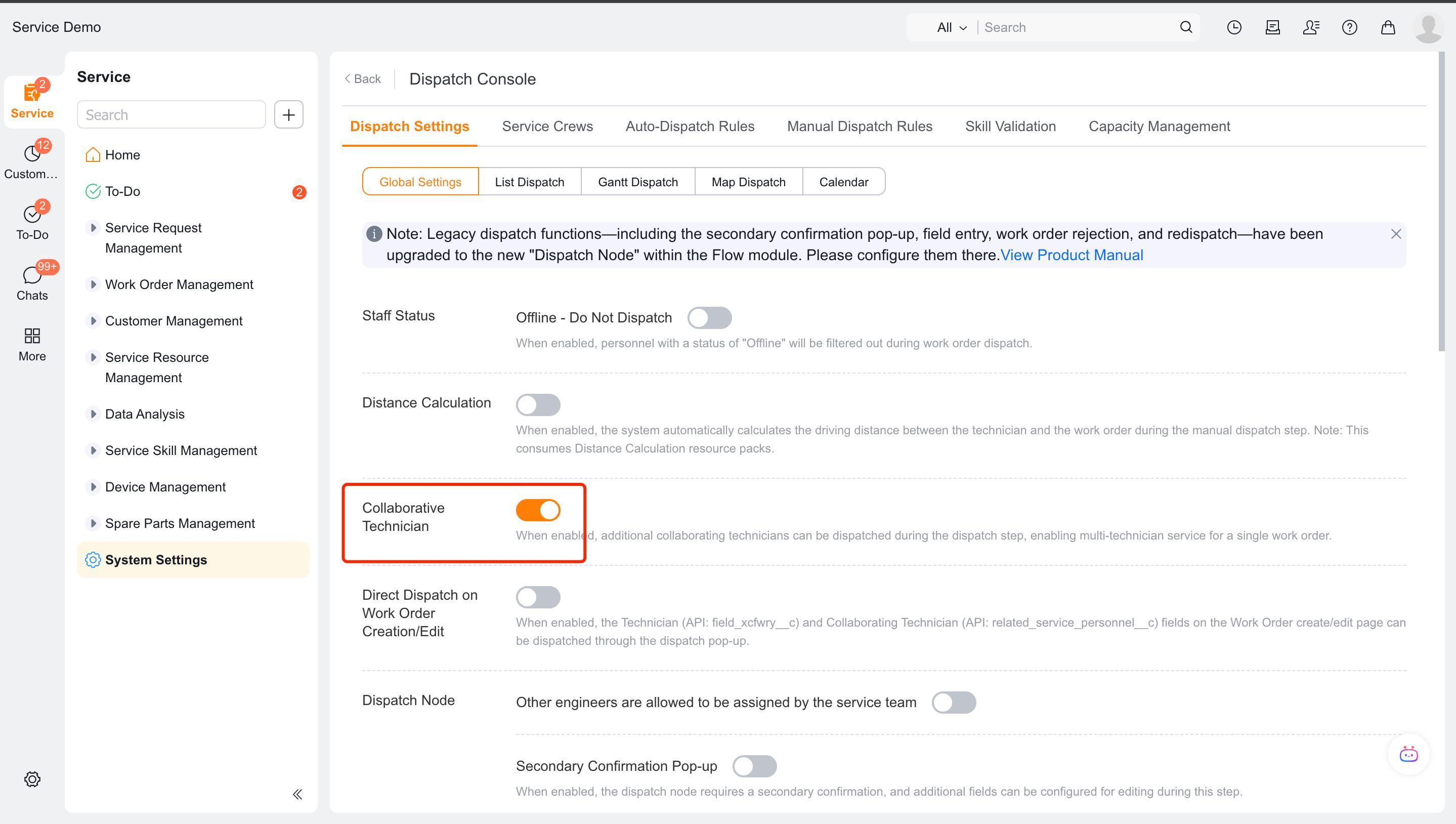
Enter Field Service > System Settings > Work Order Assignment > Collaboration Engineer.
Enable collaborative engineer selection in the applicable assignment node.
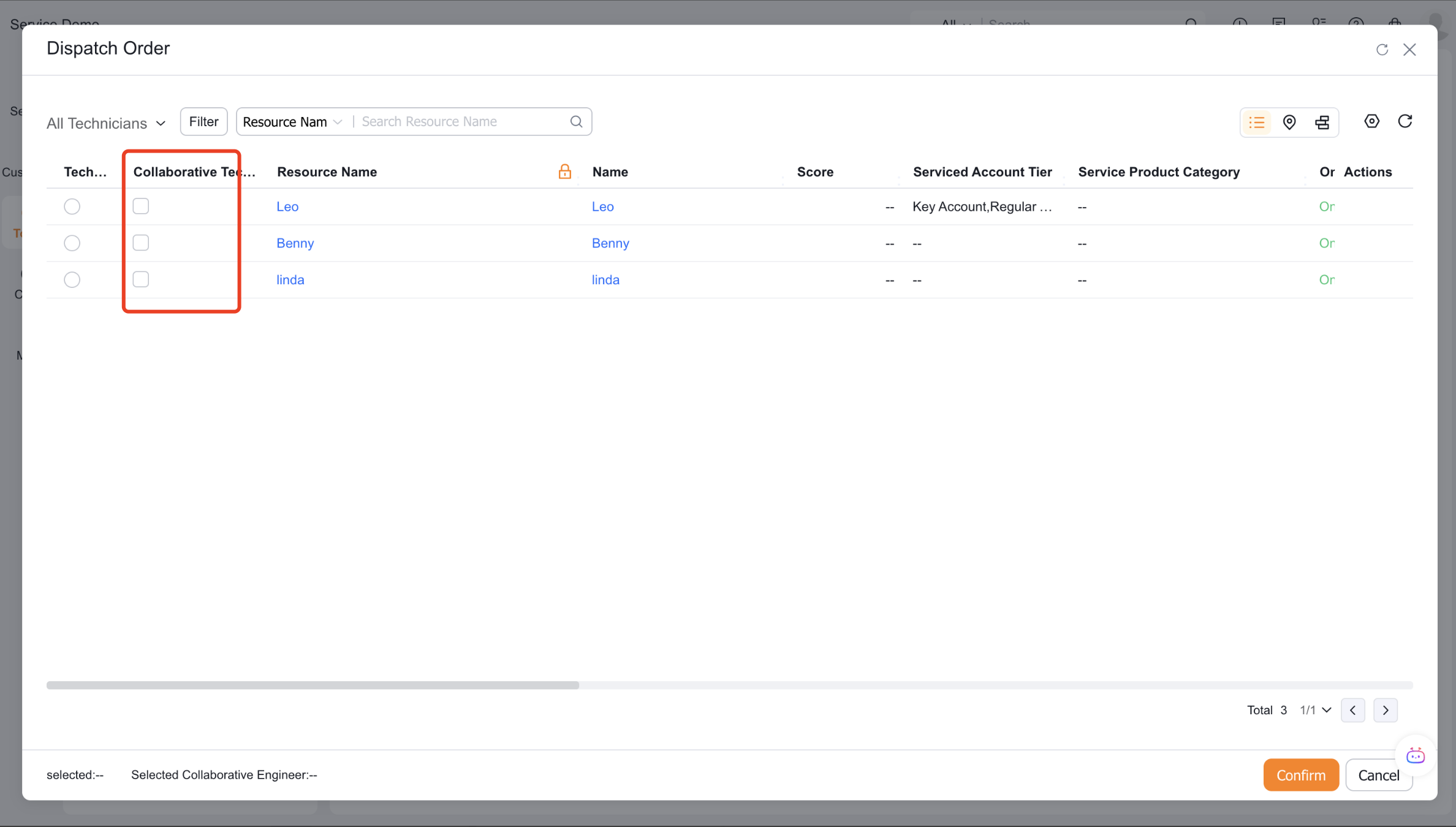
Use the dispatcher or service group dispatcher account to manually dispatch orders, and select one or more collaborative engineers.
In the subsequent process nodes, set the Collaborative Engineer field of the work order as the handler.
After dispatching the order, check the
related_service_personnel__cfield of the work order.
Some enterprises that were initialized earlier may store collaborative engineers in the Service Personnel object, which should be subject to the actual fields of the tenant.
Verify the result
- On the manual dispatch page, you can select collaborators with the engineer role.
- After dispatch, the selected collaborators appear in the work order's Collaborative Engineer field.
- Subsequent nodes assign tasks to both the primary engineer and collaborative engineers when their handler references the corresponding fields.
Notes
- Auto dispatch and work-order claiming do not support collaborative engineers and can only be selected manually.
- Writing a work order field does not assign subsequent tasks. The process node handler must reference that field.
- Collaborators cannot be selected if they do not have an Engineer role.