Appearance
Configure video customer service
Overview
Choose an access method based on who starts the session and where they start it. Service Pass supports two documented approaches:
- Customer service personnel and service engineers can use Tencent’s quick conference initiation capability.
- End customers use Tencent Cloud Real-Time Audio and Video (TRTC) integration solution to proactively initiate video customer service.
This guide only describes configuration boundaries that can be confirmed by existing documentation. The original material does not provide the function switches, permission items, TRTC parameters or save paths of the administrator backend, so these contents are not written as fixed operation steps.
Before you begin
- Confirm the initiator who needs support: customer service personnel, service engineers or end customers.
- Confirm the portal to use: customer service workbench, work order/service request object, or customer-oriented online customer service, equipment and service request portal.
- Confirm whether to choose Tencent Conference Quick Start or implement Tencent Cloud TRTC integration.
- Prepare test accounts and test business records to check the entrance and meeting creation results.
Select access plan
| Business requirements | Suggested solutions | Configuration or preparation key points | User-side results |
|---|---|---|---|
| Customer service switches to video communication during online consultation | Quickly initiate Tencent meetings | Ensure that the customer service workbench displays the Tencent meeting tool; customer service staff completes the binding of personal Tencent meeting accounts | Customer service can initiate Tencent meetings on the chat toolbar |
| Engineers conduct video communication around work orders or service requests | Quickly initiate Tencent meetings | Ensure that the target object provides the initiate meeting operation | Engineers can create real-time meetings or scheduled meetings |
| Customers proactively request video support from the service portal | Tencent Cloud TRTC integration solution | Combined with enterprise solutions to complete the portal and real-time audio and video integration | Customers can initiate video customer service without logging in to Tencent Conference |
Prepare customer service workbench Tencent meeting
- Use the test customer service account to enter the Customer Service Workbench and open a customer service session.
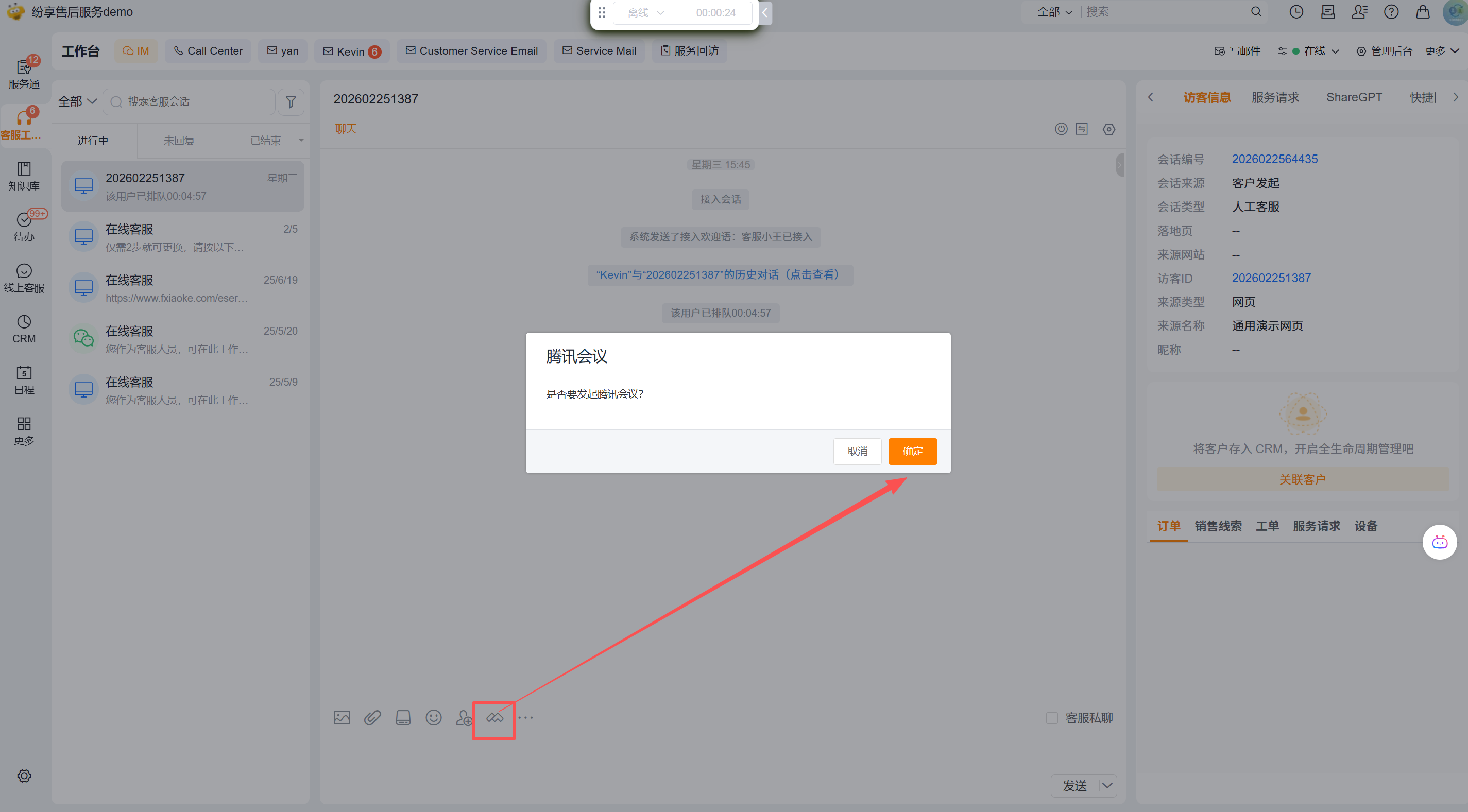
- Check whether Tencent Meeting Tool is displayed below the chat input box.
- The customer service staff clicks on the Tencent Meeting Tool and follows the page prompts to complete the binding of the personal Tencent Meeting Account.
- Click Tencent Meeting Tool again, and the confirmation page will display the confirmation window for initiating a meeting.
IMPORTANT
The binding action is completed by the customer service staff who actually use the conference. The existing information does not provide administrator binding, unified binding or batch binding methods, nor does it explain whether a conference number can be shared by multiple people.
Prepare work order and service request meeting entrance
- Use the service engineer test account to open a test work order or service request.
- Expand More on the object details page and check whether Initiate a meeting is displayed.
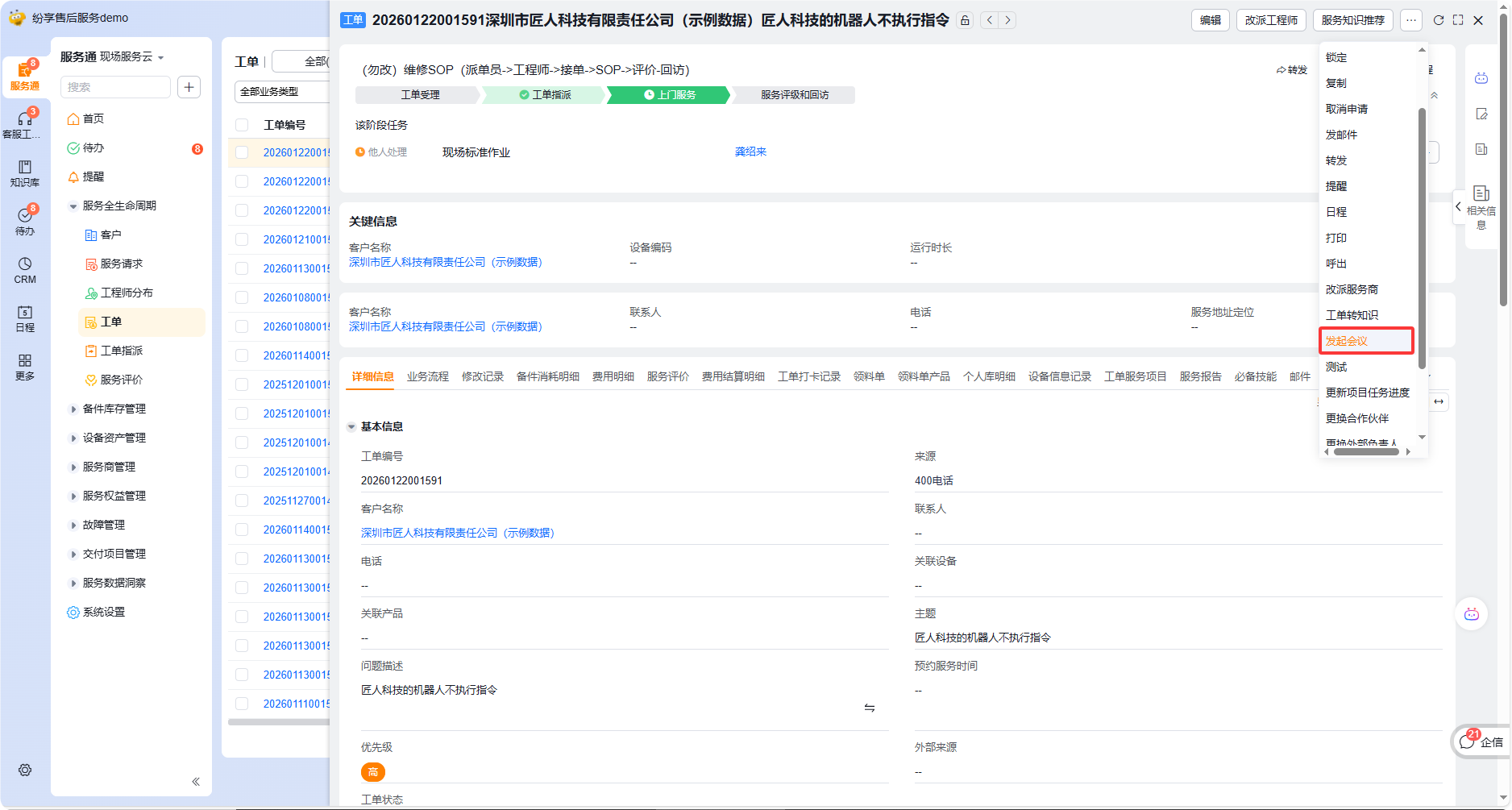
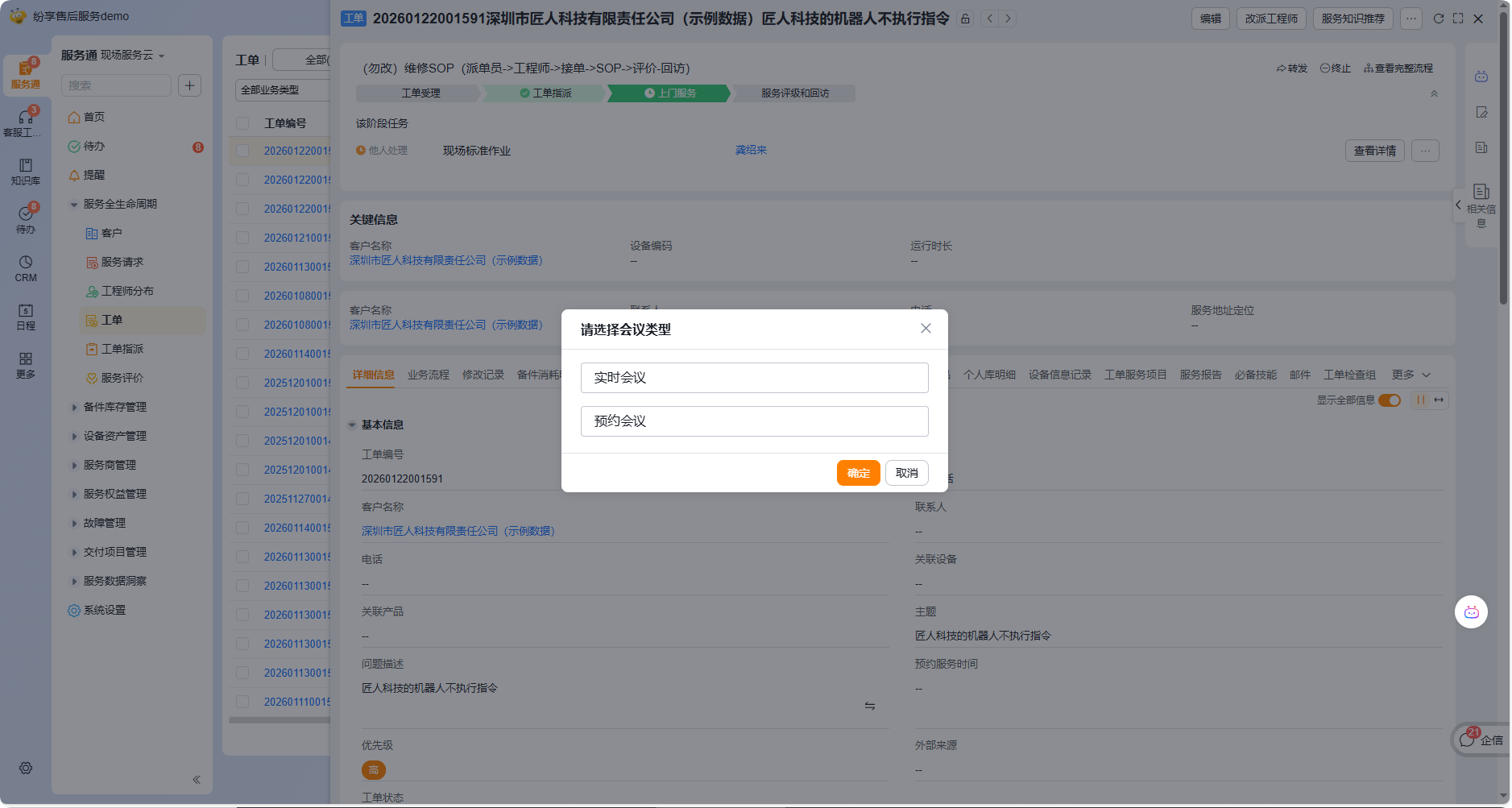
- Click Initiate a meeting. The confirmation page provides two types: real-time meeting and reservation meeting.
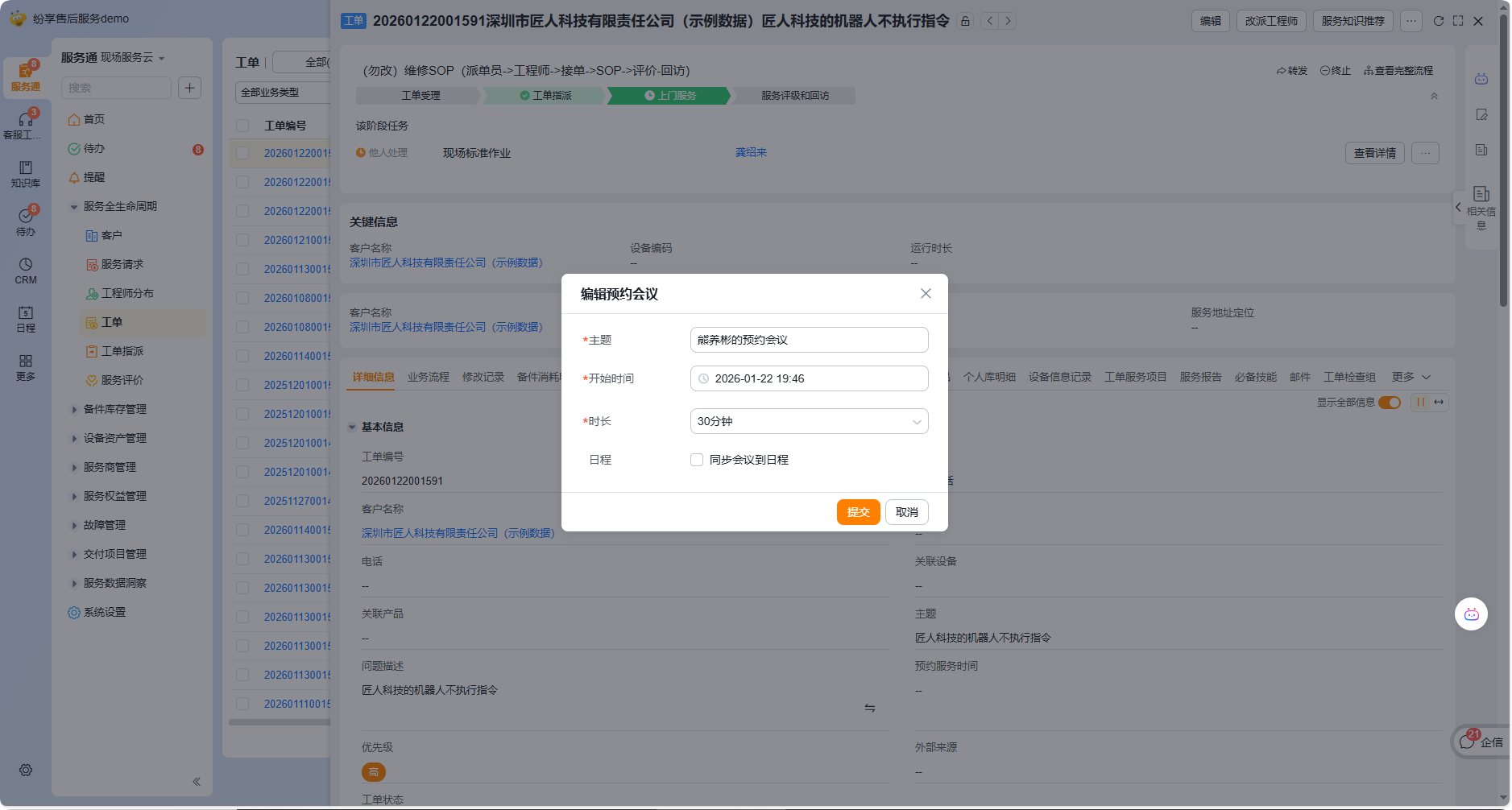
- Select Schedule Meeting, check if the subject, start time, duration and Sync meeting to schedule fields are available, then cancel the test window or submit using test data.
Plan video support for end users
End customers proactively initiate video customer service using Tencent Cloud TRTC integration solution. Before starting implementation, at least the following scope should be confirmed:
- The entrance open to the outside world is one or more of the online customer service consultation window, equipment, and service requests.
- What types of end customers can see and use the portal.
- Which customer service team or service role handles the video request.
- TRTC provisioning, authentication and security solutions adopted by enterprises.
The above content is an enterprise integration design check item. The existing service information only confirms that the TRTC solution can be adopted and that customers do not need to log in to Tencent Conference, and does not provide specific parameters and background pages; the actual configuration should be subject to the enterprise implementation plan.
Expected results and verification
- Customer service staff can see the Tencent meeting tool on the customer service workbench. After completing personal binding, they can enter the meeting confirmation process.
- Service engineers can see Initiate a meeting on the work order or service request details page, and can choose a real-time meeting or a scheduled meeting.
- When you choose to reserve a meeting, the page provides topic, start time, duration and optional schedule synchronization settings.
- When using the TRTC solution, end customers can initiate video customer service from the entrance that the enterprise has implemented, without logging into Tencent Conference.
FAQ and troubleshooting
- The customer service workbench has no Tencent Meeting tool: The source does not define its administrator switch or permission. Check feature activation, workbench configuration, and the test account's access scope.
- There is no "initiate meeting" in the work order or service request: First confirm whether the current object type and page are consistent with the implementation scope, and then the administrator checks the operation configuration of the object; the existing data does not provide a fixed configuration path.
- Customers are required to initiate videos without logging in: Do not use the customer service personal Tencent conference account binding solution as an alternative. TRTC integration should be evaluated and implemented.
- The feature is required in the app: The source shows only the web interface and does not confirm app support.
- Meeting invitation, cancellation, recording or record write-back required: The original information does not describe these capabilities and needs to be confirmed separately before implementation.