Appearance
Configure the manual service group assignment scope
Overview
Manual dispatch rules are used to limit which enterprise dispatchers can handle certain types of work orders, and which service groups they can choose. It only works on Assign Service Group tasks that are not assigned by automatic rules.
Before you begin
- The Assign Service Group node and dispatcher role have been configured.
- Work order conditions, dispatchers, and service groups allowed to be selected have been determined.
Procedure
Enter Field Service > System Settings > Work Order Assignment > Manual Order Dispatch Rules.
Create a new rule and set the name and priority.
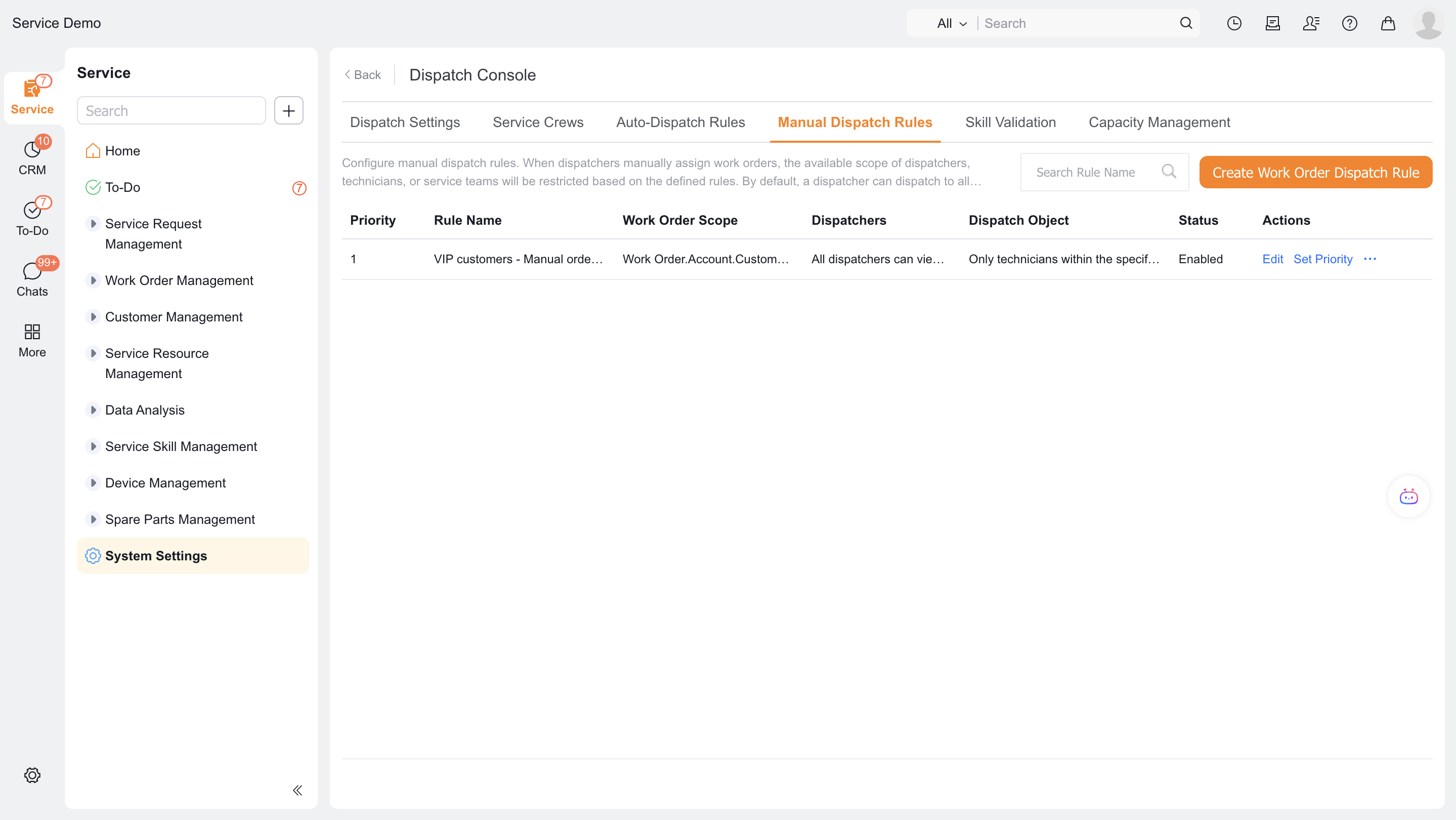
Set the work order scope.
Set up enterprise dispatchers who can handle work orders in this range.
Set the service groups that these dispatchers can see and assign.
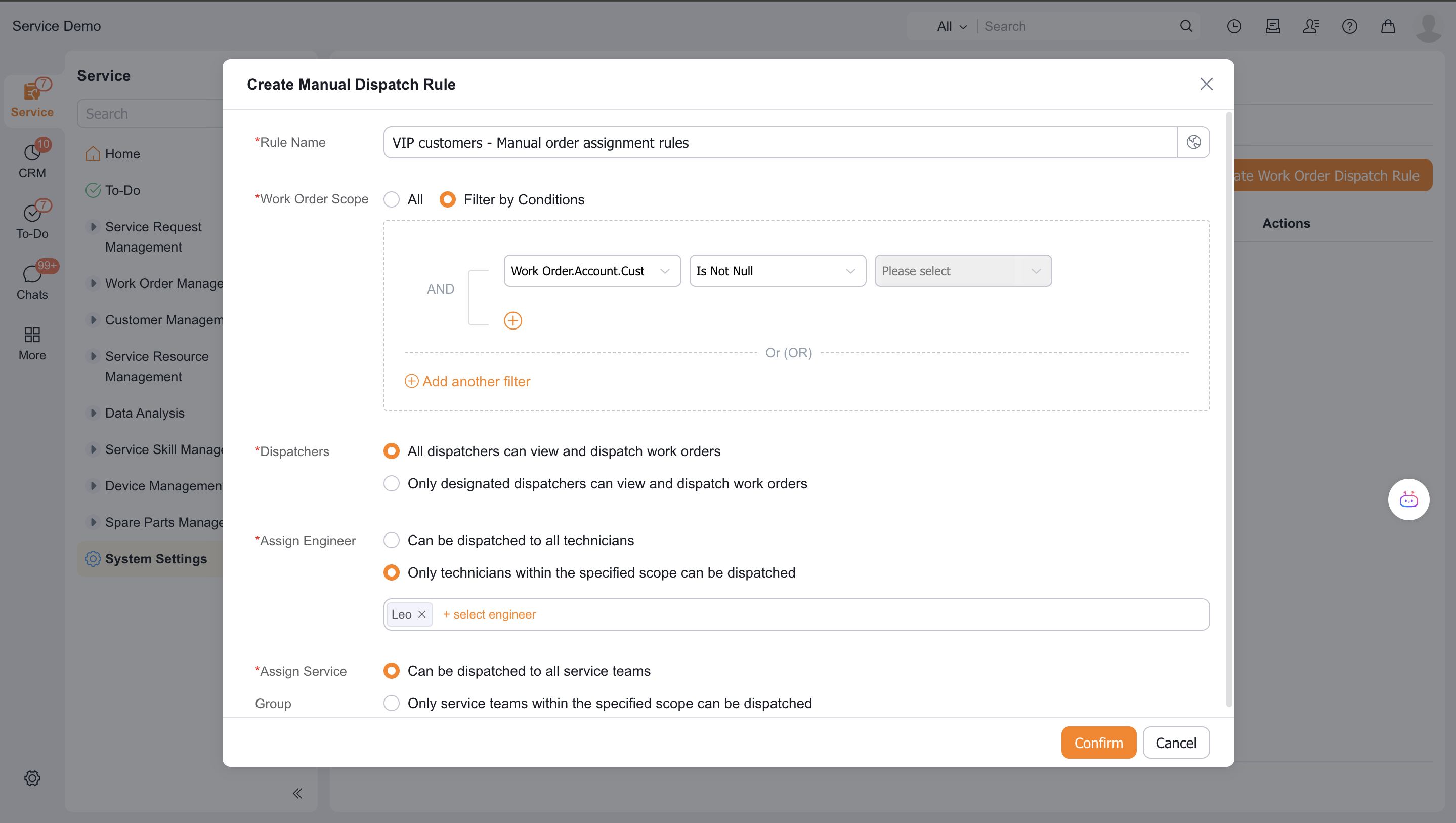
Save and enable the rule.
If uncovered work orders are not allowed to display the default full number of candidates, add a cover rule.
Verify the result
- Work orders that comply with the rules are only sent to the dispatchers within the rules.
- Candidate service groups contain only groups allowed by the rule.
- When multiple rules are hit, the rule with the smaller priority number will be executed.
- After selecting a service group, the candidate range within the group is still determined by the service group's own configuration.
Notes
- Auto dispatch is executed before manual range rules.
- This rule does not control which engineers the service group dispatcher can select.