Appearance
Configure auto dispatch rules for engineers
Overview
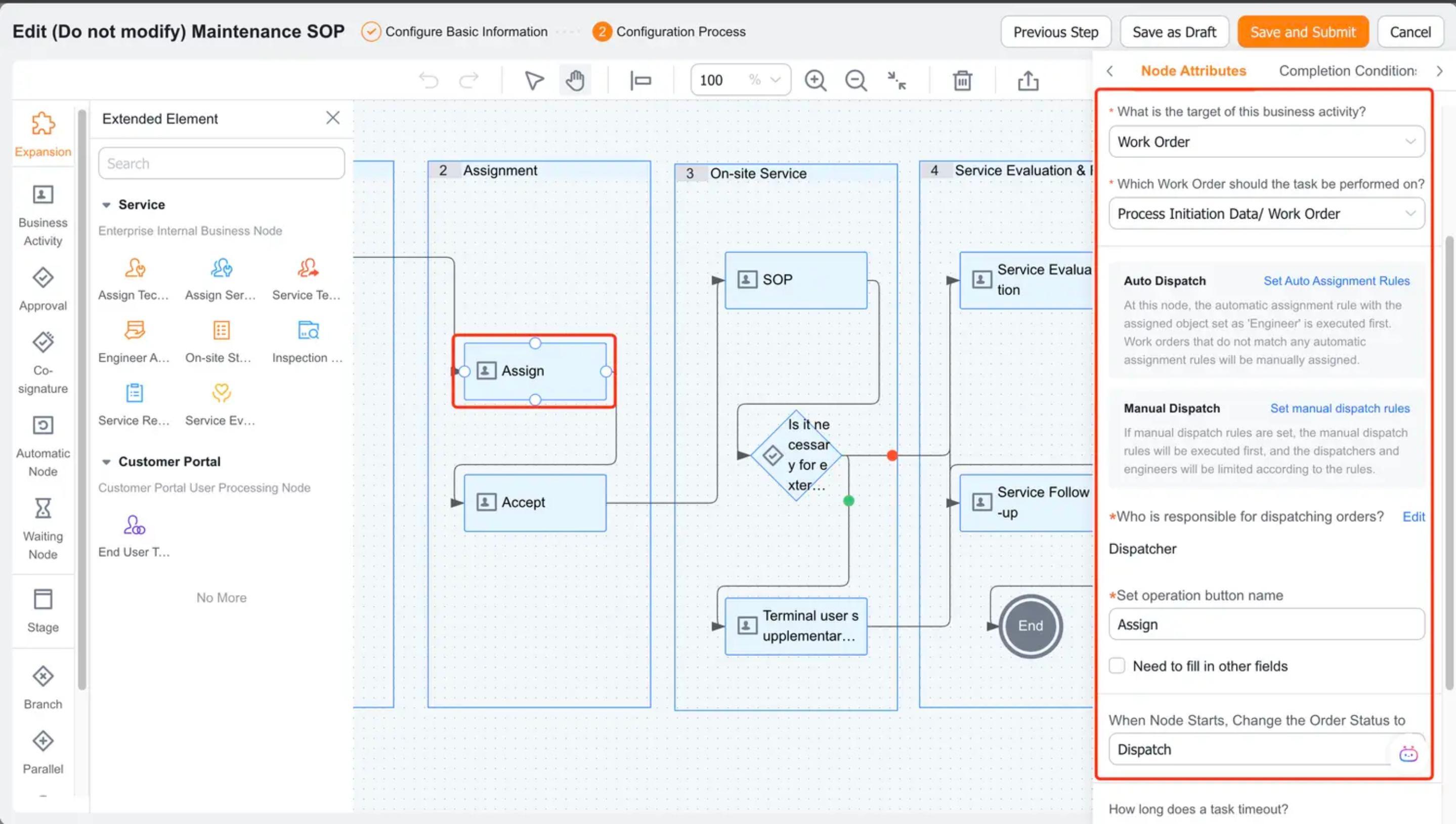
Engineer auto dispatch rules apply at the Assign Engineer node. They support specified assignment, round-robin assignment, and dynamic matching. When multiple rules apply, the rule with the lowest priority number runs first. If no rule matches, use the configured fallback assignee or manual dispatch.
Before you begin
- The Assign Engineer node has been configured in the process.
- Engineers and service information required for dynamic matching have been prepared.
- Test work orders for rules that can and cannot be hit have been prepared.
Procedure
Enter Field Service > System Settings > Work Order Assignment > Automatic Order Dispatch and create a new rule.
Set the rule name, priority, and work order scope.
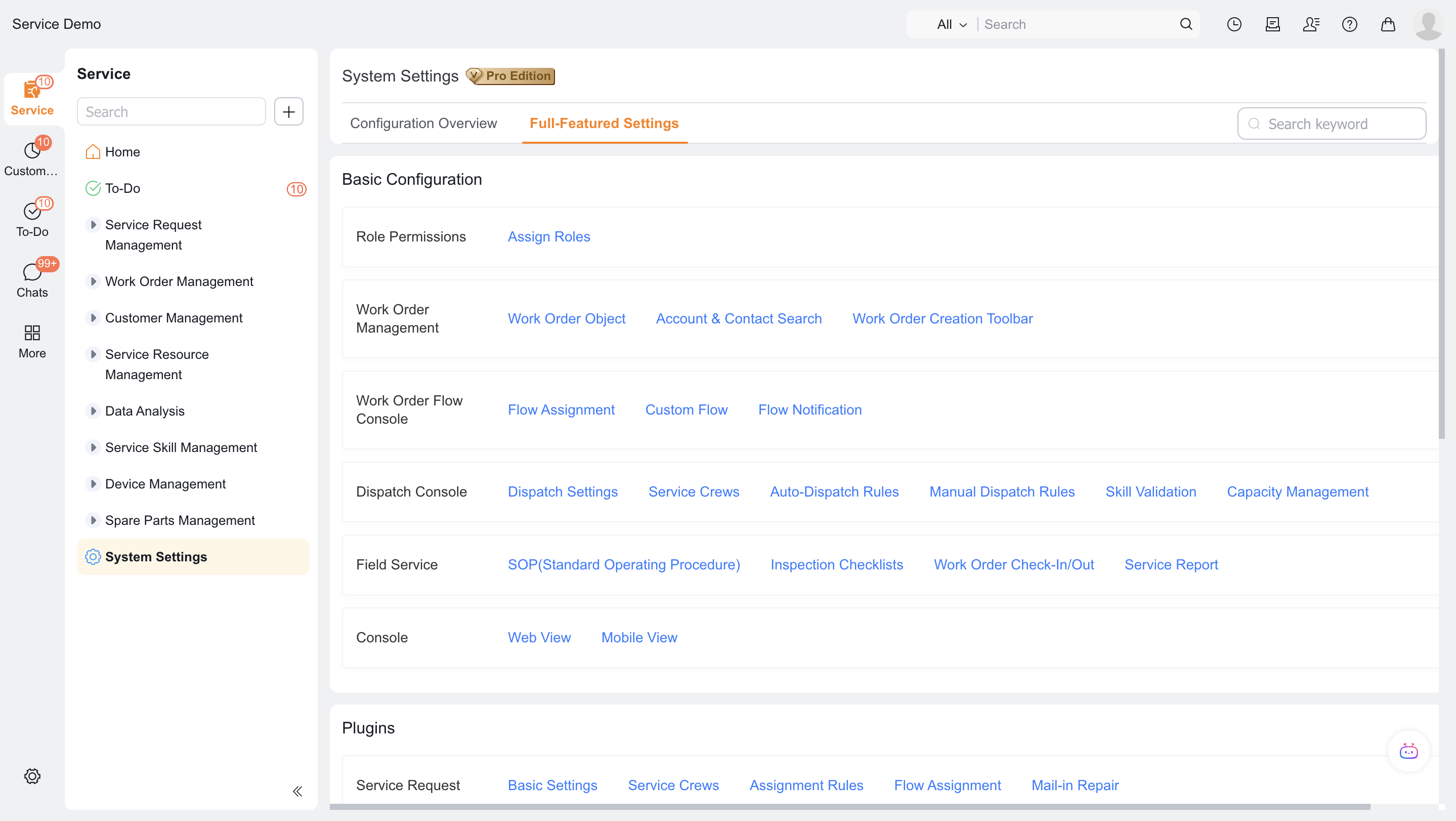
Set Assignment to Engineer.
Select Specified Assignment and assign a fixed engineer, or select Round-Robin Assignment and maintain the candidate order.
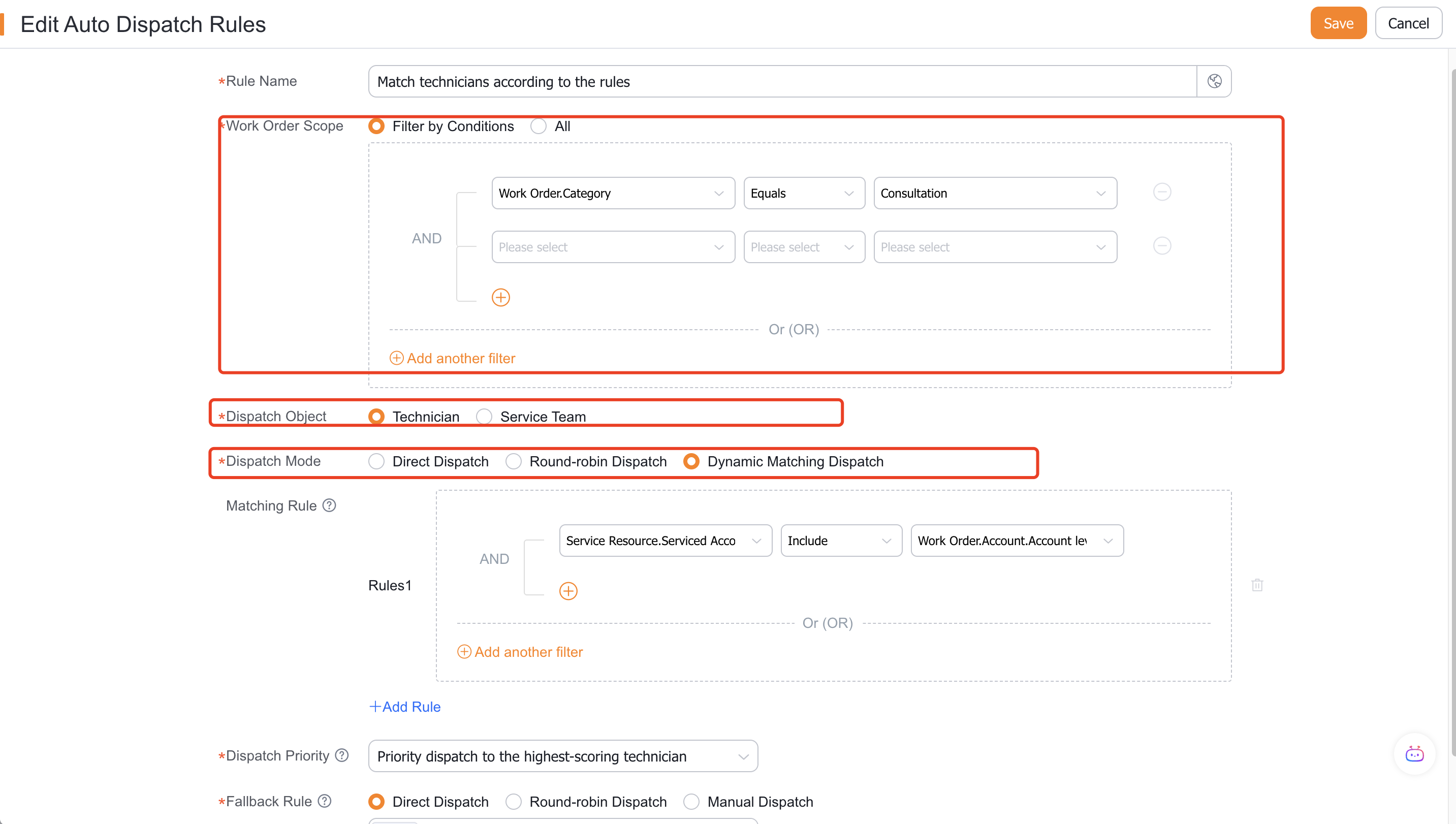
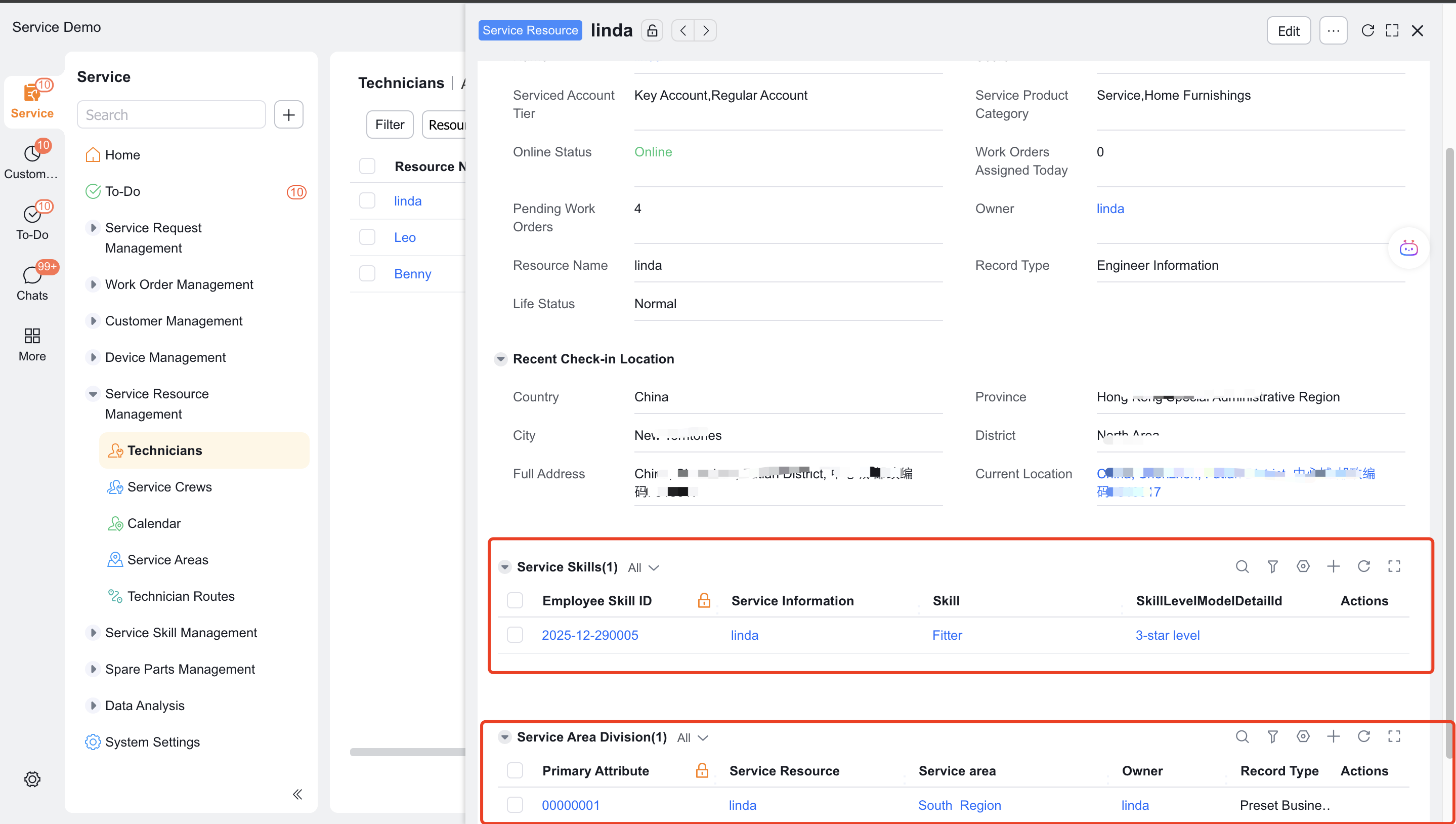
If you select Dynamic Match, add service area, rating, customer level, product category and other engineer conditions in order.
Configure how to prioritize multiple matching candidates. You can use functions in the priority rules.
If no engineer matches, route the work order to a designated assignee or manual dispatch.
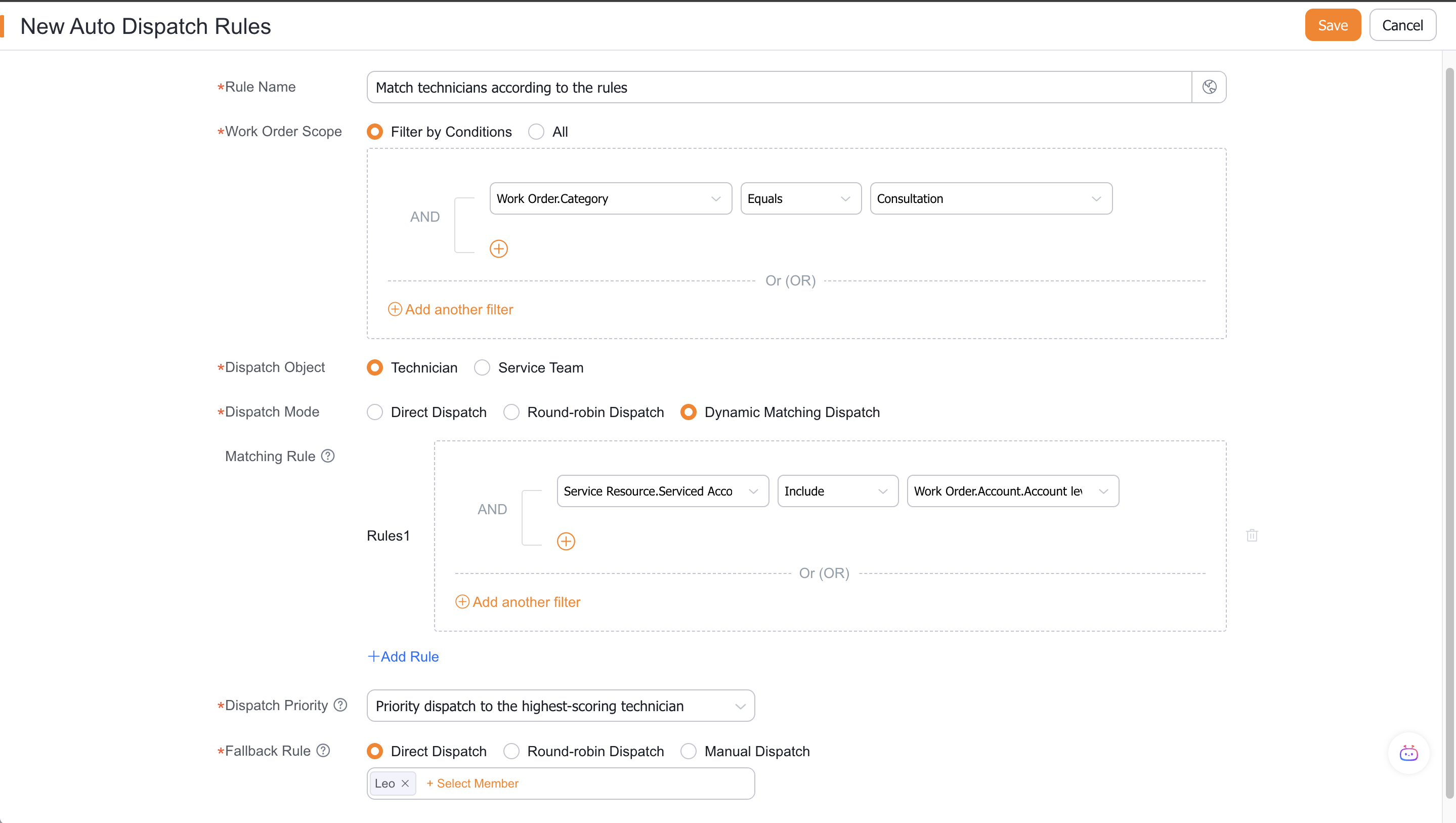
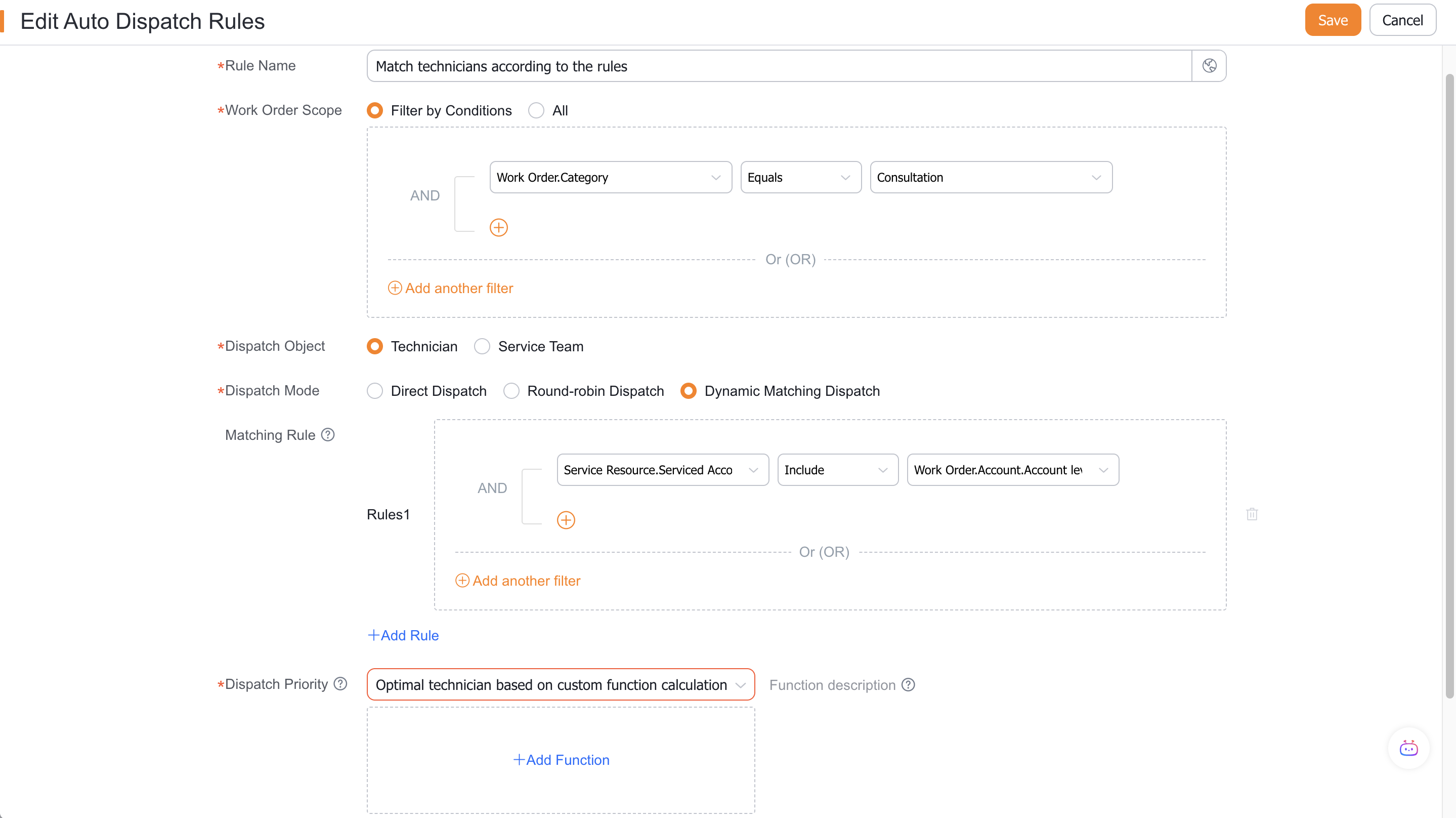
If service skill verification is enabled, set whether the rule adapts to the skill conditions and save it.
Dynamic matching supports engineers only. Each condition filters the remaining candidates, and the final priority rule selects one engineer.
Verify the result
- Rules are executed in order of priority.
- Specified and round-robin assignment select engineers from their configured candidate sets.
- Dynamic matching narrows down candidates layer by layer based on conditions and performs final sorting.
- When no engineer matches, the work order follows the configured fallback path.
- After automatic dispatch is completed, the dispatcher field will be empty.
FAQ
No candidates for dynamic matching
Check the service information, rule conditions, skill verification and condition sequence one by one; any condition may clear the candidate range.
Notes
- The assigned object and process node must be consistent.
- Dynamic matching relies on service information and does not directly read unmaintained personnel attributes.
- An explicit processing path when there is no match must be preserved.