Appearance
Configure service provider on-site standard operations
Configure the service provider's on-site standard operations and unify the execution process for external engineers.
Overview
Service provider on-site standard operations are used to organize on-site tasks of external service provider engineers into processes, actions and check-ins, and are issued through the service provider portal connected node. It uses similar template capabilities as the enterprise's internal SOP, but the template type, action handler, and process node must be configured according to the service provider role.
Before you begin
- The service provider portal has been opened, and the service provider, service provider engineers and corresponding object permissions have been configured.
- The work order process is an interconnected process, and tasks can be sent to the service provider portal.
- Use an administrator account with on-site standard operation and interconnection process configuration permissions.
- The processes, actions, inspections, reports and clock-in requirements that service provider engineers need to perform have been sorted out.
Create a new service provider SOP template
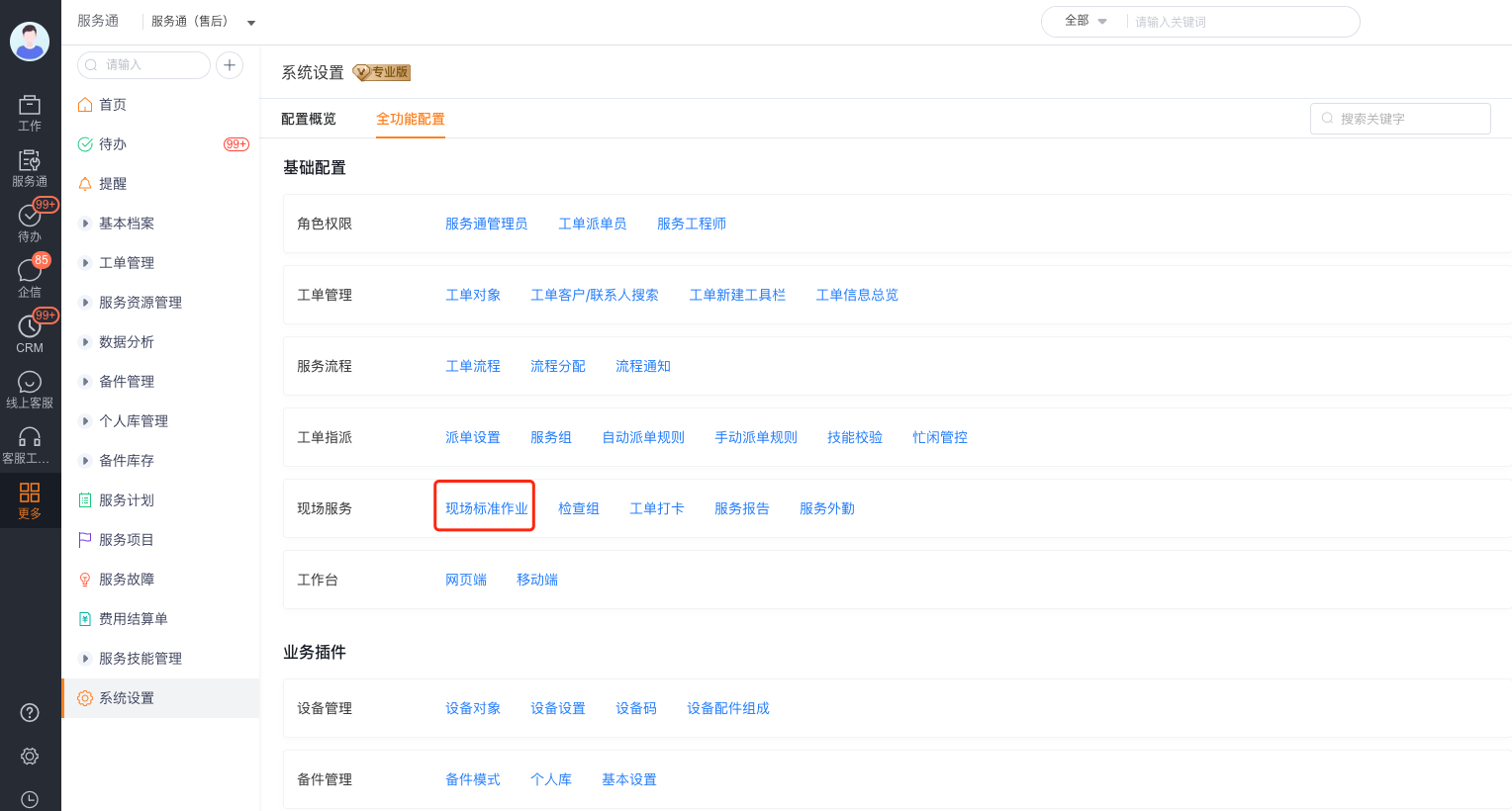
Go to Service > System Settings > On-site Standard Operation.
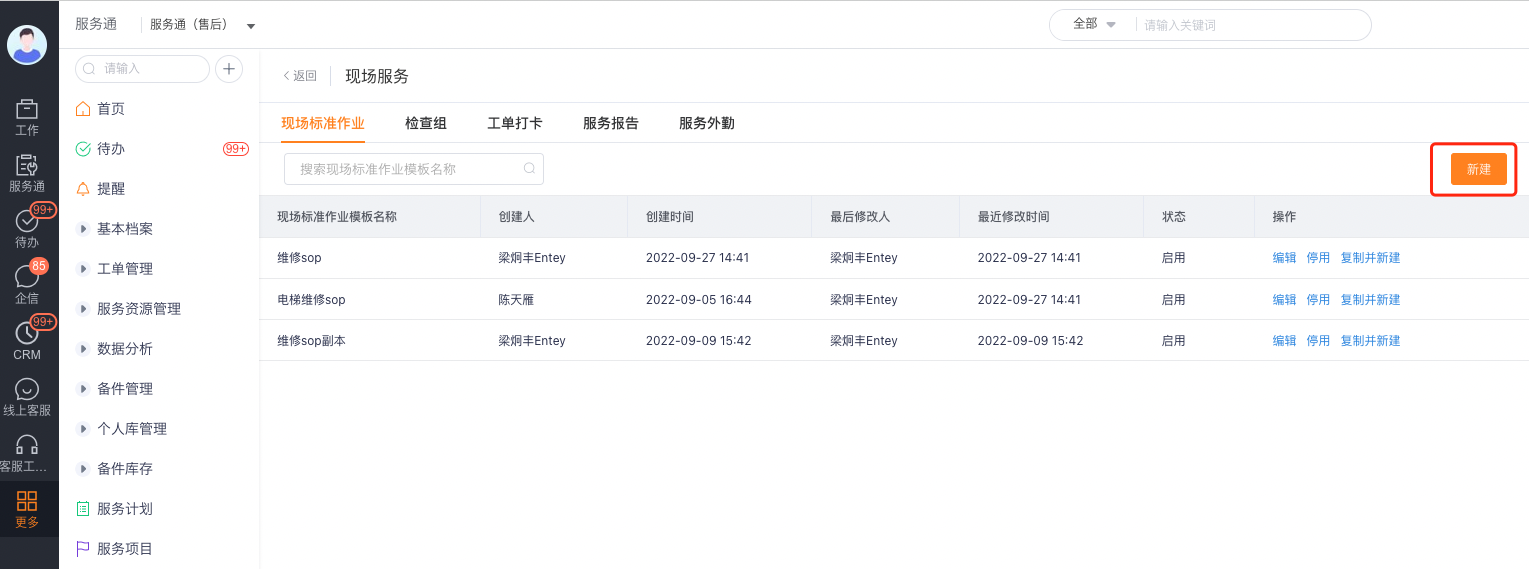
Click New.
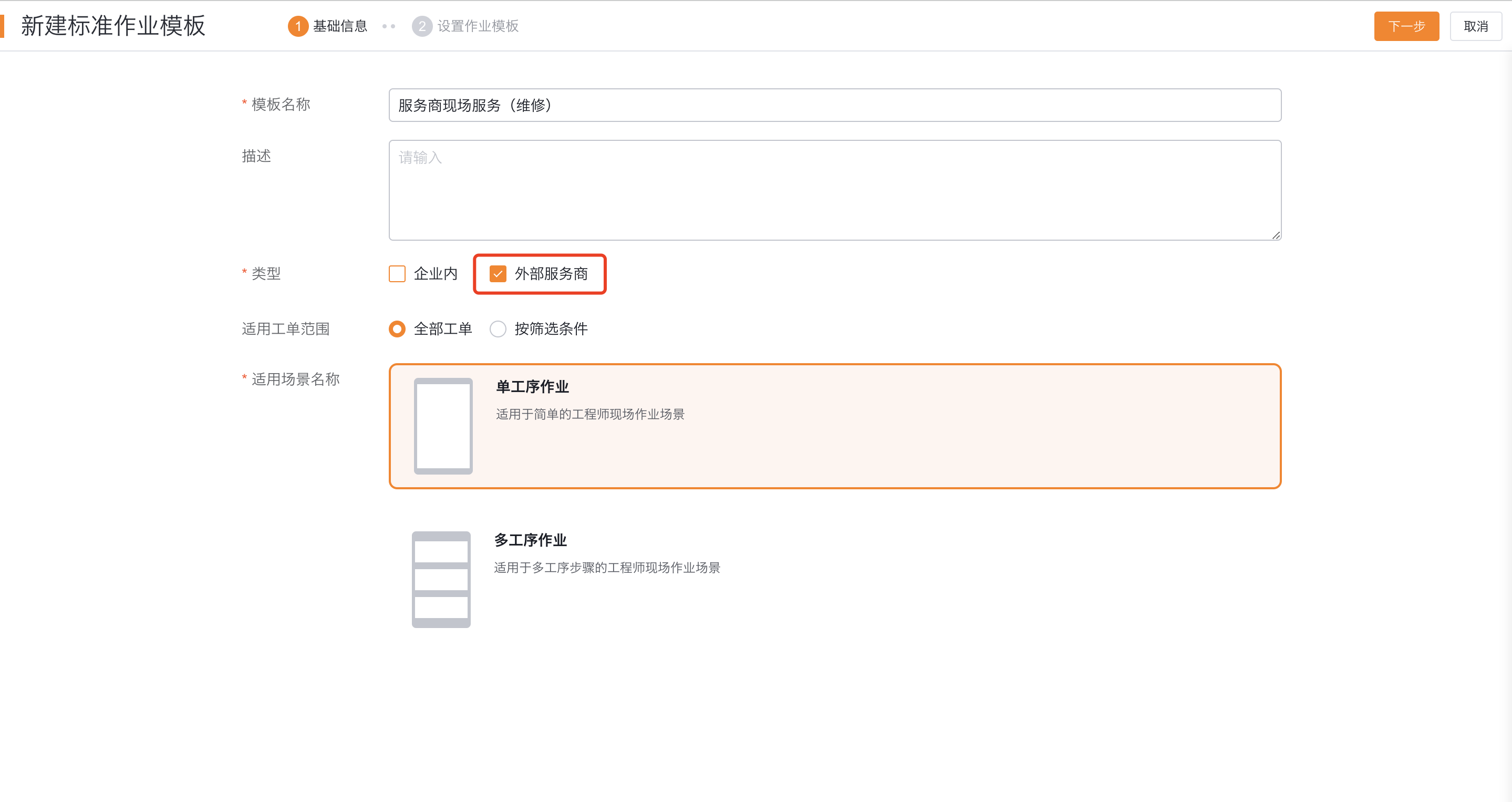
Fill in the name and description, set the type to External Service Provider, configure the applicable scope and select the process layout.
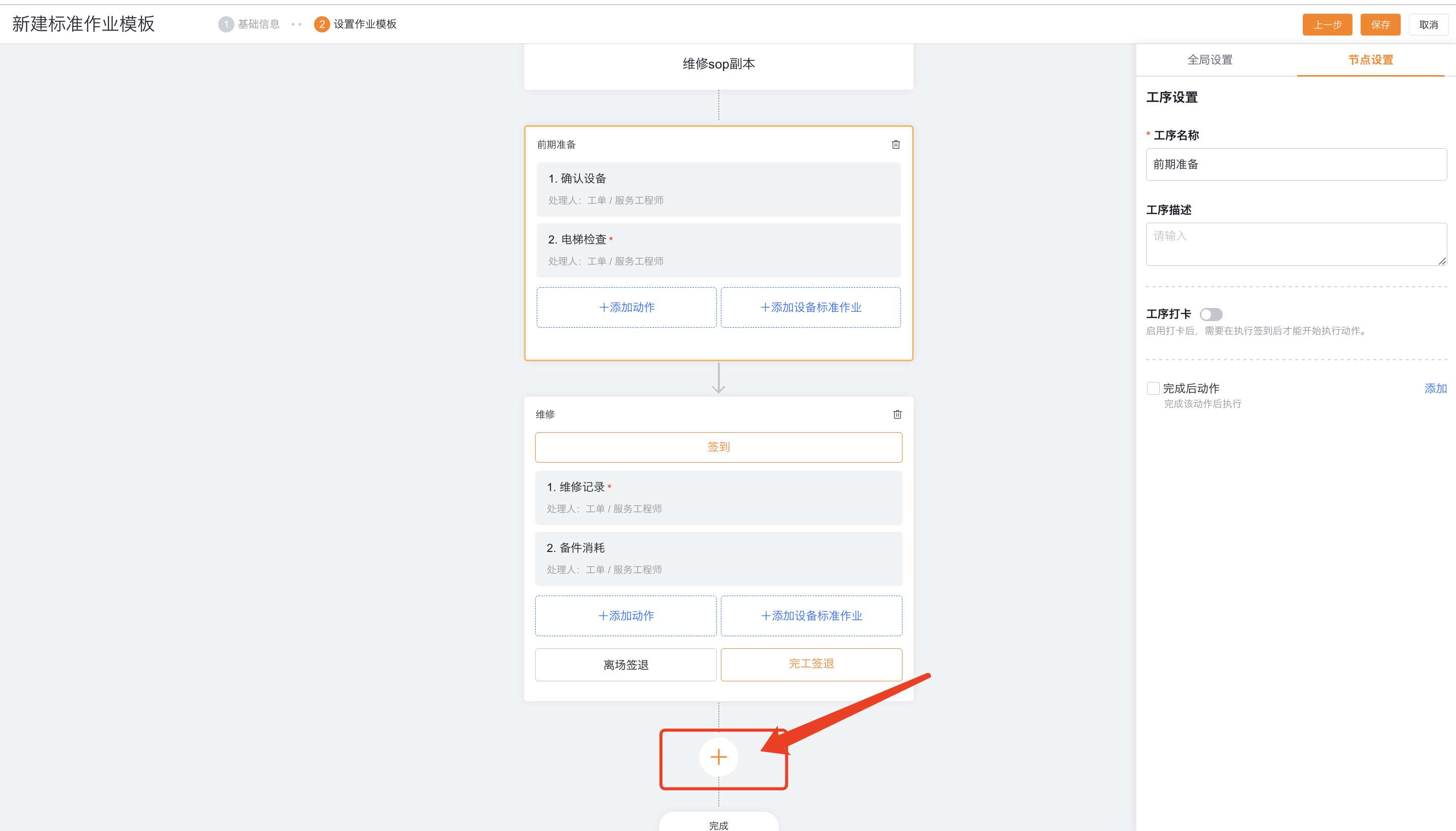
Add processes according to stages such as preliminary preparation, maintenance, and result inspection. Multi-process layout can be added via "+", single-process layout does not display the add button.
Configure service provider actions
Actions are divided into single actions and repeated actions.
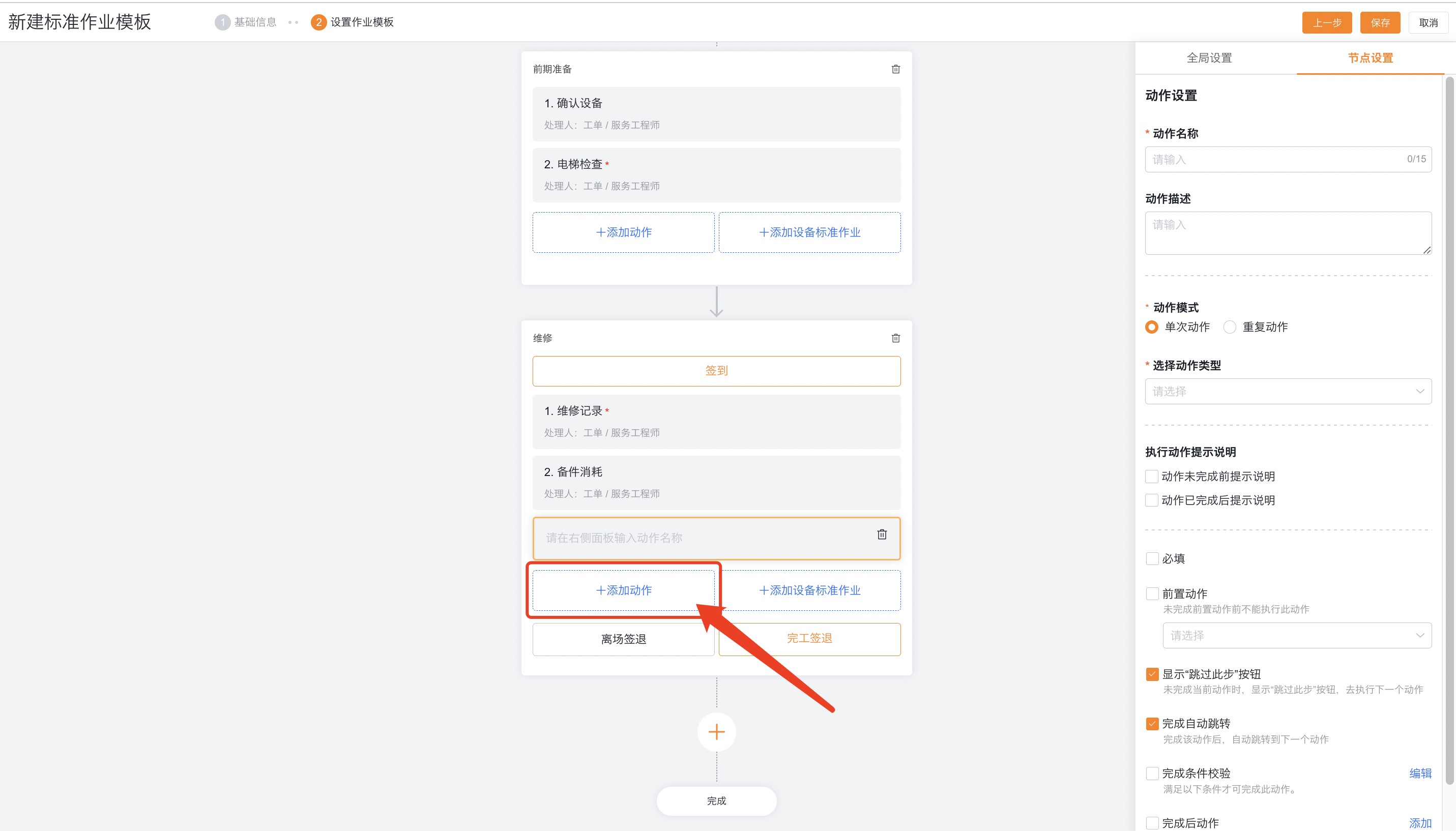
Single action type
| Action type | Configuration points | Restrictions |
|---|---|---|
| Edit object | Edit work order, associated object or master-detail object fields | Execute according to the object permissions of the service provider processor |
| Select or create a new associated object | Associate an existing piece of data, or limit it to creating only one new associated data | Whether the existing data can be viewed is subject to permissions |
| Create new related objects in batches | Create related data such as spare parts consumption in batches | Only used to create new related records |
| Add an inspection group | Specify an inspection group or match one by rule | The inspection group subject must match the business object |
| Generate a service report | Generate a work order or equipment report after completing required actions | Completion conditions and post-completion actions are not supported |
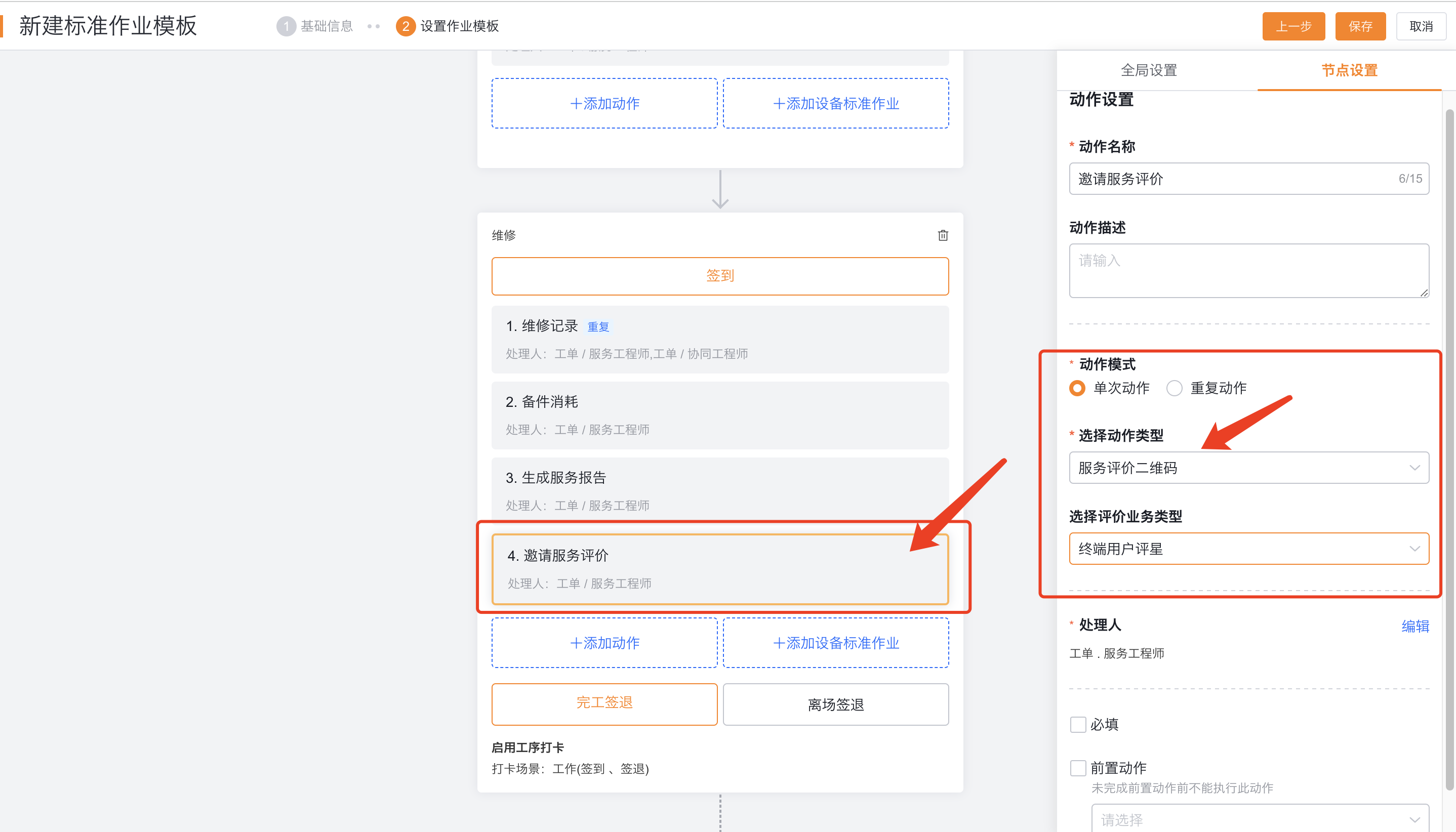
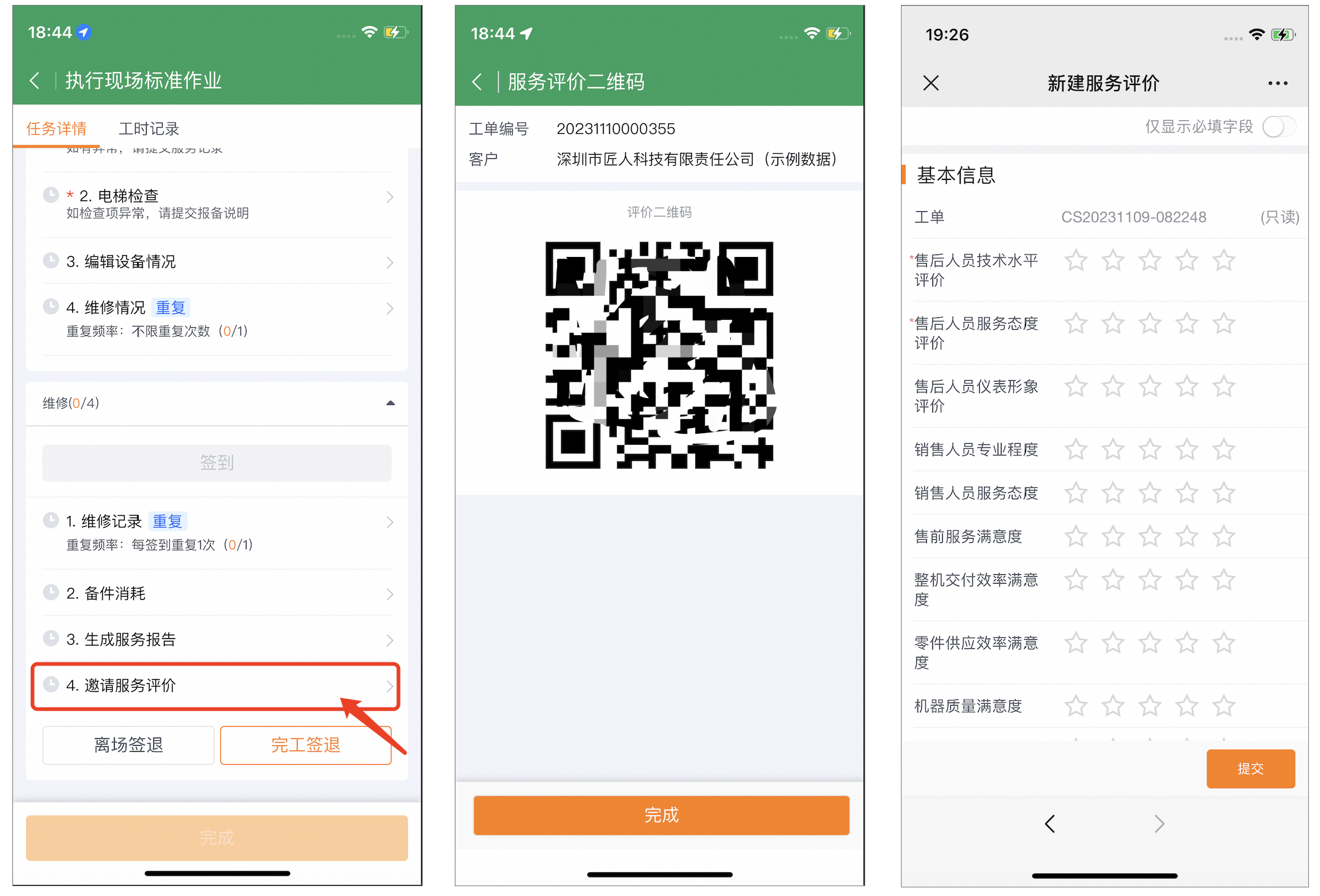
| Service evaluation QR code | Display fixed service evaluation template QR code | Does not support matching evaluation templates based on work order conditions |
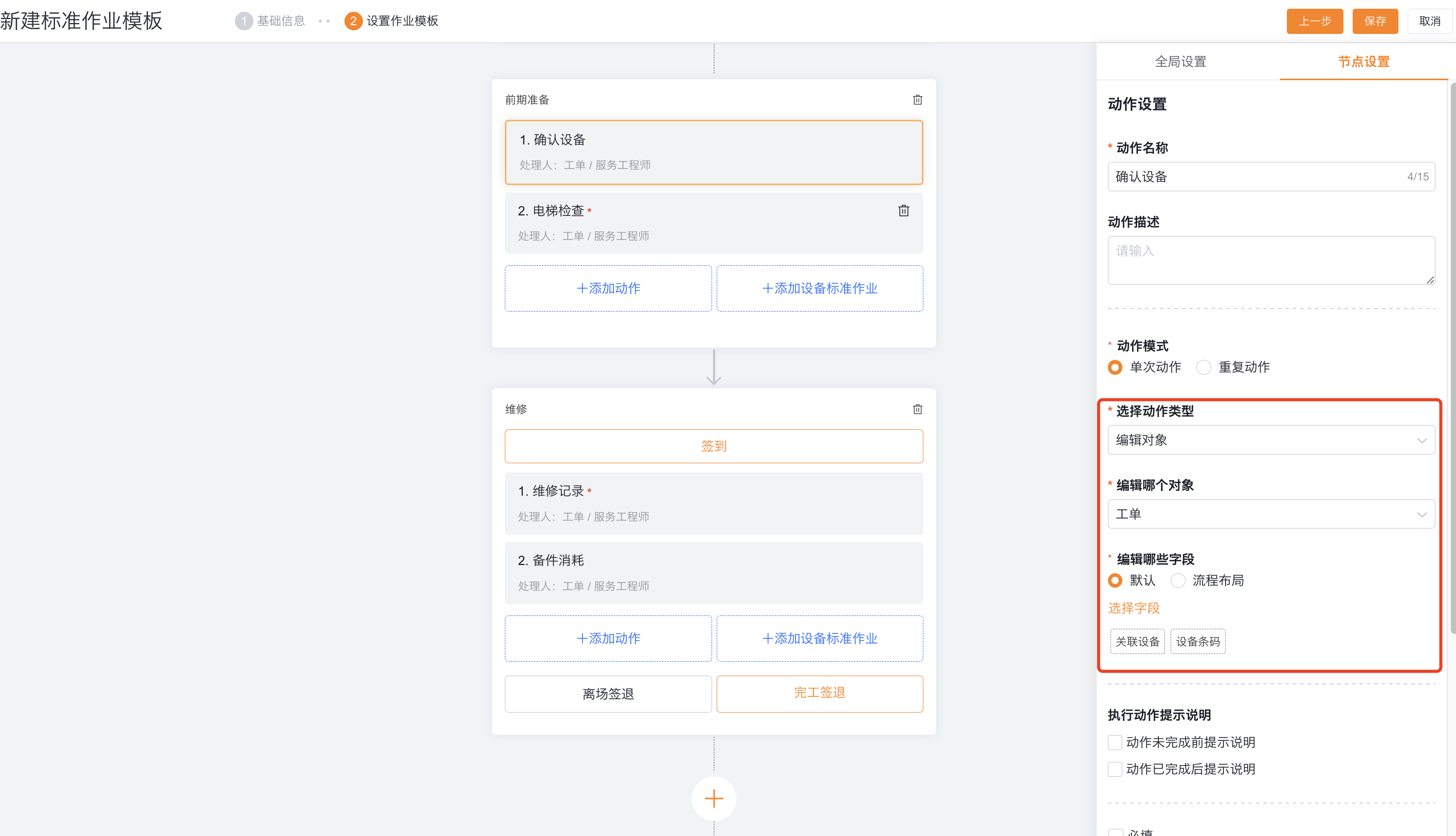
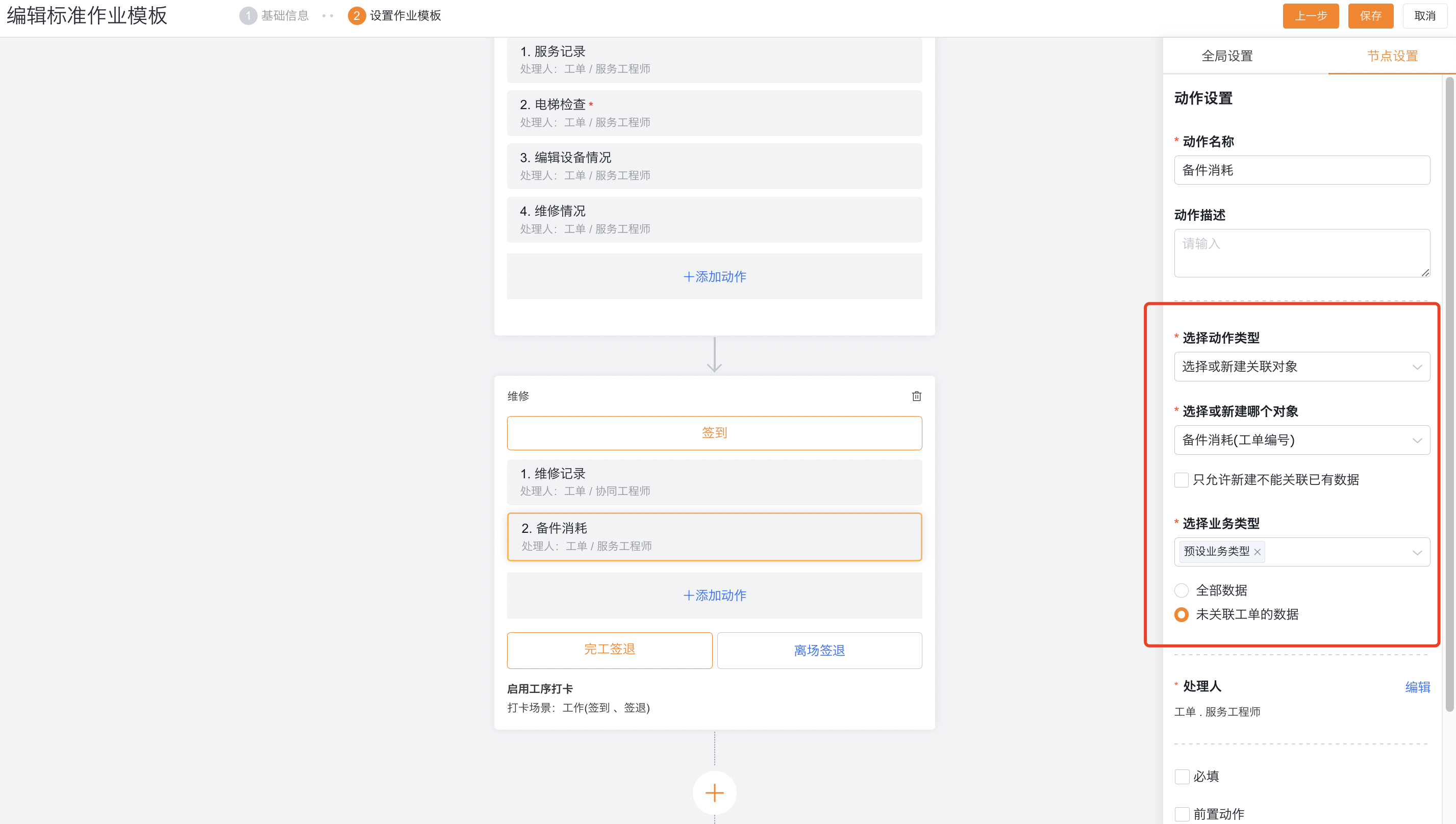
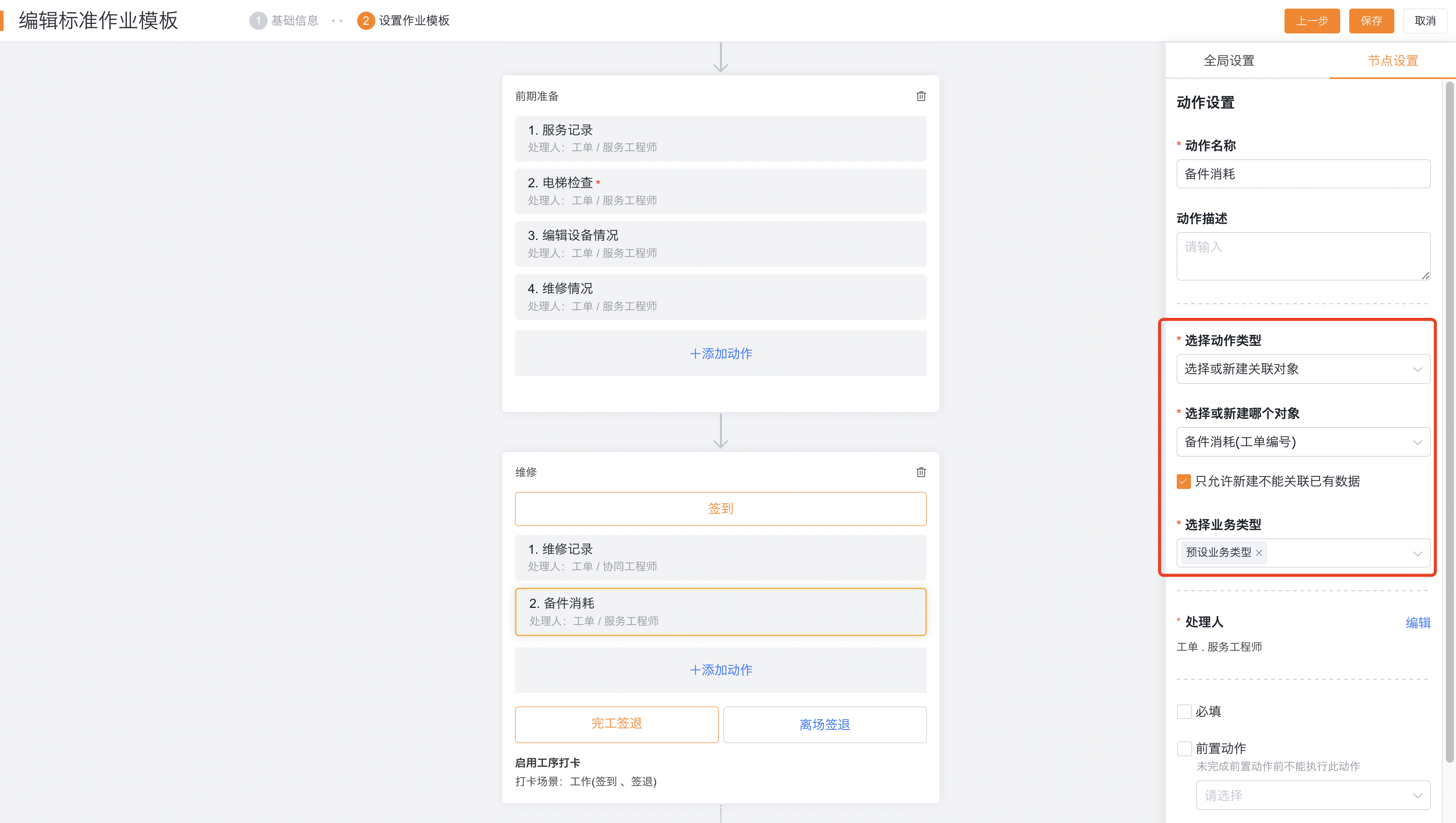
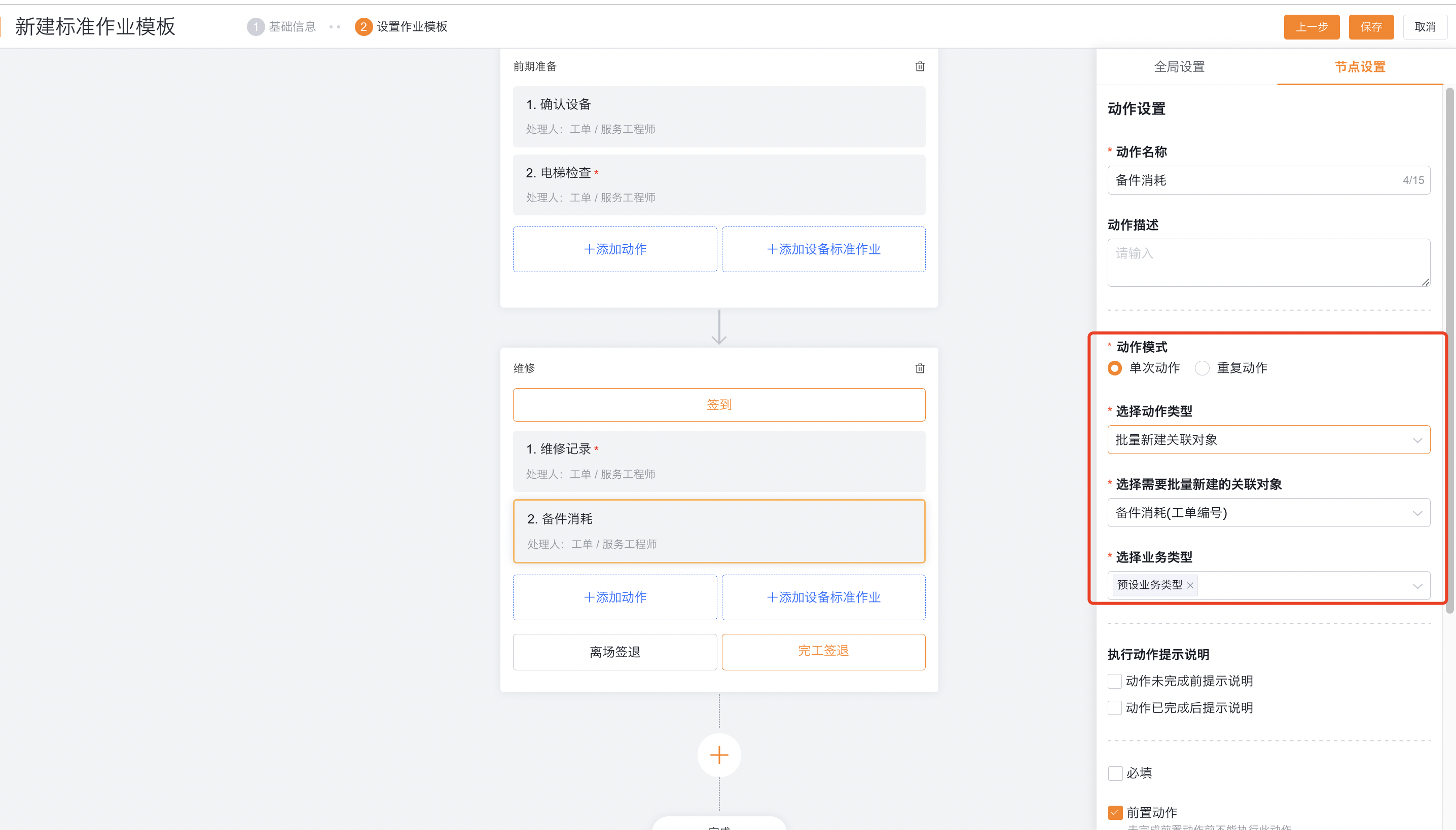
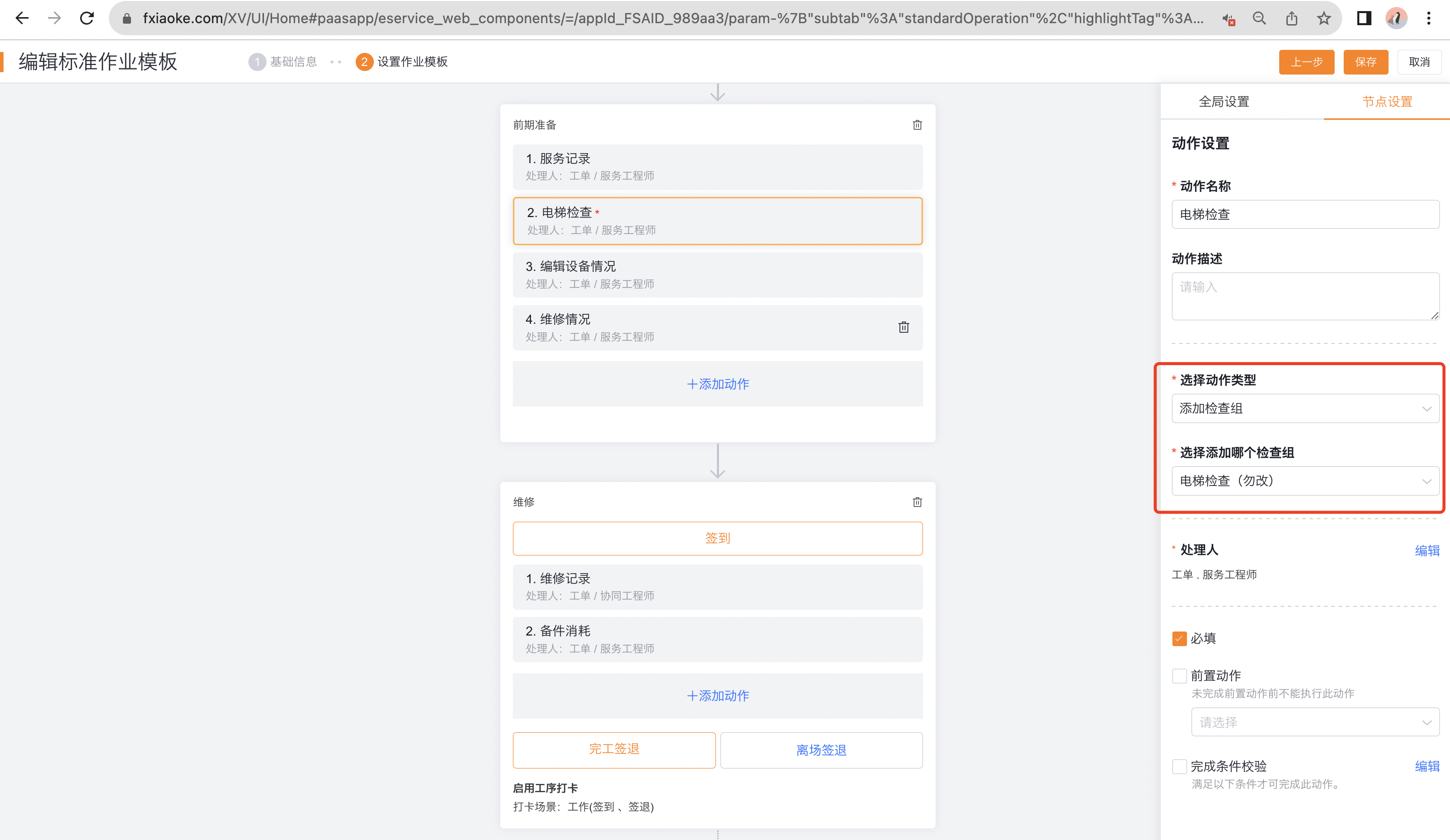
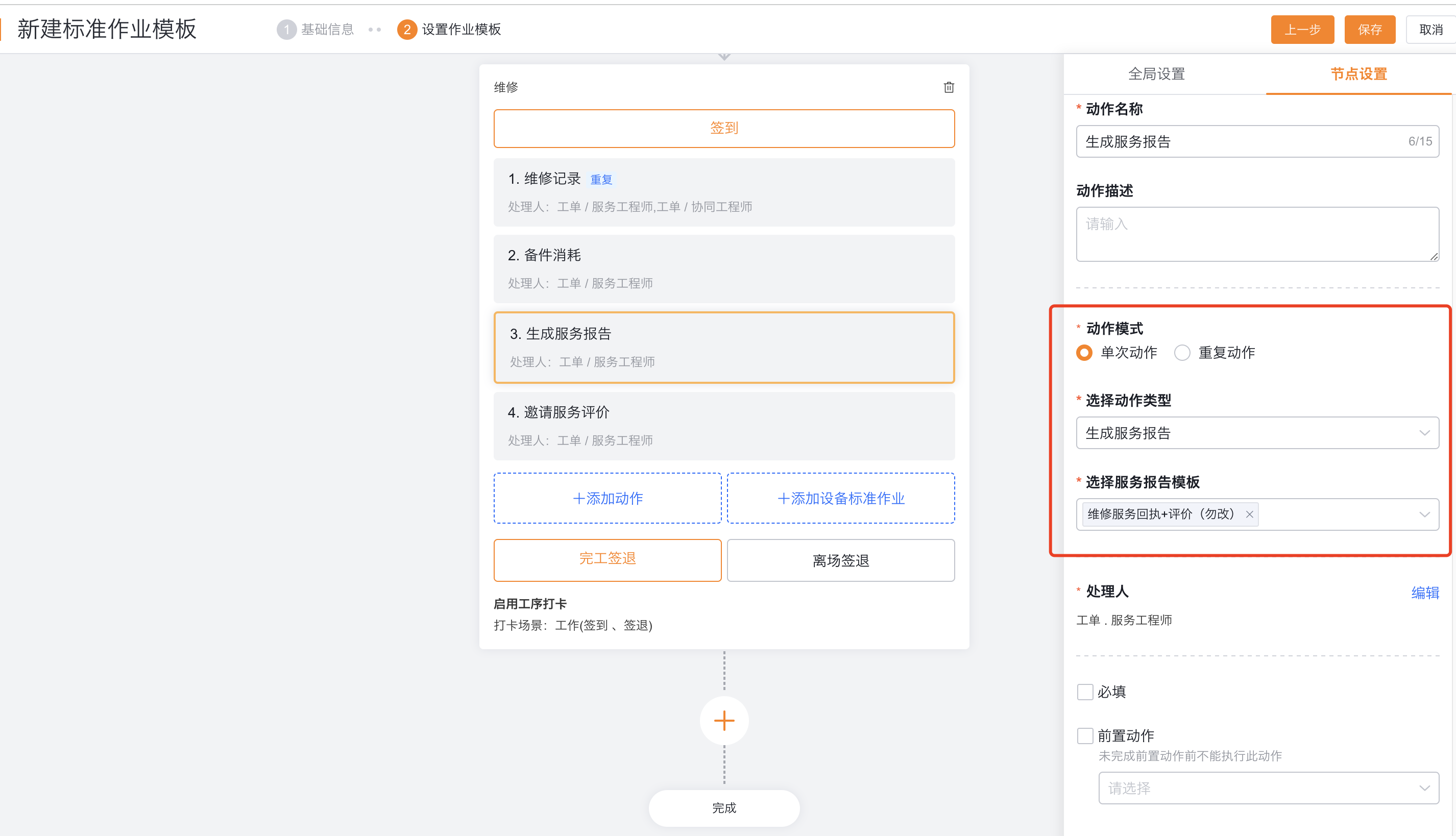
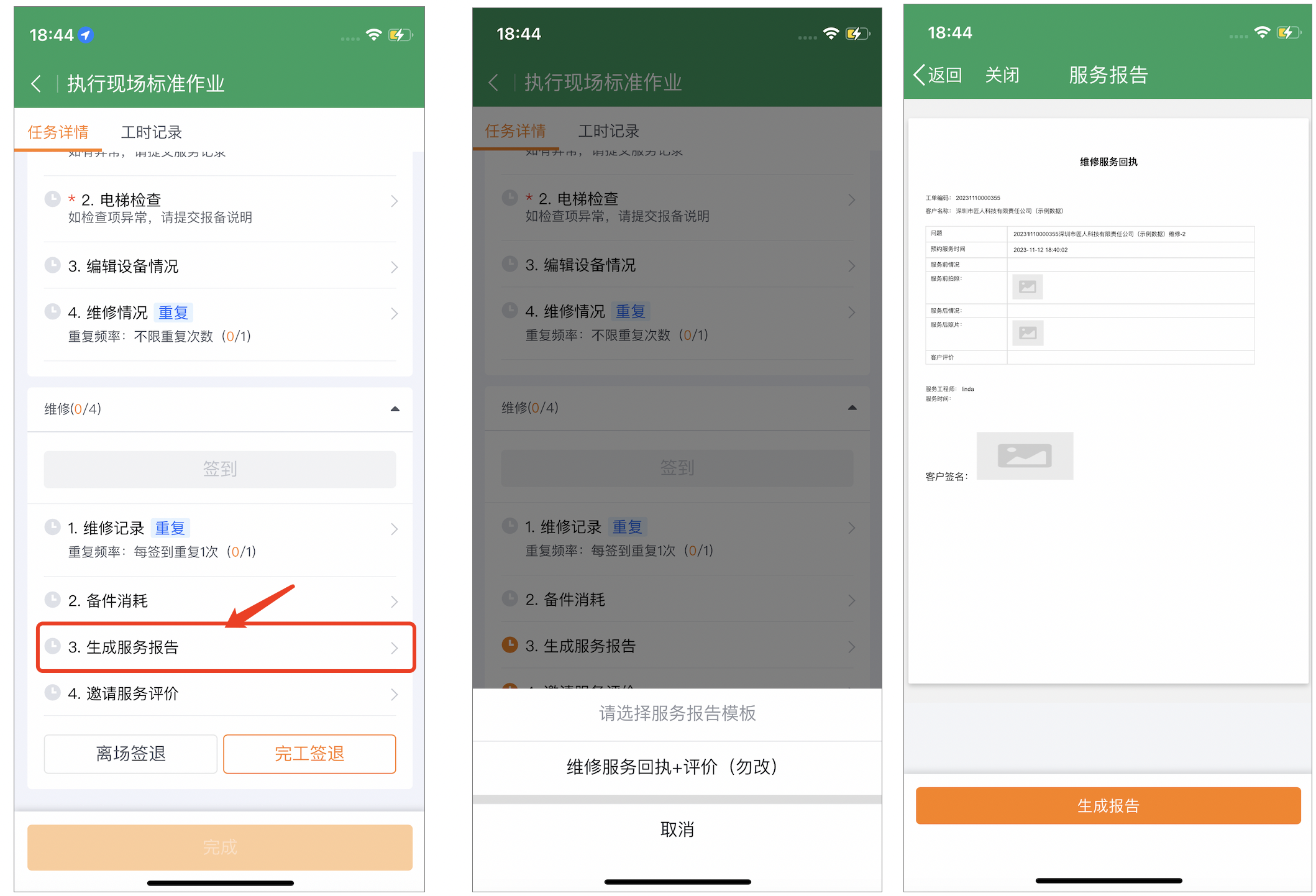
Prompts, handlers and completion rules
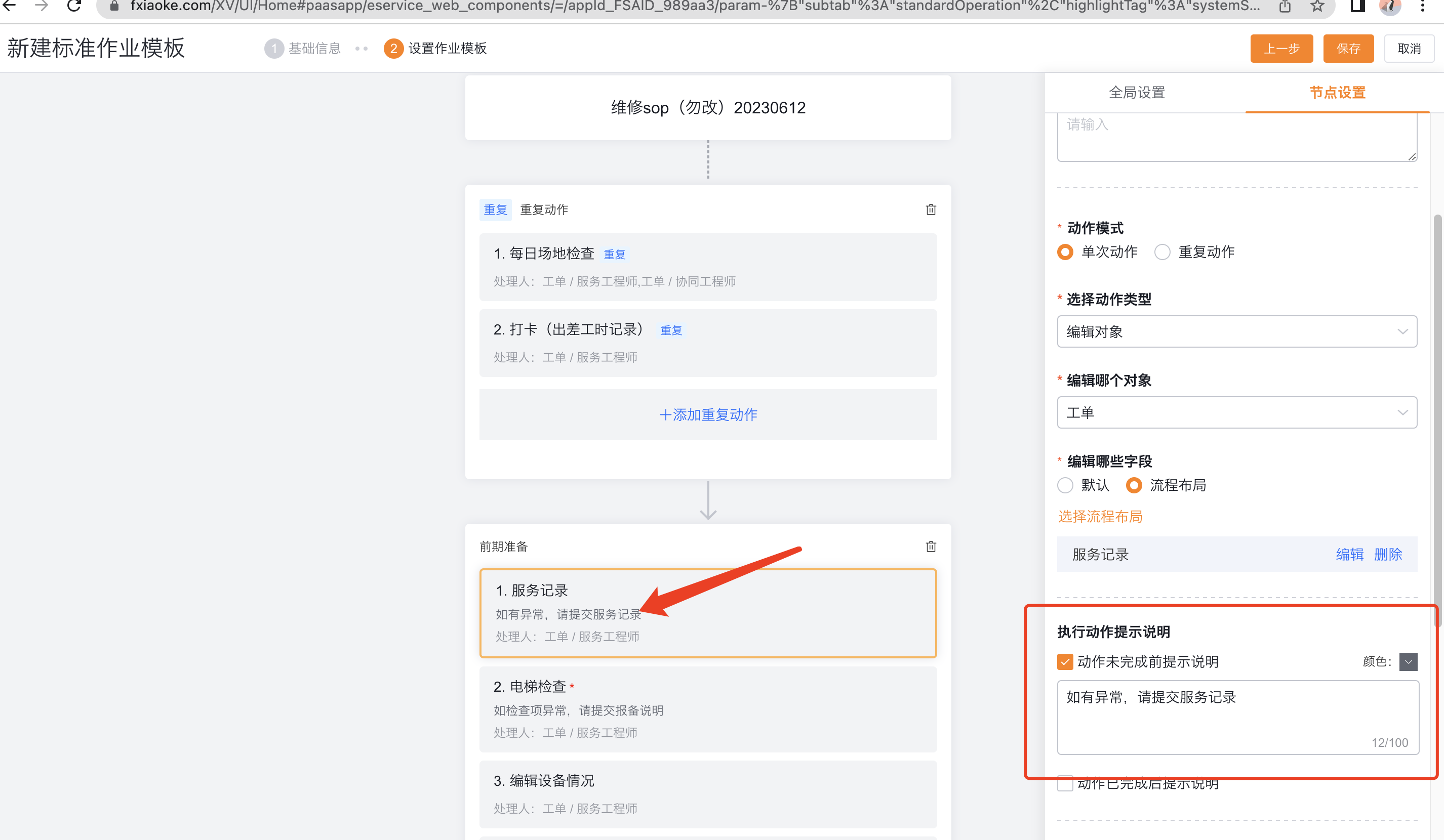
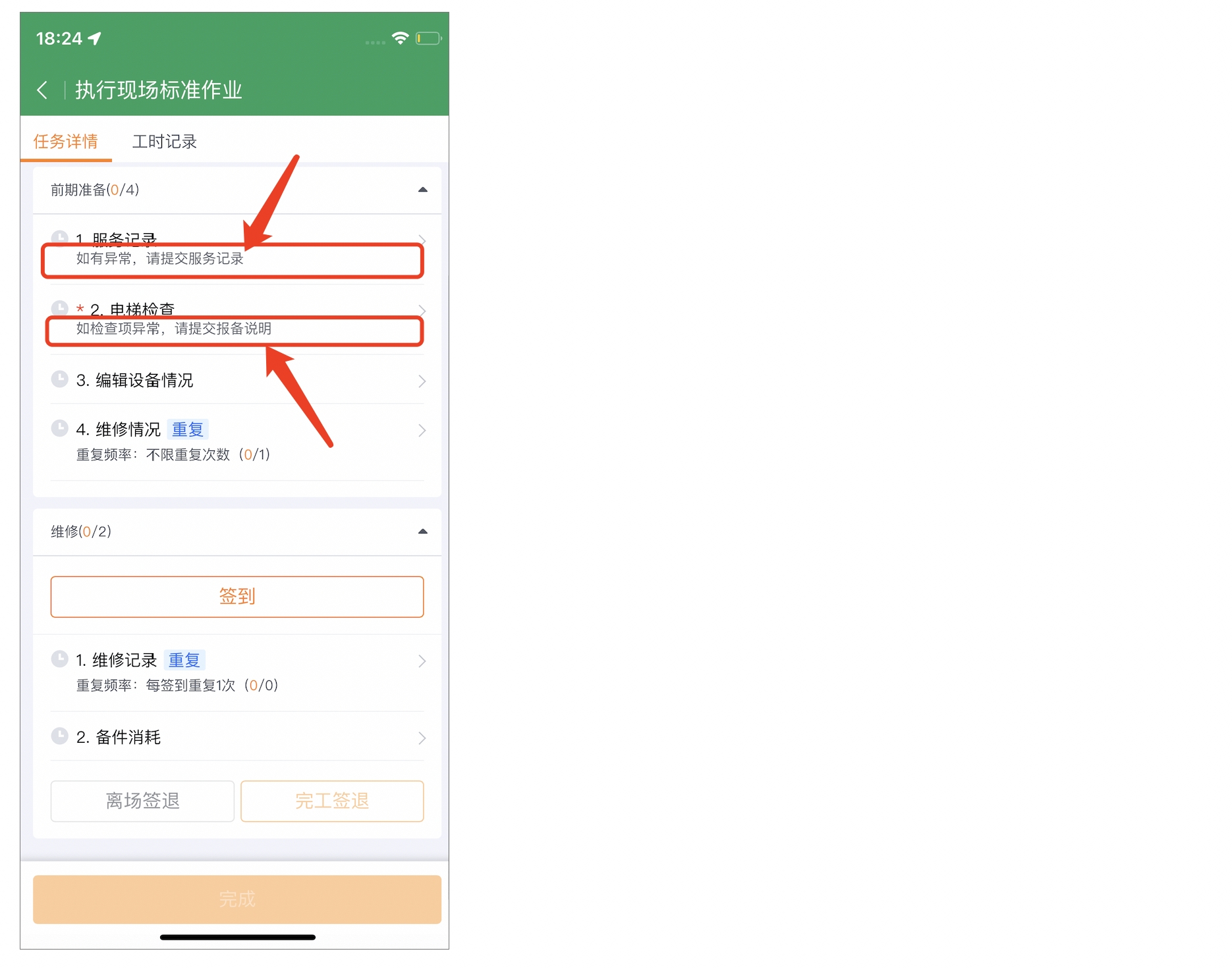
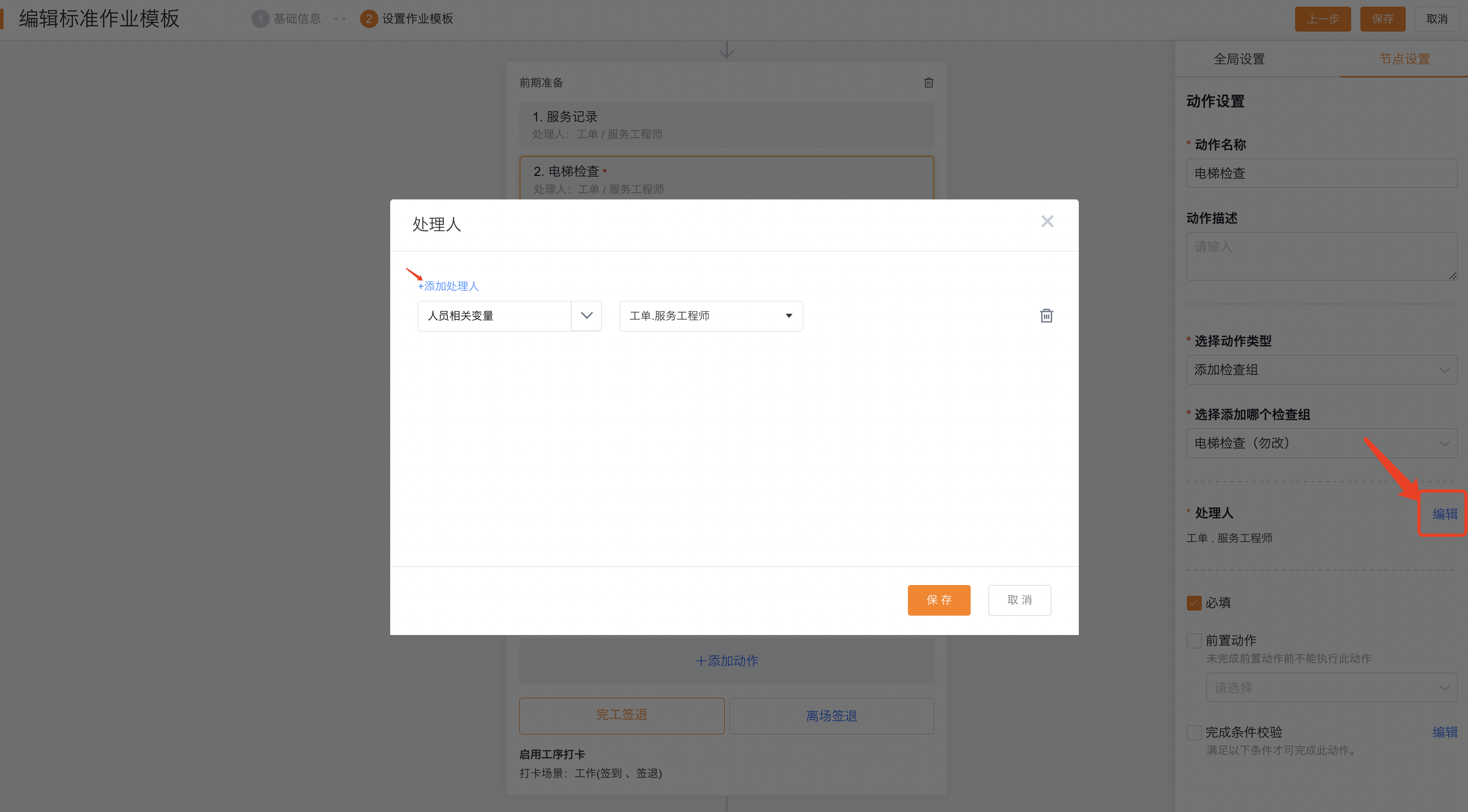
Add execution prompts or steps to the action.
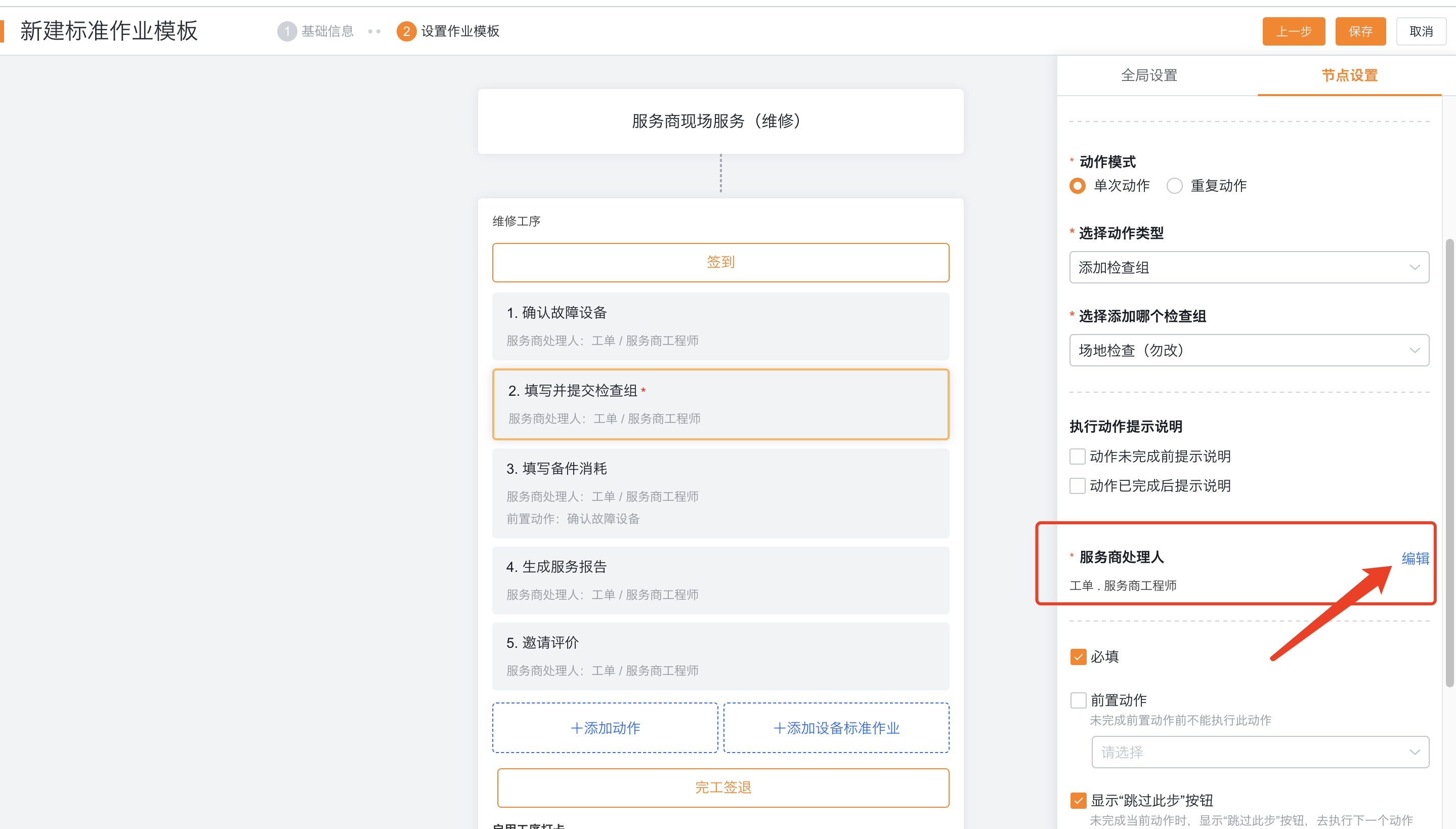
Configure the action handler as the service provider handler; the default value is Work Order.Service Provider Engineer.
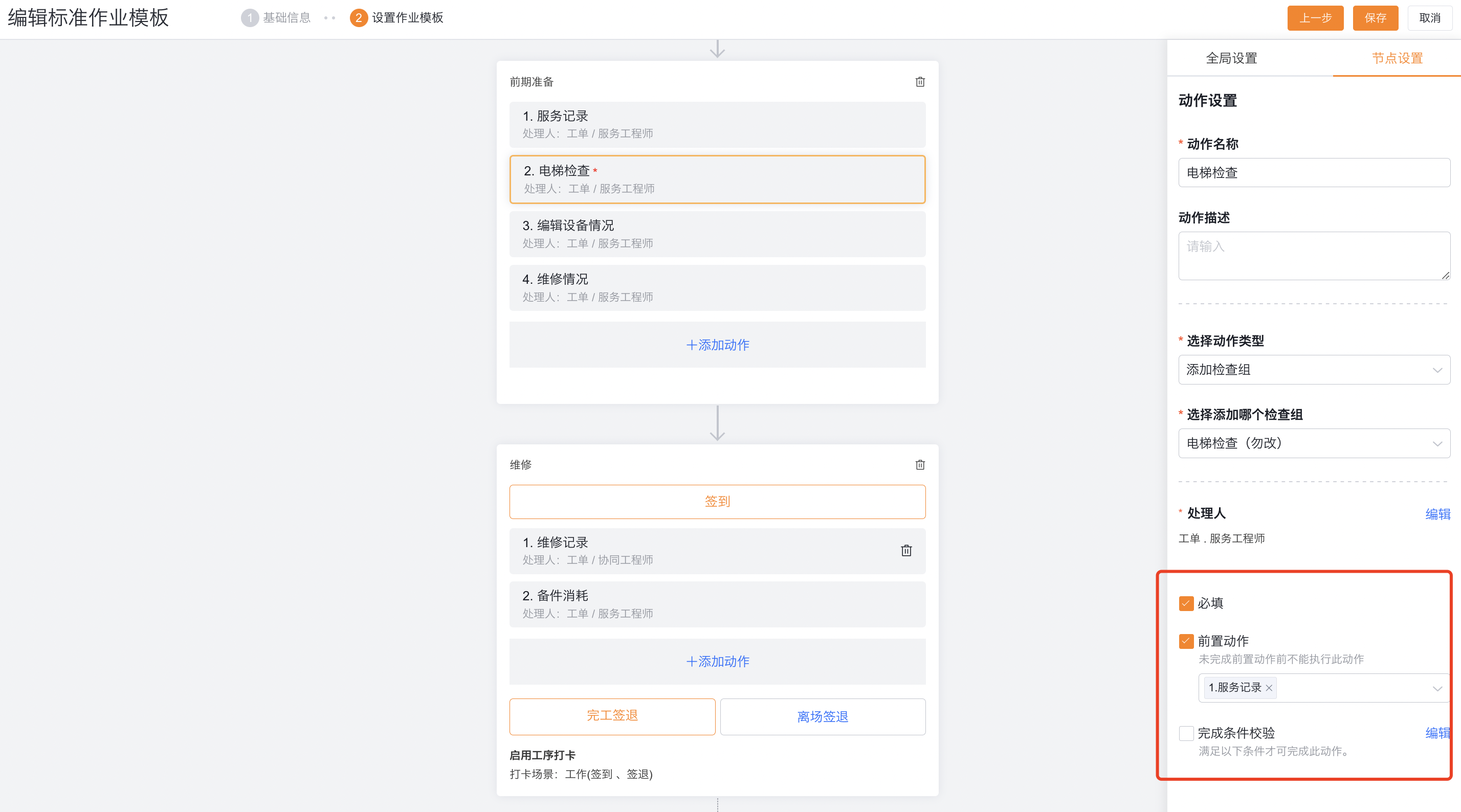
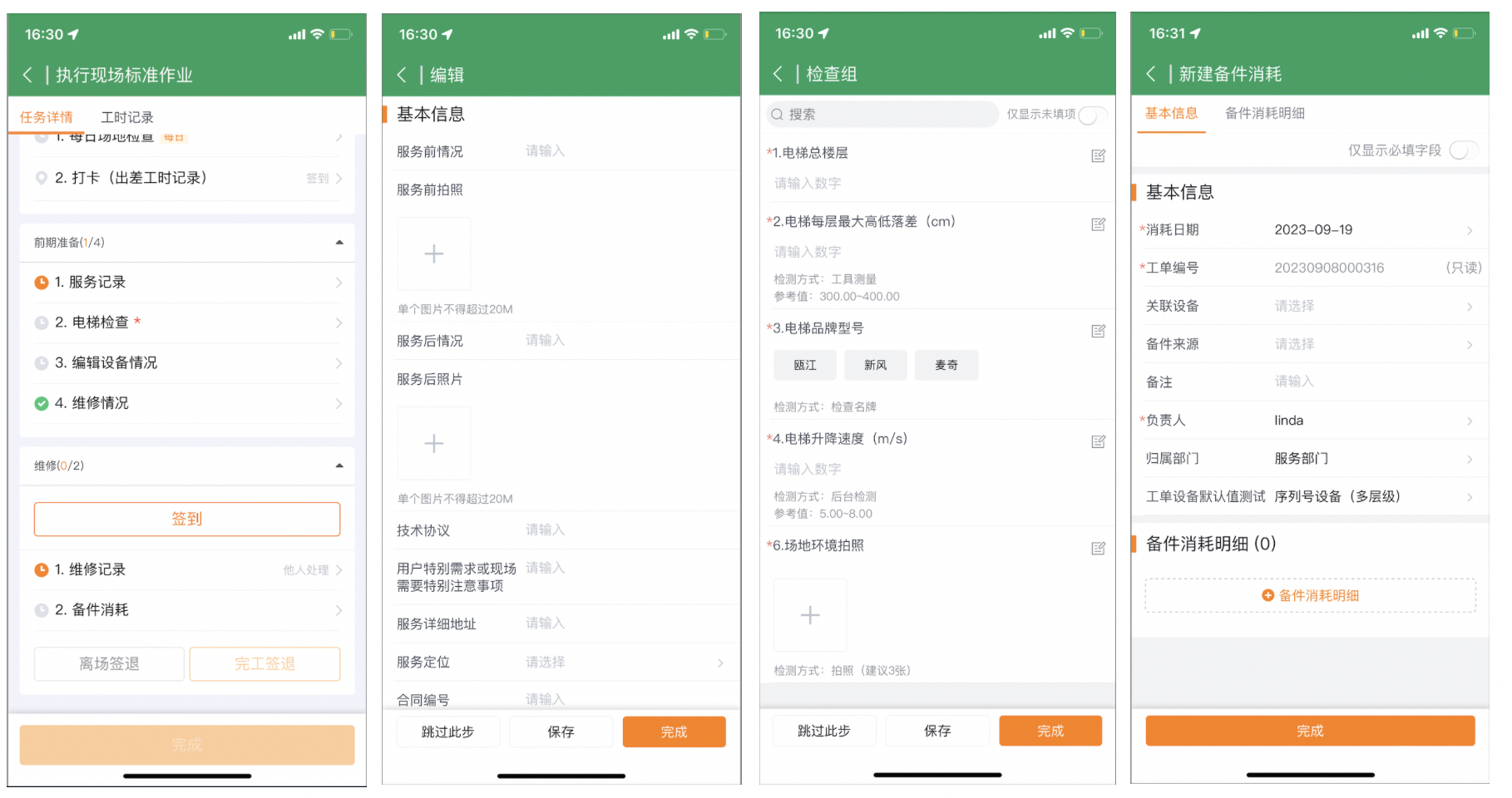
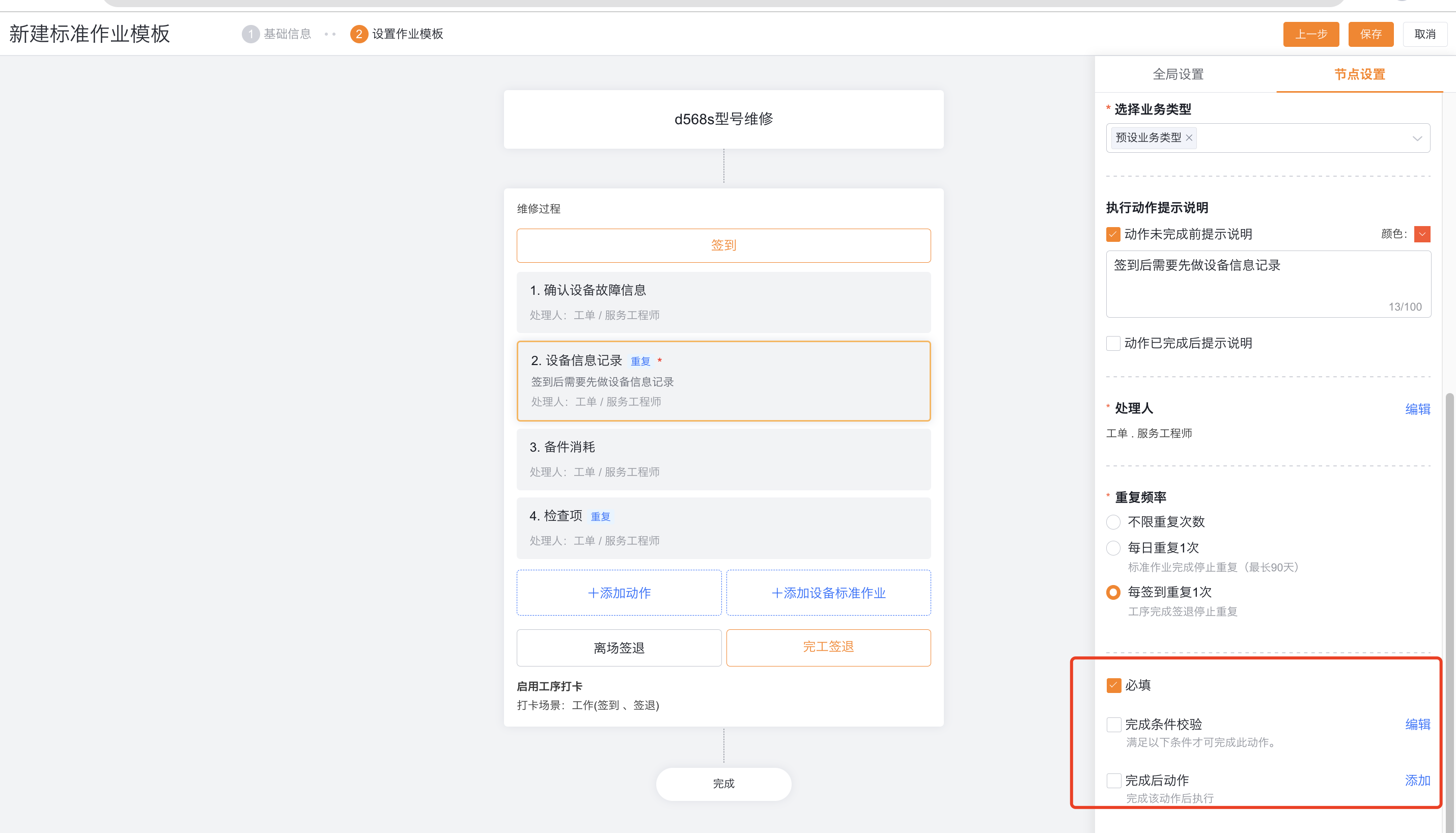
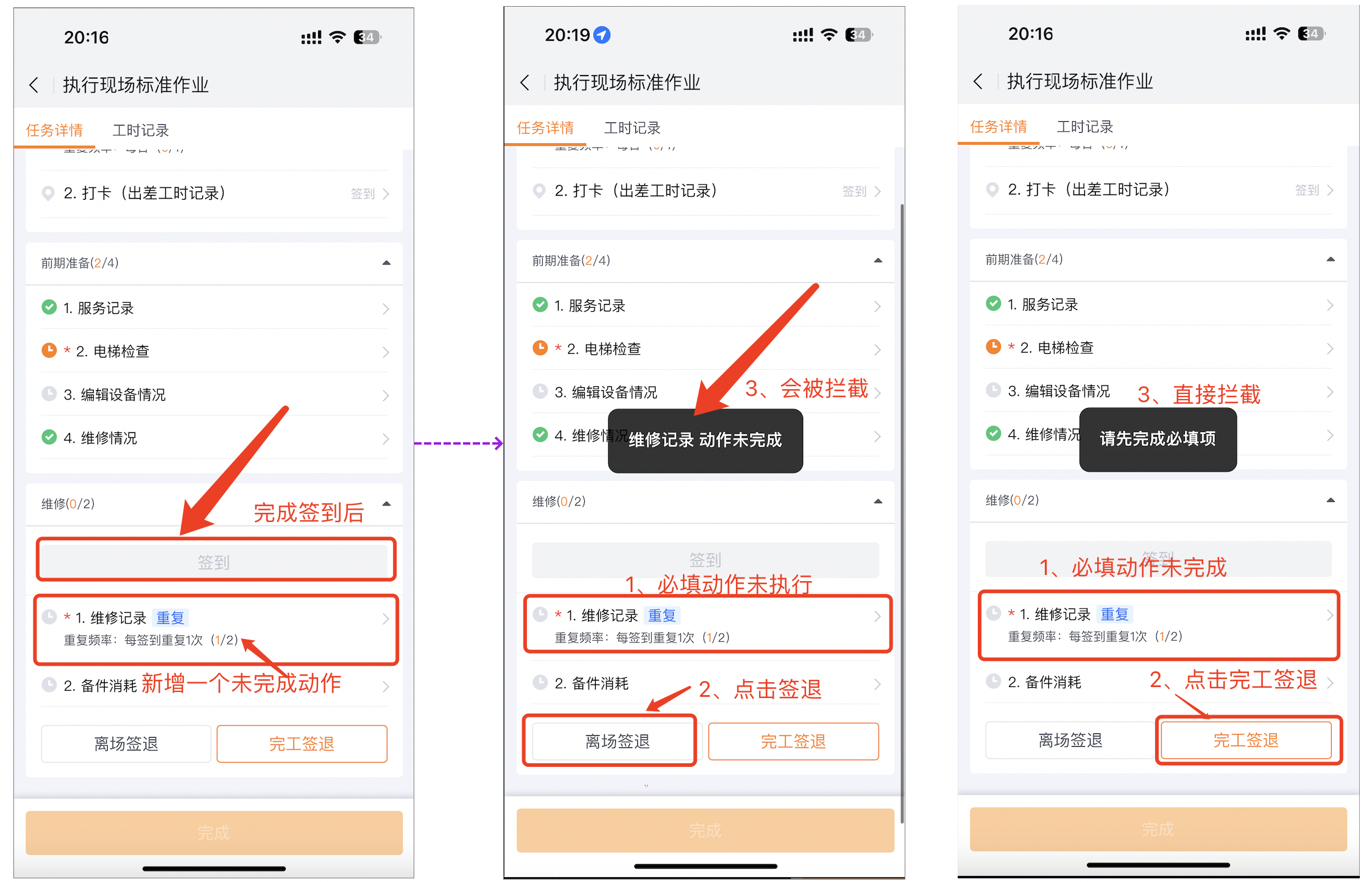
Configure required fields, prerequisite actions in the same procedure, Skip This Step, completion conditions, and post-completion actions. Only the App can advance automatically.
Configure repeated actions
Repeated actions support creating new associated objects and adding inspection groups.
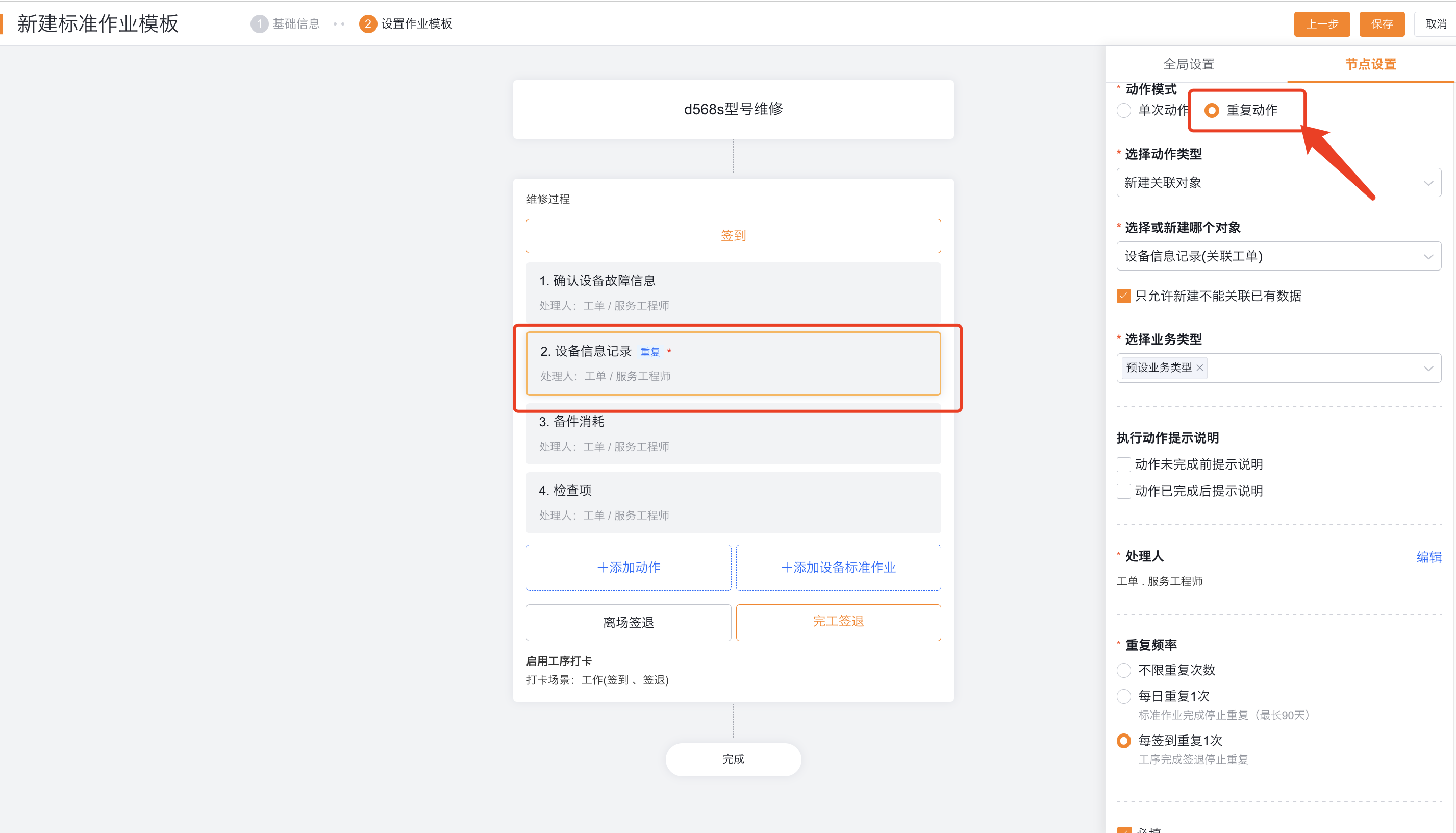
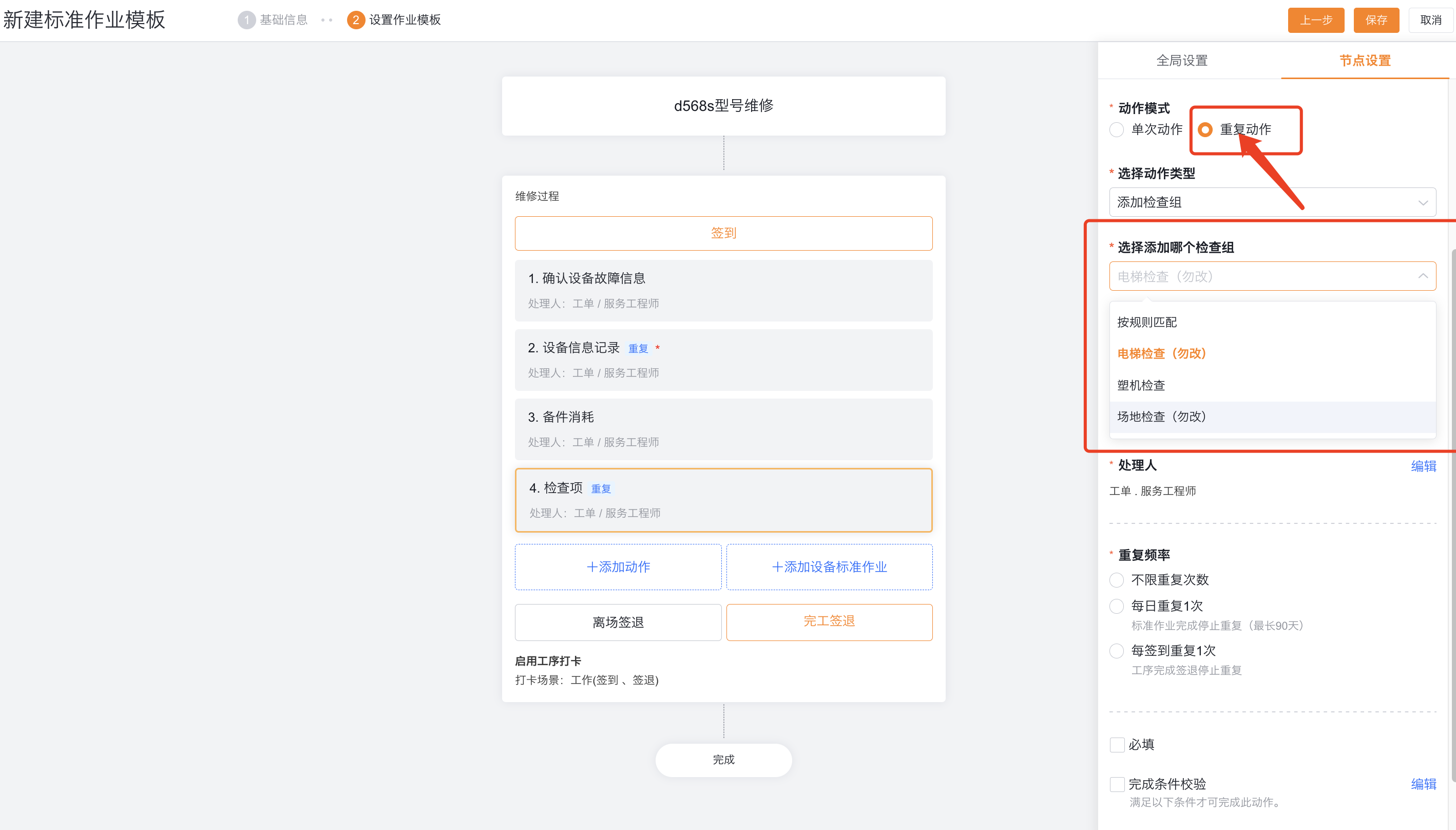
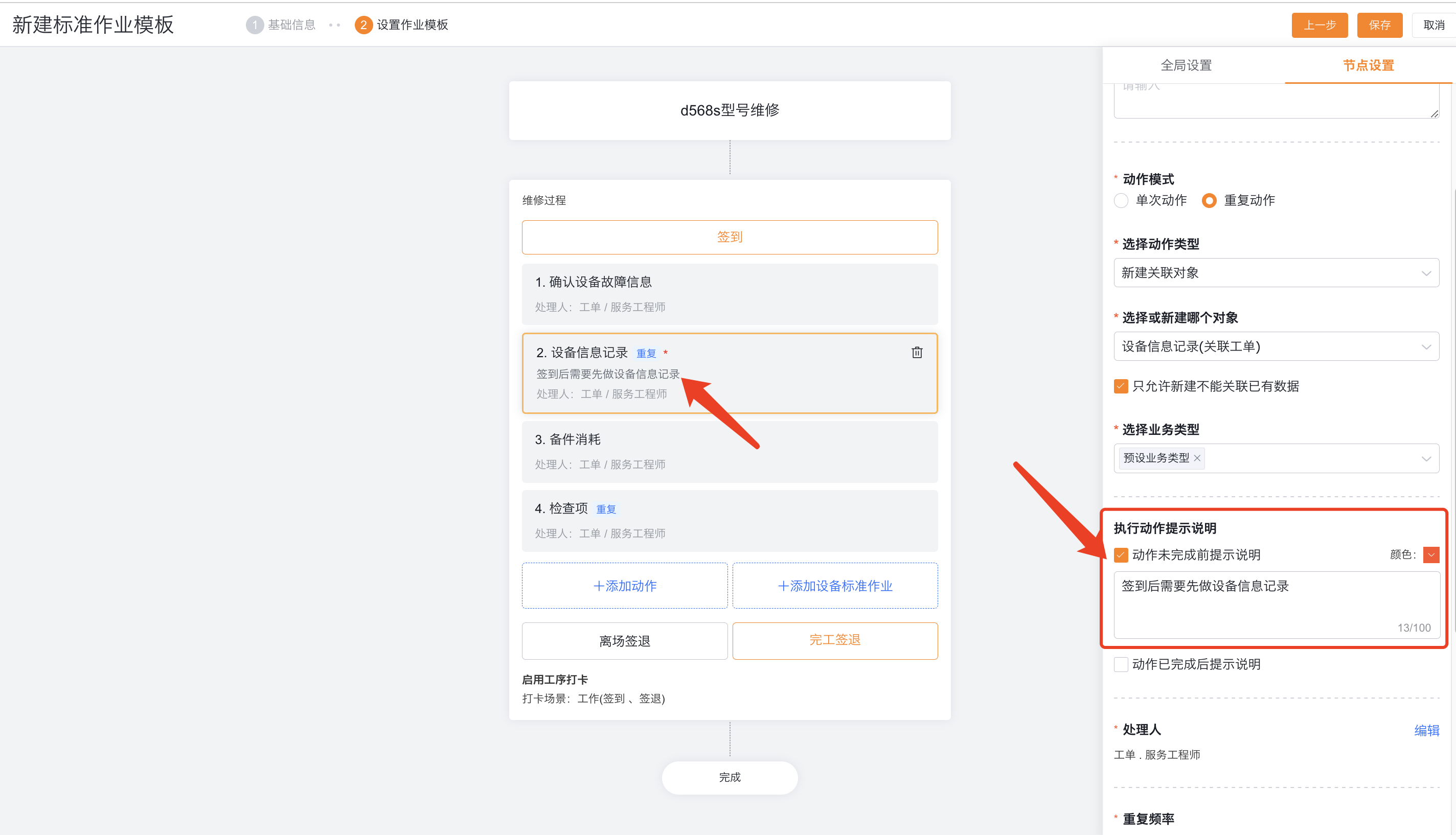
The default handler for repeated actions is Work Order. Service Provider Engineer (field_outDealUser__c).
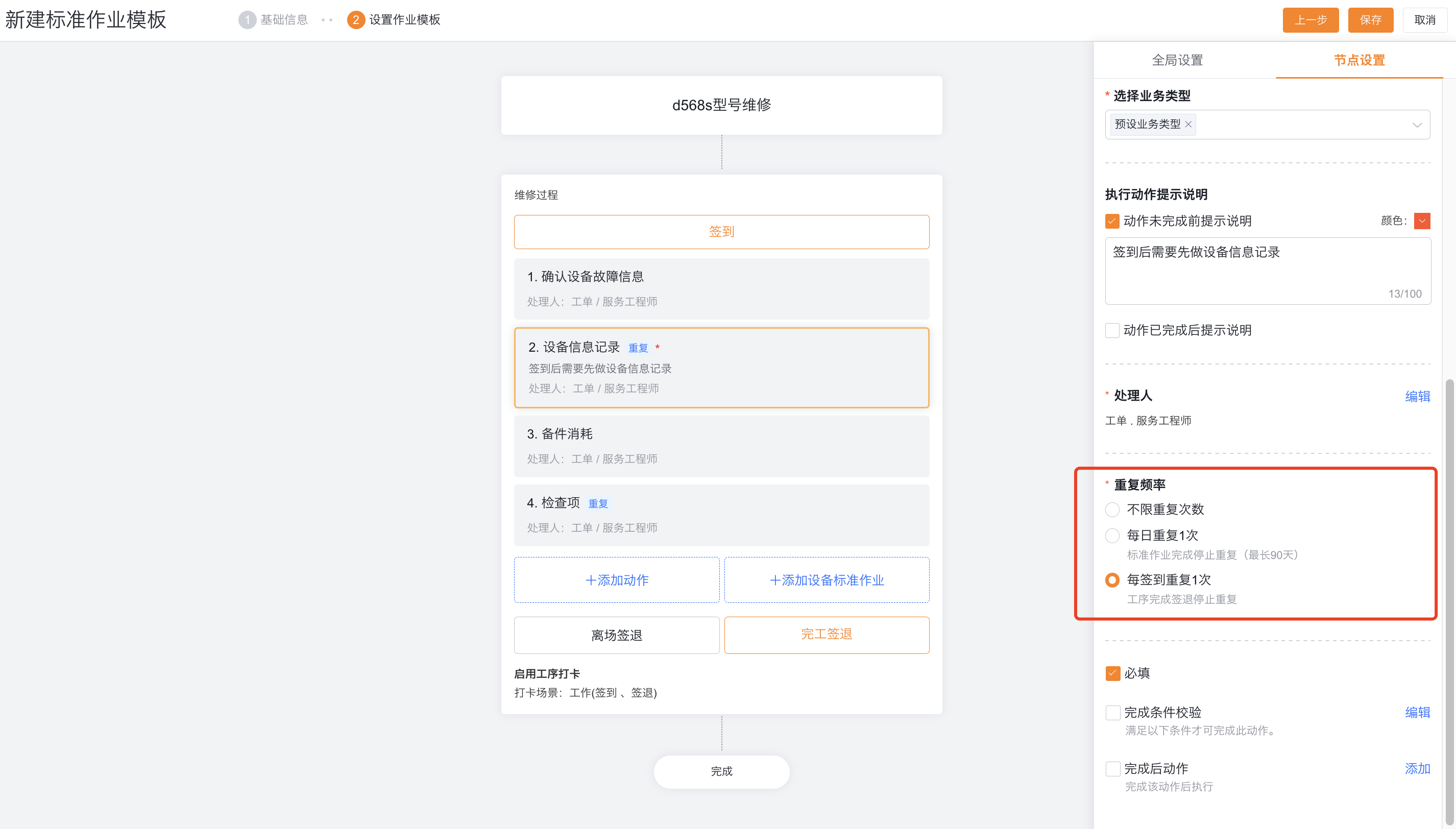
| Frequency | Generation rule | Limitation |
|---|---|---|
| Unlimited times | Wait 5 minutes after the action is completed to automatically generate the next one | Cannot set required |
| Once a day | Generated daily at 00:00 until the entire SOP node is completed | Required can be verified when completing the SOP |
| Once for each check-in | Generated after each process sign-in, until the process is completed and signed out | Multiple check-ins for the process must be enabled; Verified when leaving the site or completing the sign-out |
Repeating actions can be configured with completion conditions and post-completion actions, and each execution will verify or run the function.
Configure service provider process check-in
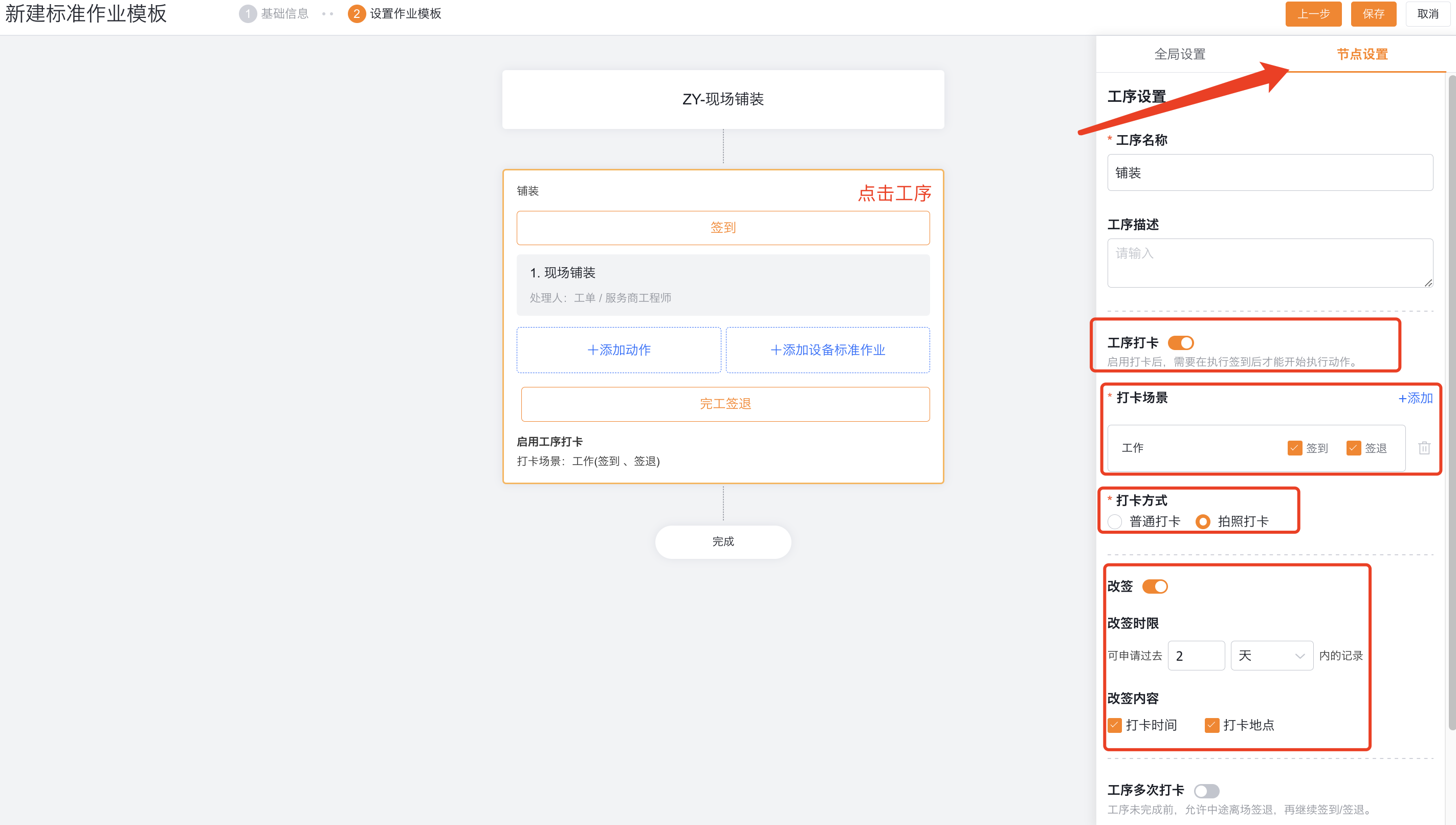
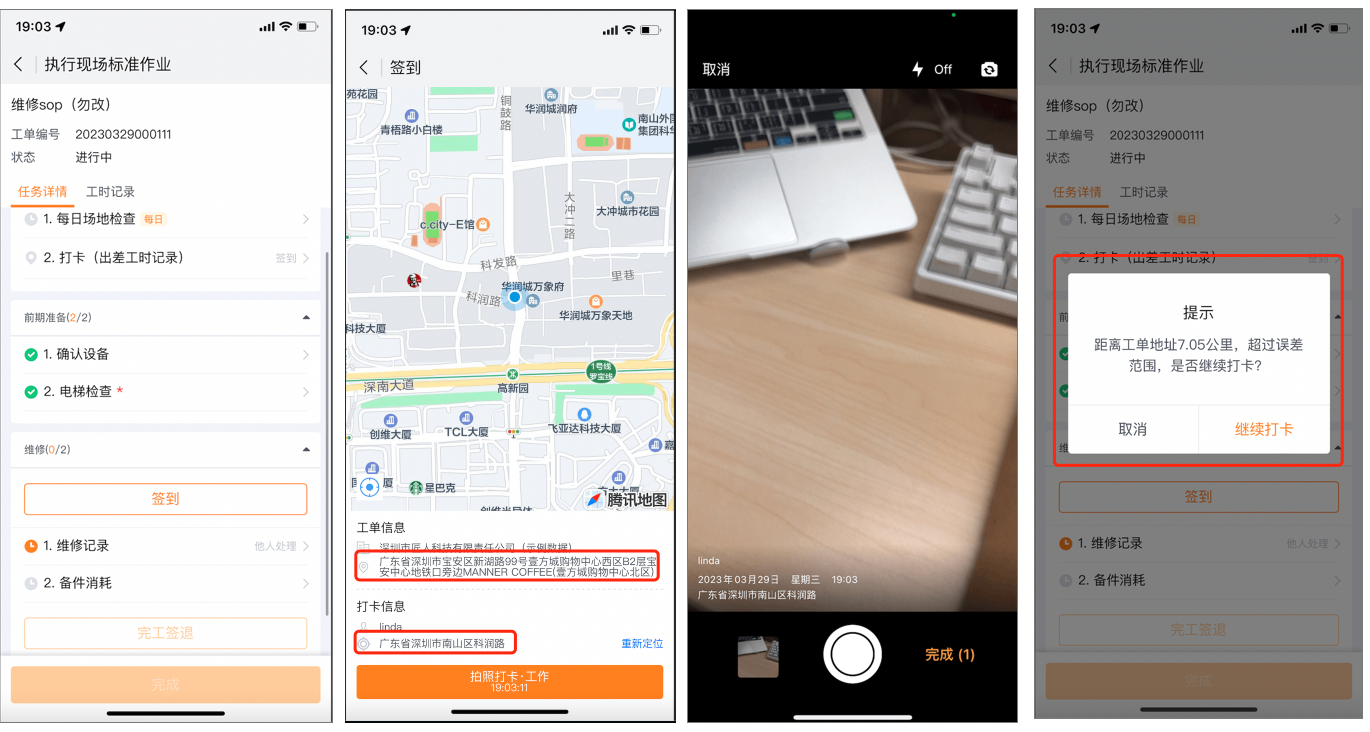
Procedure check-in is optional. When enabled, provider engineers check in before starting an action. The SOP can finish only after all procedures are checked out. The system stores the records in Work Order Check-in Record.
Single procedure check-in
Select the check-in scene, normal or photo check-in, and configure the change time limit and content as needed.
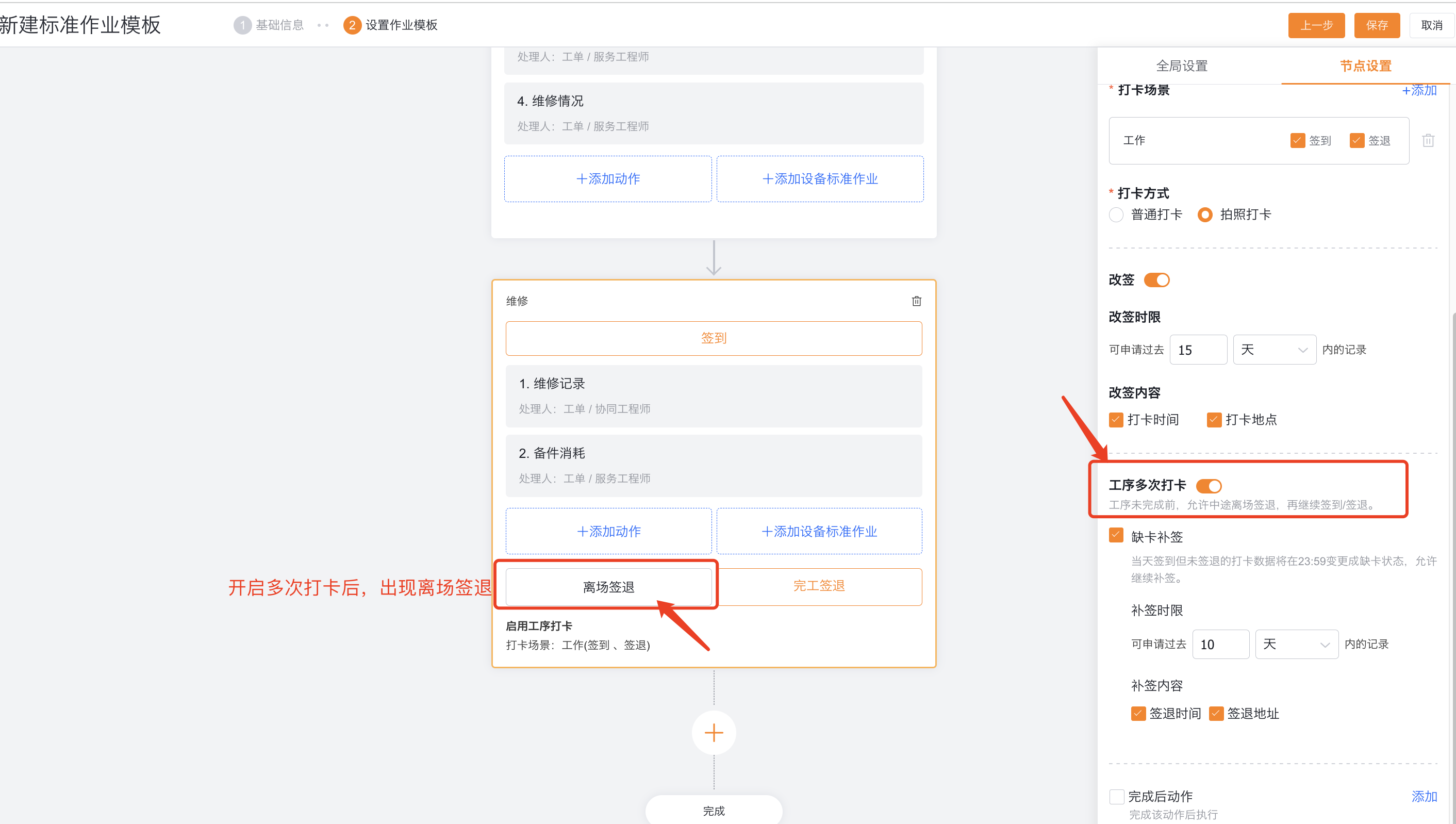
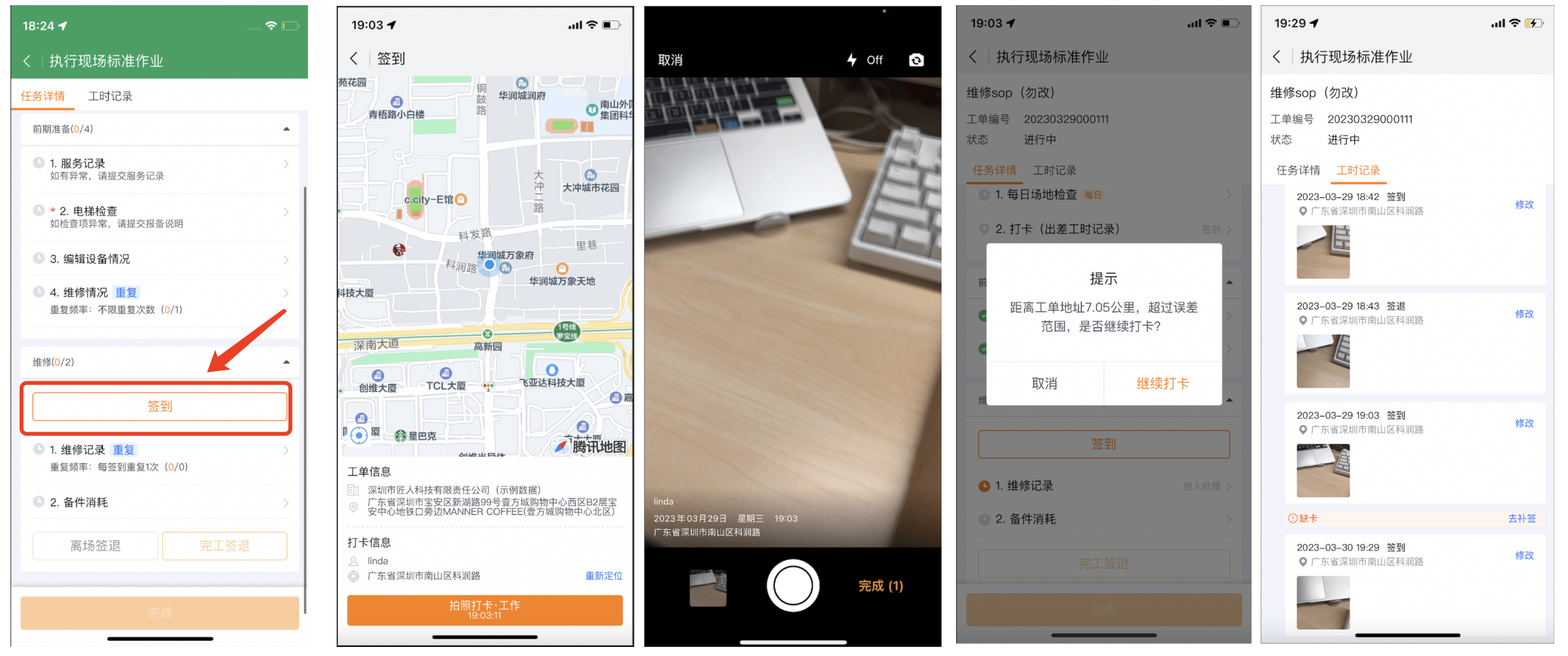
Check in multiple times
After enabling, the service provider engineer can sign out and then sign in again; click signout upon completion to complete the current process. Records of those who signed in but did not sign out on the same day will become missing cards at 23:59, and can be re-signed according to the configuration.
Configure global repeated actions and check-ins
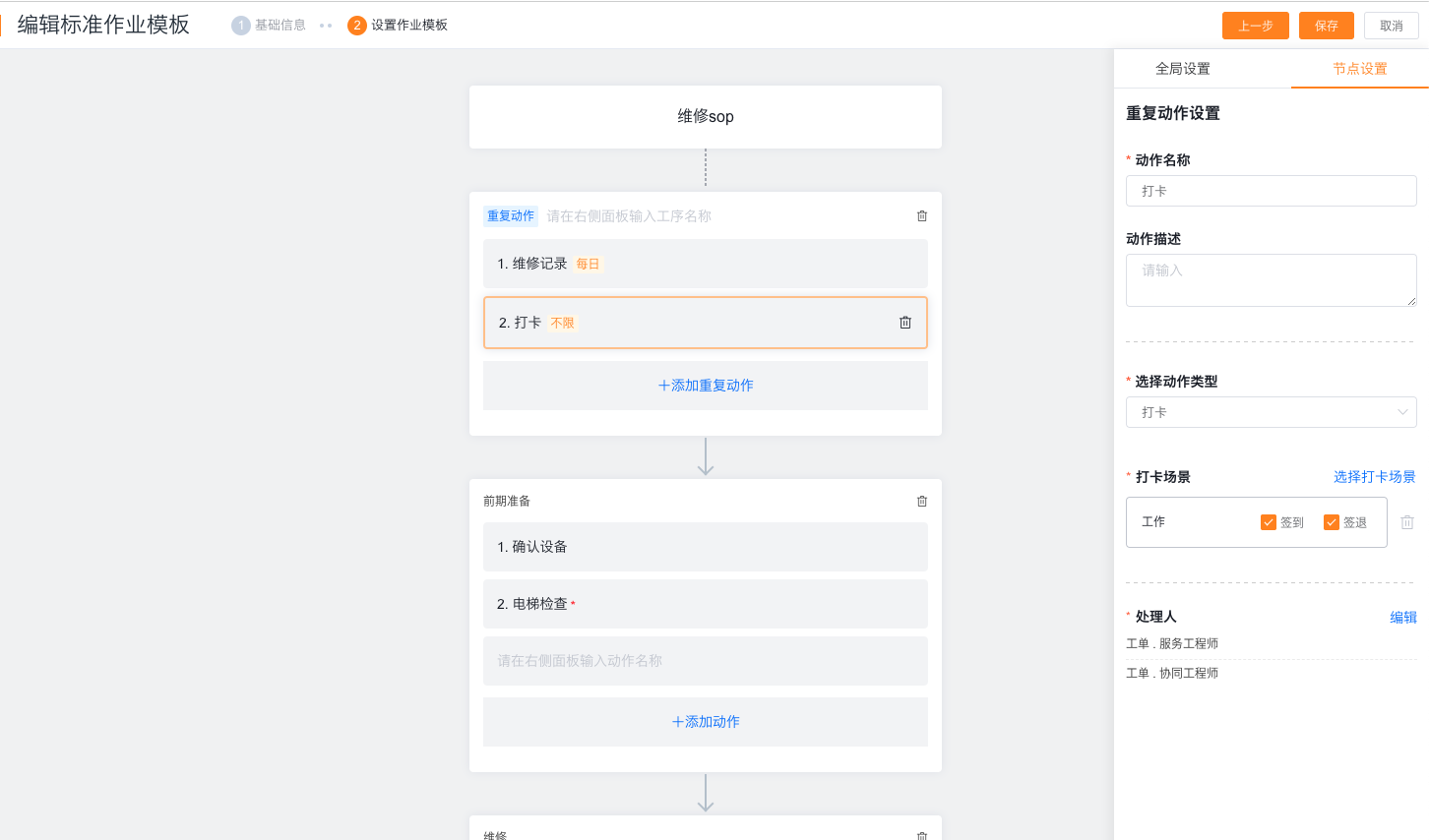
Enable recurring actions in Global Settings for tasks that span operations or last multiple days.
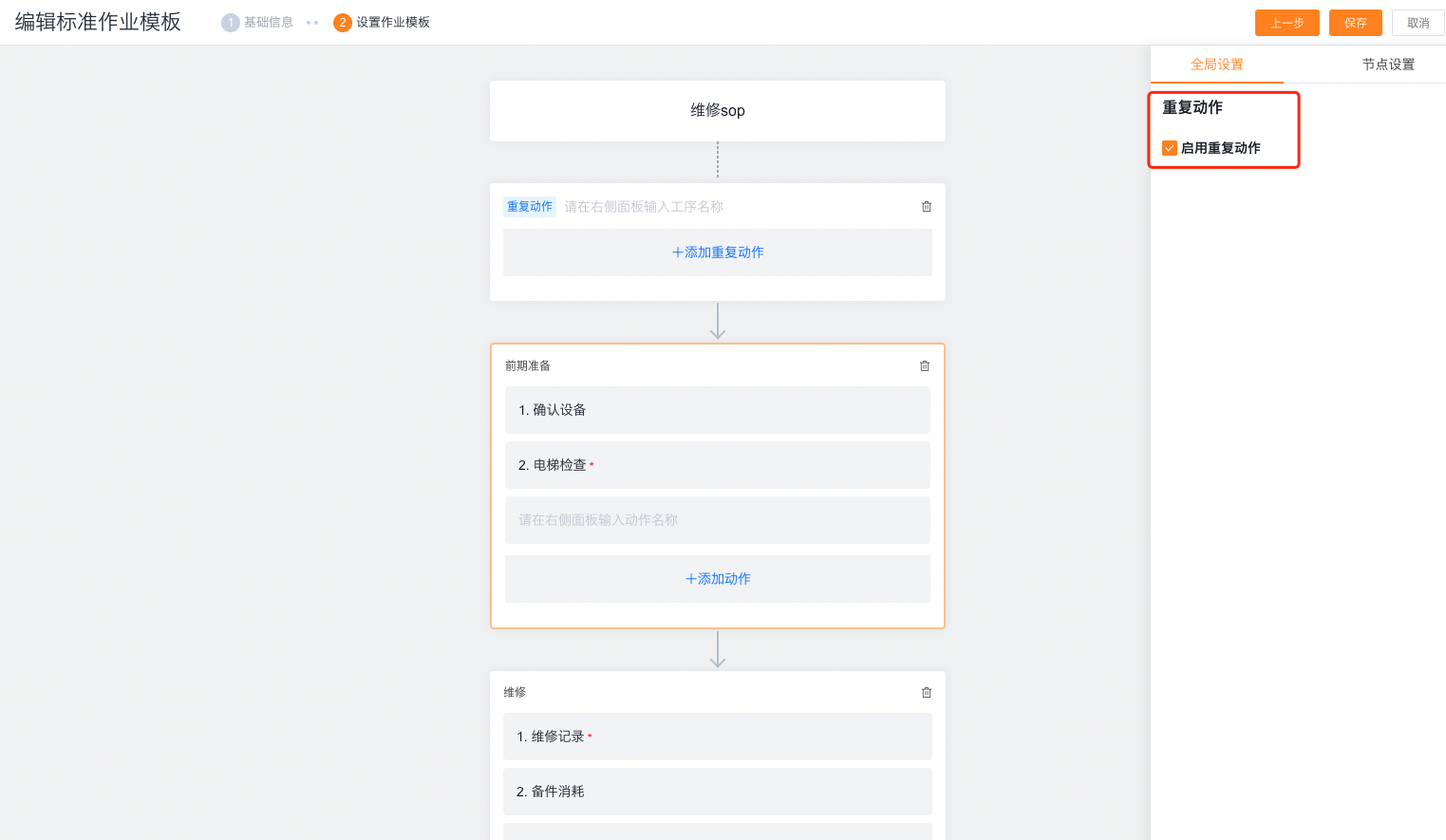
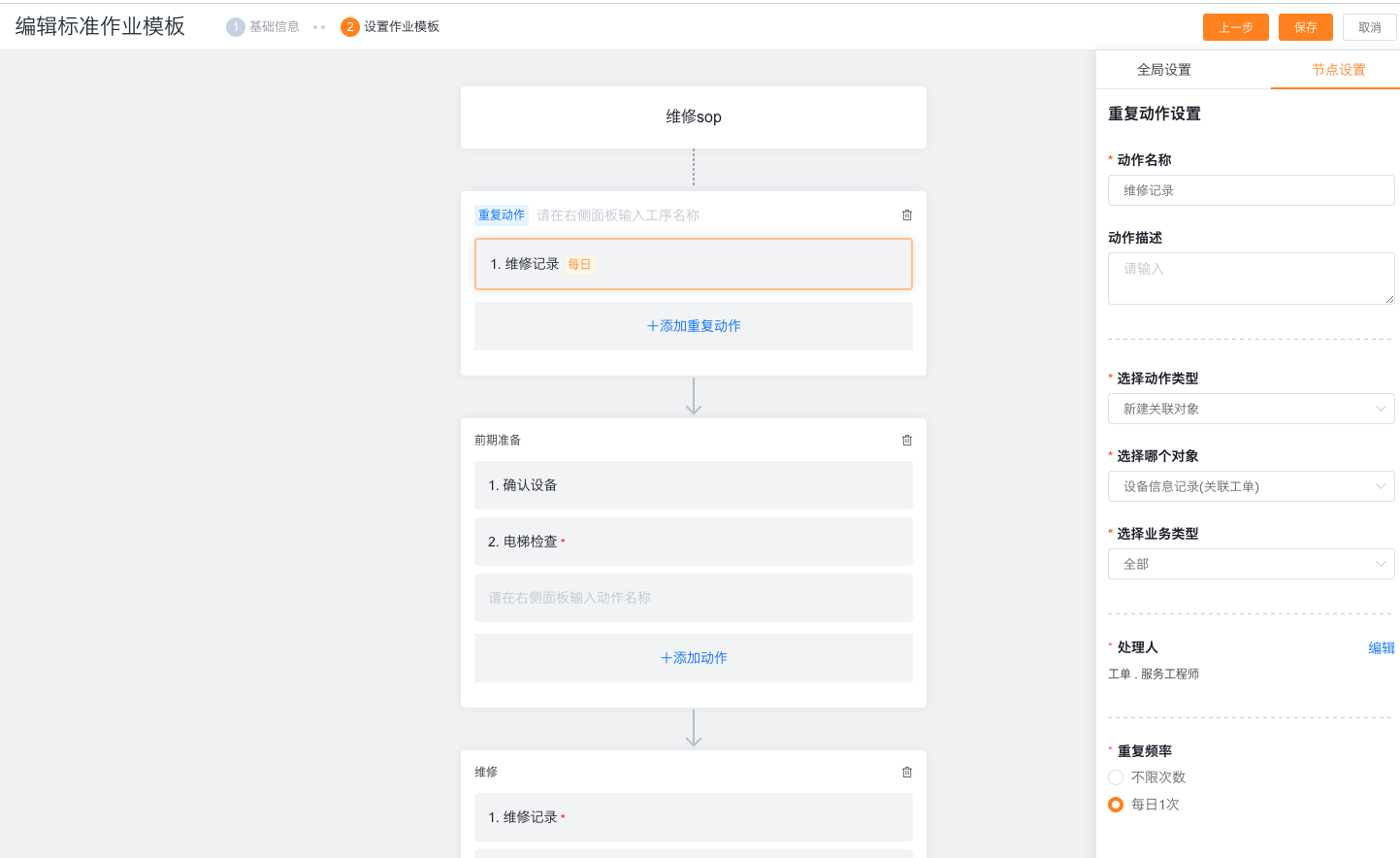
Global repeating actions can be set to create new associated objects or inspection groups, and configure unlimited times or a frequency of once a day.
Global repeating clock-in is used in scenarios where working hours and locations are recorded on multiple days, out of order, or temporarily.
Configure nodes in the connected process
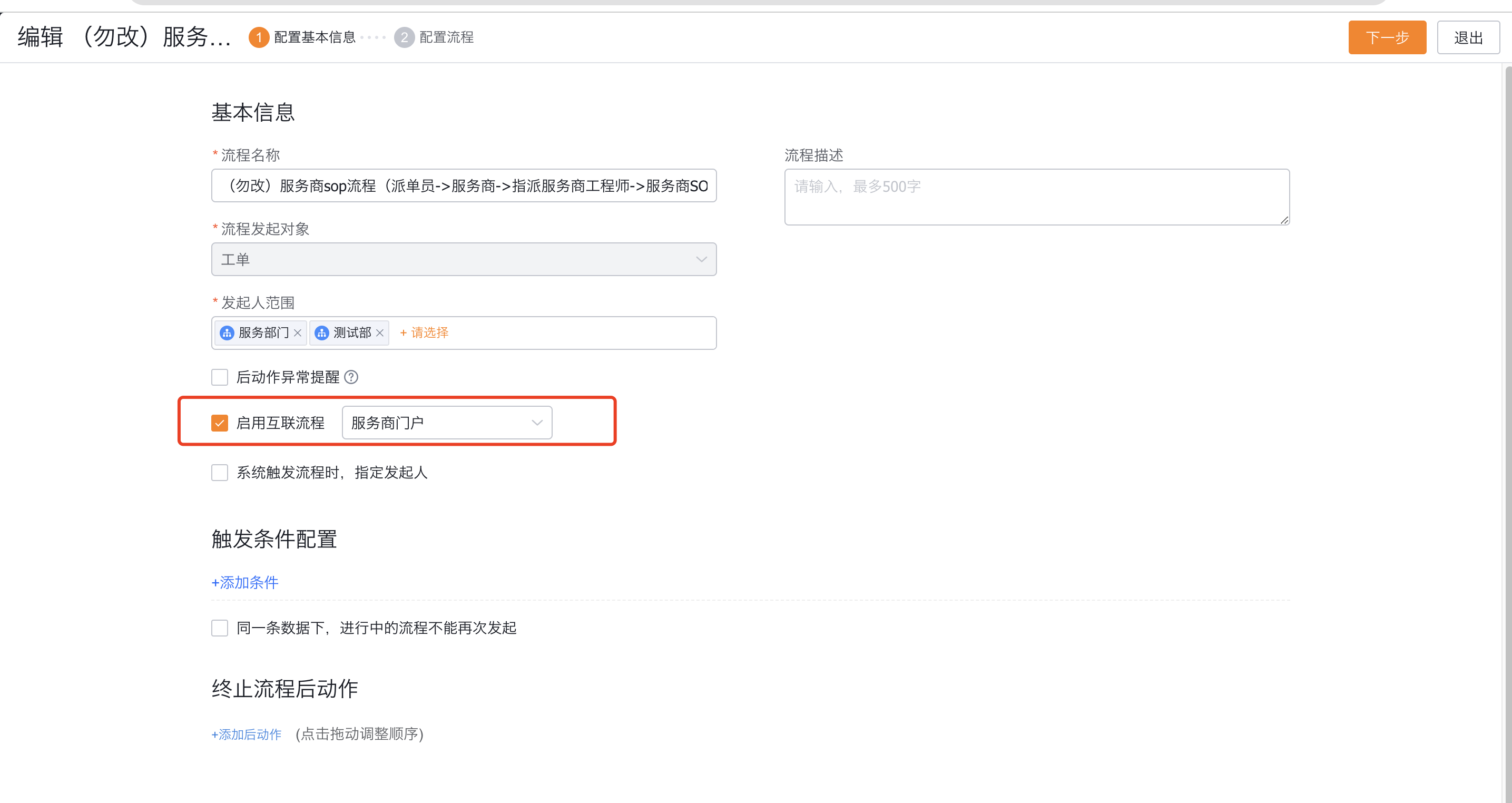
Create or edit the work order process, enable the connected process, and select the service provider portal.
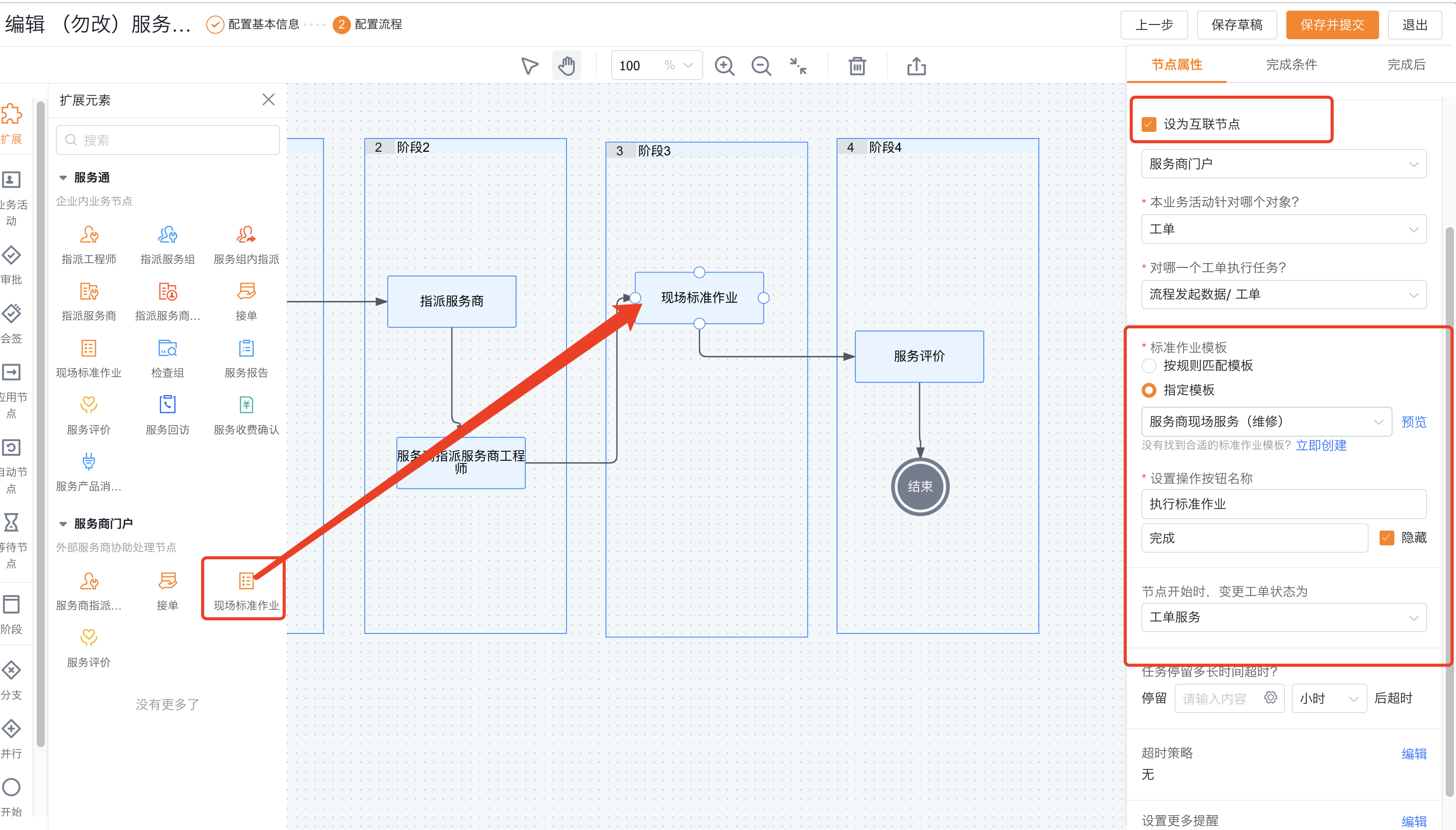
Add the Onsite Standard Operation node under the service provider portal and check Set as an connected node.
Select a specified template, or match based on template application scope and priority.
Configure nodes to be automatically completed when templates do not match or use redundancy rules.
Customize the name of the main action button as needed, and decide whether to hide the Done button in the to-do list.
A node can only execute a set of standard jobs; the node handler comes from the service provider handler set in the template action.
Expected results and verification
- Open the connected SOP node with a test work order that has an assigned service provider and provider engineer.
- Confirm that the service provider engineer receives the task in the service provider portal, and the internal engineer will not receive the service provider action by mistake.
- Verify template matching, single/repeated actions, check-in and required verification.
- Verify the results of departure sign-out, completion sign-out and the entire SOP completion respectively.
- Construct a work order that does not match the template and verify the automatic completion or cover-up rules.
Notes
- The service provider SOP must use the external service provider type and be issued through the connected node in the interconnection process.
- The default action handler is Work Order. Service Provider Engineer. Do not copy the service engineer role rules of the internal SOP.
- Unlimited repeated actions cannot be set as required; automatically jumping to the next action is only supported by the app.
- The action of generating service report does not support completion conditions and post-completion actions; the evaluation QR code only supports fixed templates.
- The range of handlers for global repeated actions and global repeated check-ins is inconsistent in the upstream data. The verification results of the current enterprise page and the actual measurement of the service provider account must be used as the standard; the verification content includes visibility, processing permissions and execution results.