Appearance
Reassign service groups
Overview
Reassigning a service group is used for authorized personnel to change the assigned service group in the work order details. The system will try to synchronize the processor of the assigned task in the subsequent service group.
Before you begin
- The work order has been assigned to a service group.
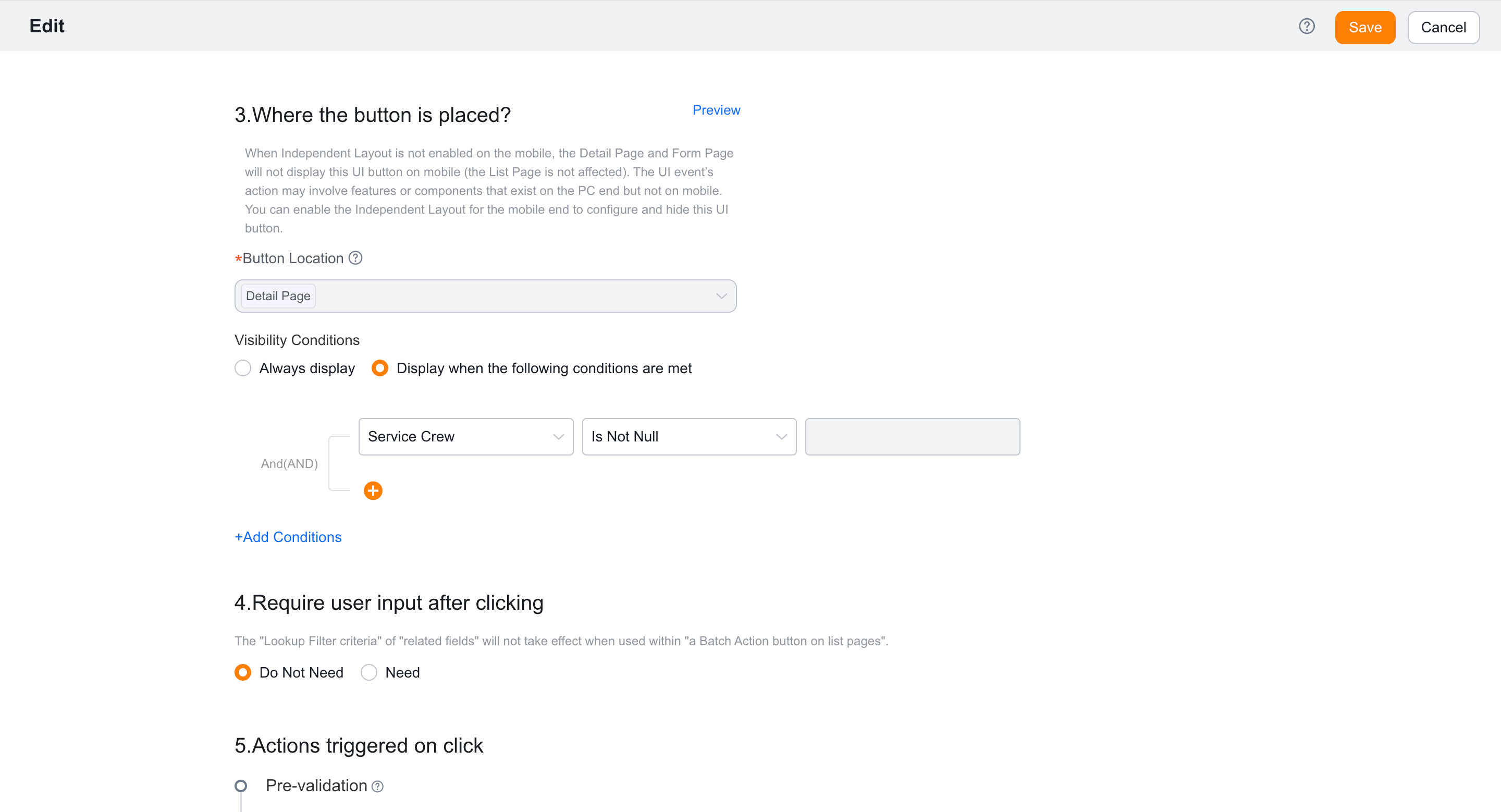
- The visible role, display conditions and post-action of the reassignment button have been determined.
- Prepare new and old service groups to assign individual members to test accounts.
Procedure
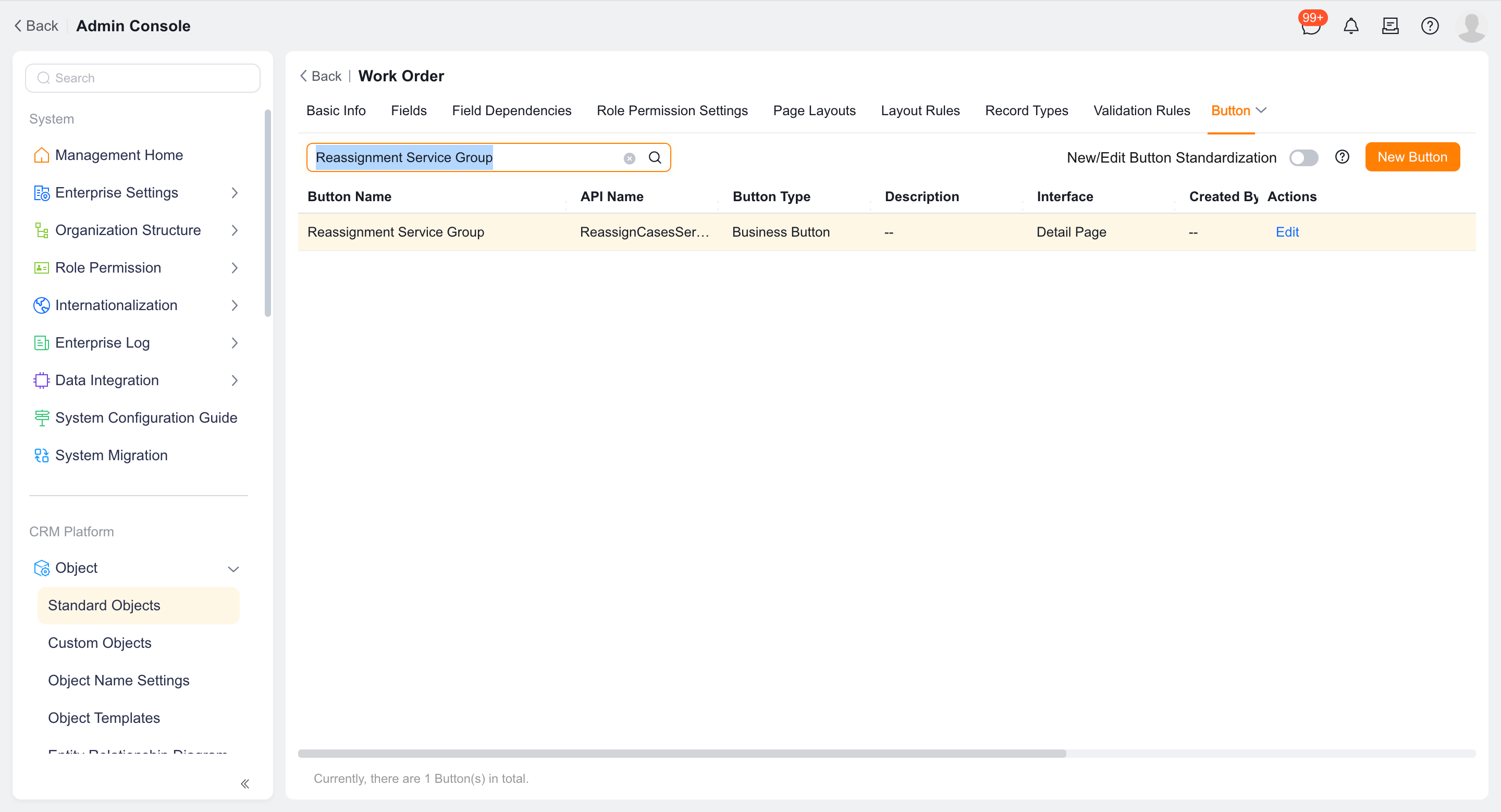
Go to Work Order Object > Button and edit the Reassign Service Group button.
Configure the display conditions and click action.
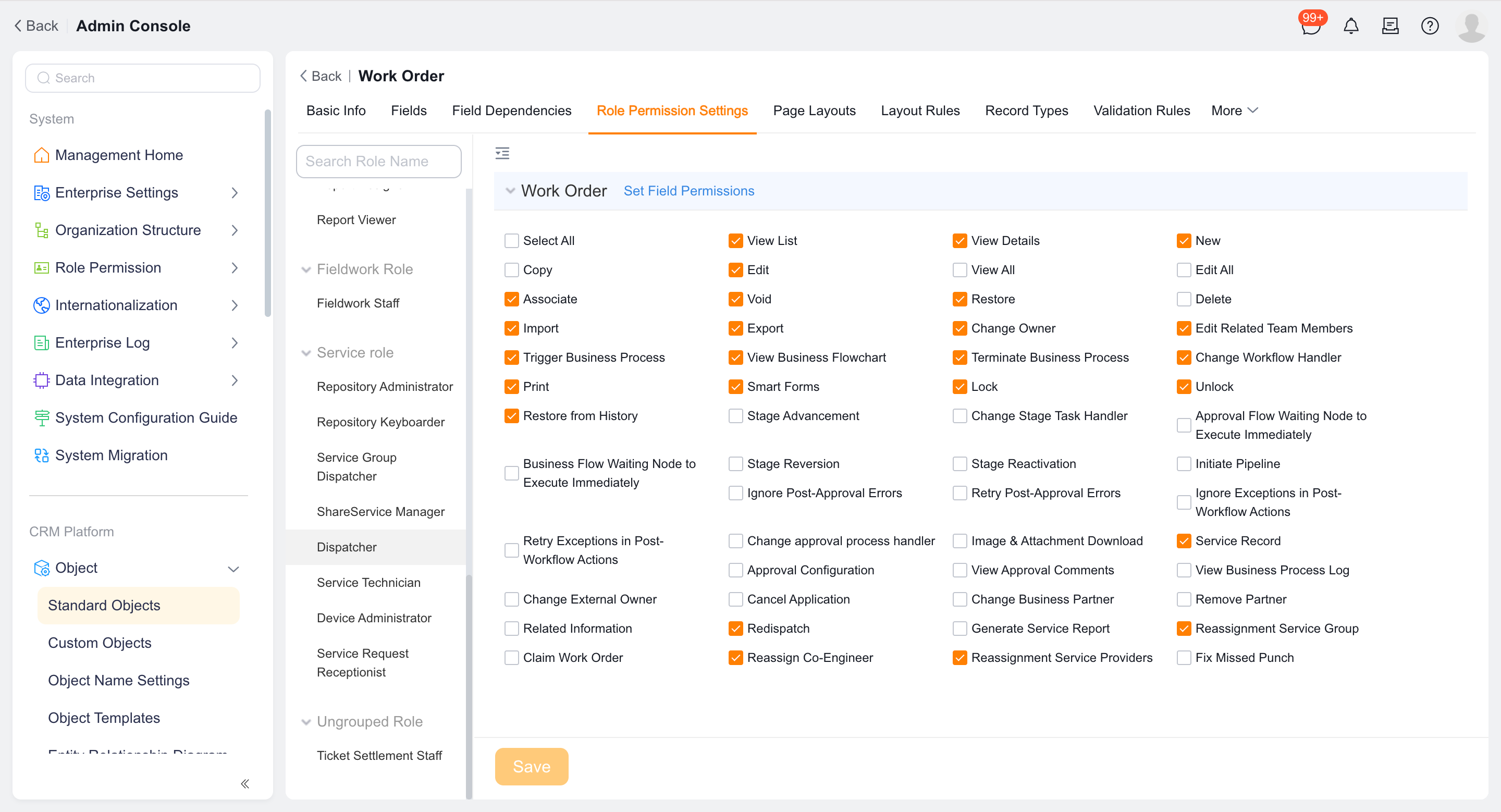
Assign the button permissions to the role that needs to be reassigned, usually the dispatcher.
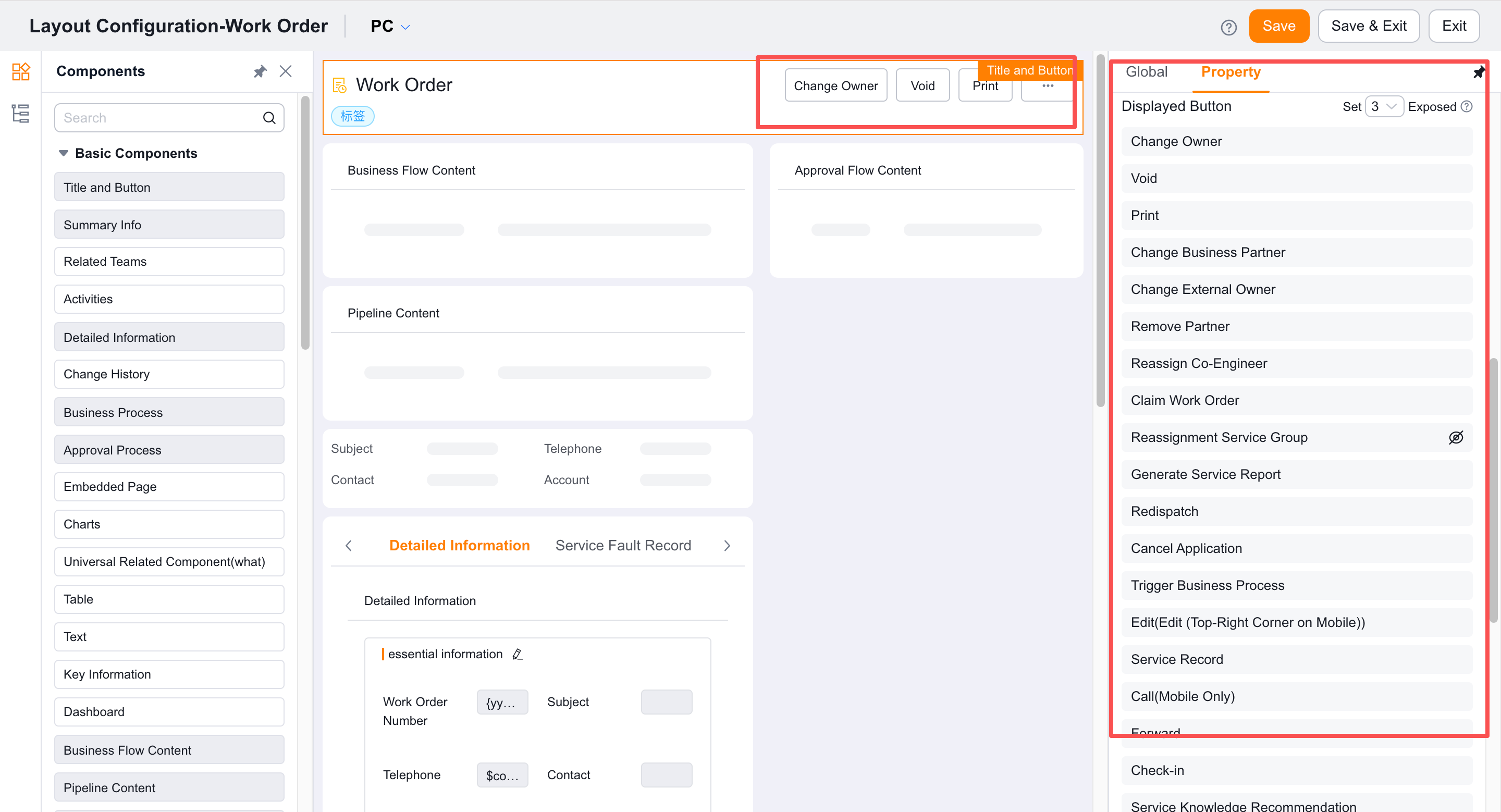
Confirm that the button appears on every applicable work order details-page layout.
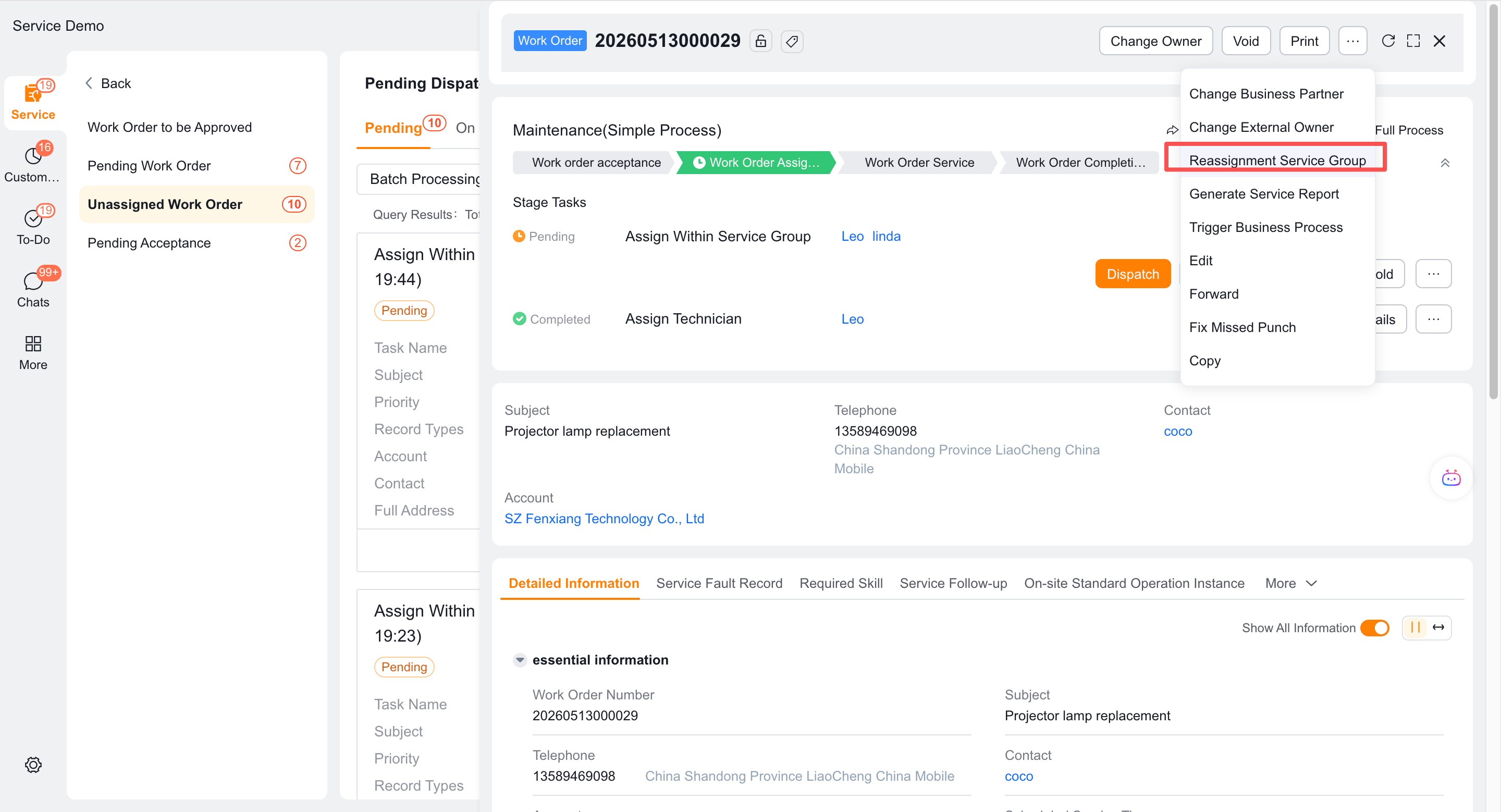
Open the assigned work order and click Reassign Service Group.
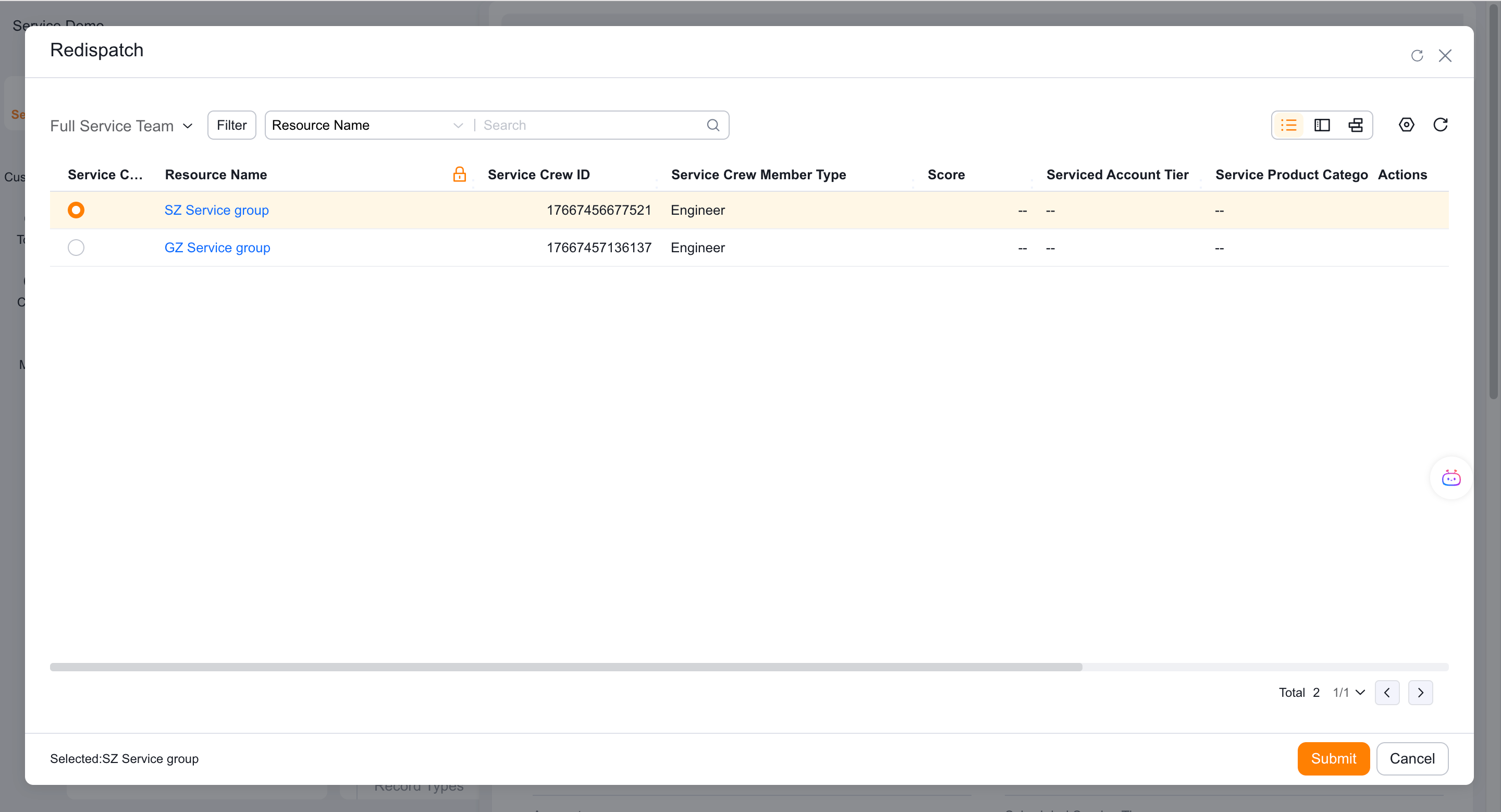
Select a new service group from the current service group brought out by the system and submit.
Check the ticket service group field and the handler assigned to the task within the current service group.
Verify the result
- People who have permission and meet the display conditions can see the button.
- The work order service group is updated to the new service group.
- Subsequent tasks assigned within the service group will be transferred to the new service group dispatcher.
- Scenarios that cannot be synchronized, such as timeouts, are tested and recorded and processed manually.
Notes
- In some timeout scenarios, the work order fields may have changed but the process tasks have not.
- Button permissions and detail page layout are indispensable.