Appearance
Request and ship spare parts
Overview
A spare parts request records demand. A shipment lets a warehouse fulfill an approved request. After receipt, parts enter the engineer's personal inventory or the destination warehouse. This workflow requires advanced mode and the current spare parts consumption feature.
Before you begin
- Spare parts advanced mode, inventory management and new version of spare parts consumption have been enabled.
- Spare parts products, warehouses and corresponding business permissions have been configured.
- Confirm whether the application is for personal warehouse receipt or spare parts warehouse receipt; the two reception modes cannot be mixed in the same batch shipment.
1. Submit spare parts application
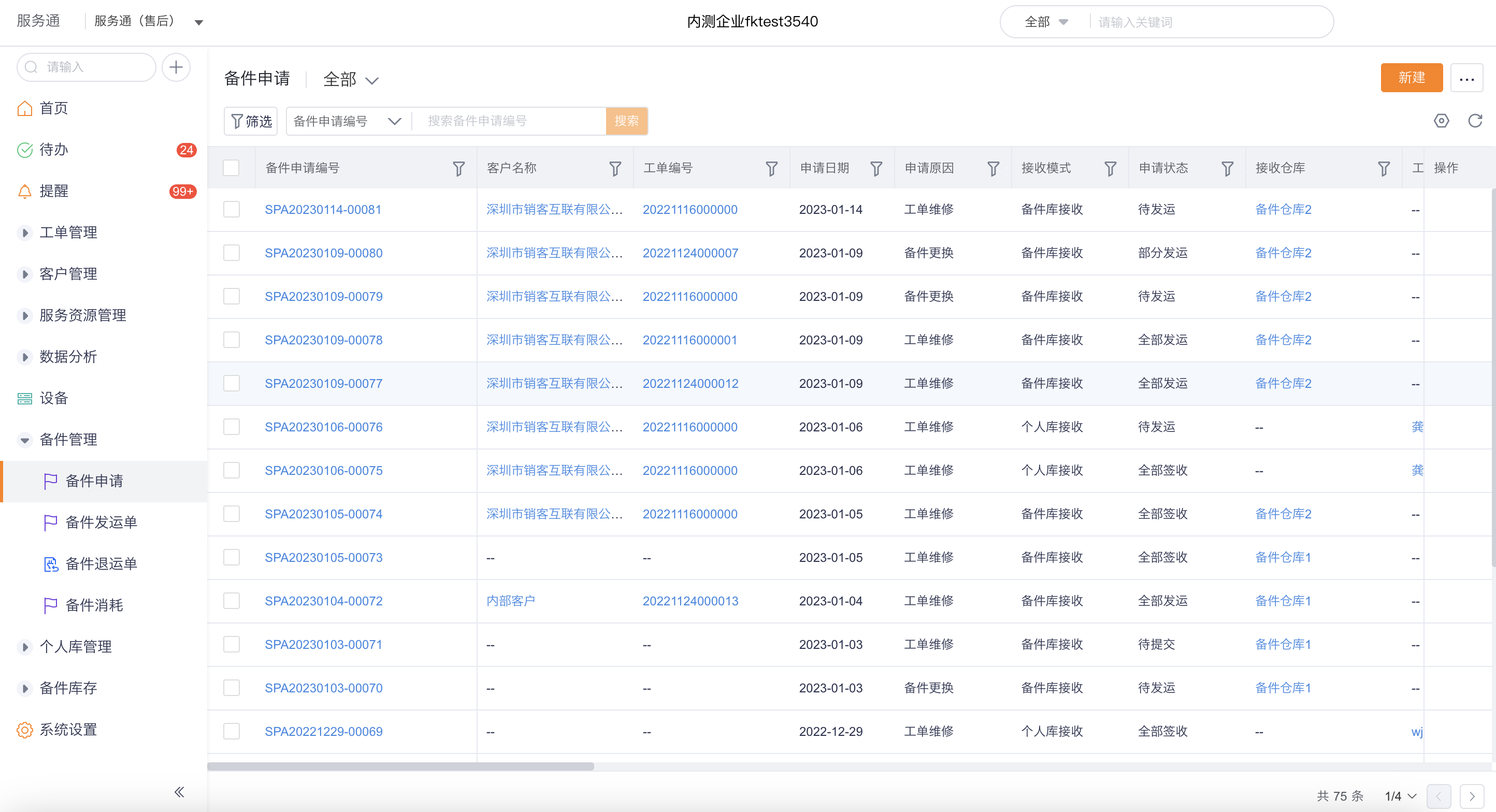
Go to Service > Spare Parts Management > Spare Parts Application on the web side.
Click New in the upper right corner of the list.
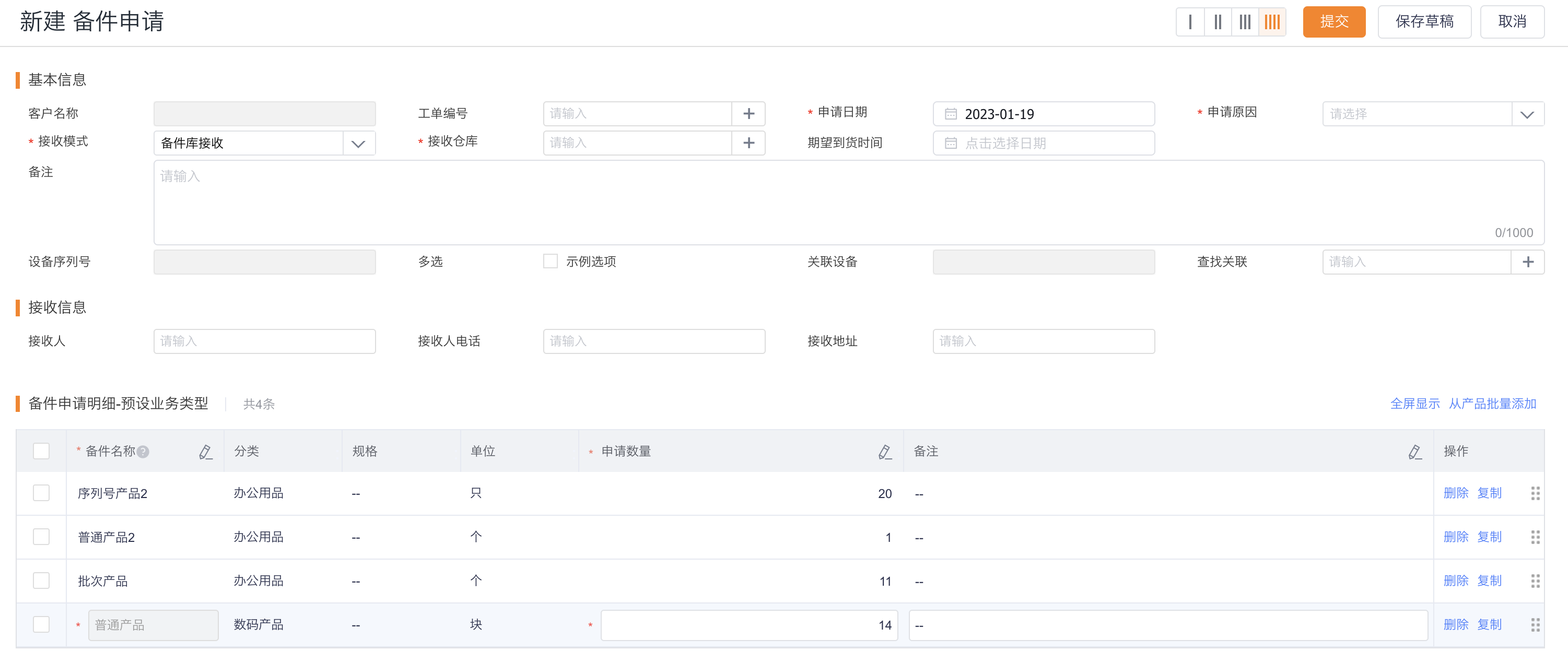
Fill in the application information and application details. An application can be associated with a work order or not.
Select receiving mode:
- Personal library receipt: Spare parts are sent to engineers for on-site maintenance;
- Spare parts warehouse receipt: Spare parts flow from one warehouse to another.
Save and submit the application; if the enterprise has configured an approval flow, wait for approval.
2. Create spare parts shipping note
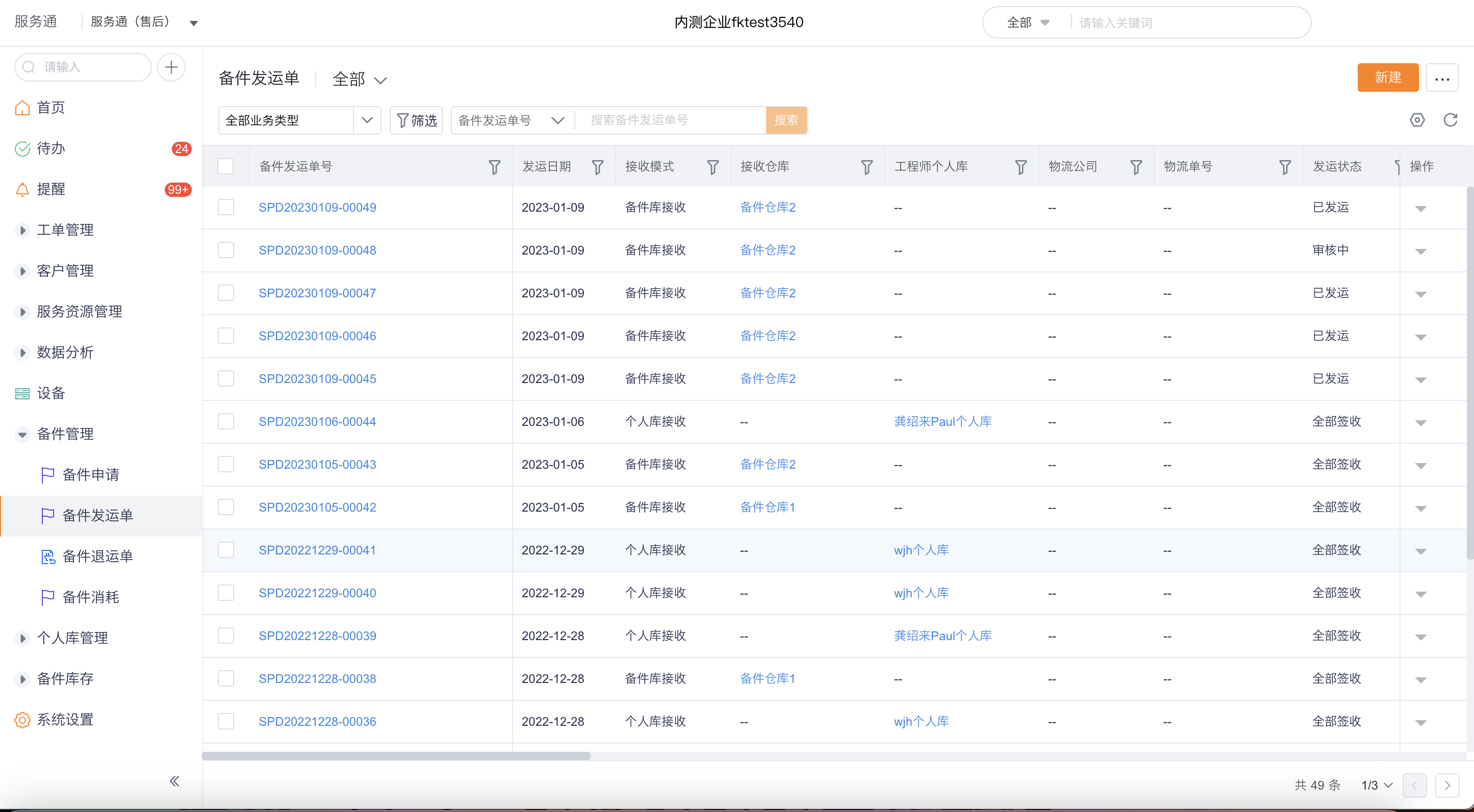
After the application is approved and enters Pending Shipment, enter Service > Spare Parts Management > Spare Parts Shipping Order.
Select New in the upper-right corner, and add shipment details from the spare parts request.
Only applications with the status of pending shipment, partial shipment, and partial receipt can continue to be shipped; multiple applications with the same receiving mode can be selected at one time.
Fill in the shipping warehouse, logistics and shipping quantity as required on the page, save and submit.
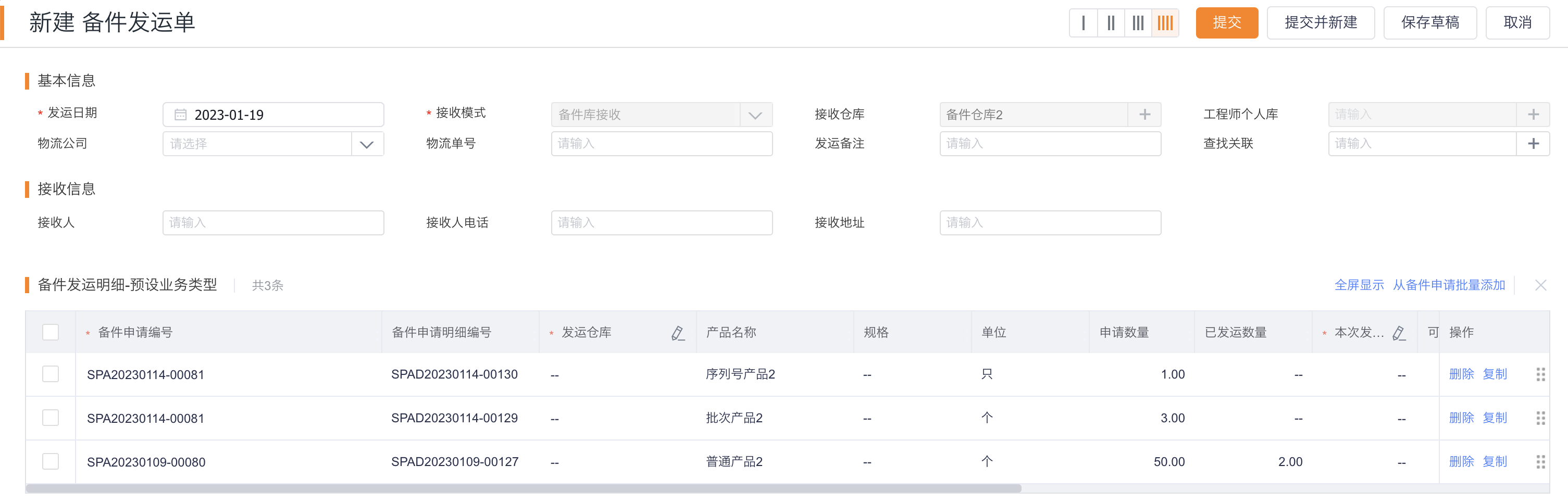
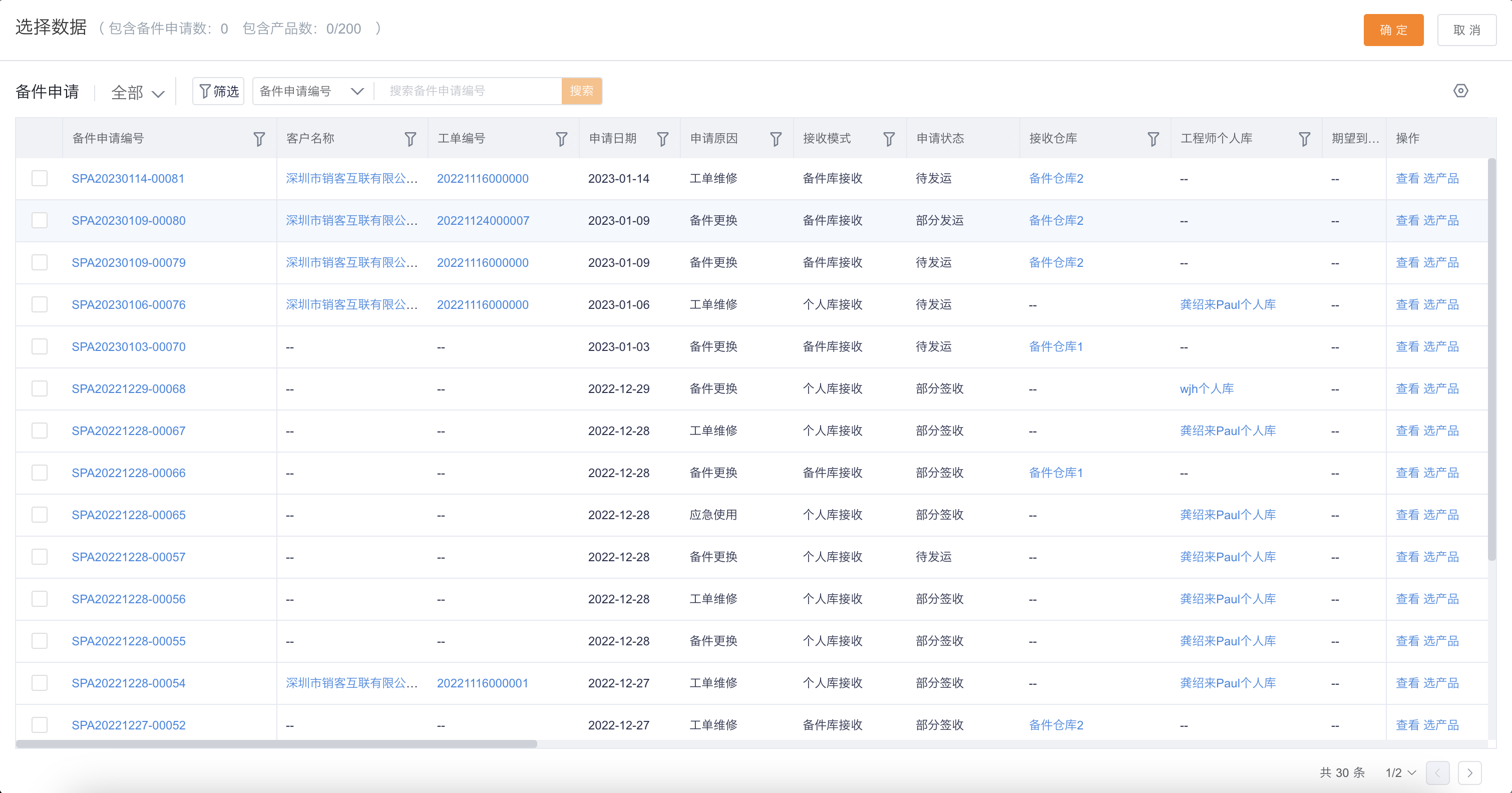
After the shipping order is approved, the system automatically creates an outbound order for the shipping warehouse and deducts the corresponding warehouse inventory.
3. Check logistics and sign for receipt
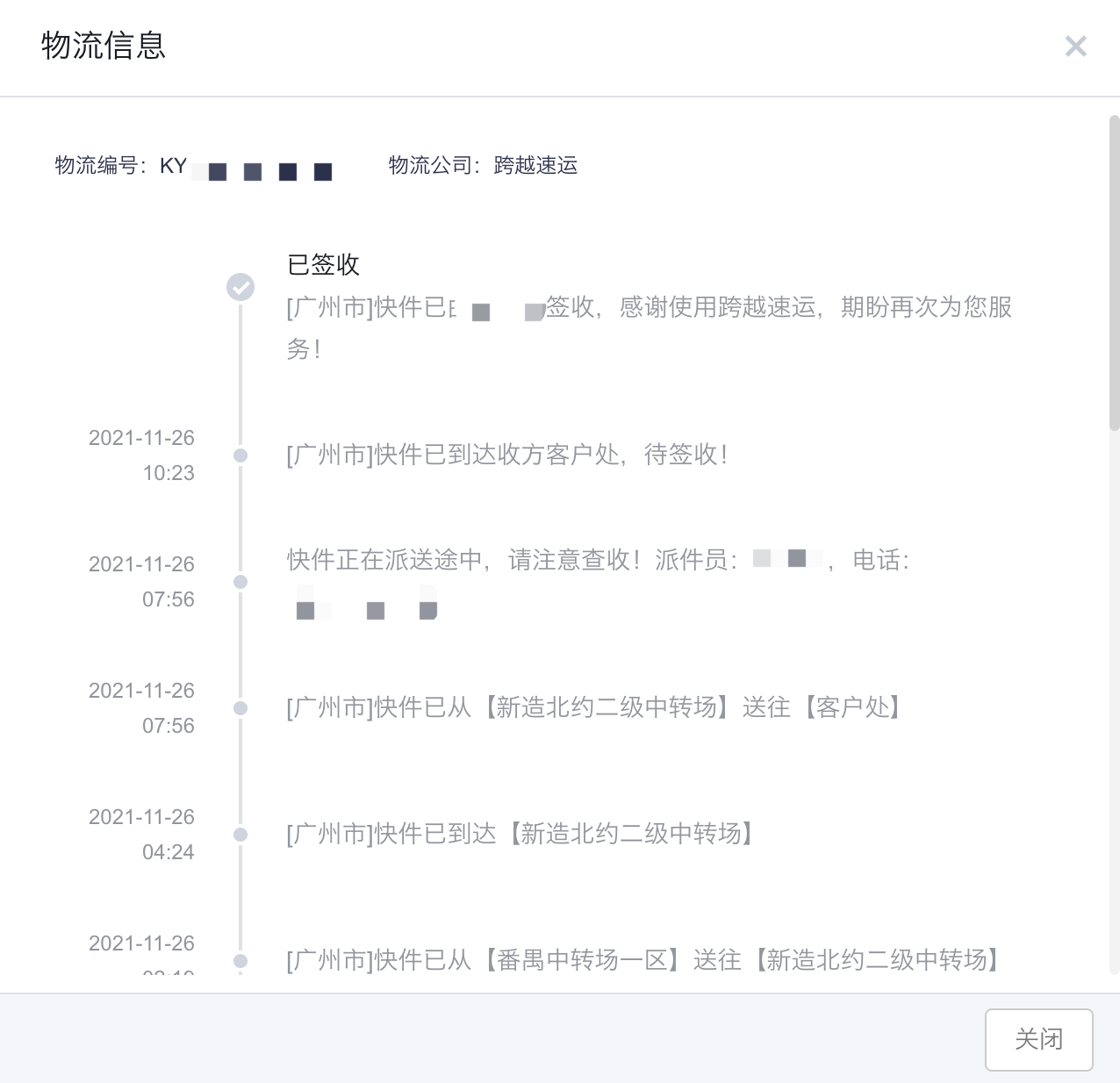
Click View Logistics in the shipping order list or details to query logistics information.
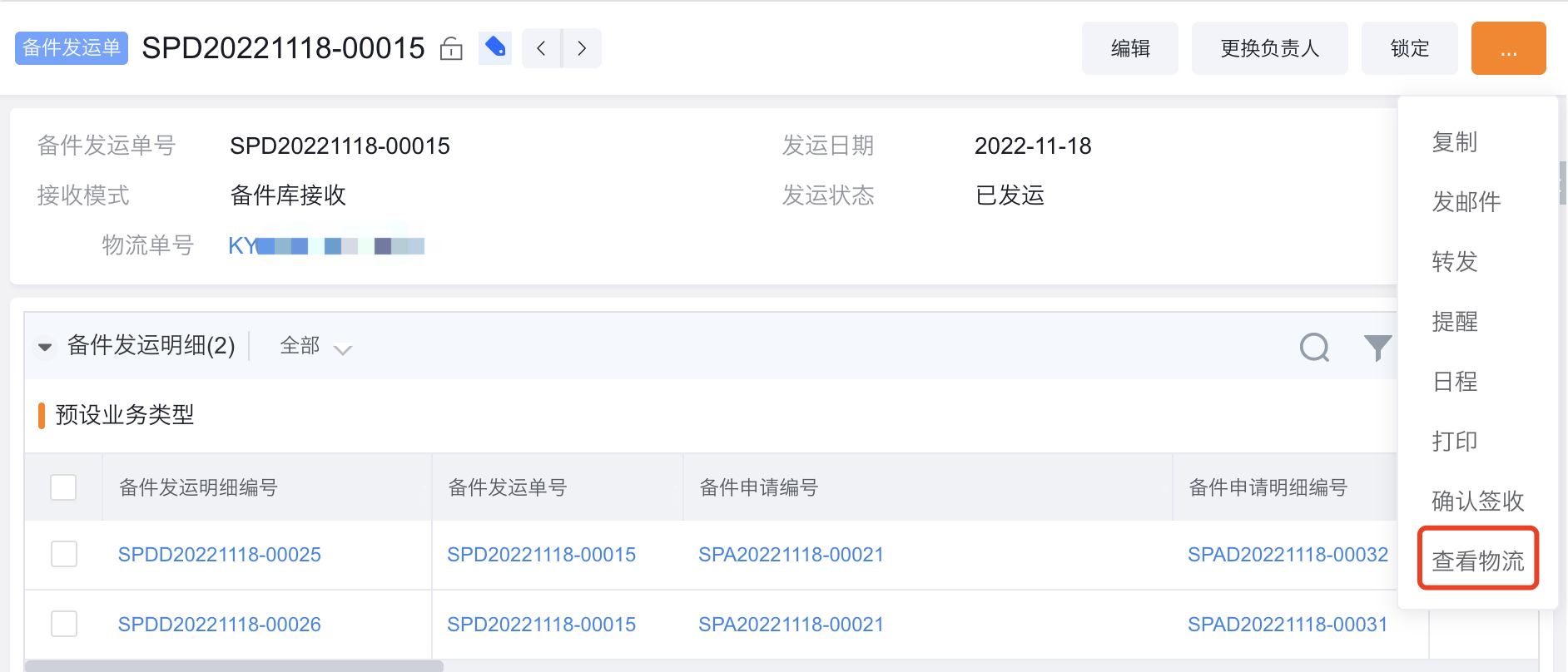
After receiving the spare parts, open the corresponding shipping note and execute sign for receipt.
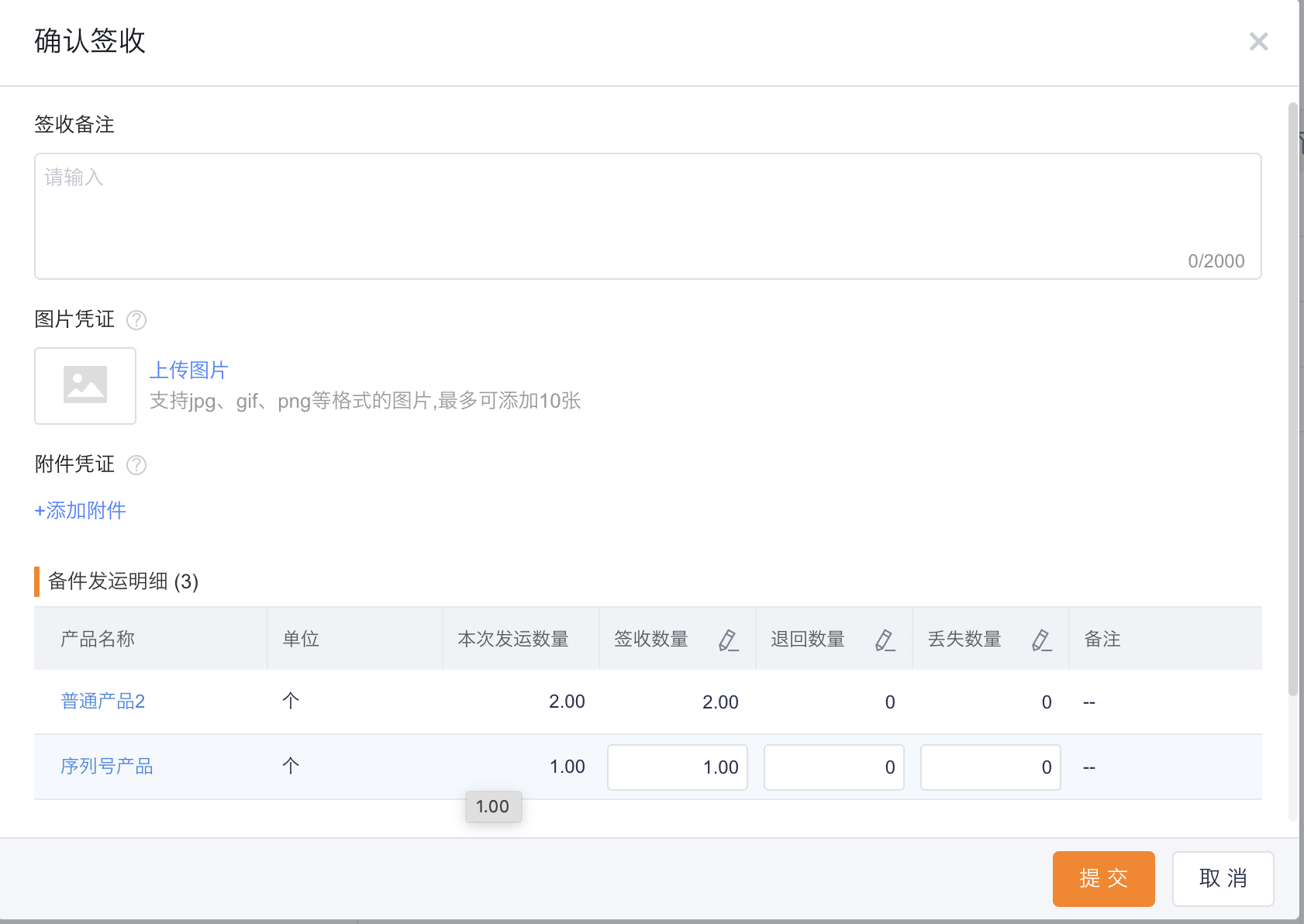
The destination after signing depends on the receiving mode:
- Personal inventory receipt: Create a material issue record and increase the engineer's personal inventory.
- Spare parts warehouse receipt: Automatically generate warehousing orders and increase receiving warehouse inventory.
Expected results and verification
- After the application status enters the shippable state, the application details can be selected on the shipping note.
- After the shipment approval is passed, the inventory in the shipping warehouse is reduced.
- After signing, the personal warehouse receiving can check the picking list and the personal warehouse added record; the spare parts warehouse receiving can check the warehousing order and the target warehouse added record.
Notes
- The spare parts application itself does not directly deduct inventory. Inventory changes occur when the goods are shipped out of the warehouse or signed into the warehouse/personal warehouse.
- When you are in advanced mode but cannot see the application or shipping entrance, first confirm that you are using the new version of spare parts consumption; the old version will not initialize these objects.
- Logistics inquiry requires the purchase of a logistics inquiry resource package, and there are still valid remaining inquiries.