Appearance
Reassign service group engineers
Overview
Intra-group reassignment is used to change the assigned primary engineer or collaborative engineer in the service group link. By default, only current service group members can be selected.
Before you begin
- The work order has been assigned to the service group.
- The Reassign Engineer or Reassign Collaborative Engineer button has been configured.
- The handler expression for subsequent process tasks has been checked.
Procedure
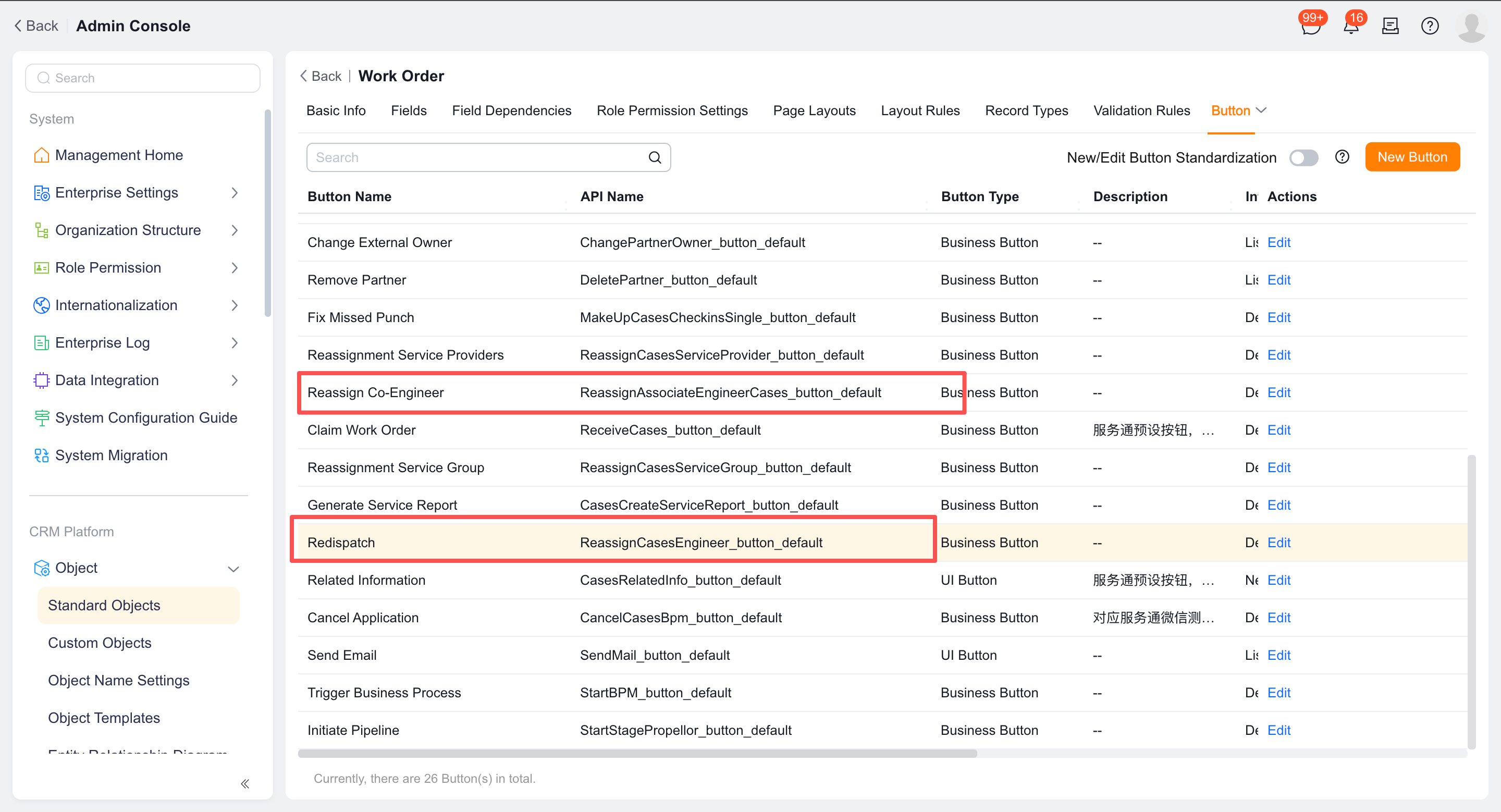
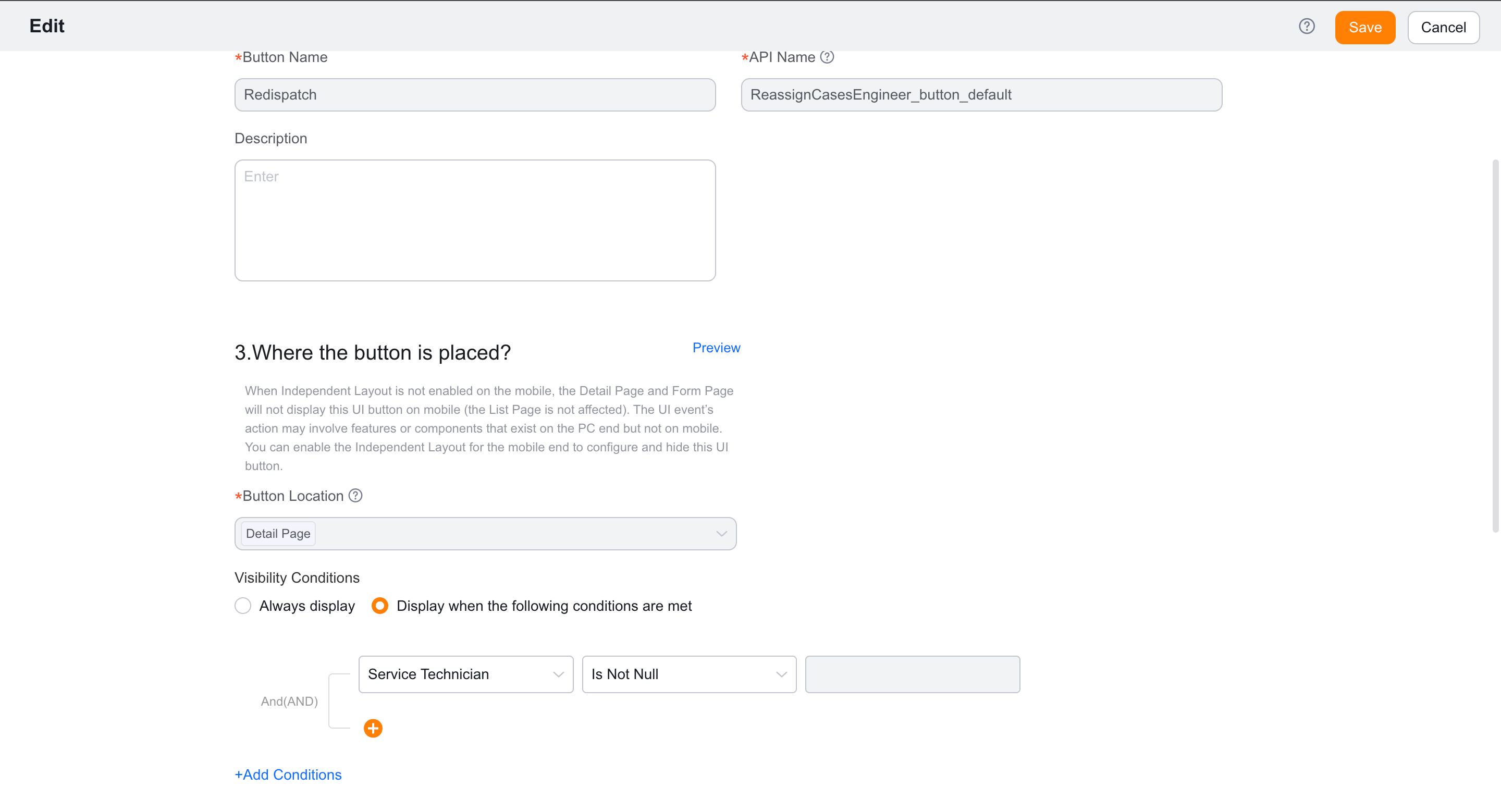
Configure the display conditions and post-checksum actions of the reassignment button in Work Order Object > Button.
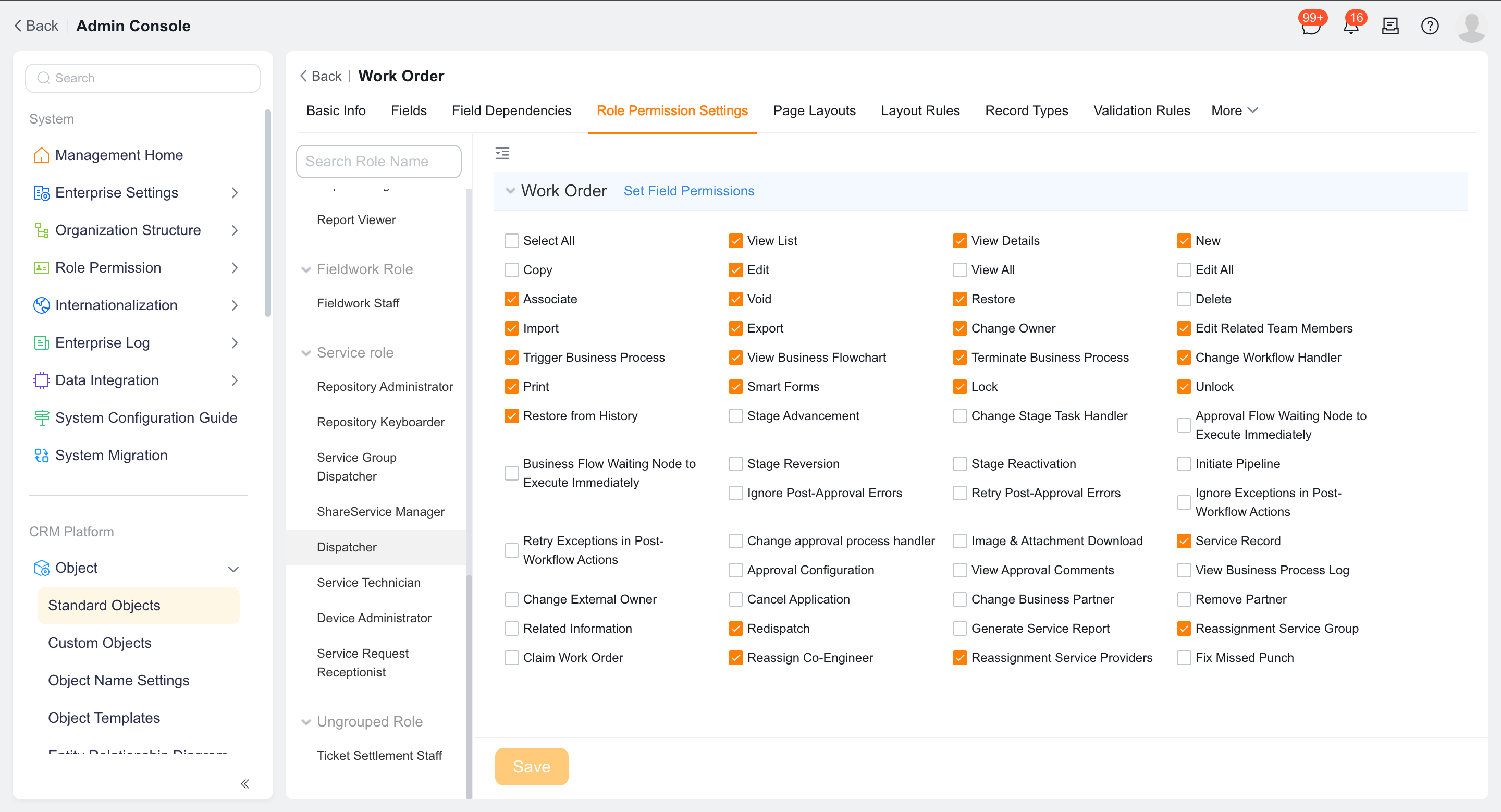
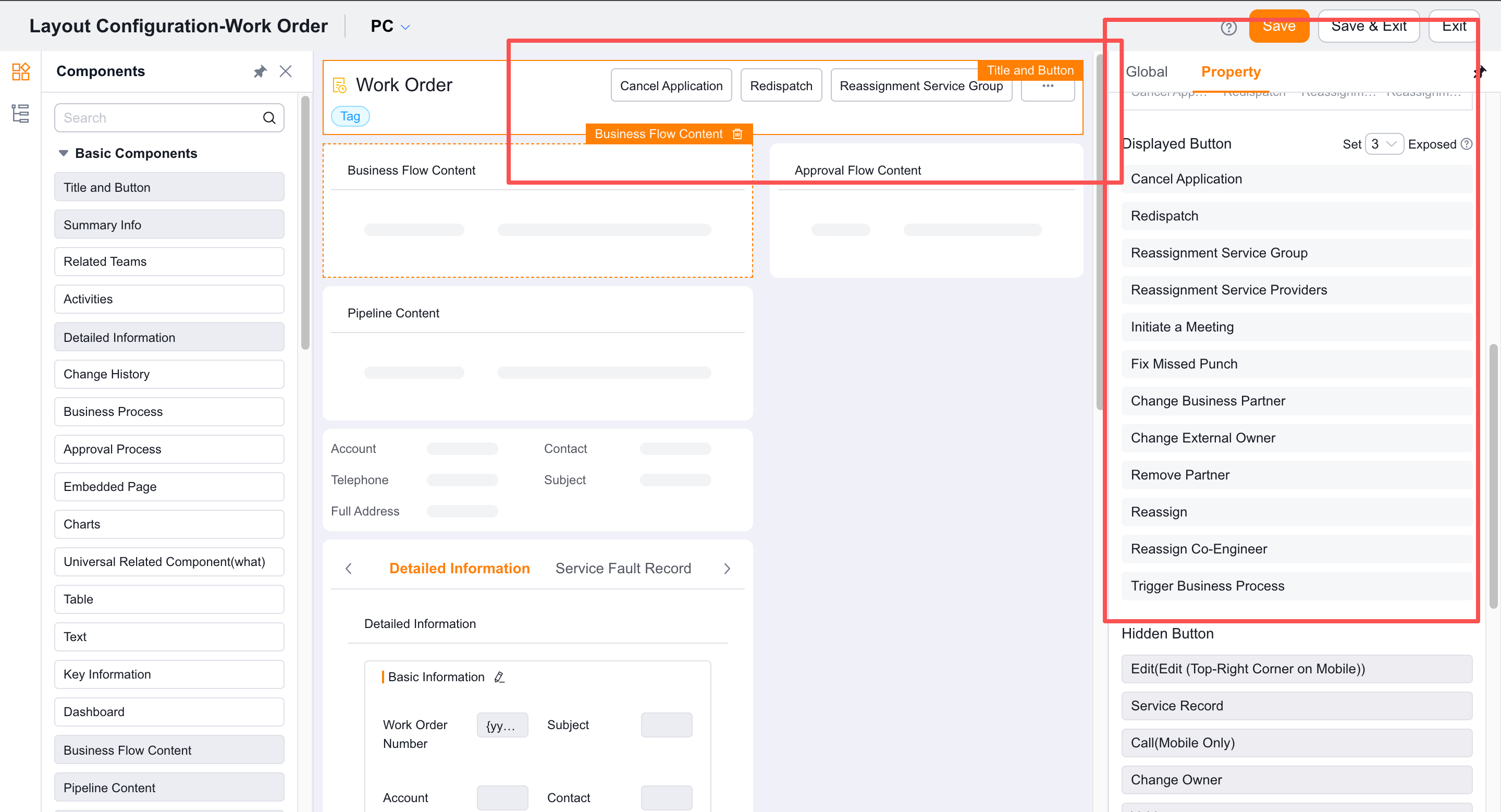
Assign button permissions and add the button to each applicable detail page layout.
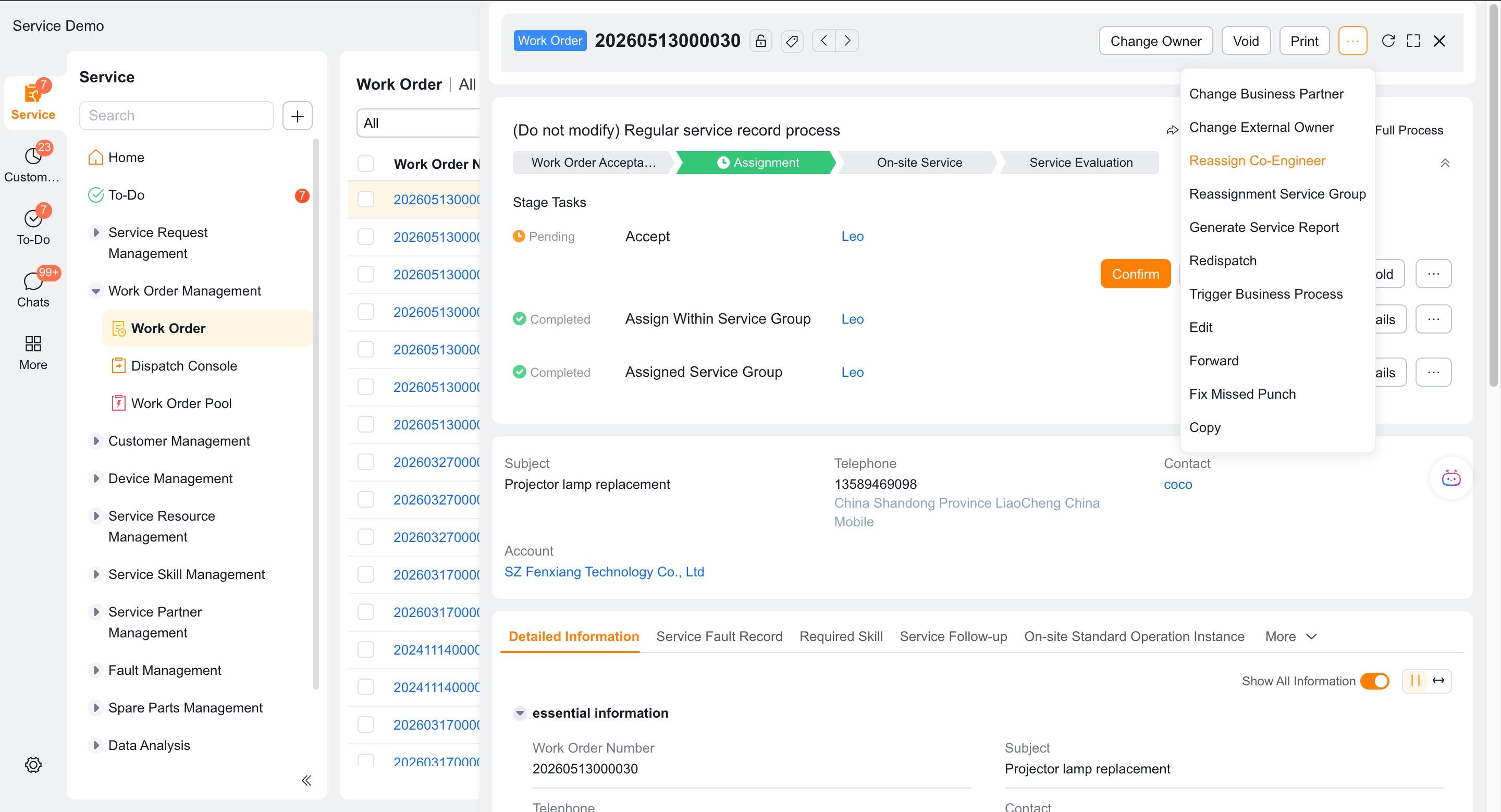
Open the work order details and click Reassign Engineer or Reassign Collaborative Engineer.
Select the portion of the currently assigned personnel you want to change, and then select the new personnel.
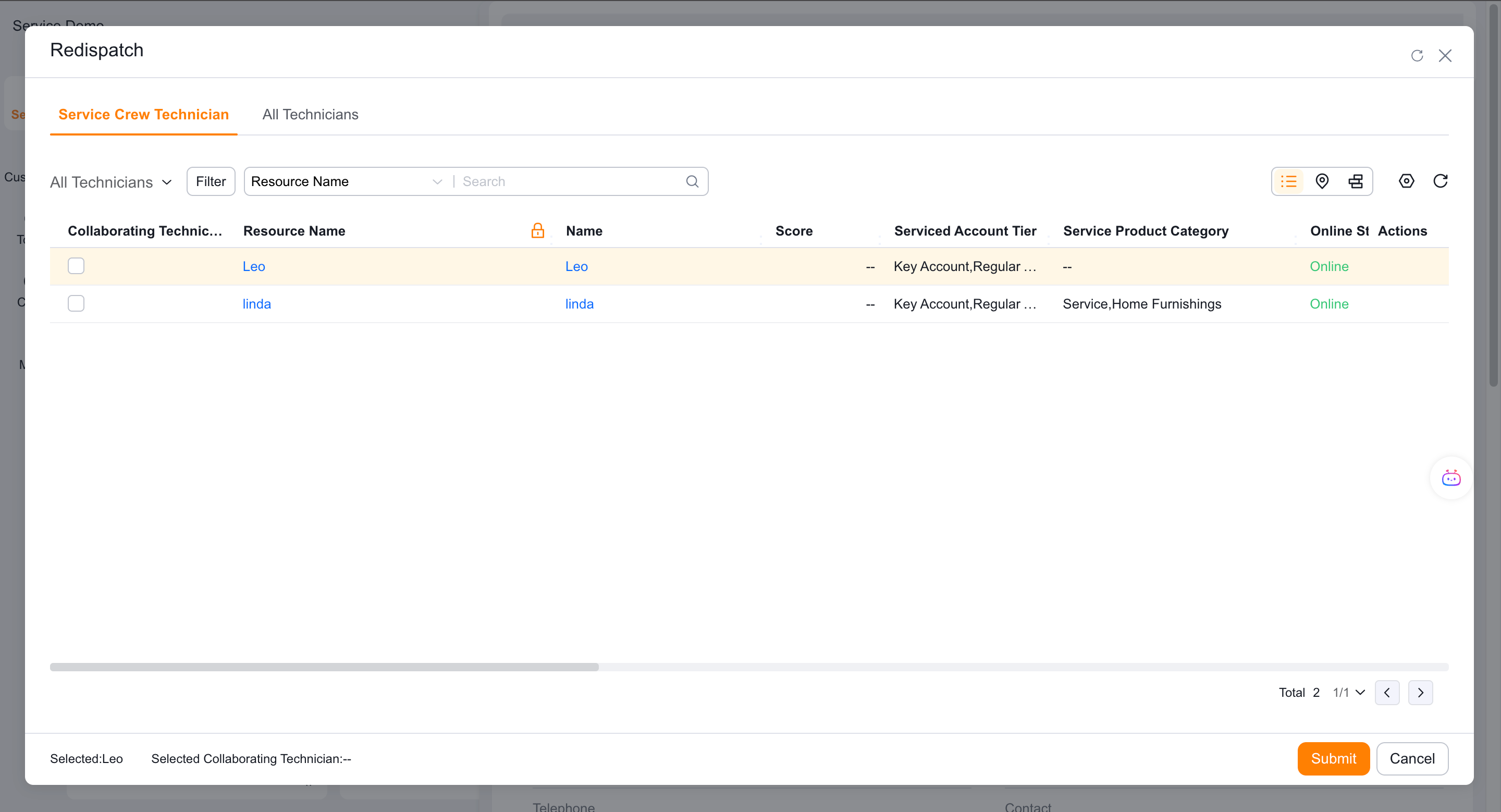
If you need to assign engineers to other service groups, first enable the global service group to allow assignment of other engineers.
Check the work order fields and current process task handler after submission.
Verify the result
- The default candidate scope is limited to the current service group.
- After reassignment, the field of engineer or collaborative engineer is updated correctly.
- Subsequent tasks that directly reference these fields are synchronized to the new person.
- Customized nodes complete synchronization by changing the handler or function.
Notes
- Just modifying the work order fields does not mean that all customization tasks will be synchronized.
- Reassignment outside the group depends on global switches, role permissions and data permissions.