Appearance
Field operation objects
Overview
Field service centers on accounts, contacts, products, equipment, and work orders. Field tasks also create check-in scenarios, check-in records, and SOP relationships. Use this page to identify object relationships and stored field data. It does not replace object configuration guides.
Business object relationships
| Object | Relationship or purpose | Typical scenario |
|---|---|---|
| Account | After-sales customer. Work orders, parts, expenses, and evaluations usually relate to an account. | A customer reports an issue, or an agent submits for the customer. |
| Contact | Customer contact, equipment user, or submitter. | An engineer contacts the specific equipment user. |
| Product | Product unit used for repair, installation, or reporting. | Analyze failure frequency by product. |
| Equipment | Can start a repair request from equipment details. | An end user scans a code or opens equipment before reporting an issue. |
| Work Order | Stores the service need, process, dispatch, and outcome. | Main record from intake through field service. |
| Work Order Equipment | Detail object for multi-equipment work orders. | One work order relates to multiple equipment records. |
| Work Order Check-in Scenario | Defines the organization's check-in and check-out scenario categories. | Arrival, departure, or procedure check-in. |
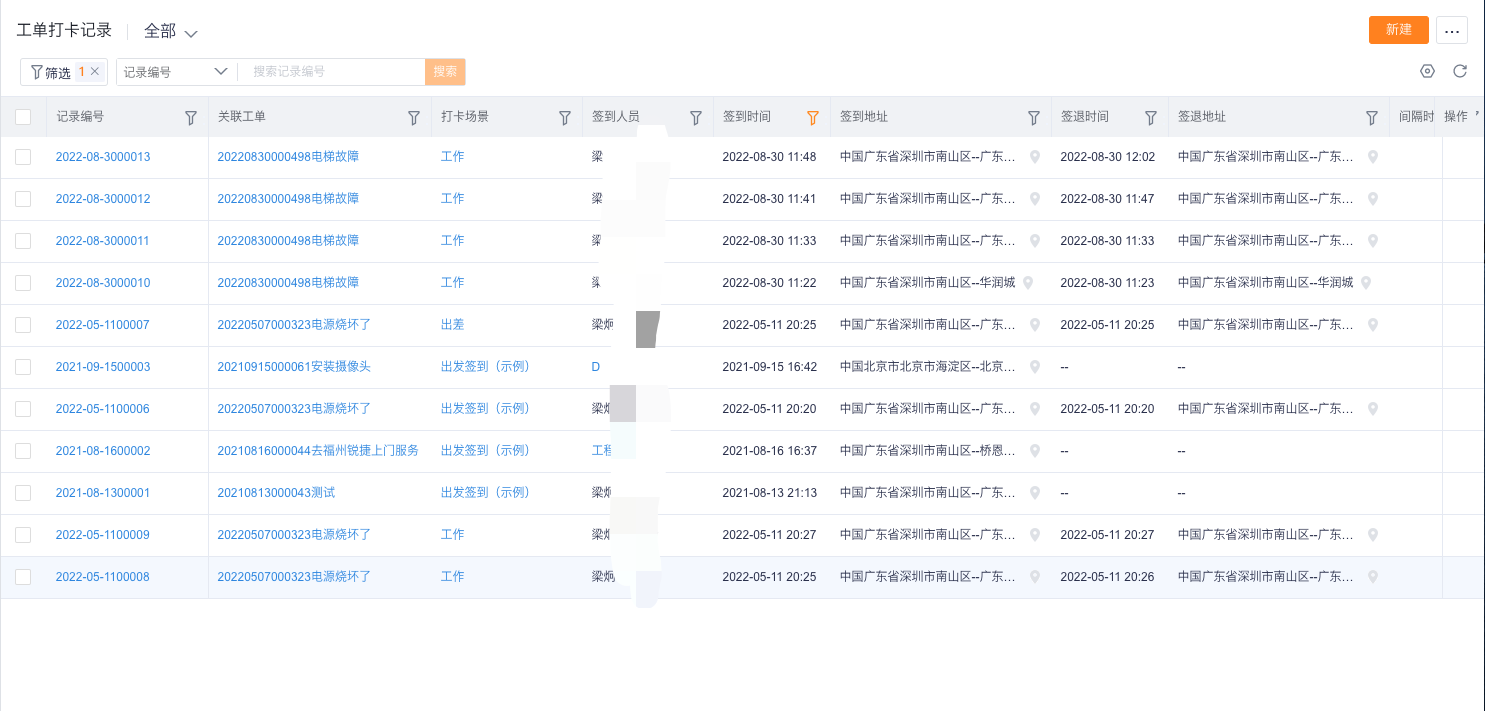
| Work Order Check-in Record | Stores each check-in, location, photo, and correction. | Verify arrival time or unexpected distance. |
Work orders and equipment
Single-equipment repair
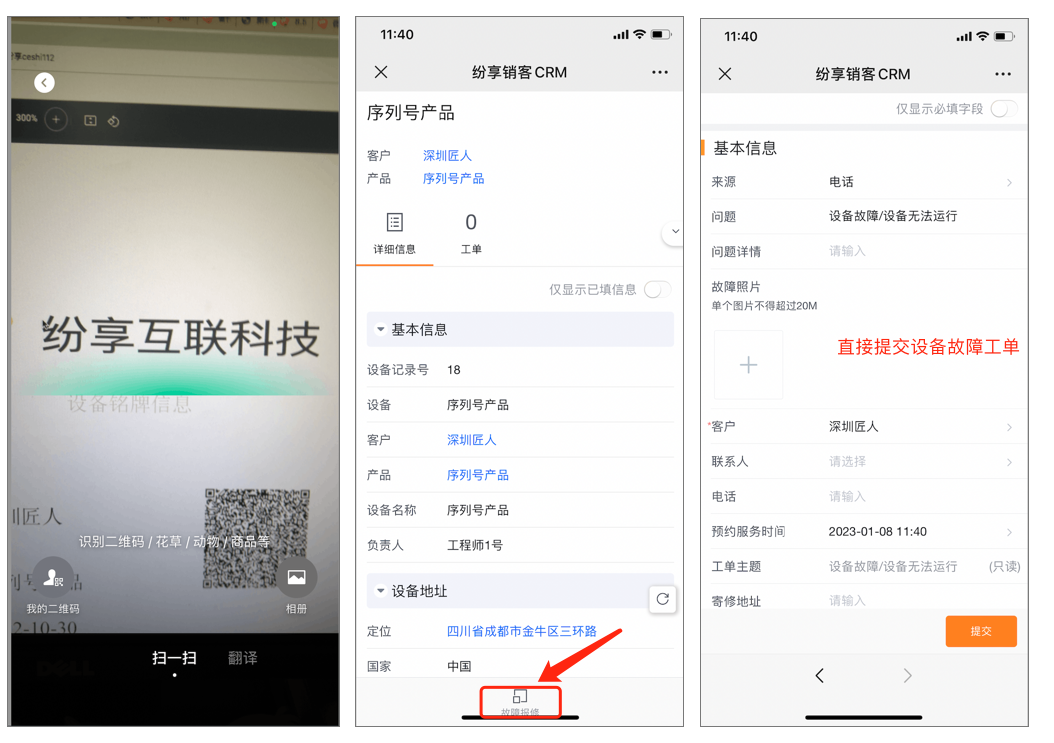
After enabling equipment management, expose Report Failure on the equipment detail layout. The button maps equipment fields to a new work order. Its visibility and mapping depend on layout and role permissions.
Multi-equipment work orders
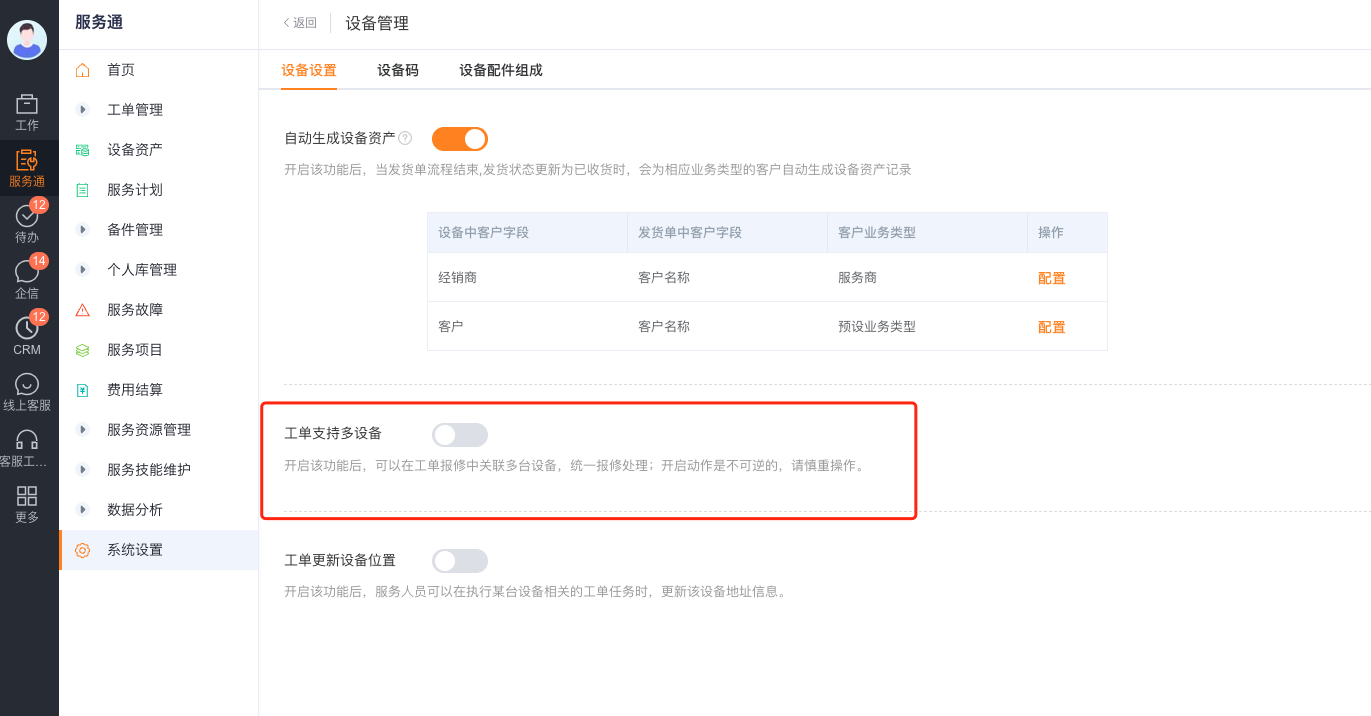
After enabling multi-equipment work orders, add the Work Order Equipment detail object to Work Order. One work order can relate to multiple devices. An SOP can define separate actions for each device.
Work order check-in objects
Work Order Check-in Scenario
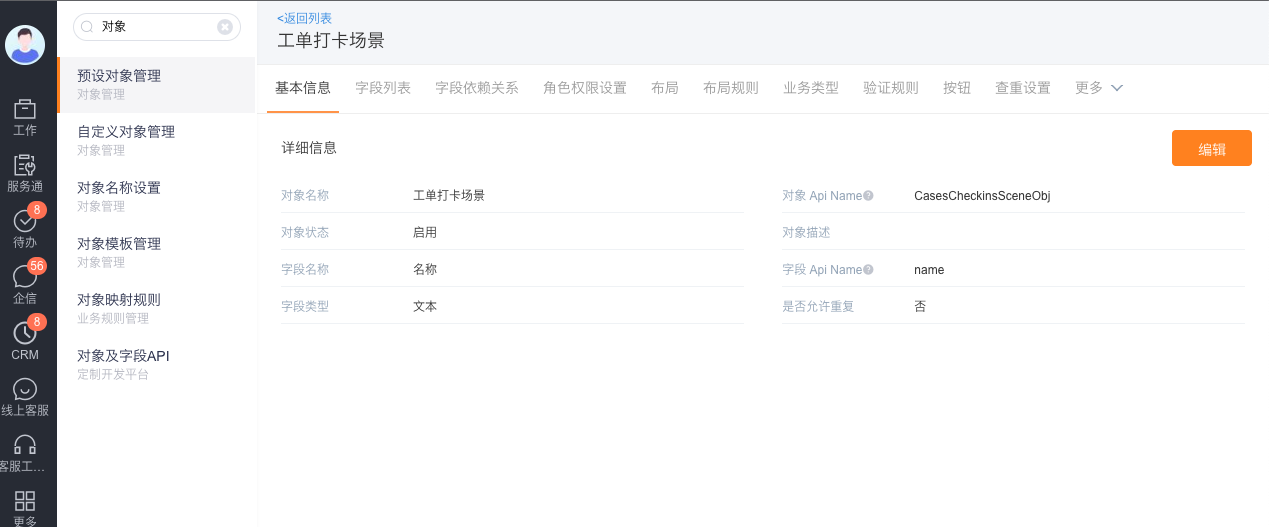
API name: CasesCheckinsSceneObj.
This object stores organization-defined engineer check-in scenarios and calculation settings. Initialize it according to the product guide. Adding custom fields is not recommended.
Work Order Check-in Record
API name: CasesCheckinsObj.
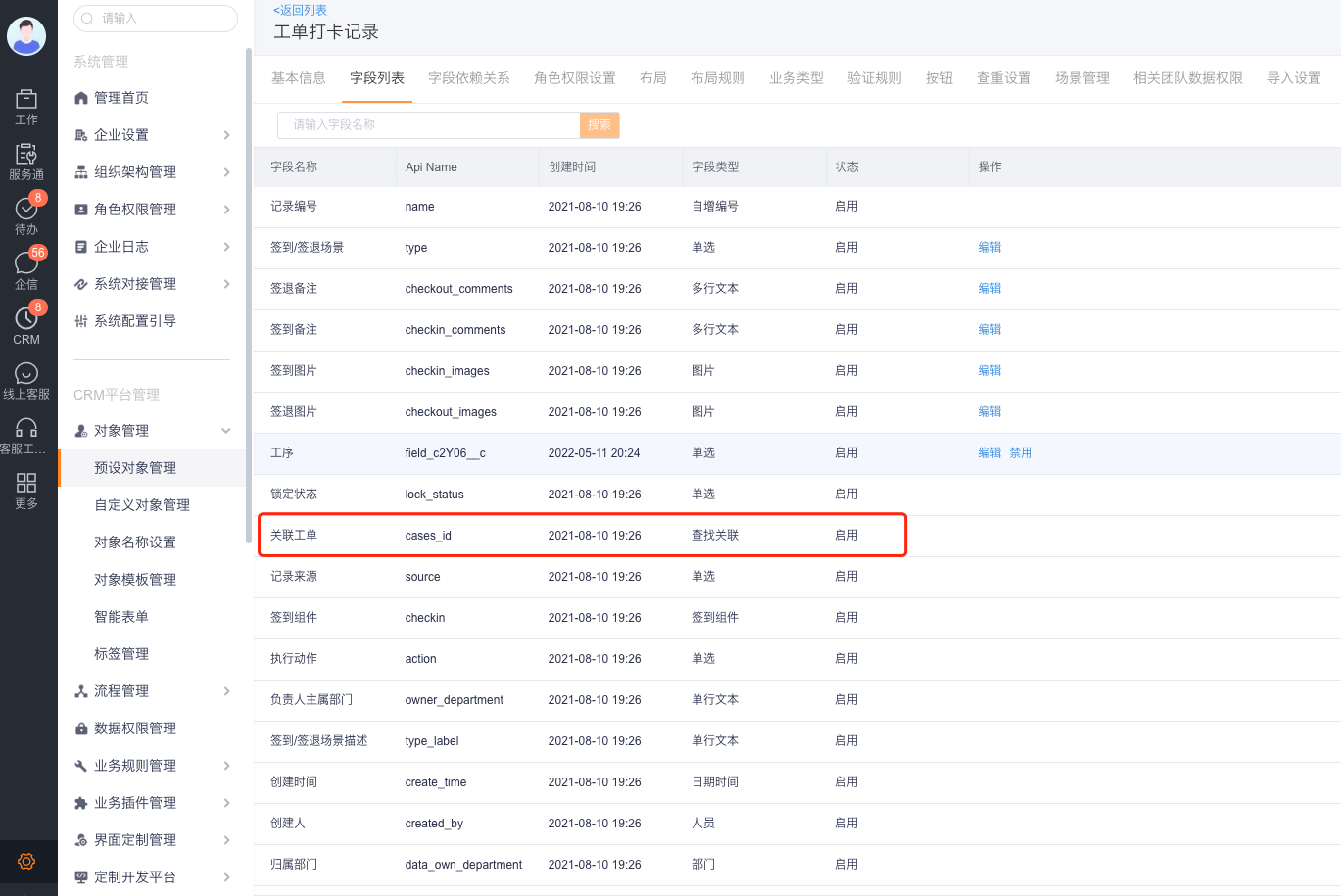
This object stores all engineer check-ins and relates them to work orders, accounts, and check-in users.
| Group | Field name | API name | Type or description |
|---|---|---|---|
| Basic | Record Number | name | Auto number |
| Basic | Check-in Scenario | cases_checkins_scene_id | Lookup |
| Basic | Scenario Description | type_label | Text |
| Basic | Related Work Order | cases_id | Lookup |
| Basic | Check-in Type | business_type | Work order, SOP, procedure, general, or corrected check-in. Values depend on configuration. |
| Basic | Check-in Component | checkin | Component containing time, address, status, duration, and related values. |
| Basic | Check-in Method | checkin_method | Standard or photo check-in. |
| Basic | Check-in Images / Notes | checkin_images | Image / Text |
| Basic | Check-out Images / Notes | checkout_images | Image / Text |
| Location | Related Account | account_id | Lookup |
| Location | Work Order Service Address | cases_service_address | Geographic location |
| Location | Check-in Distance | checkin_distance_to_cases | Distance from the account, in meters |
| Location | Check-in Distance Anomaly | is_checkin_distance_abnormal | Boolean |
| Location | Check-out Distance | checkout_distance_to_cases | Distance from the account, in meters |
| Location | Check-out Distance Anomaly | is_checkout_distance_abnormal | Boolean |
| Risk | Fraud Risk | cheat_risk_type | Single select |
| Risk | Fraud Risk Description | cheat_risk_desc | Single-line text |
| First Record | First Check-in Location / Time | first_sign_in_location / first_sign_in_time | Location / Date and time |
| First Record | First Check-out Location / Time | first_sign_out_location / first_sign_out_time | Location / Date and time |
| Correction | Is Corrected | - | Boolean |
| Correction | Correction Type | - | Add check-in, add check-out, or add full-day record |
| Correction | Correction Count / Last Correction Time | makeup_num / last_makeup_time | Number / Date and time |
| Revision | Is Revised | - | Boolean |
| Revision | Revision Type | - | Revise check-in or check-out |
| Revision | Revision Count / Last Revision Time | resign_num / last_resign_time | Number / Date and time |
| SOP | Execution Status | status | Completed, In Progress, Not Completed, or Other |
| SOP | Execution Action | action | Check In, Check Out, Check In Only, or Other |
| SOP | Sequential Check-in / Execution Order | is_order_checkins / order | Sequence control |
| SOP | SOP Instance | sop_instance_id | Lookup |
| SOP | Procedure Instance | sop_procedure_instance_id | Lookup |
| SOP | Procedure | field_c2Y06__c | Single select |
| System | Correction Status | make_up_status | System logic field |
| System | Lock Status / Record Source | lock_status / source | System logic field |
| System | Owner, Department, Created, and Modified Information | owner and others | Audit fields |
Limitations
- Distance anomalies, fraud risk, and location fields depend on device location and enterprise rules. A populated value alone does not prove misconduct.
- Corrections and revisions supplement or change records. Review original times and audit logs together.
- Procedure check-ins can relate to SOP and procedure instances. Those fields can be empty when the relevant SOP is disabled.
- Roles, data permissions, and layouts control work order, equipment, and check-in visibility.