Appearance
Dispatch modes and rules reference
Overview
Dispatch rules determine which service group or engineer receives a work order at a dispatcher stage. Automatic dispatch evaluates matching rules first. Unmatched work orders enter manual dispatch. Manual rules limit the groups or engineers that dispatchers can select.
Rule execution order
- The work order enters the relevant dispatcher stage.
- The system evaluates rules by ascending priority number. A smaller number has higher priority.
- When an automatic rule matches, the system assigns its configured target.
- Otherwise, manual rules limit the selectable scope. Without a scope rule, all visible targets are selectable by default.
Entry point: Service Pass > System Settings > Work Order Assignment > Automatic Assignment or Manual Assignment Rules.
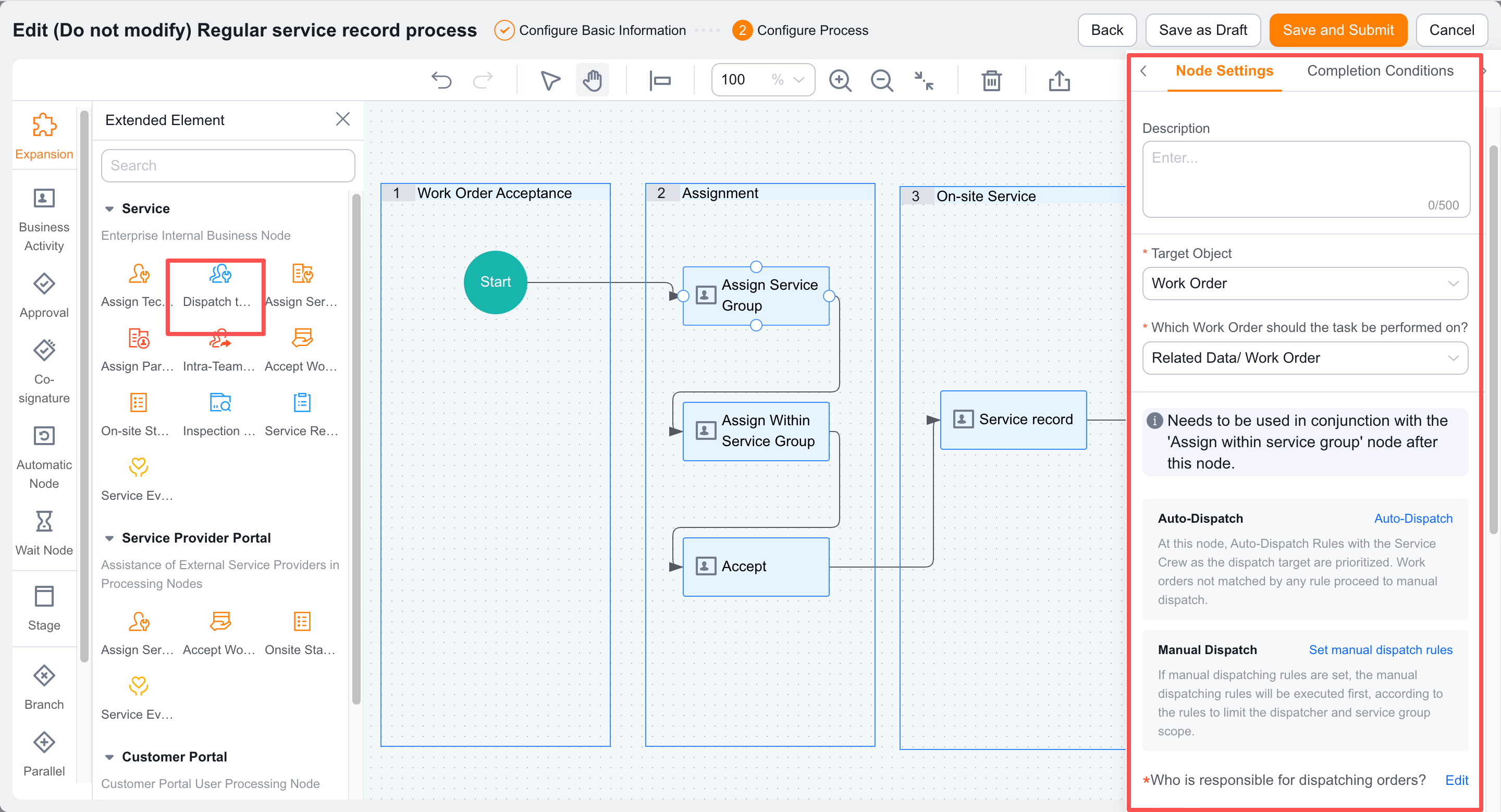
Automatic assignment to service groups
Applicable stages
- Dispatcher > Service Group (internal engineer service group).
- Dispatcher > Service Group (service provider enterprise service group).
Rule fields and modes
| Setting | Description |
|---|---|
| Rule name | A custom name used to identify the rule. |
| Work order scope | Conditions that a work order must meet, such as Work Order.District = Futian District. |
| Assignment target | A service group. The process stage determines whether it is internal or provider-based. |
| Fixed assignment | Always assigns one service group. |
| Round-robin assignment | Rotates assignments among configured service groups in order. |
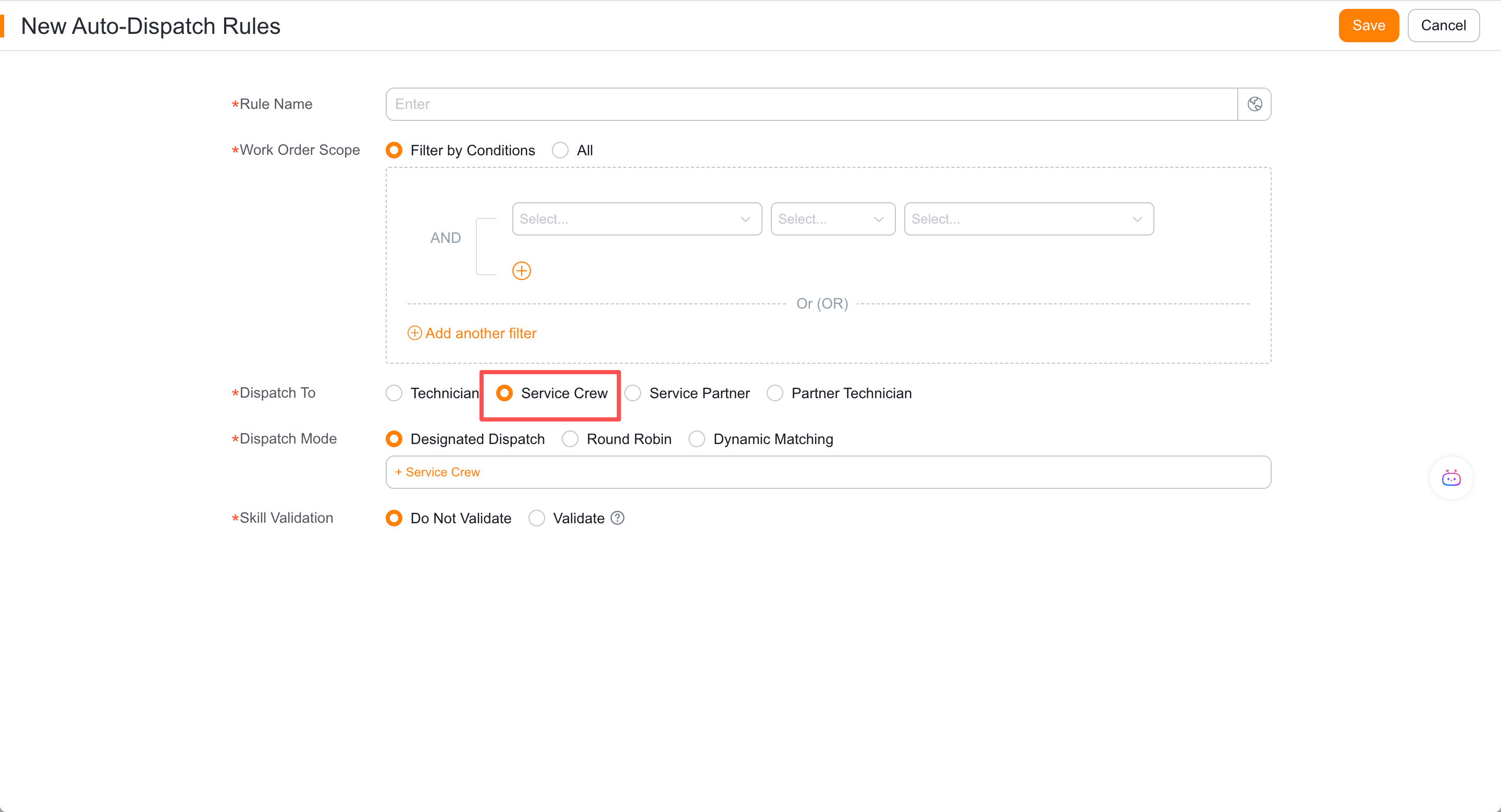
The group's dispatch mode determines engineer assignment within that group. Service group assignment does not mean an engineer has accepted the work order.
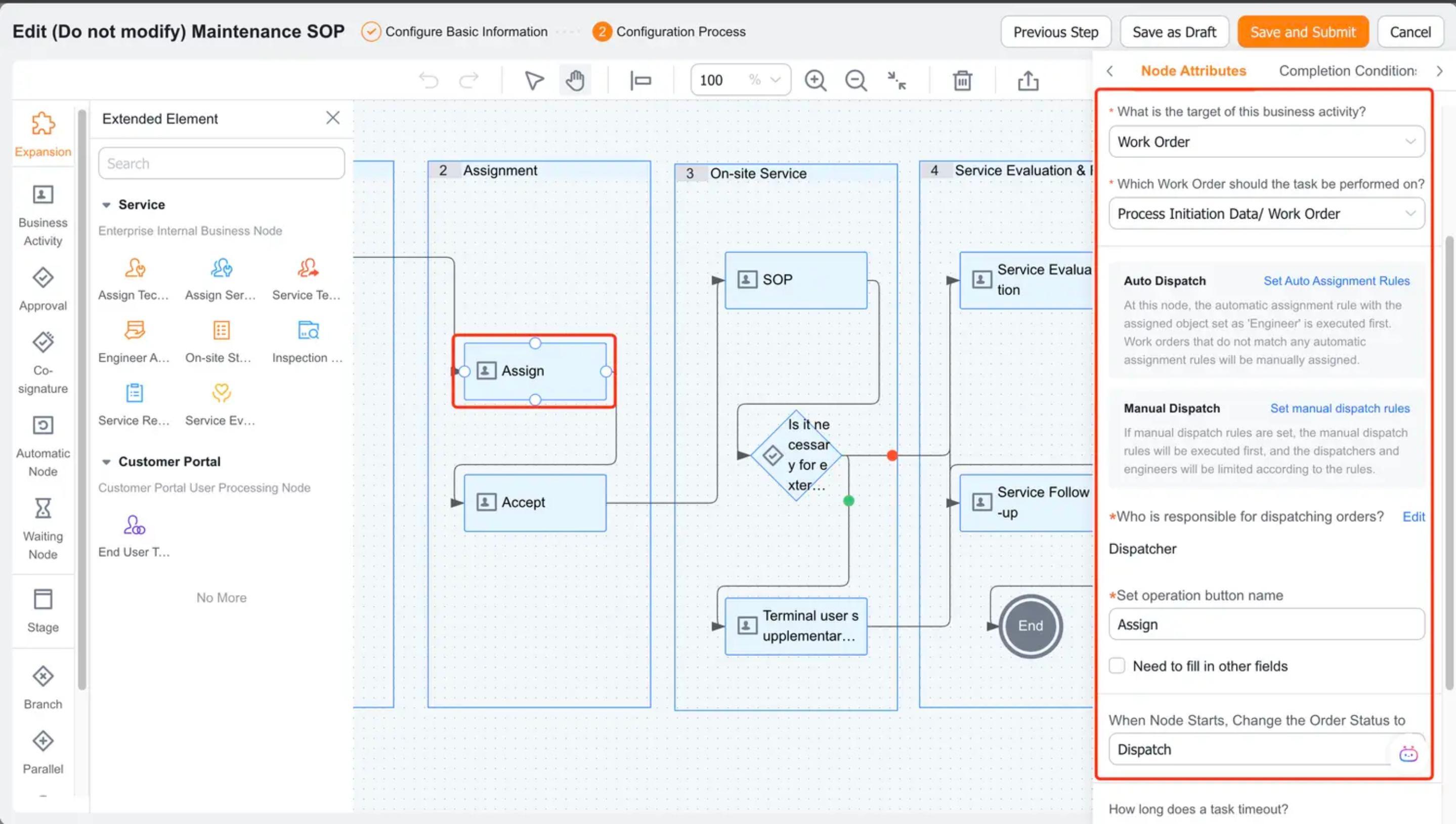
Automatic assignment to engineers
Applicable stage
Automatic engineer assignment applies only to the Dispatcher > Engineer stage.
Rule fields and modes
| Setting | Description |
|---|---|
| Rule name | A custom rule name. |
| Work order scope | Conditions that a work order must meet, such as Work Order.Category = Failure. |
| Assignment target | An engineer. |
| Fixed assignment | Always assigns one engineer. |
| Round-robin assignment | Rotates assignments among configured engineers in order. |
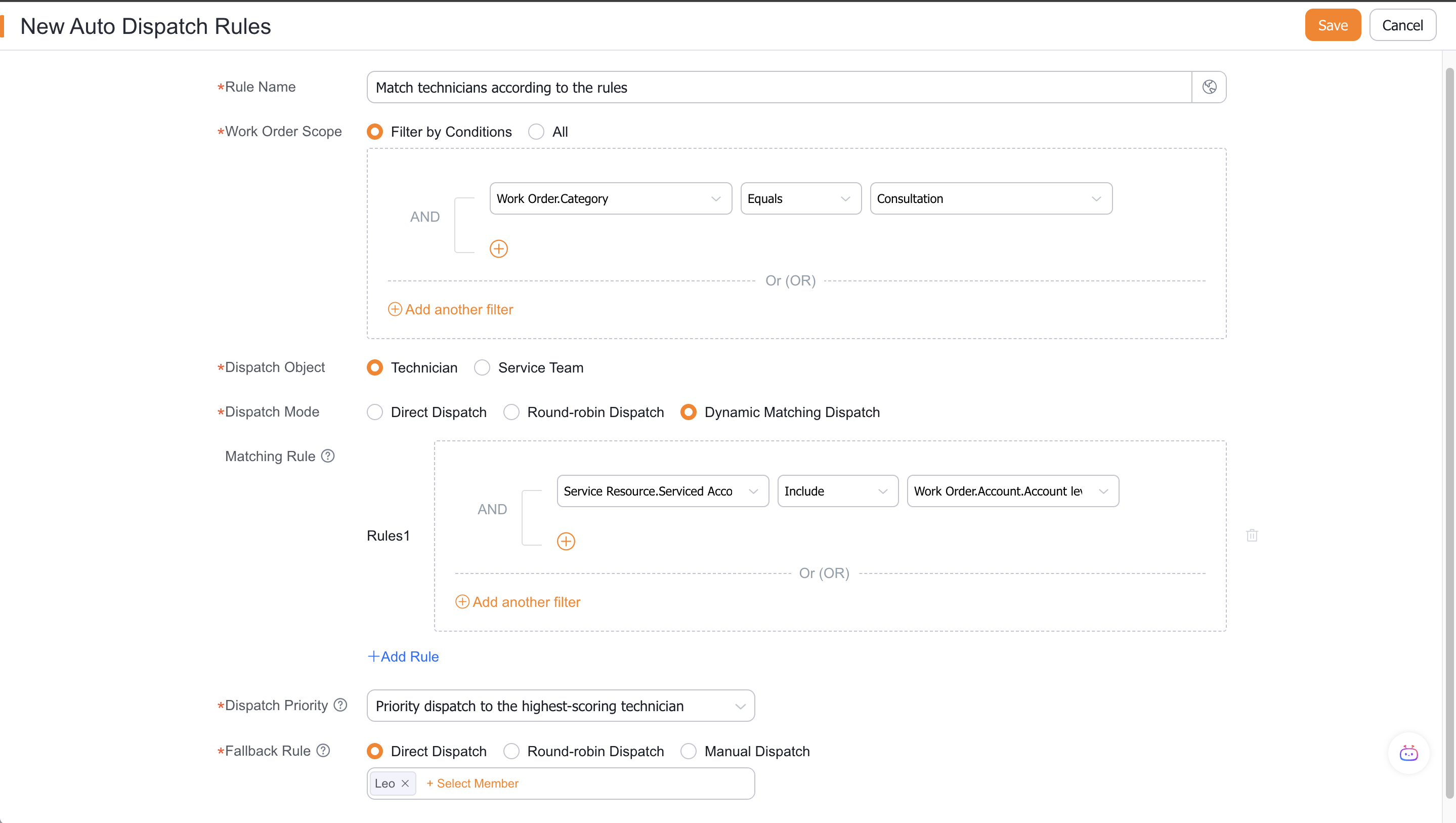
| Dynamic matching | Filters engineers by service information, then uses priority rules to select one. |
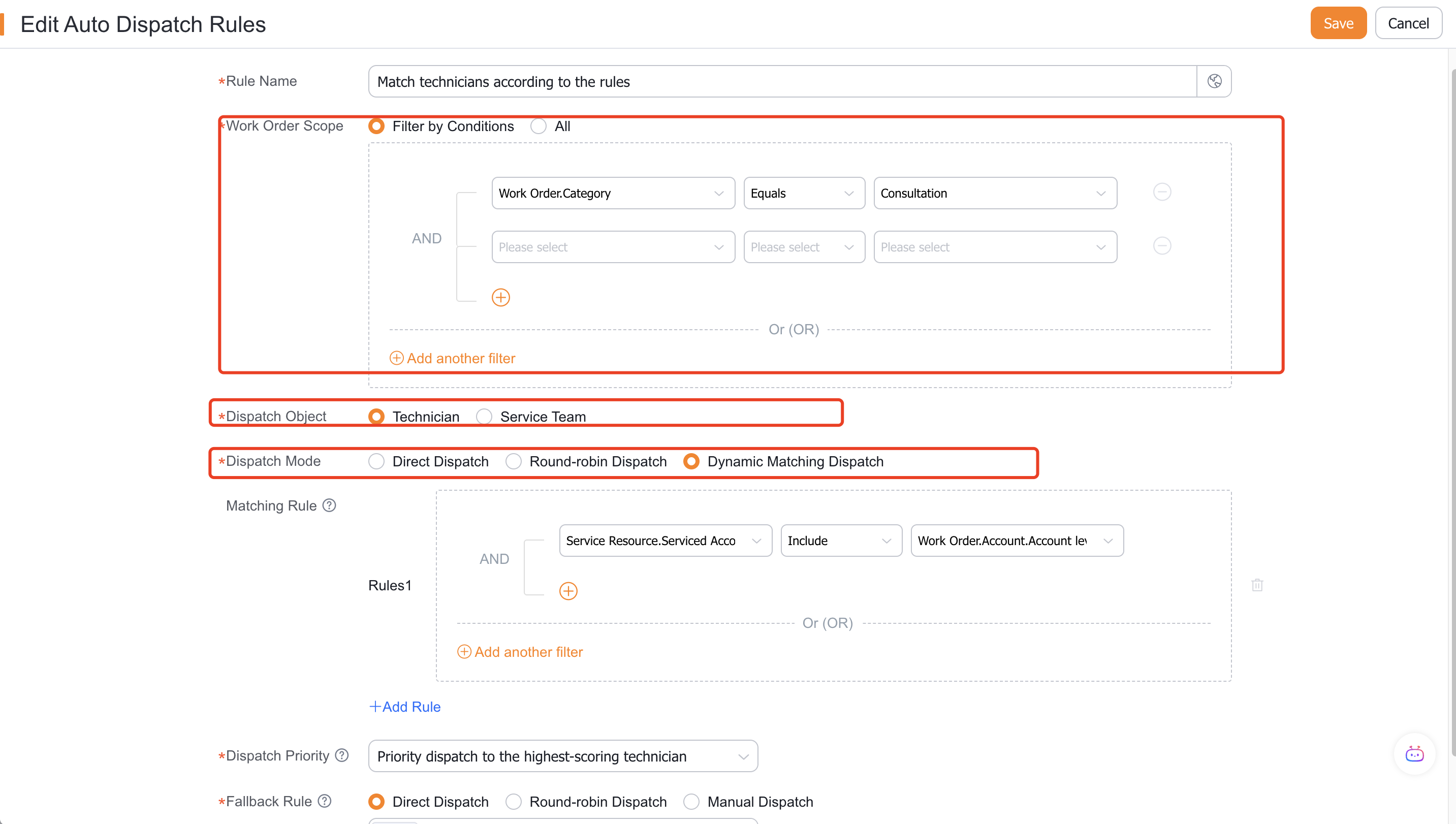
Dynamic matching logic
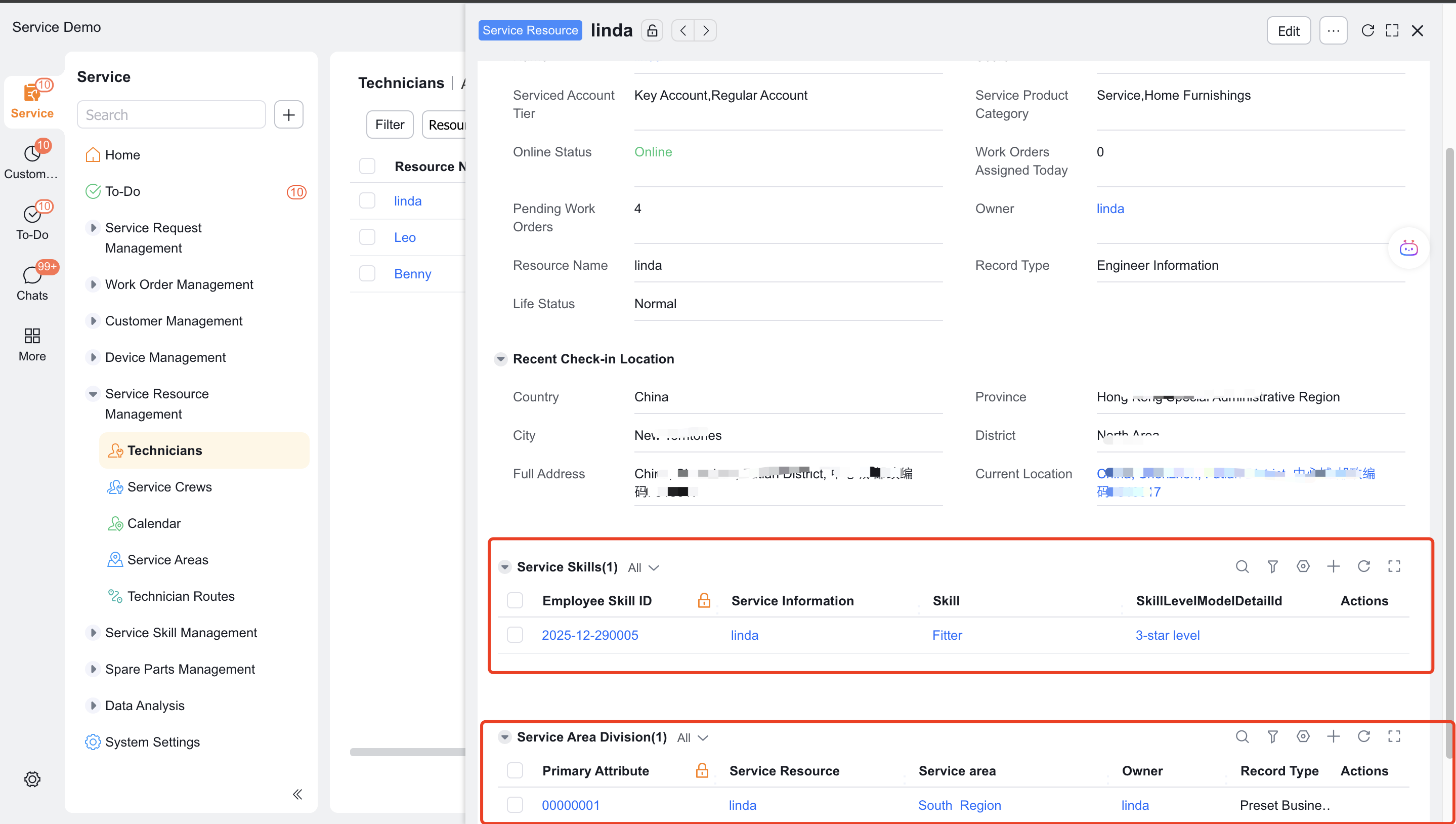
Dynamic matching applies only to engineers. It depends on service area, customer tier, rating, and other data maintained on the Service Information object.
Example:
- Rule 1 selects engineers whose areas include the service address and whose rating is greater than 5.
- Rule 2 narrows those results to engineers who support the Important Customer tier.
- If several candidates remain, a priority rule selects one, such as the highest-rated engineer.
- If no candidate remains, a fallback rule assigns an engineer or sends the work order to manual dispatch.
Manual dispatch scope restrictions
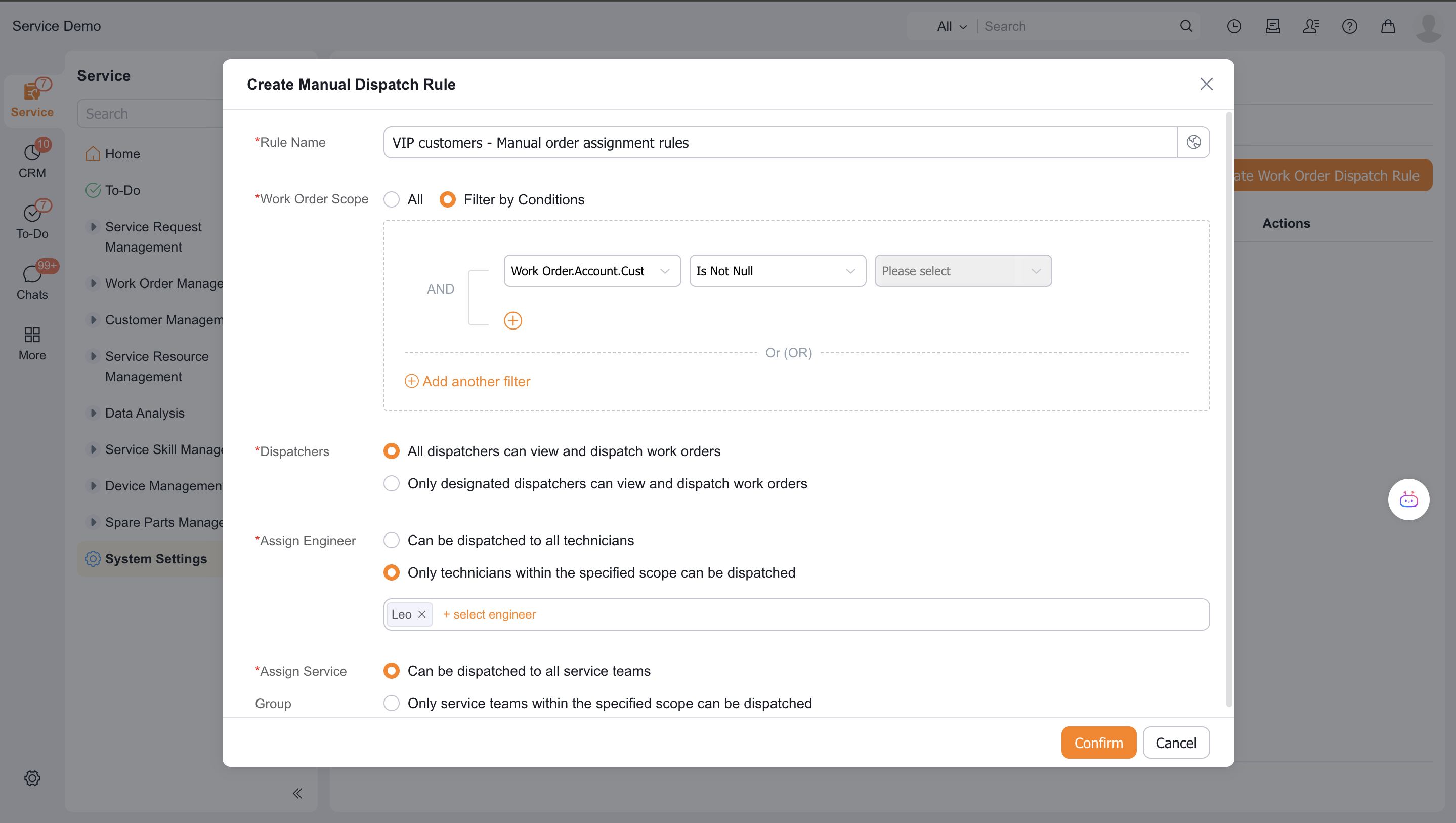
Manual rules limit selectable targets by work order scope, dispatcher, and assignment target:
| Rule type | Restricted target | Effect |
|---|---|---|
| Manual service group assignment | Service group | The dispatcher sees only specified service groups. |
| Manual engineer assignment | Engineer | The dispatcher sees only specified engineers. |
For example, a rule with Work Order.Province = Guangdong can allow only the Shenzhen Nanshan and Shenzhen Futian groups. Matching work orders show only those groups.
Limitations
- Smaller priority numbers have higher priority. Later rules do not replace an assignment already completed by a matched rule.
- Dynamic matching supports engineers only. Incomplete Service Information records can prevent a match.
- Service group and engineer assignment are different process stages.
- Manual fallback and selectable scope depend on your manual assignment rule configuration.
- Business types, permissions, and process settings affect rule conditions, button labels, and selectable targets.