Appearance
Manage personal spare parts inventory
Overview
Personal spare parts inventory lists the parts an engineer carries or is responsible for. It is separate from warehouse inventory. Engineers can view new and recovered parts on hand; advanced-mode warehouse quantities remain in warehouse inventory.
Before you begin
- Your organization uses standard or advanced mode and has initialized personal spare parts inventory.
- Engineers have menu permissions for personal inventory, material issue, and material return.
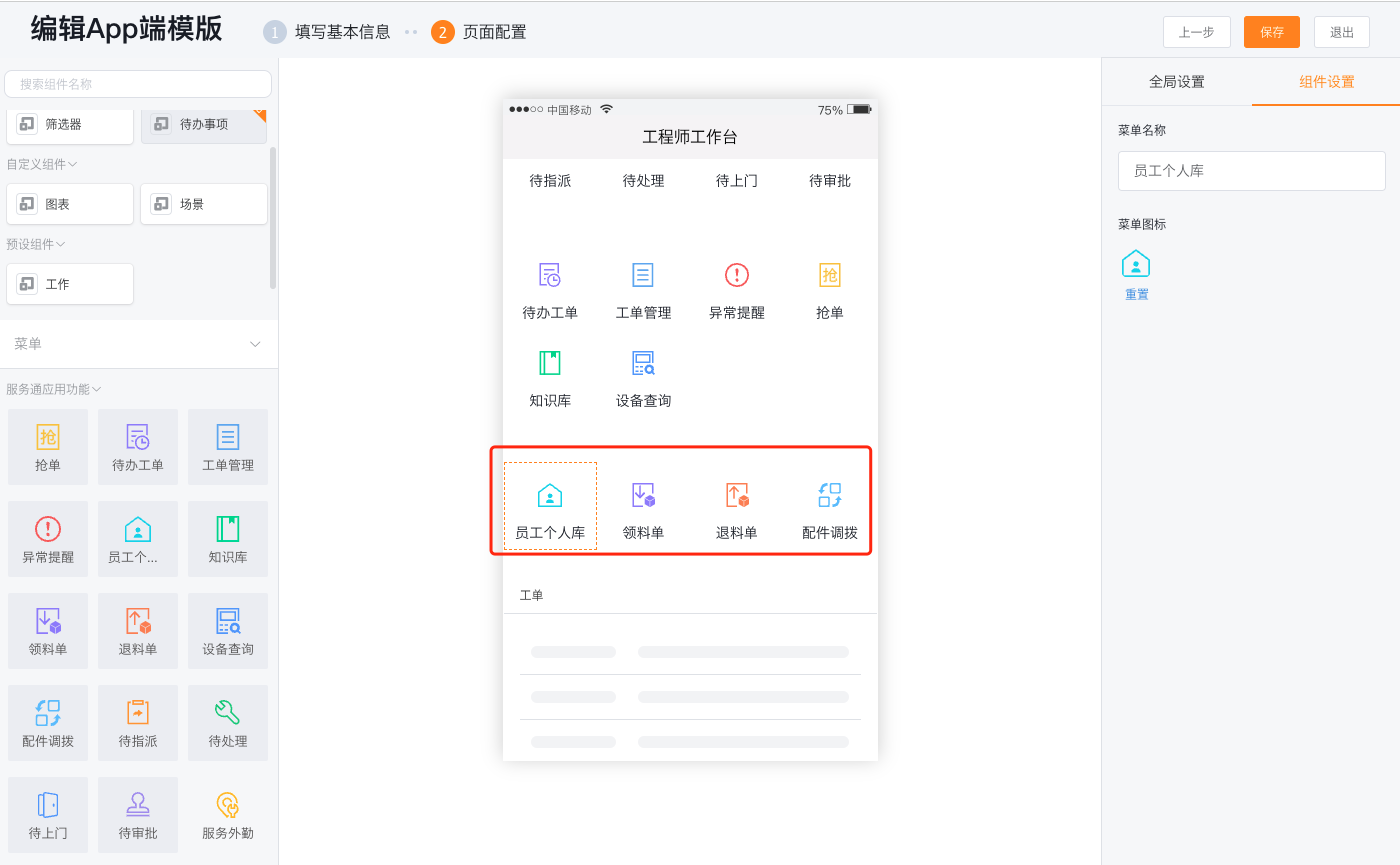
- If operating from the App, the administrator needs to configure the Personal Library, Material Picking List and Returning List menu entrances on the homepage of the Service Pass mobile terminal first.
View personal inventory
Web client
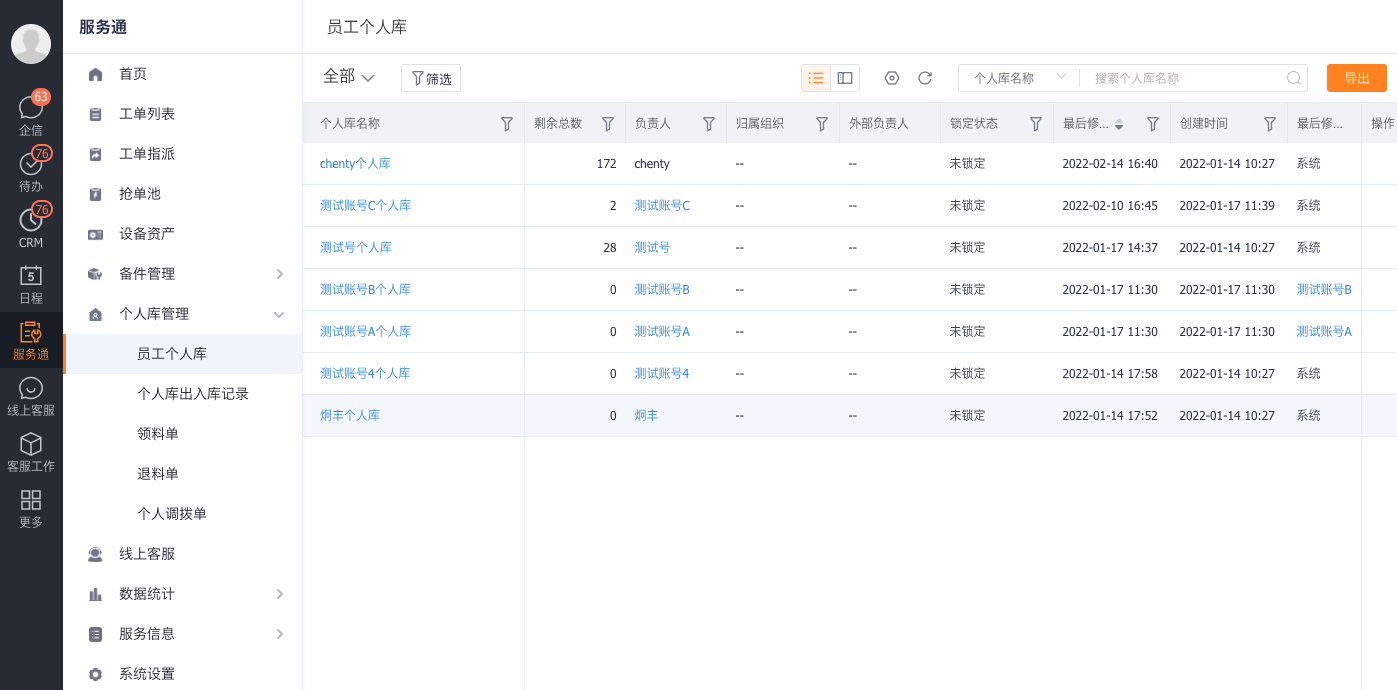
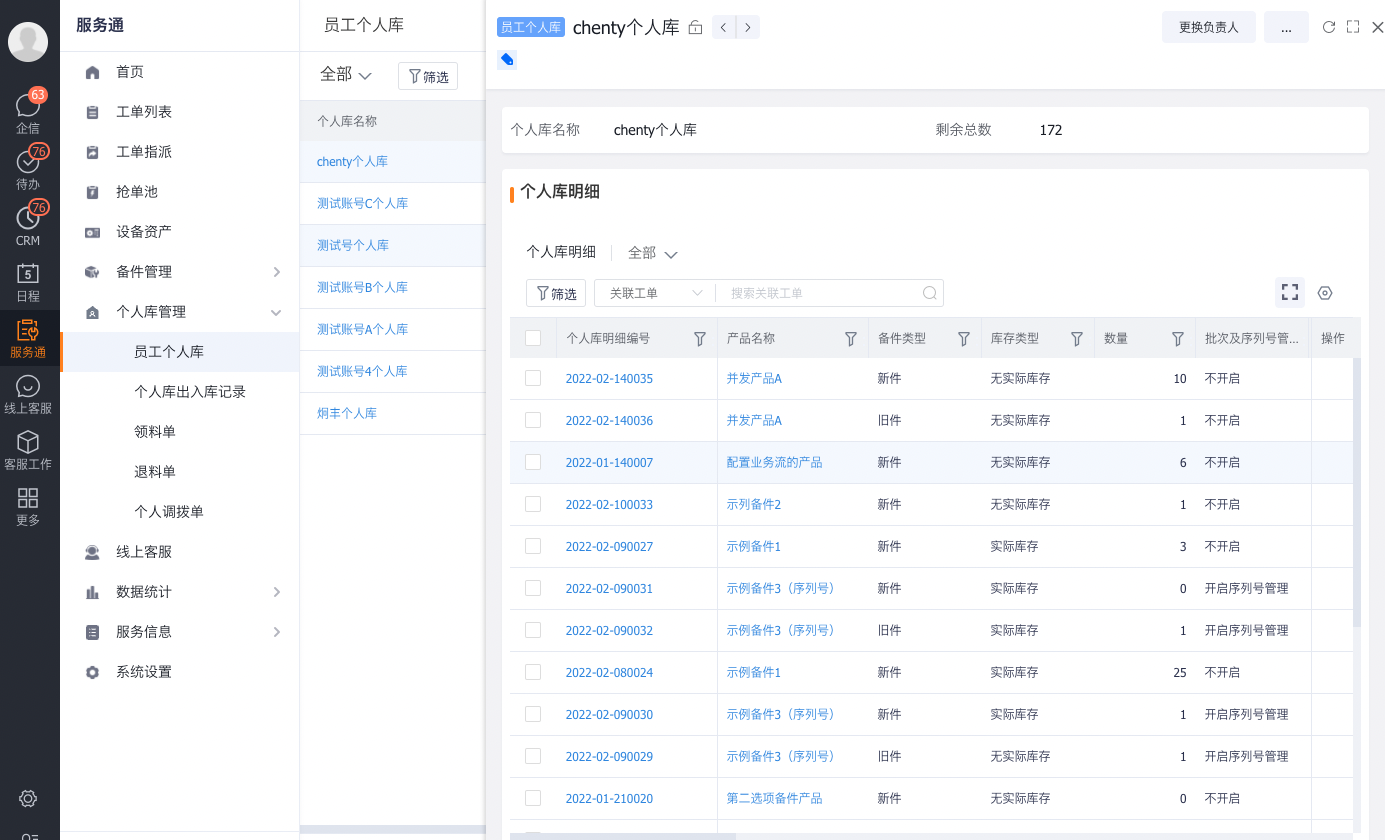
Go to Service Pass > Personal Inventory Management and open the personal spare parts inventory list.
Open an inventory record to view its details and current quantities.
App
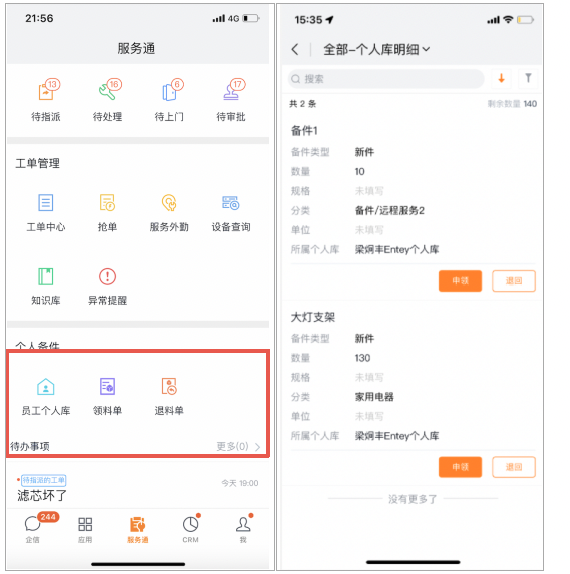
Open the home page of the Service Pass mobile terminal and click Personal Library.
View part details and quantities in the current personal inventory.
How personal inventory changes
| Action | Personal library changes | Description |
|---|---|---|
| Confirm material issue or receive a shipment into personal inventory | Increase | New parts enter the engineer's personal inventory |
| Consume new parts on a work order | Decrease | Deduct new parts sourced from personal inventory |
| Work orders to recycle old parts | Add | Old parts disassembled on site will first go into the personal warehouse |
| Return of materials or return from personal warehouse | Reduction | Deduction for unused new parts or recycled old parts after return |
"New parts" are serviceable parts that have not been installed. "Recovered parts" are removed from customer equipment. Recovery and warehouse return are separate actions. After recovery, submit a material return or return shipment when the part must go back to a warehouse.
Expected results and verification
- After confirmation of picking or receipt of personal library, the detailed quantity of personal library will increase.
- After the work order consumes new parts, the number of new parts in the personal library decreases; after filling in the old parts for recycling, the number of old parts increases.
- After the return is confirmed, the number of corresponding new or old parts in the personal library will be reduced.
Notes
- Simple mode has no personal inventory, so engineers cannot query on-hand quantities.
- Personal library in normal mode is not equal to warehouse inventory; actual changes in the warehouse in normal mode require offline warehouse management.
- If the personal library entrance is not visible, check the mode, mobile menu and business permissions first, and do not replace it with the warehouse inventory entrance.