Appearance
Configure service group engineer acceptance, rejection, and transfer
Overview
After intra-group dispatch, add an Accept Work Order node so engineers can accept, reject, or transfer work orders. If a group engineer rejects a work order, the current service group dispatcher assigns it again. Candidates are limited to engineers in the current group by default.
Before you begin
- The assigned service group and assigned nodes within the service group have been configured.
- The service group has set dispatchers within the group.
- Required rejection and transfer reasons and the automatic-acceptance timeout have been determined.
Procedure
Add an Accept Work Order node after Assign Within Service Group.
Set the node handler to the work order's Engineer field.
Enable the accept, reject, and transfer actions as required.
Configure whether rejection and transfer reasons are required.
To accept work orders automatically after a timeout, set the duration after which the node completes automatically.
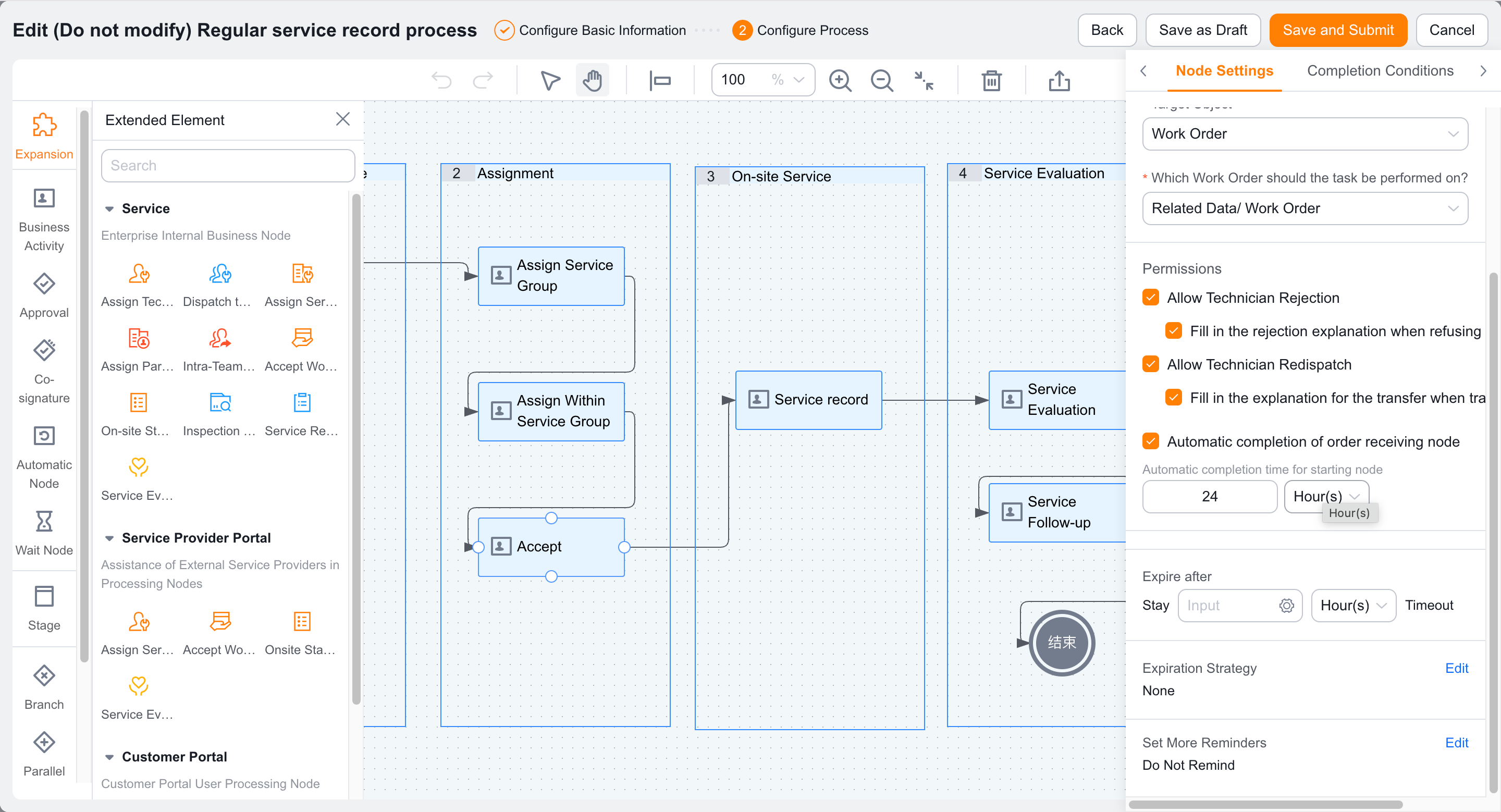
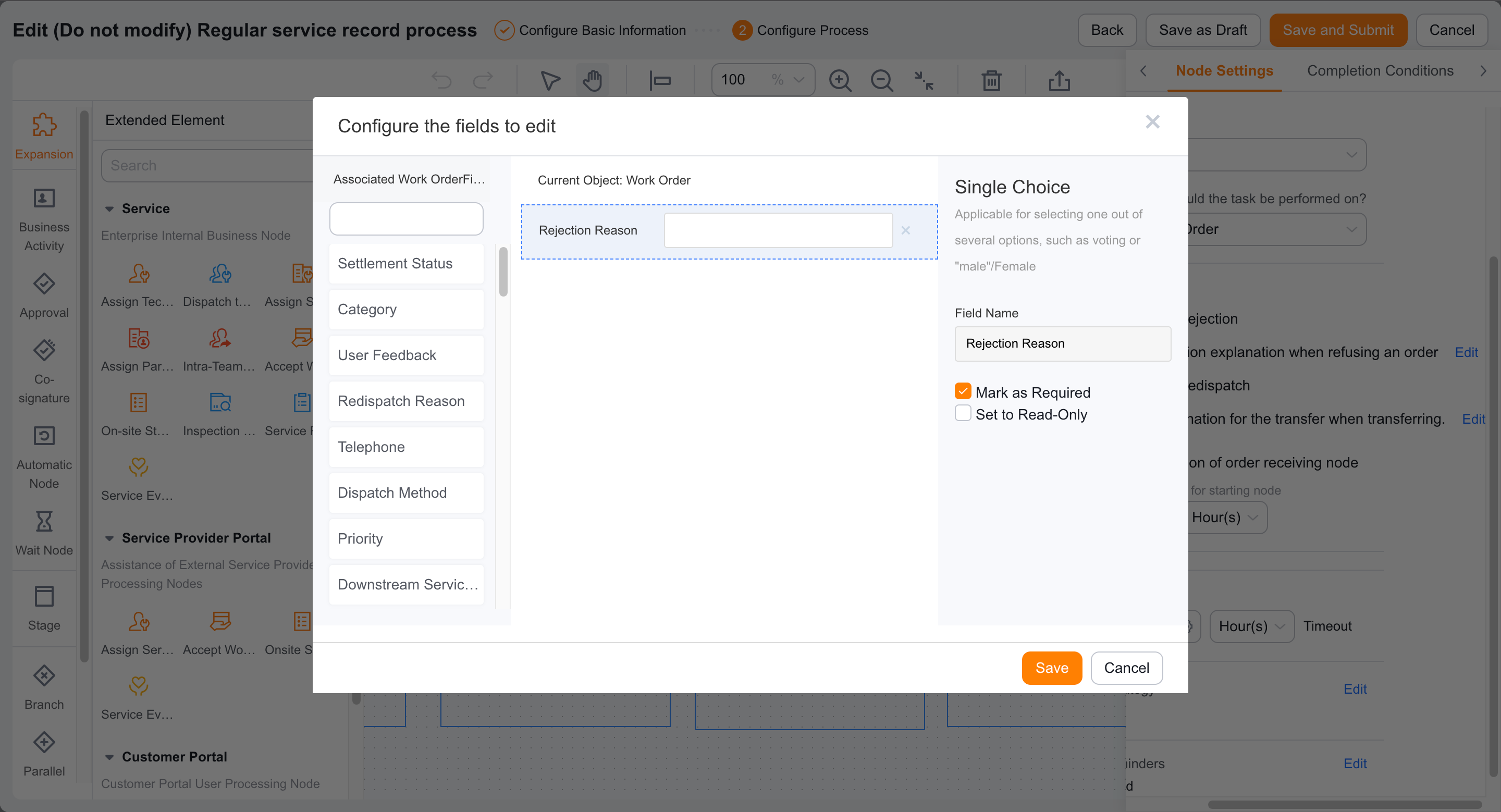
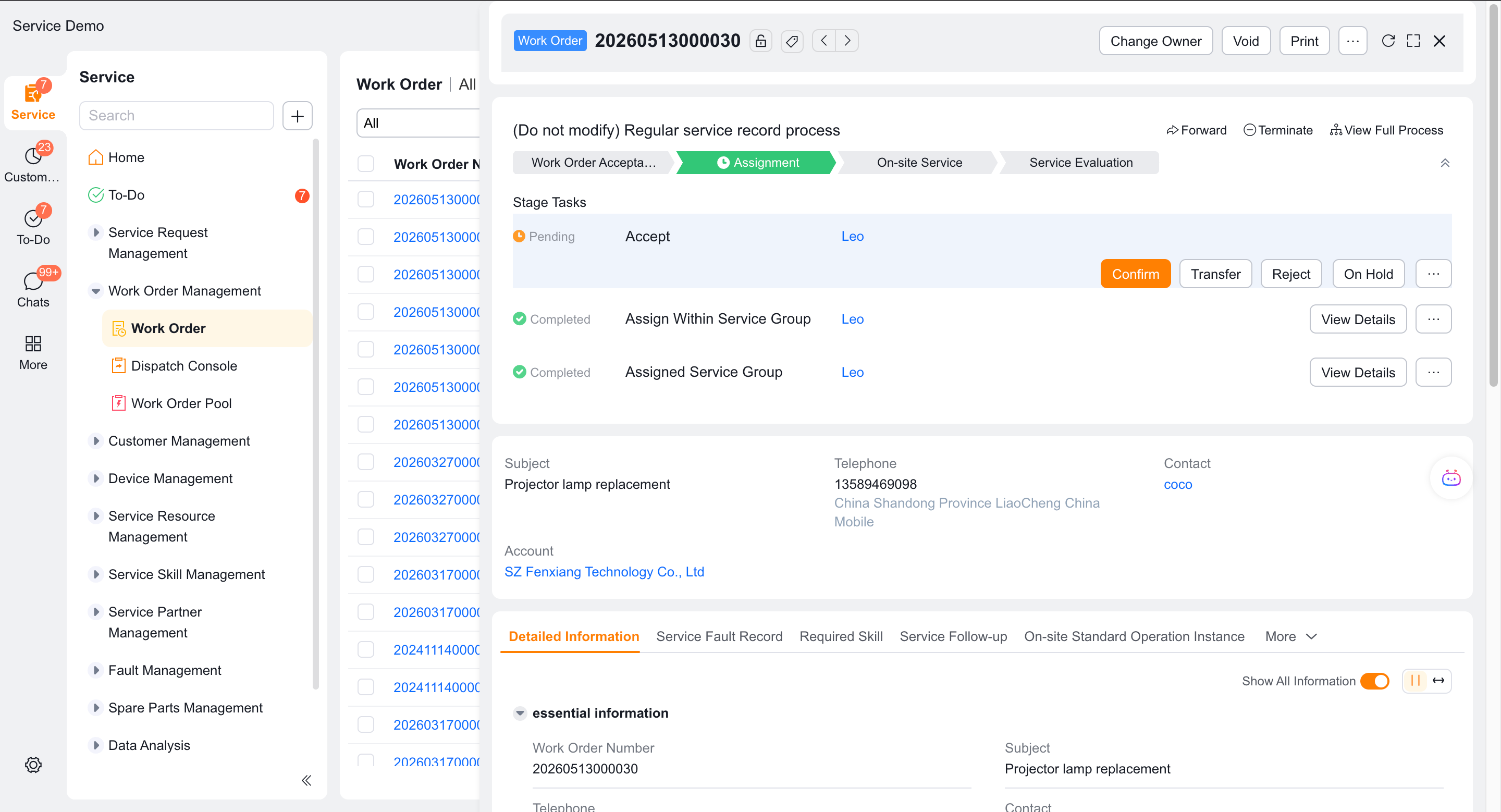
Use an engineer account to test acceptance, rejection, and transfer from the to-do task.
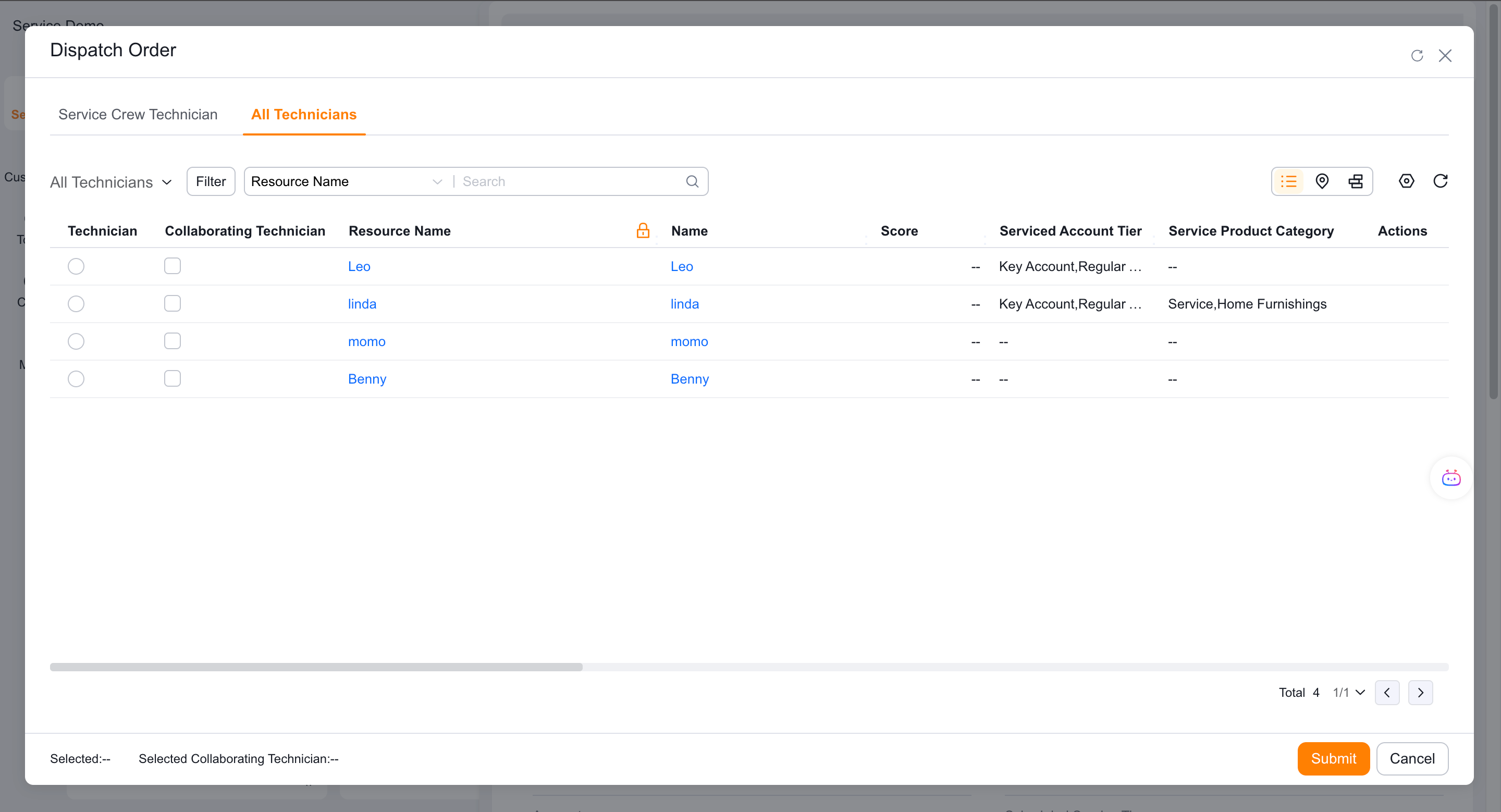
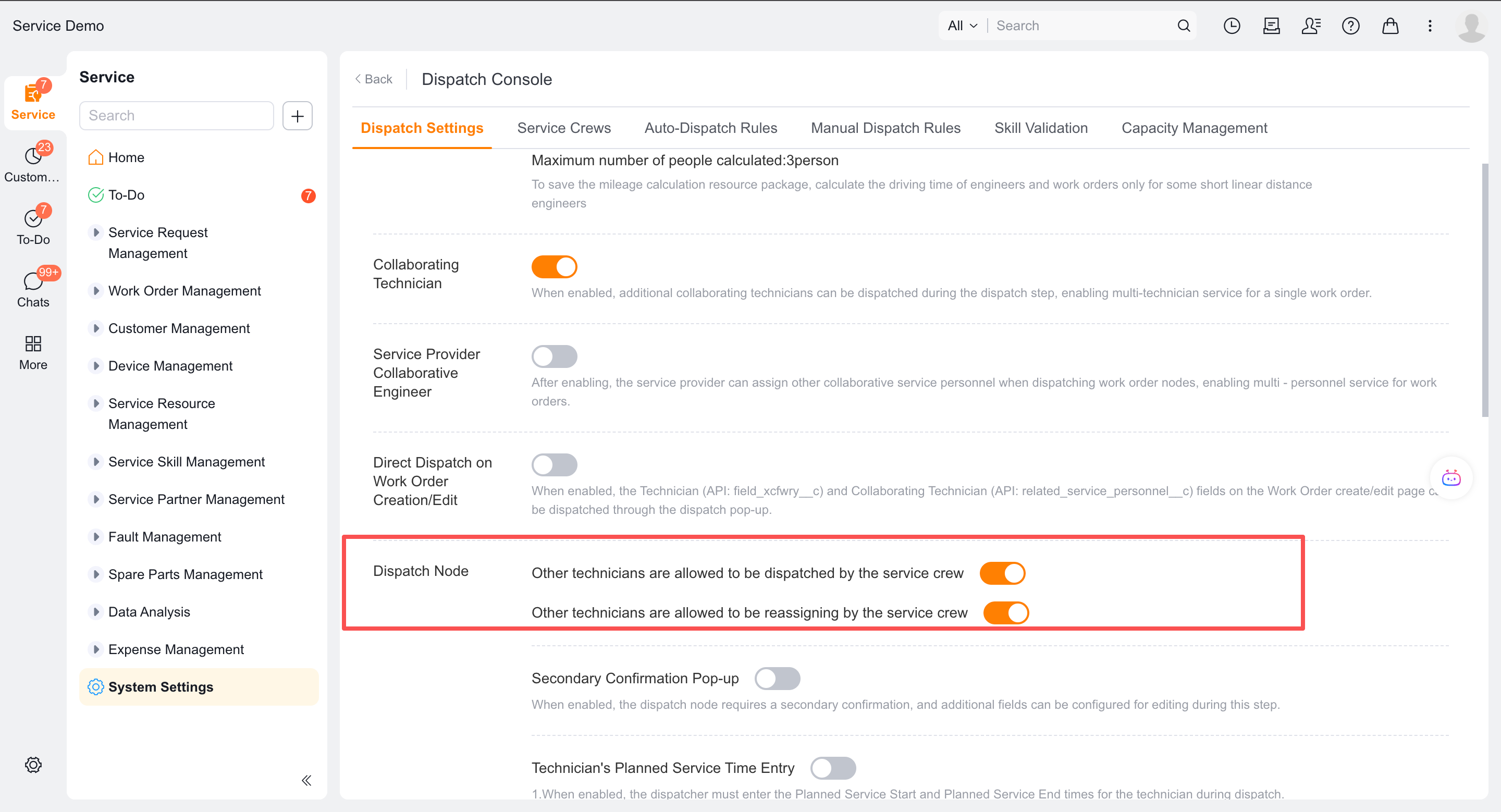
If you need to select other service group engineers, enable the global service group to allow the assignment of other engineers, and verify the All Engineers tab on the web.
Publish the process and use the accounts of engineers and service group members to test it.
Verify the result
- Group engineers can use the configured acceptance actions.
- After an engineer rejects a work order, the current service group dispatcher assigns it again.
- Engineer transfer only displays current group members by default.
- After the out-of-group scope is enabled, the web displays other engineers according to the user's permissions.
- The Accept Work Order node completes automatically after the configured timeout.
Notes
- Do not apply this workflow's explicit return to the service group dispatcher to direct-to-engineer dispatch.
- Service information data permissions should be checked after expanding the candidate range.