Appearance
Reject, transfer, or reassign a service group work order
After receiving a work order, a service group dispatcher can reject it or transfer it to another group. Authorized users can also replace the assigned group.
Overview
| Action | Owner | Result |
|---|---|---|
| Reject | Service group dispatcher | Returns the work order to the organization-level dispatcher |
| Transfer | Service group dispatcher | Sends the work order to another service group |
| Reassign service group | User with the action permission, usually a dispatcher | Replaces the current service group |
Before you begin
IMPORTANT
- The work order is assigned to a service group and is pending internal assignment.
- The current process node enables rejection or transfer.
- Reassignment requires permission for Reassign Service Group, and the details layout displays that action.
Procedure
Service group dispatchers can select Transfer or Reject from the pending work order's action area.
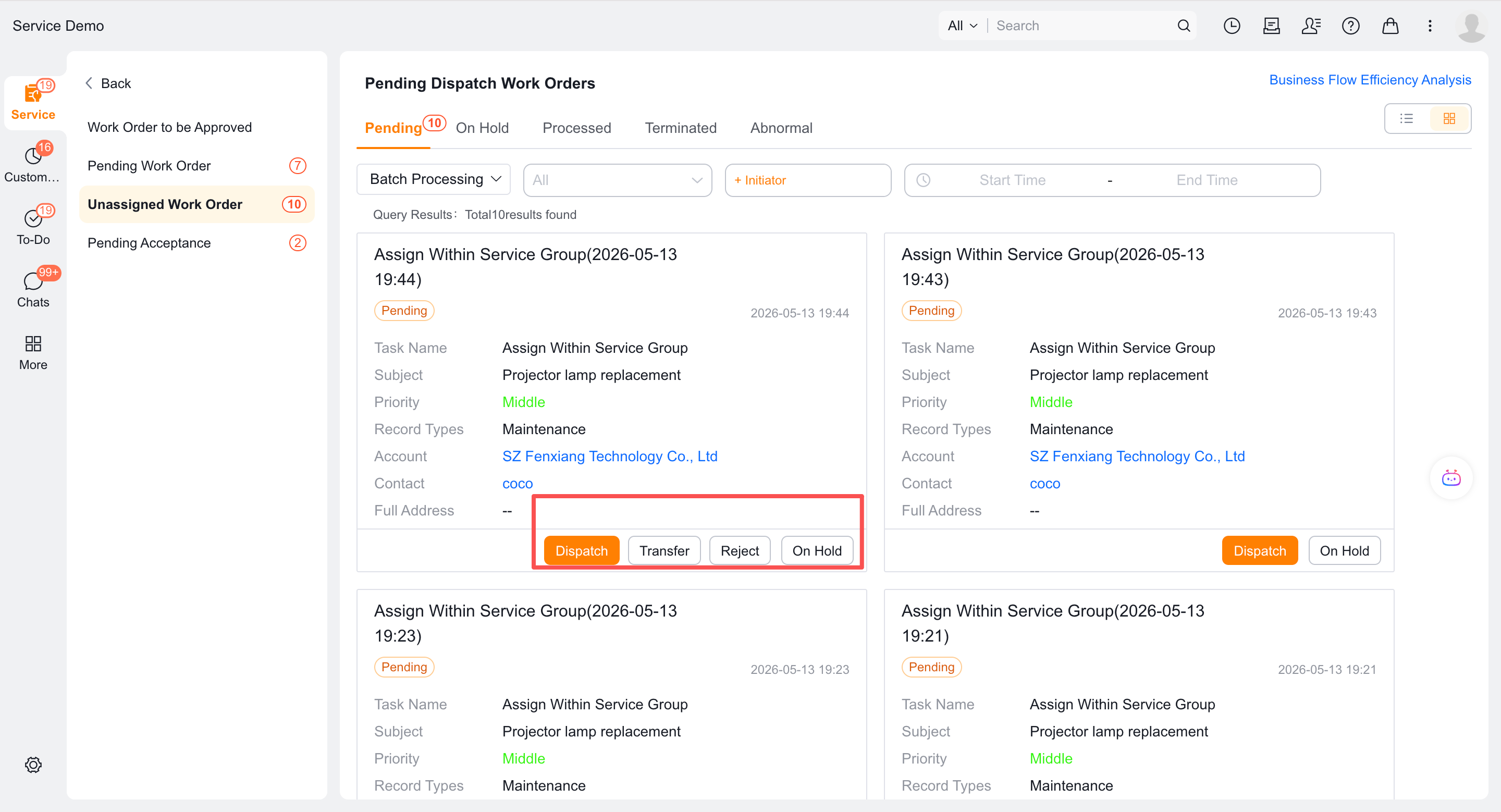
Reject a work order
- Go to Tasks > Work Orders Pending Assignment and find the work order.
- Select Reject.
- If prompted, enter the rejection reason.
- Verify the work order, then submit.
Transfer a work order
- Go to Tasks > Work Orders Pending Assignment and find the work order.
- Select Transfer.
- Select the target service group.
- If prompted, enter the transfer reason.
- Verify the target group, then submit.
Reassign a service group
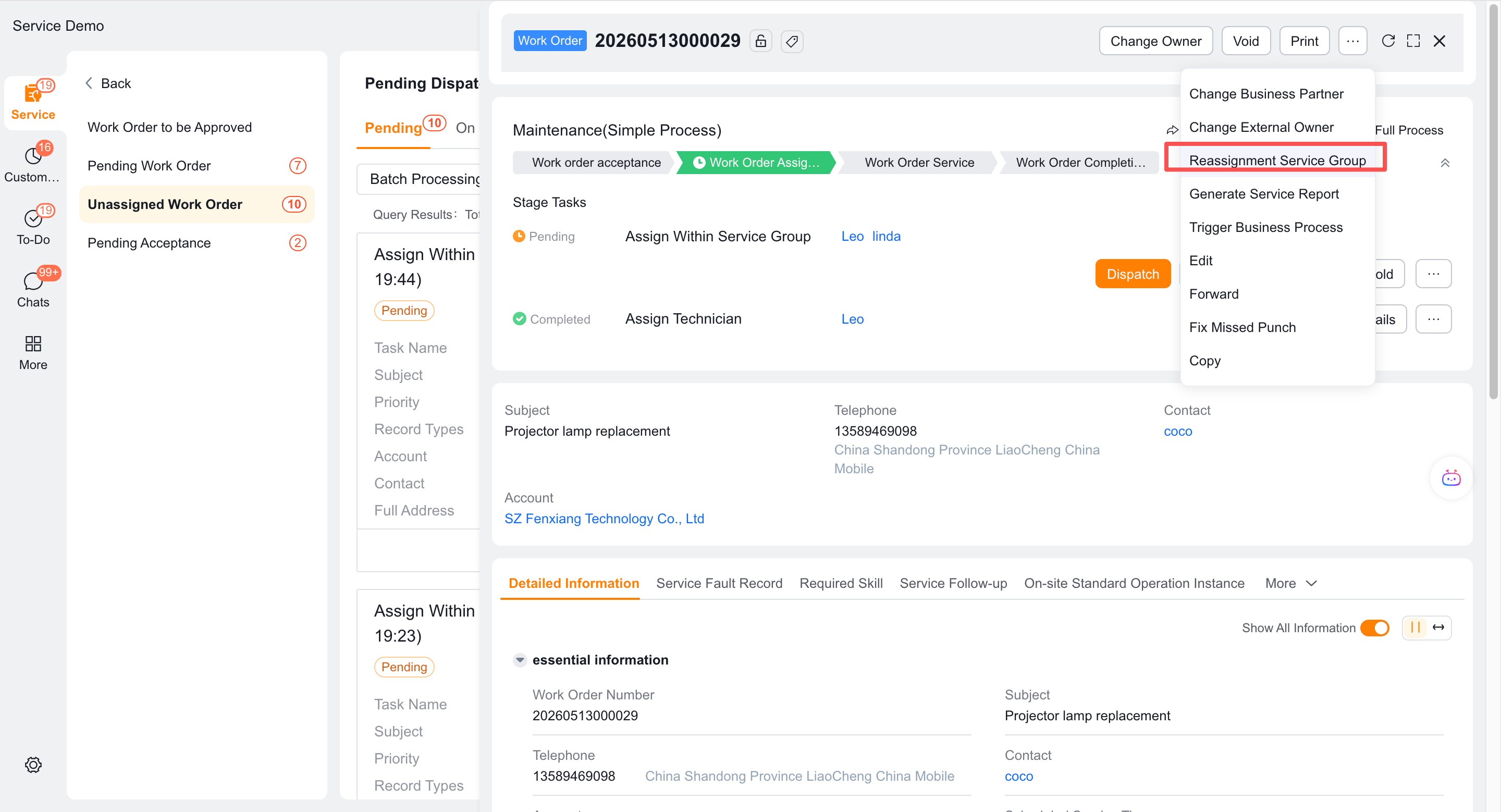
Open the work order details.
At the top of the page, select Reassign Service Group.
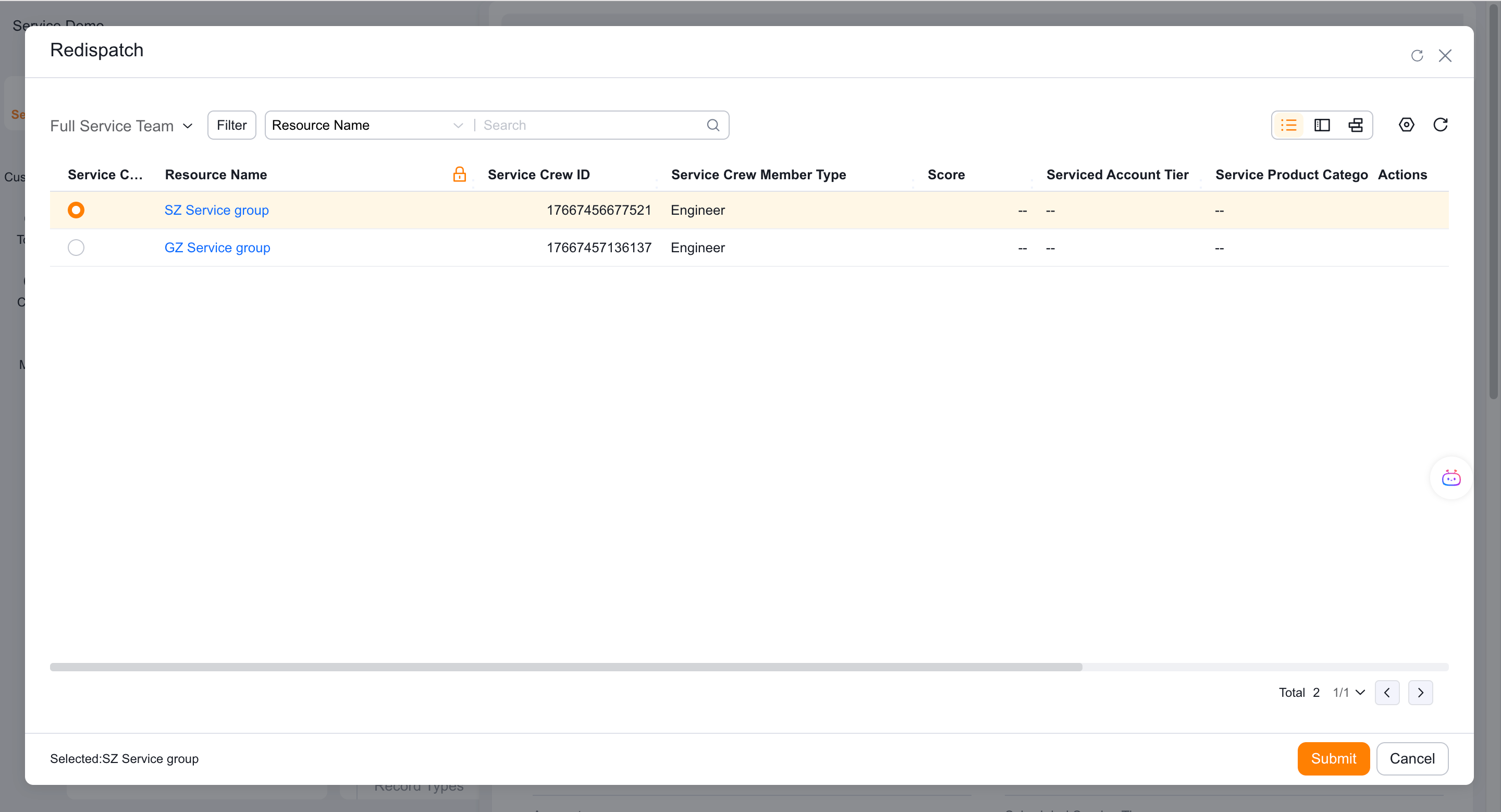
Verify the current group and select a new group.
Select OK.
Return to the process and verify the owner of the next internal assignment node.
Expected result
- Rejection returns the work order to the organization-level dispatcher.
- Transfer sends it to the selected service group.
- Reassignment replaces the current group and normally updates the downstream internal assignment owner.
Notes
- If Reject or Transfer is unavailable, ask an administrator to check the process node.
- If Reassign Service Group is unavailable, ask an administrator to check action permissions and the details layout.
- Your process determines whether rejection or transfer reasons are required.
- In exceptional cases, such as overdue work orders, reassignment might not update the downstream owner. Always verify the next node.