Appearance
Configure the web menu and home page
Configure the web workbench by role.
Overview
Web workbench templates are used to assemble service menus by role or scope and configure data overviews and BI charts for the home page. Administrators can create different templates for roles such as dispatchers and service engineers to match the login entry with job responsibilities.
Before you begin
- Use a service pass administrator or an account with workbench configuration permissions.
- The configuration of roles and object permissions has been completed; the workbench only controls the entrance and homepage, and will not replace object permissions.
- Prepare template name, applicable roles/scope, menu grouping and home page indicators to be displayed.
Procedure
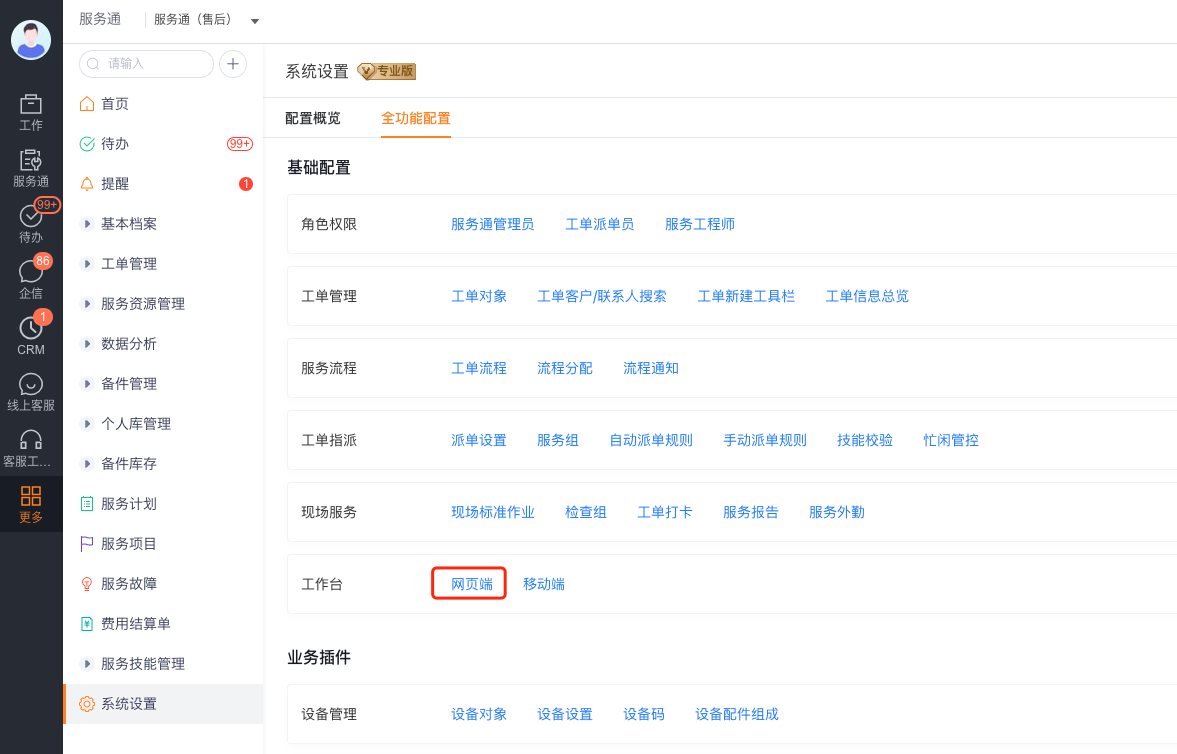
Enter Service Pass > System Settings > Full Function Settings > Workbench and open the Web Client.
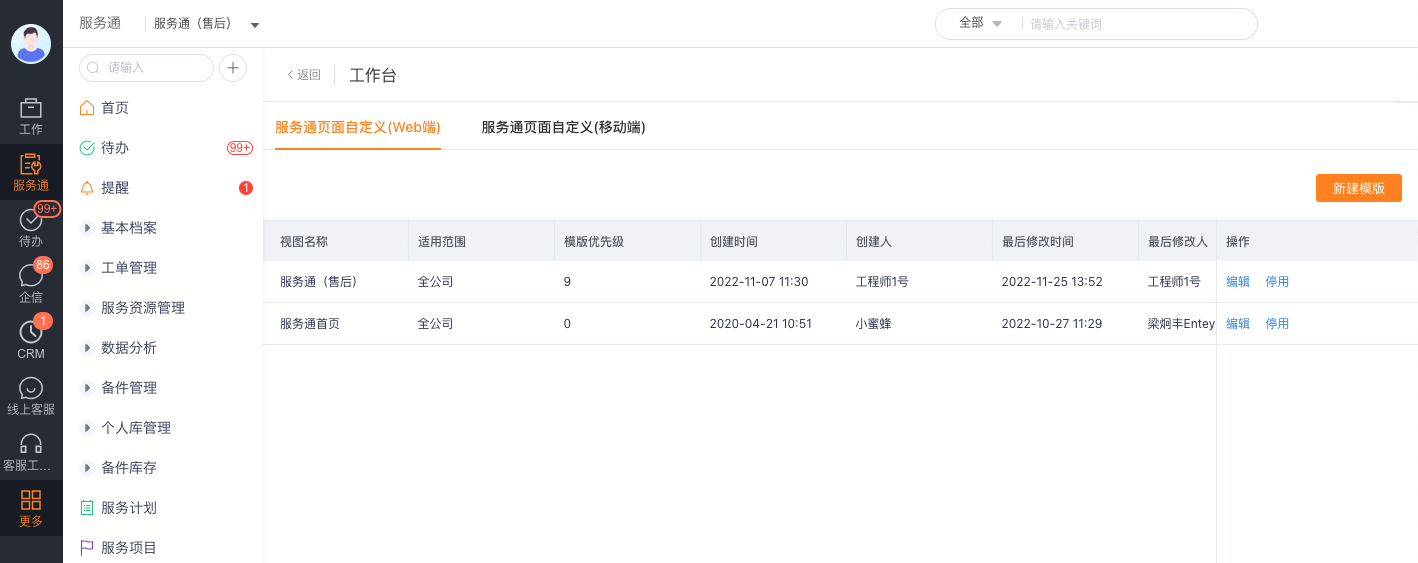
Click New Template on the workbench list page; if you have an existing template, you can select Edit to adjust it, or use Disable to pause the template from taking effect.
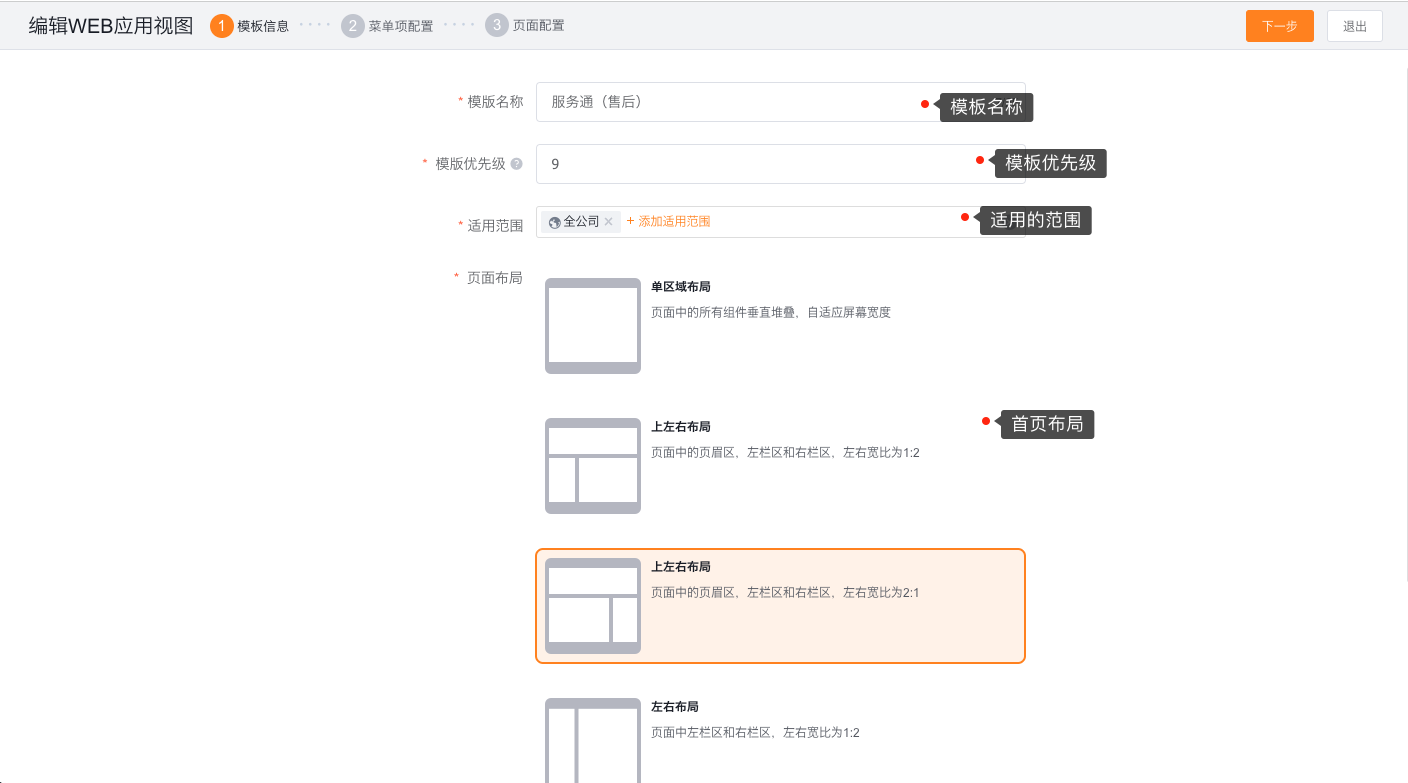
Fill in the template name, template priority and scope of application in Template Information, and select the page layout. The scope of application is used to determine which employees or roles use the template; the page layout determines the regional structure of the homepage.
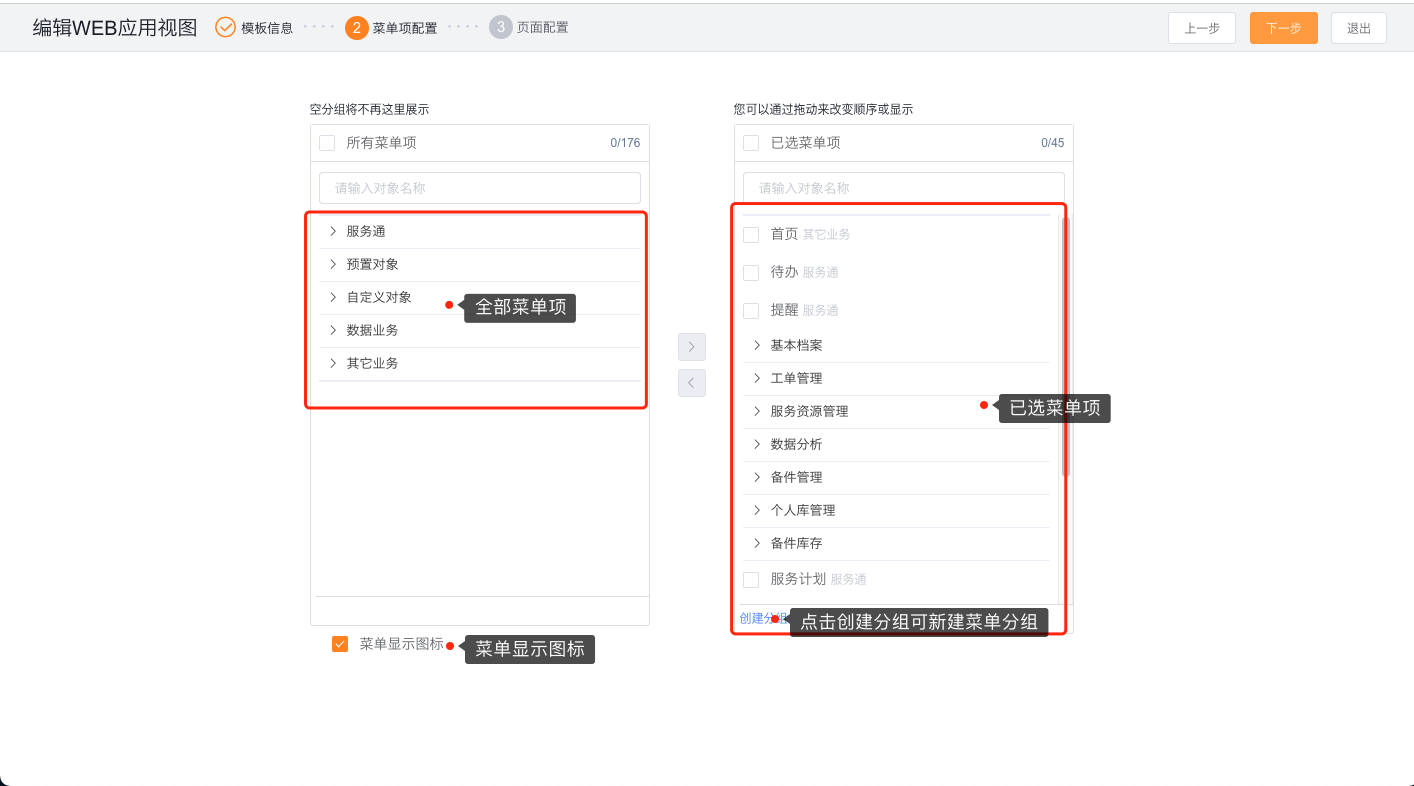
Click Next to enter Menu Item Configuration. Select the menu that needs to be displayed from all menu items, create menu groups by business module, and adjust the order of the selected menus; check the menu display icon if necessary.
Click Next to enter Page Configuration. Drag charts or other BI components from the component list to the home page layout, and adjust the component position and height according to the needs of the position.
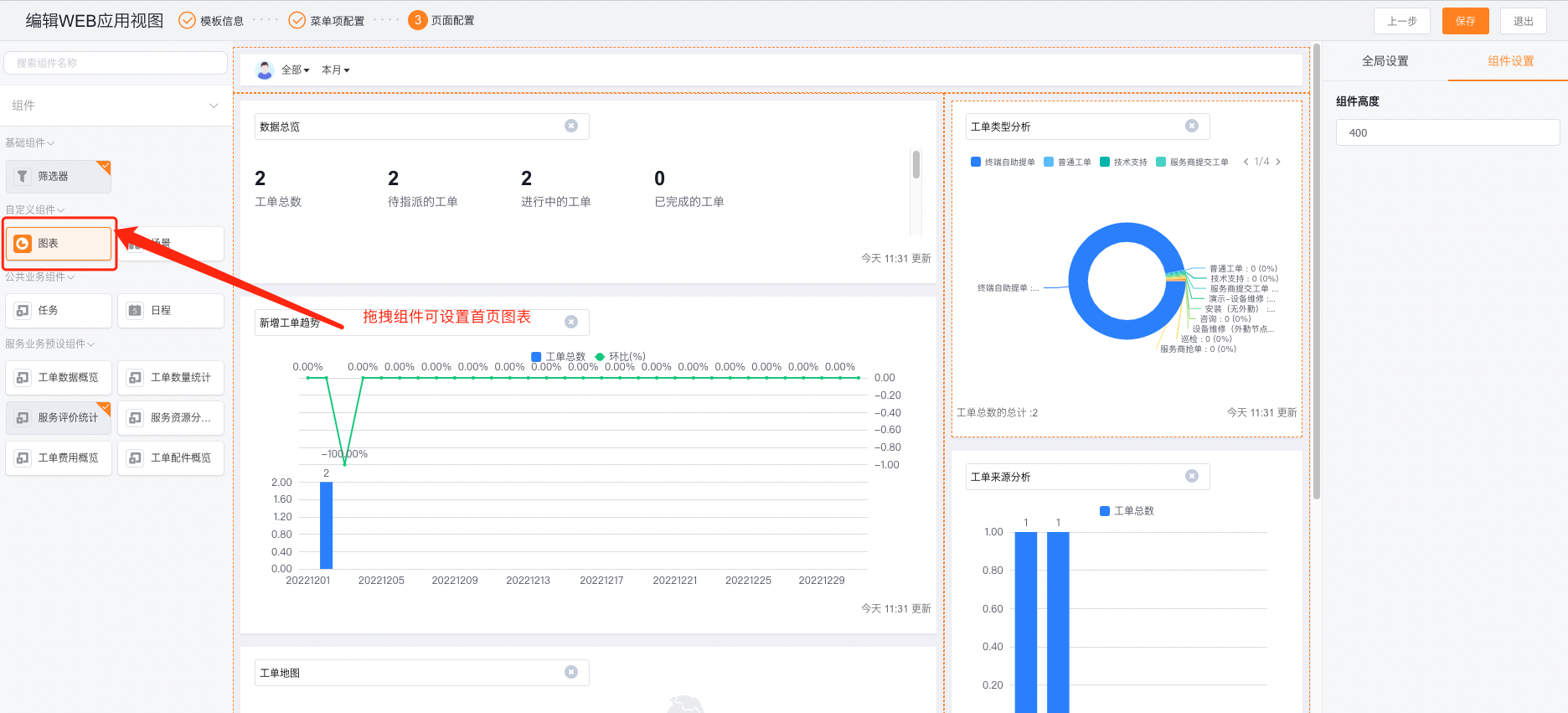
Click Save, re-enter the service channel with an employee account within the applicable scope, and check the menu order, homepage components and data visibility range.
Scenarios and configuration suggestions
| Using Roles | Menu Organization Suggestions | Home Page Verification Key Points |
|---|---|---|
| Dispatcher | Work order management, dispatch, service resources, and engineer map | Verify that unassigned work orders, engineer resources, and dispatch menus are visible. |
| Service engineer | To-dos, work orders, accounts, equipment, and field service | Verify that the account can see only its tasks and authorized objects. |
| Service Pass Administrator | System settings, objects, processes and workbench configuration portals | Whether the configuration portal and management permissions are complete |
Expected results and verification
- Employees within the applicable scope can use the corresponding web workbench template after logging in.
- The menu is displayed according to the configured grouping and order, and the home page displays the saved component layout.
- Employees can still only access objects, fields and operations allowed by role permissions; adding menus to the workbench will not bypass permission controls.
Notes
- The Web workbench template and the App mobile template are configured separately. Modifying the Web template will not automatically change the App menu.
- If the menu is configured in the template but employees still cannot see it, first check the role permissions, then check the scope of the template and whether the template has been deactivated.
- The same employee may hit multiple templates. When configuring the applicable scope and priority, avoid overlapping scopes, making it difficult to determine the actual effective template.
- The data displayed by the Home BI component is still subject to the current employee's data permissions and object permissions.