Appearance
Configure service areas
Overview
Service areas are used to maintain enterprise-defined service areas and assign them to engineers. The service area can be used as a reference for manual dispatch, and can also be compared with the work order service address in dynamic matching rules.
Before you begin
- Engineer information and comparable work order service addresses have been prepared.
- The division of service area into provinces, cities or districts has been determined.
- Administrators have permission to edit service areas and service information.
Procedure
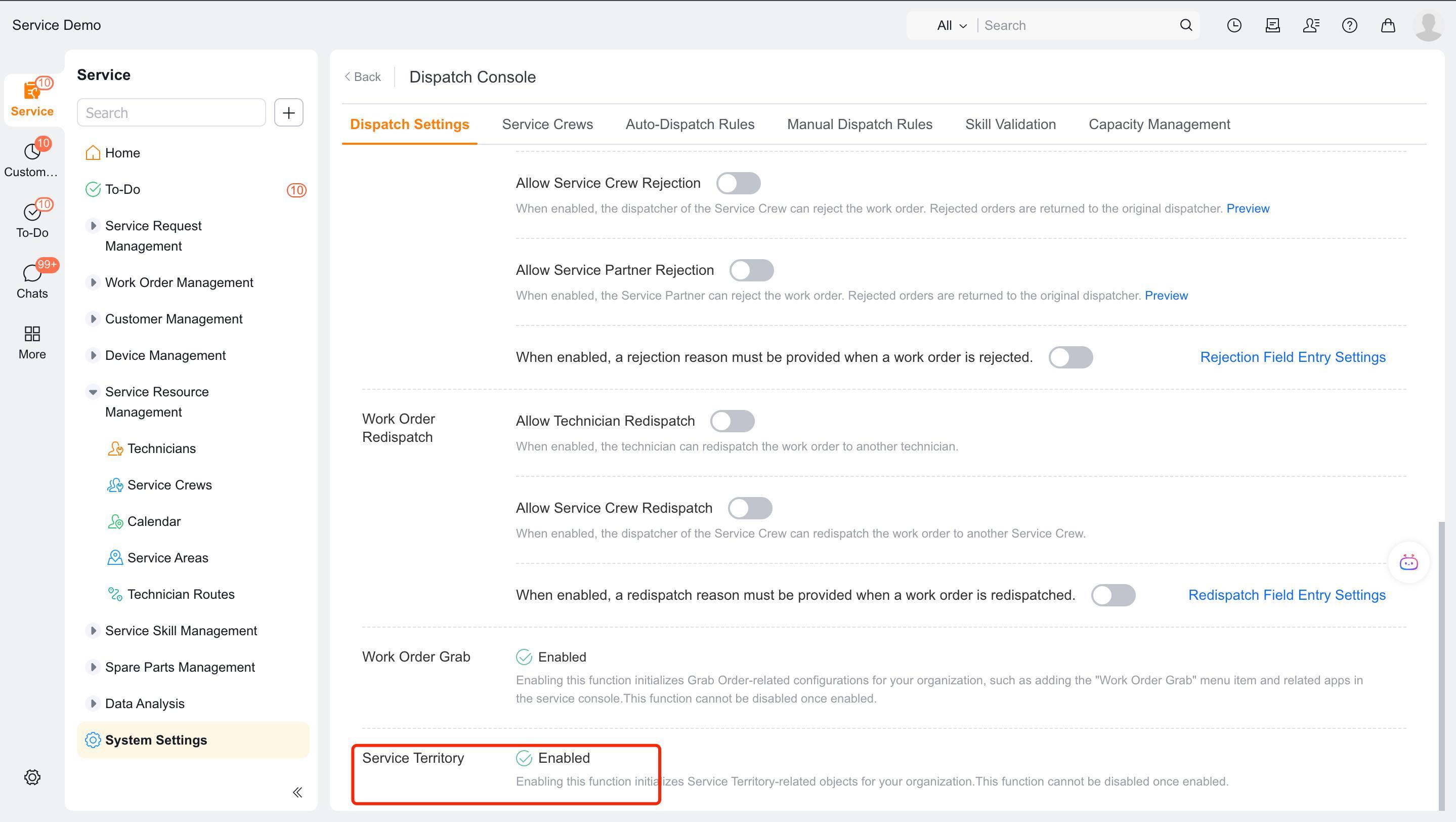
Enter Field Service > System Settings > Work Order Assignment > Service Area and enable the function.
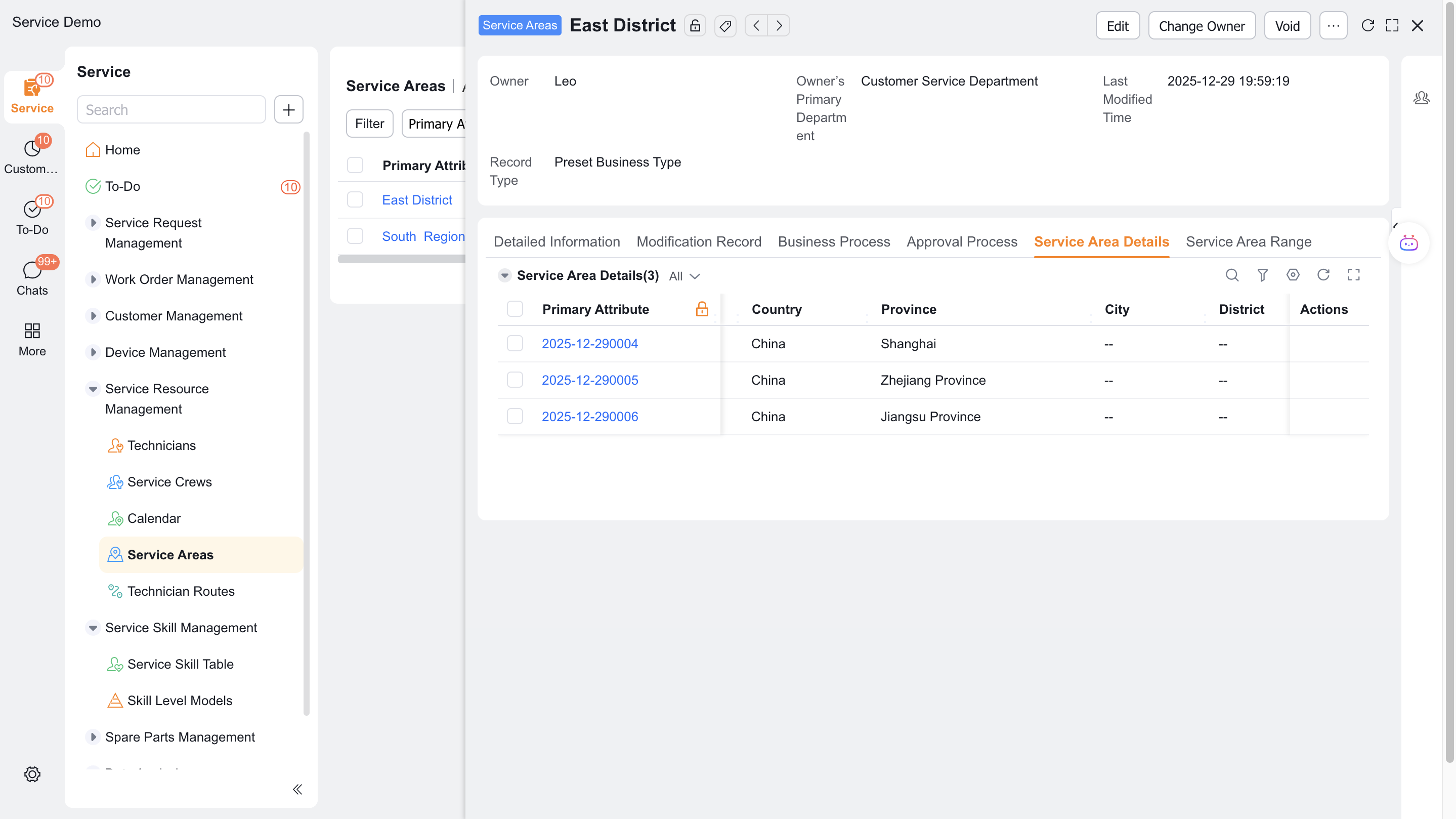
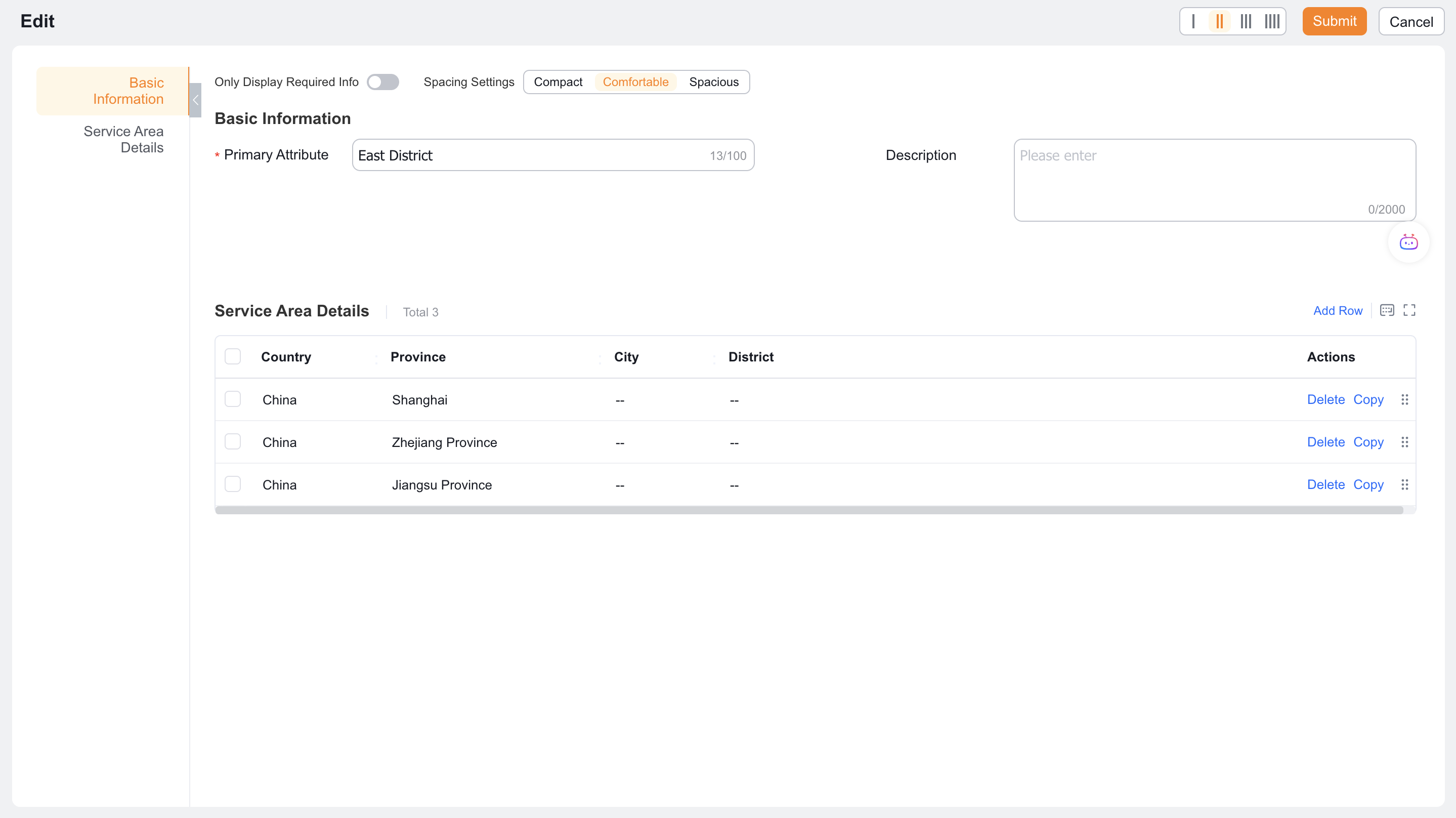
Create a record in the main Service Area object and enter its name.
Add covered regions in Service Area Details. One service area can contain multiple detail records, each defined down to the city or district level.
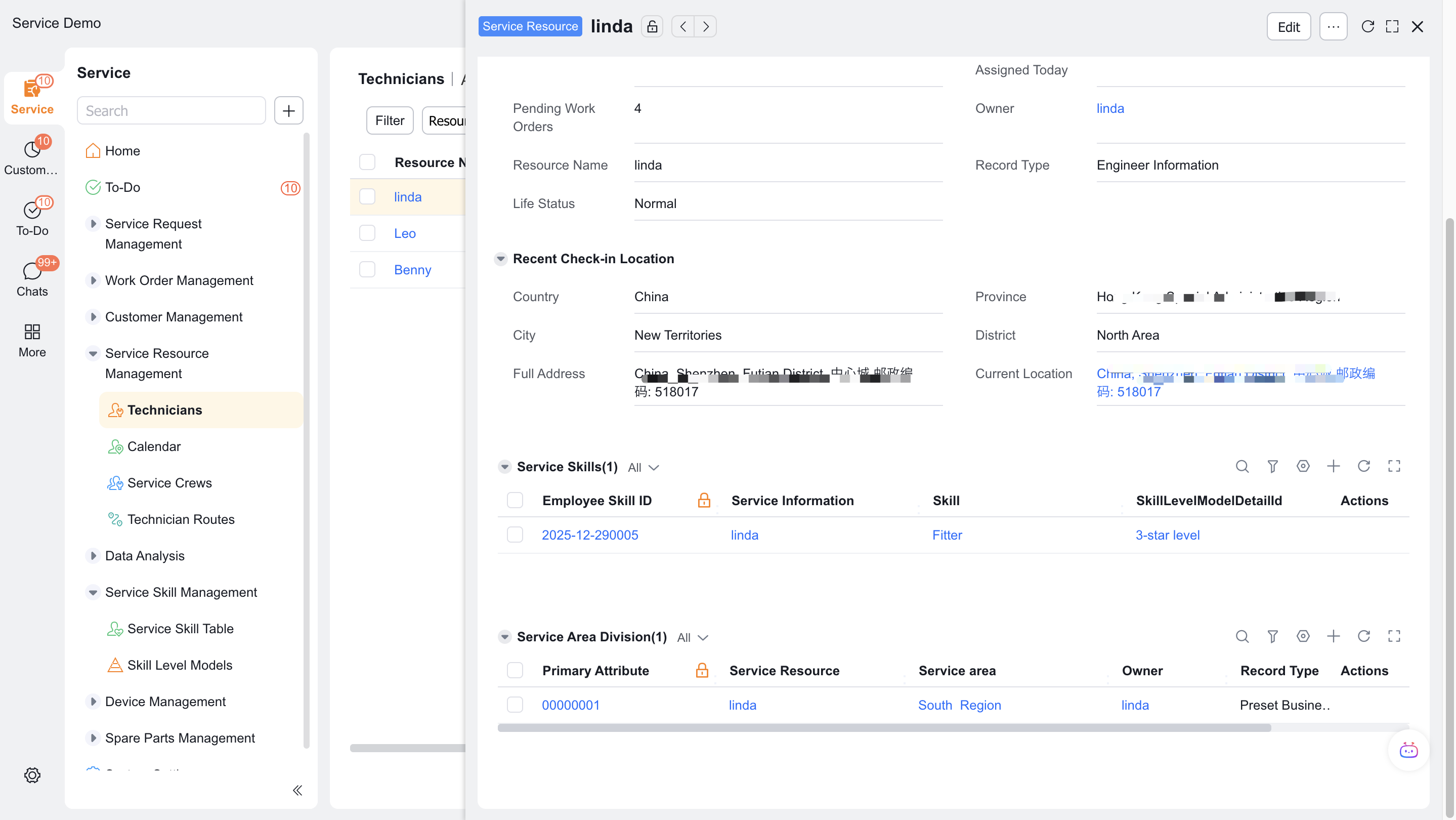
Enter Service Information > Engineer Information and edit the target engineer.
In the Engineer Service Area child object, add one or more areas assigned to the engineer.
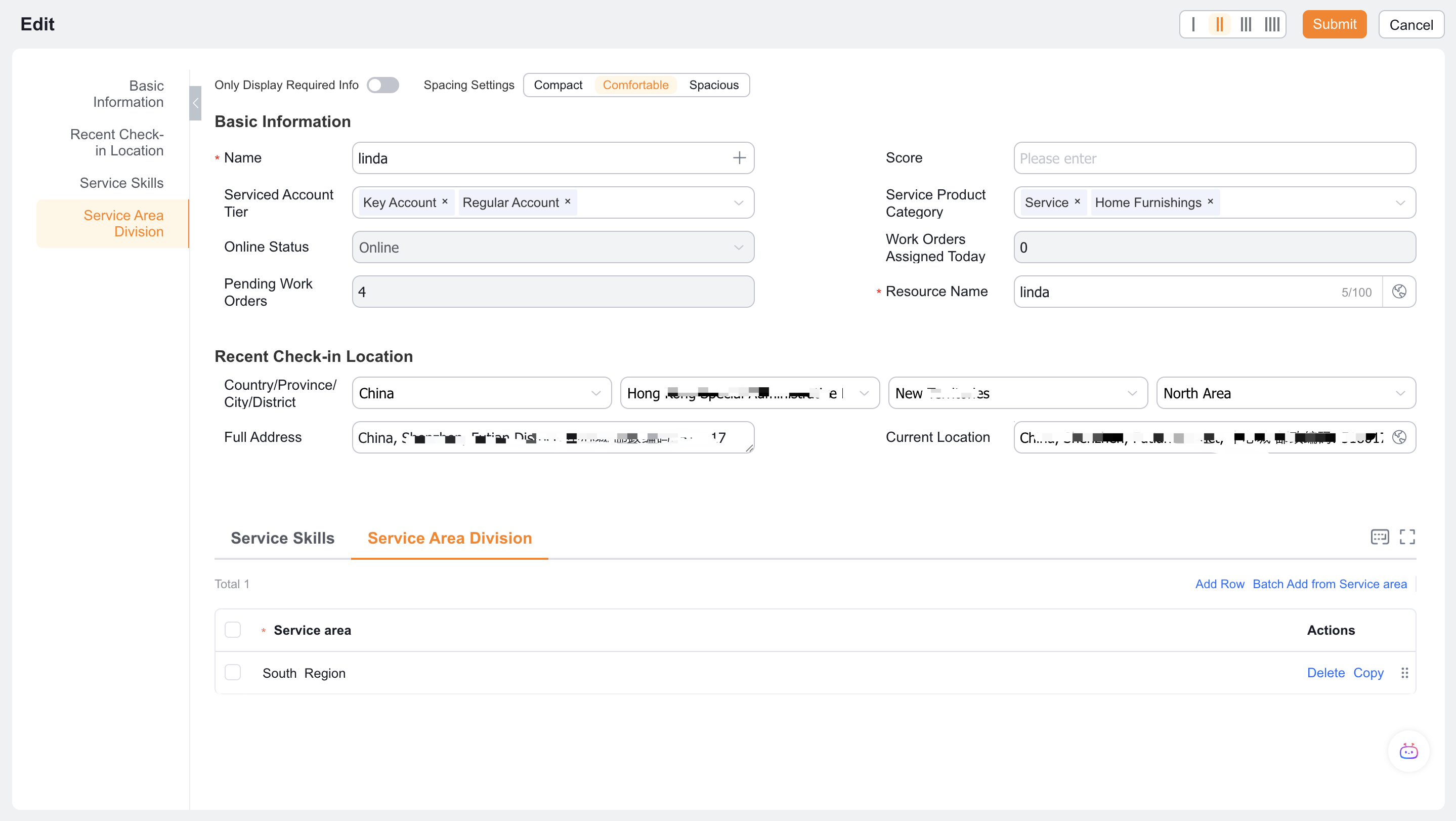
For auto dispatch, add a dynamic matching condition such as Service Information > Service Area contains Work Order > Service Address, and configure a fallback path.
Verify the result
- Engineer details display assigned service areas.
- Test work orders with addresses within the service area can be filtered to the corresponding engineers.
- Work orders whose addresses are not within the service area will not be mistakenly hit just because other conditions are the same.
Notes
- Service areas indicate areas of responsibility and do not equate to the engineer's current location.
- Map dispatch relies on positioning addresses and recent business locations, and service area is mainly used for attribution and rule filtering.
- All dynamic matching rules that rely on it should be revalidated after a service area adjustment.