Appearance
Complete dispatcher-to-engineer workflow
Overview
Use direct dispatch when an enterprise dispatcher selects an internal engineer. At the Assign Engineer node, the system evaluates auto dispatch first. If no rule assigns the work order, the dispatcher handles it manually. An optional Accept Work Order node can then let the engineer confirm the assignment.
Before you begin
- Each field-service assignee has the Engineer role, and the dispatcher has the Dispatcher role.
- The attributes required for engineer information and manual dispatch have been maintained.
- A manual handler is defined for work orders that do not match an auto dispatch rule.
Procedure
1. Configure the Assign Engineer node
Add the Assign Engineer node to the work order process canvas.
Set the node handler to the dispatcher role, or designate other handlers through the preceding branch.
Rename the action button when needed. To capture a service time or dispatch note, enable additional fields and select the process layout.
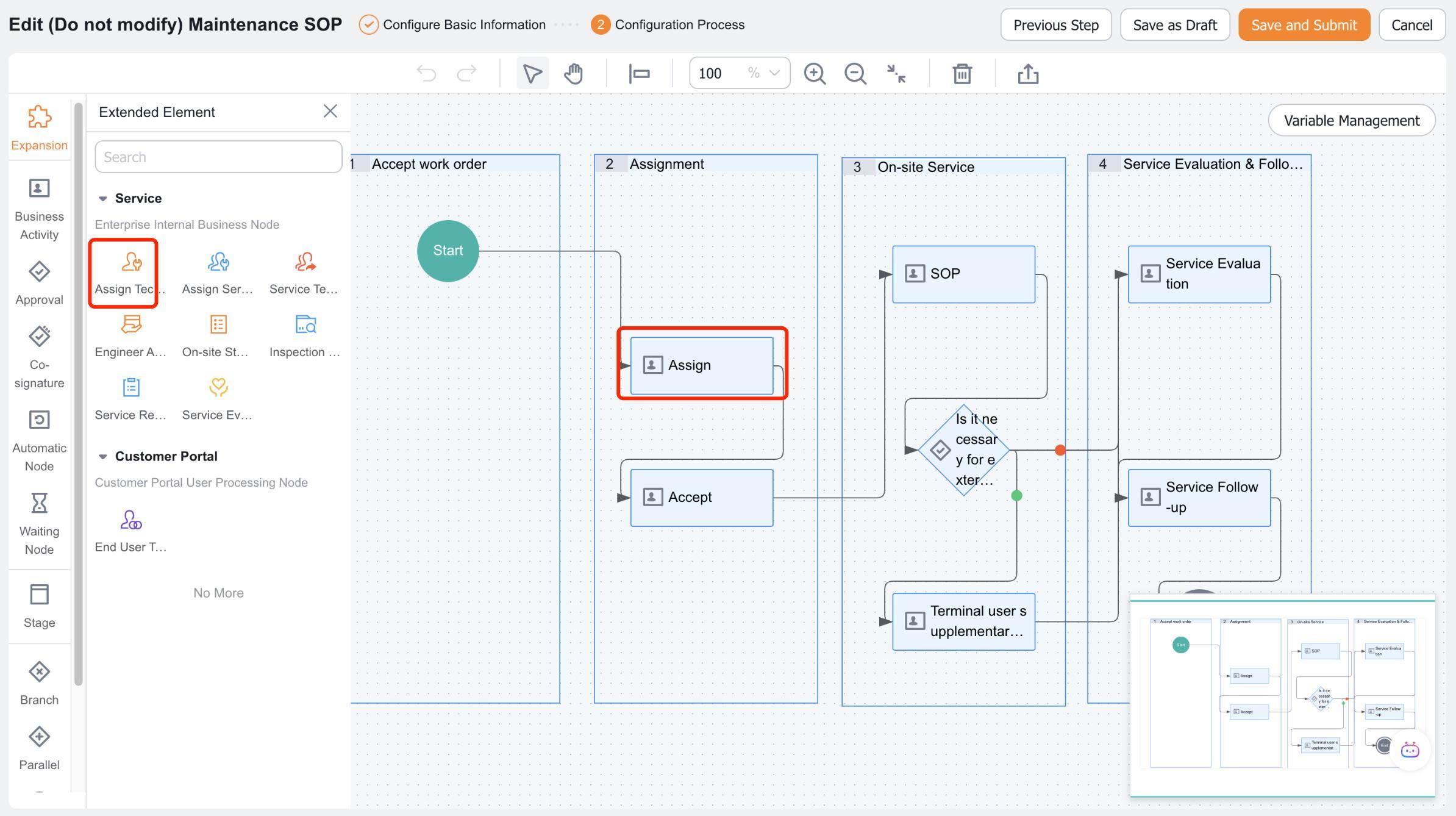
Save and publish the process.
2. Configure the dispatch sequence
- For work orders that should be assigned automatically, create an auto dispatch rule with Engineer as the assignment target.
- Configure manual dispatch rules to limit the dispatchers and candidate engineers for work orders that require manual handling.
- Keep a manual fallback for work orders that do not match any auto dispatch rule.
3. Dispatch a work order manually
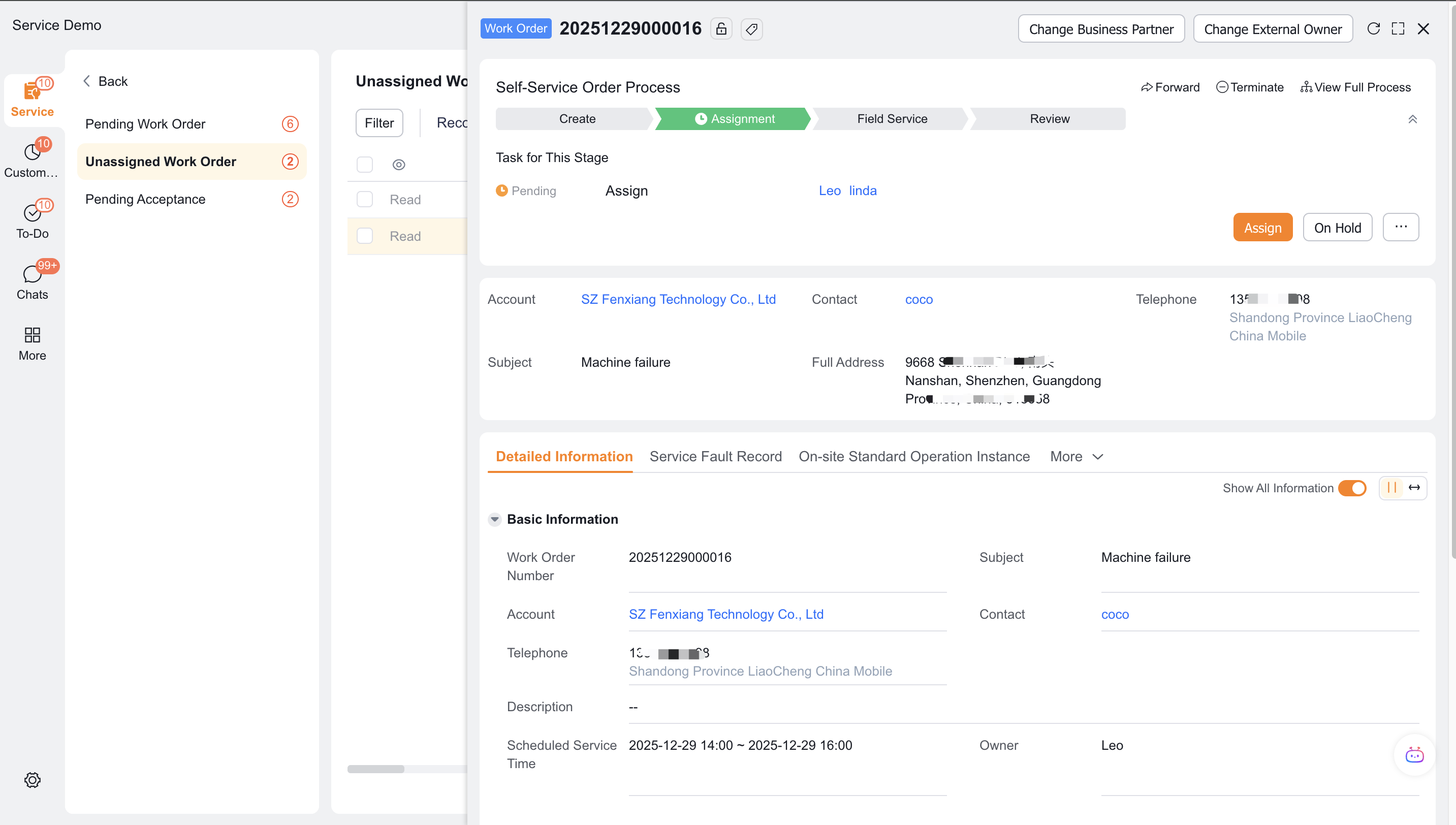
Go to To Do > Work Orders to be Assigned on the web client, select the work order and click Work Order Assignment.
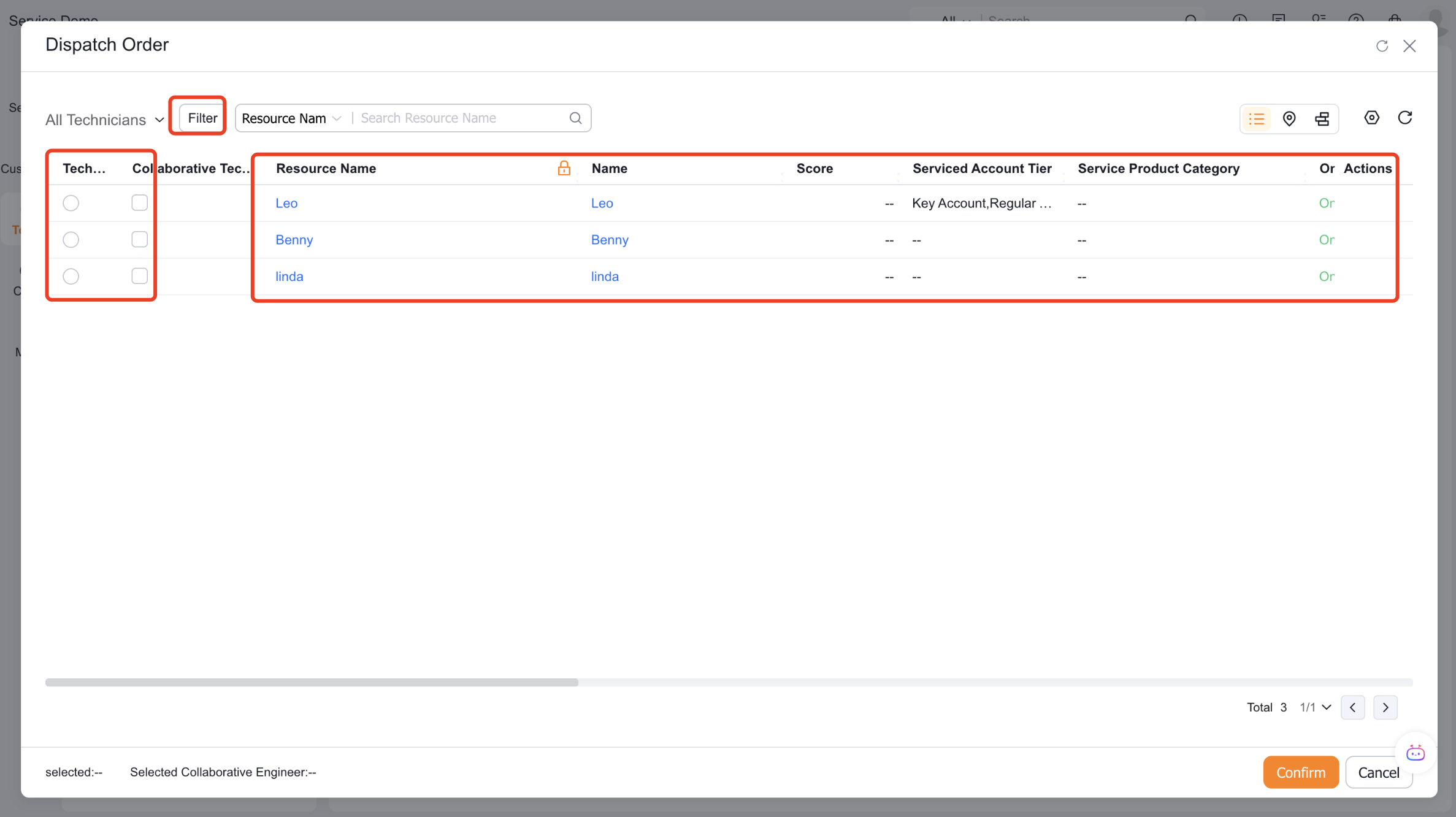
Select the engineer after viewing the engineer's online status, current location, and number of dispatched work orders in list mode.
On the app, select the work order and engineer from the To Be Assigned portal of the workbench; the mobile version does not support map dispatch.
If collaborative engineers are enabled, you can manually select multiple collaborators.
4. Check the dispatch results
After dispatch, the system updates the dispatcher assign_user, dispatch method assign_way__c, dispatch time assign_time__c, engineer field_xcfwry__c, and collaborative engineer related_service_personnel__c. When automatically dispatching an order, the dispatcher field is empty.
Verify the result
- Work orders that hit automatic rules are automatically assigned to engineer nodes.
- Work orders that do not match the rules enter the to-do list of the correct dispatcher.
- Web and App candidate scope complies with manual rules and platform restrictions.
- The dispatch field records the actual engineer and dispatch method.
Notes
- The assignment target of an auto dispatch rule must match the Assign Engineer node.
- The App does not support map dispatch, and collaborative engineers do not participate in auto dispatch or work-order claiming.
- To require engineer confirmation, add an Accept Work Order node after Assign Engineer.