Appearance
Create a service provider group and configure internal dispatch
Overview
Service provider related service groups are divided into service provider enterprise group, hybrid service group and external service provider engineer group. The three types of groups have different dispatch roles, member ranges and automatic abilities.
Before you begin
- The service provider account and service provider portal have been opened.
- It has been determined whether the service group organizes service providers on the enterprise side or engineers on the service provider side.
- The enterprise service group or service provider has prepared to dispatch orders.
Procedure
1. Create a service provider enterprise group
Create a new service group, select Intra-Enterprise as the type, and select Service Provider Enterprise as the member type.
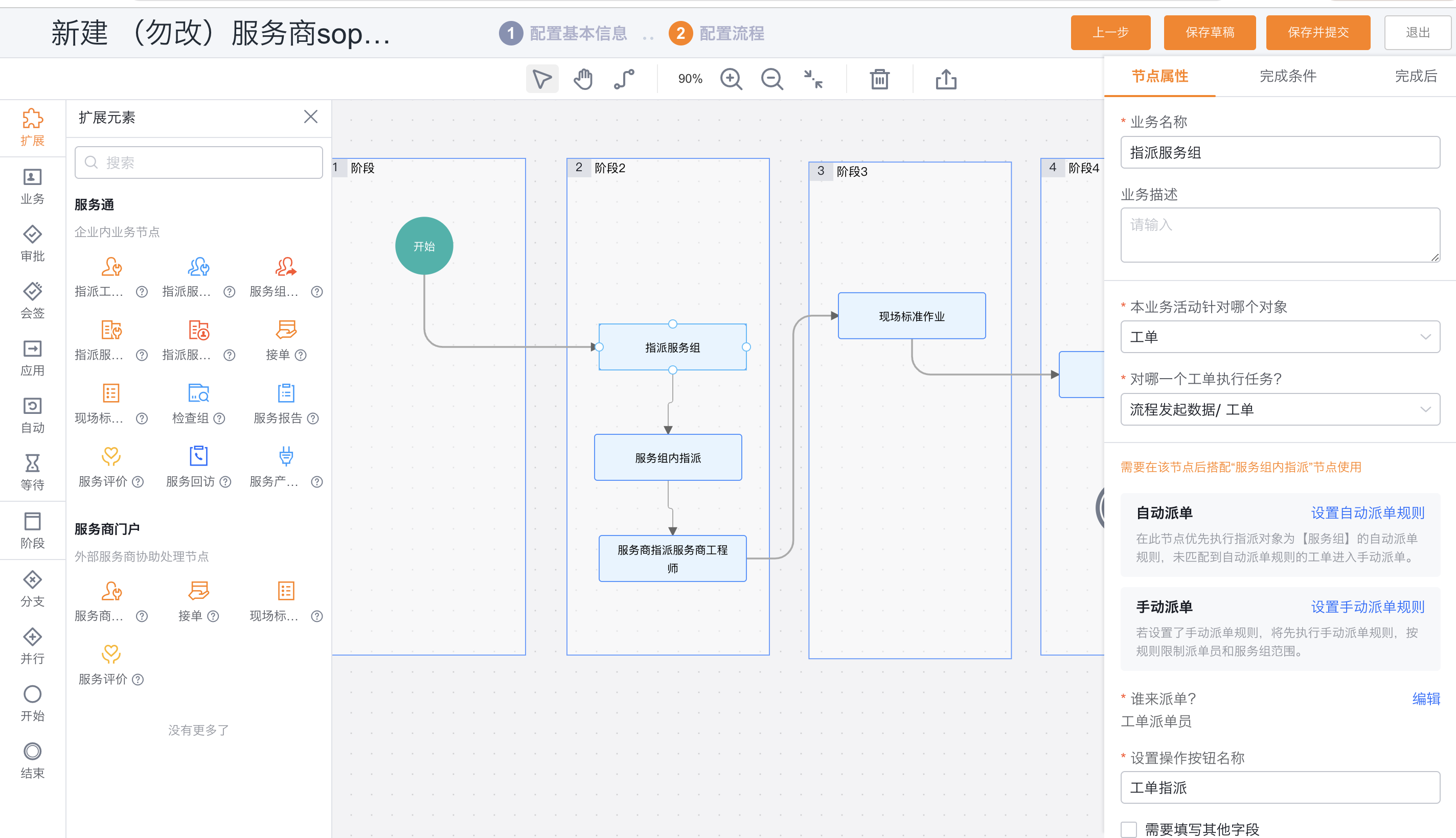
Set the enterprise service group dispatcher and add multiple provider companies.
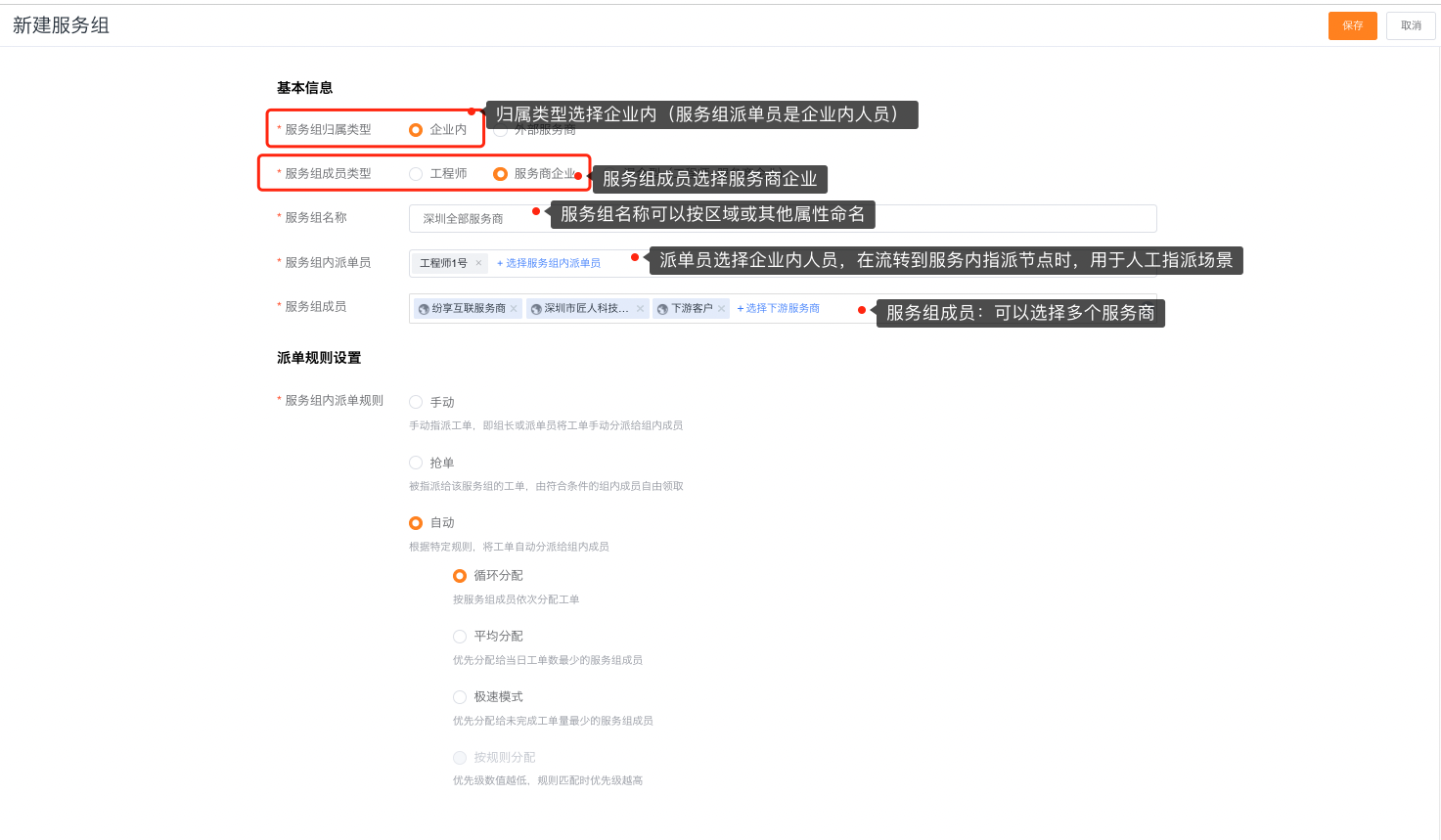
Select manual, claim, round-robin, balanced, or fastest-response assignment. Rule-based assignment is unsupported.
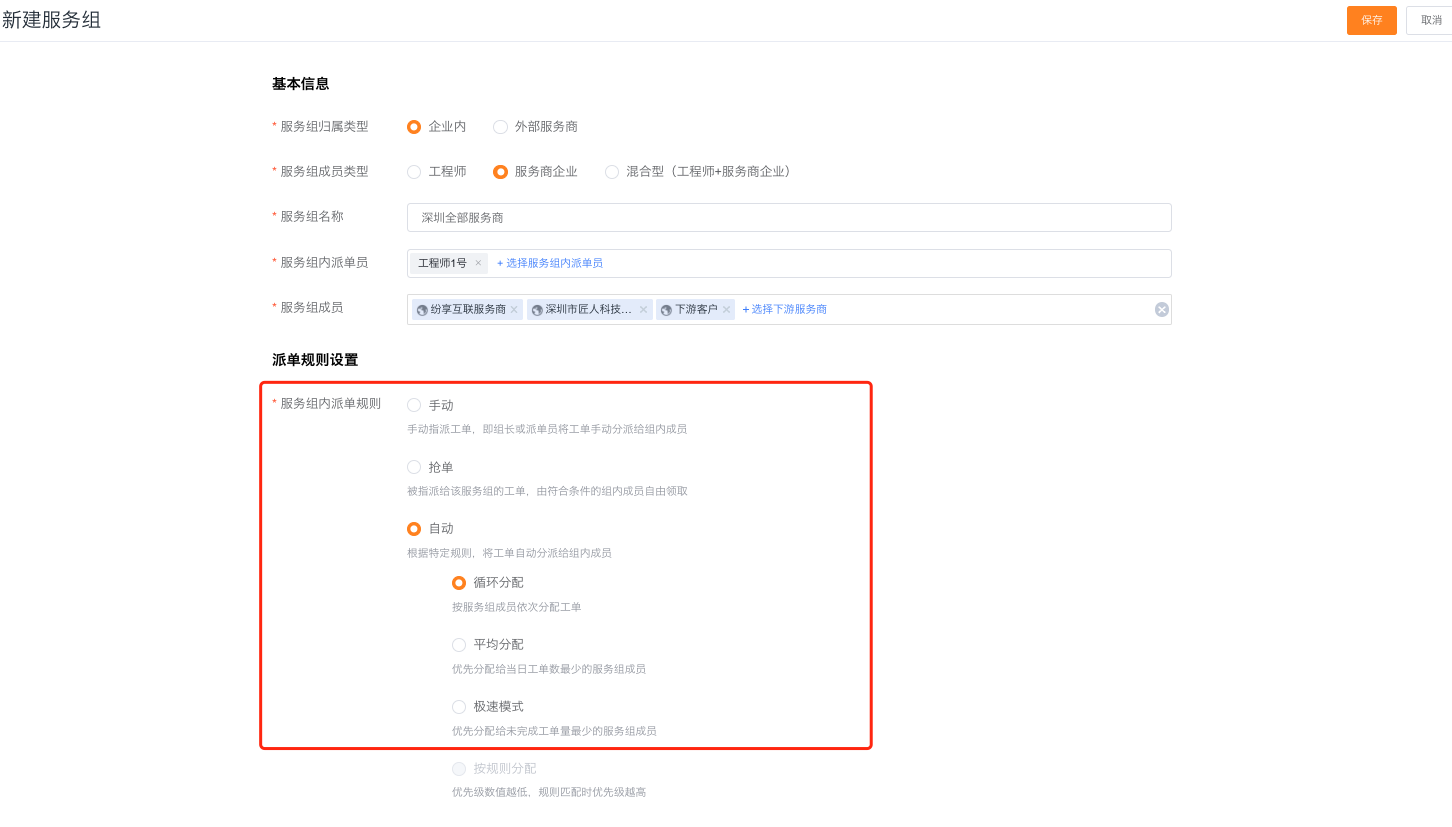
2. Create a hybrid service group
Create a new intra-enterprise service group and select Mixed as the member type.
Add enterprise engineers and service provider enterprises at the same time.
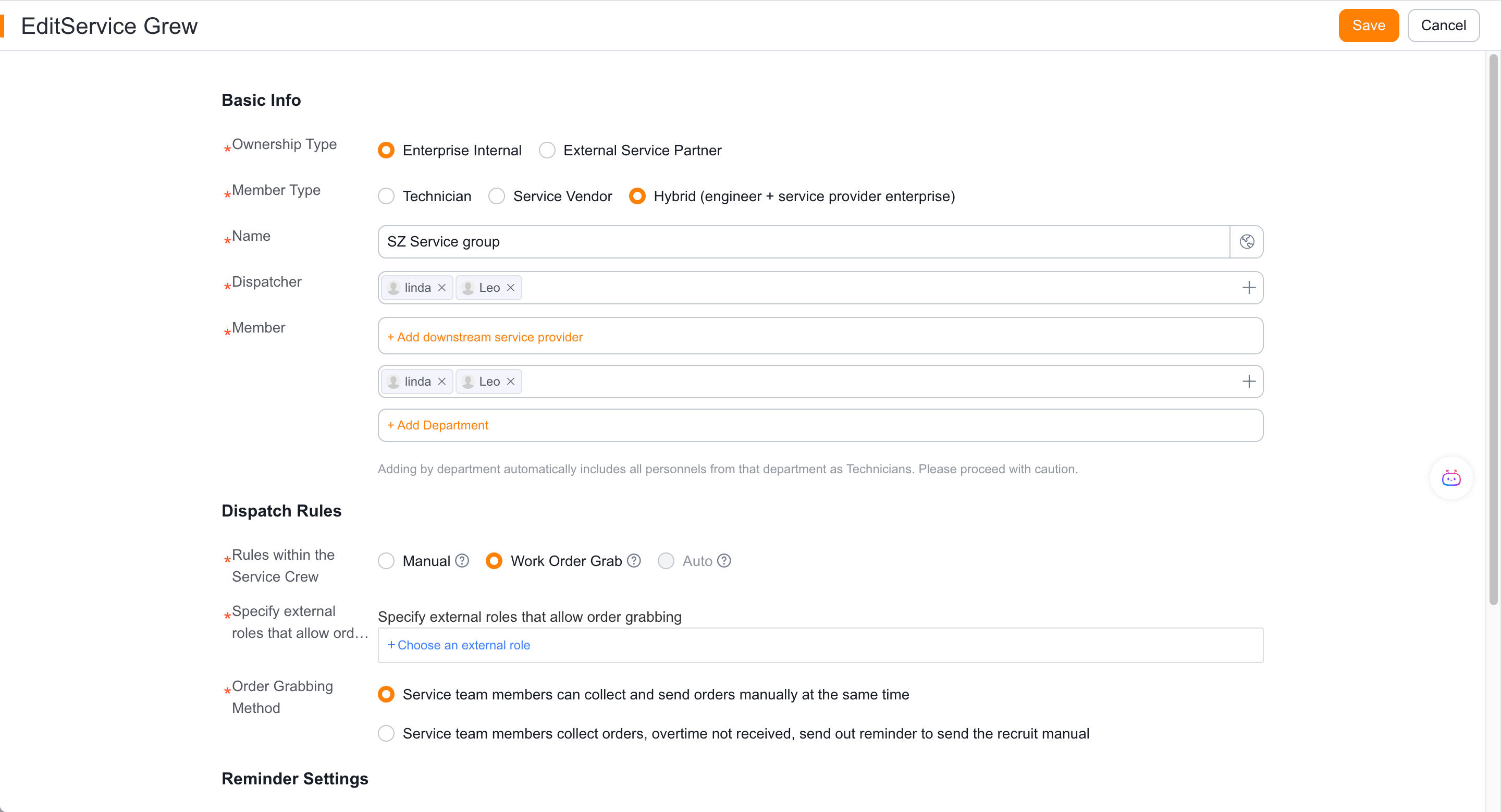
Set up dispatchers for the service group within the enterprise.
Choose manual or work-order claiming; the hybrid type does not support auto dispatch within the group.
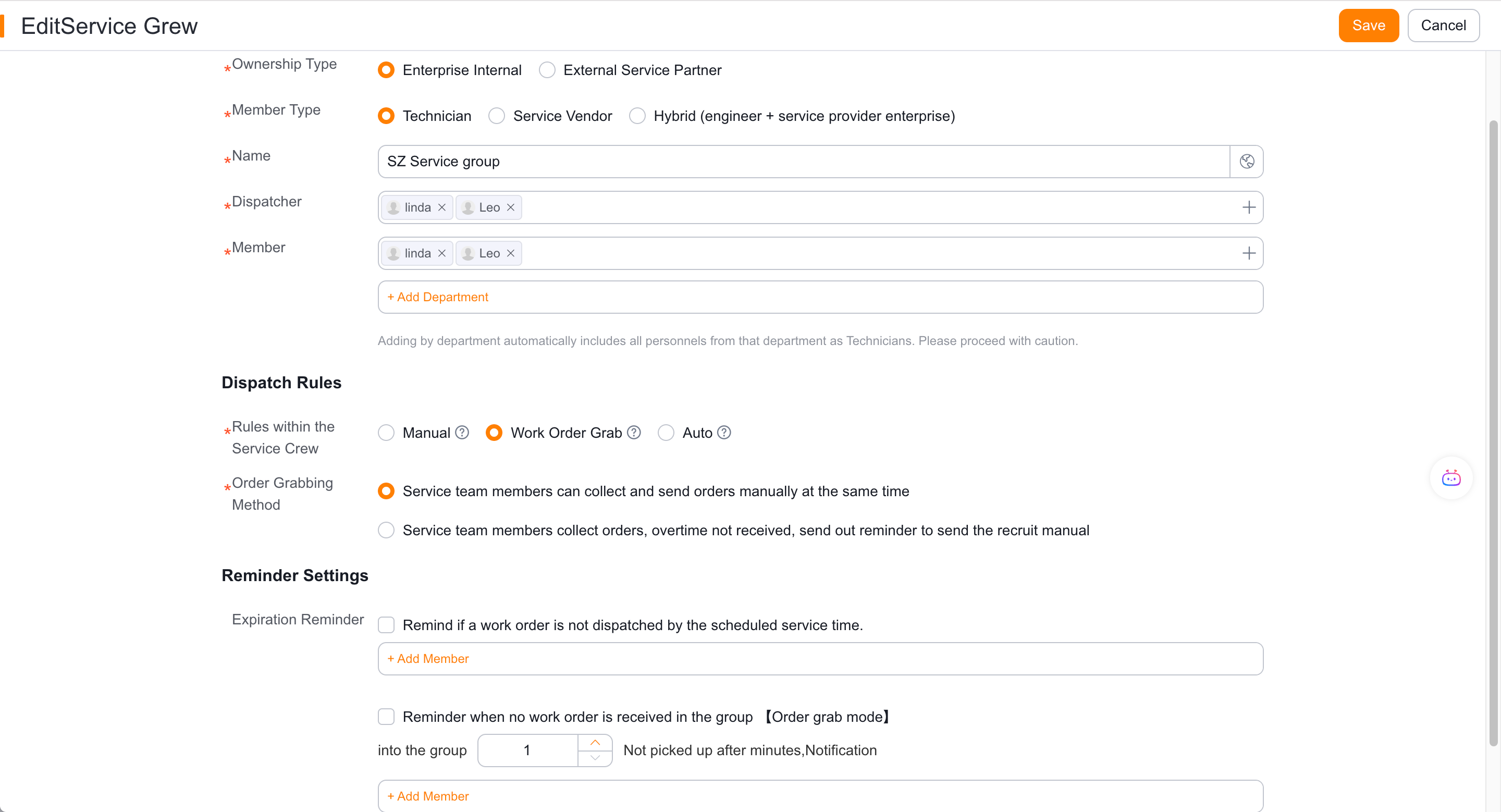
When an enterprise engineer is selected in the group, the engineer will execute it; when a service provider enterprise is selected, the process also enters the service provider engineer assignment node.
3. Create an external service provider engineer group
Create a new service group, select External Service Provider as the type, and select Service Provider Engineer as the member type.
Select the unique service provider and set the dispatcher of the service provider's service group.
Add only engineers from this service provider.
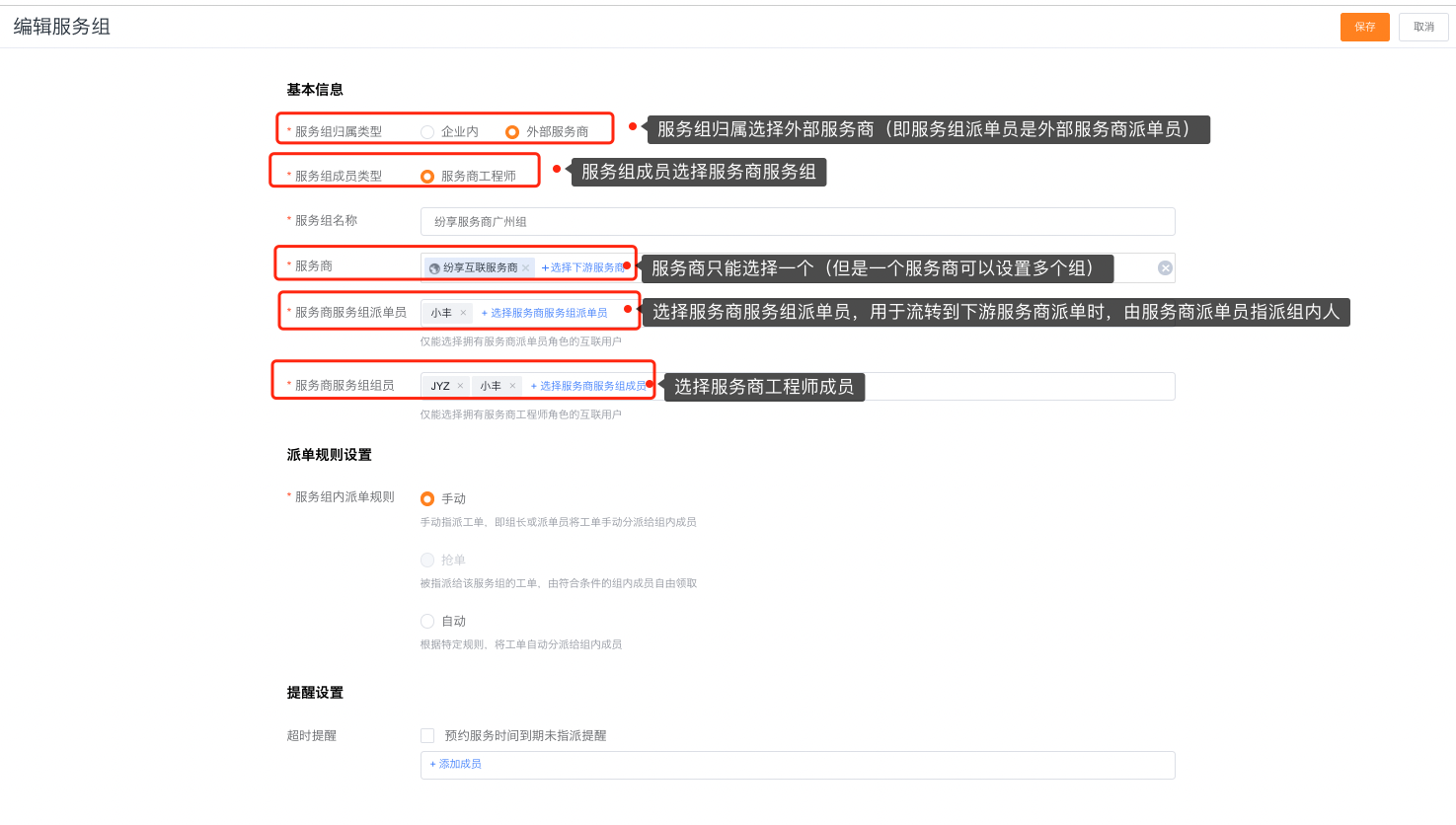
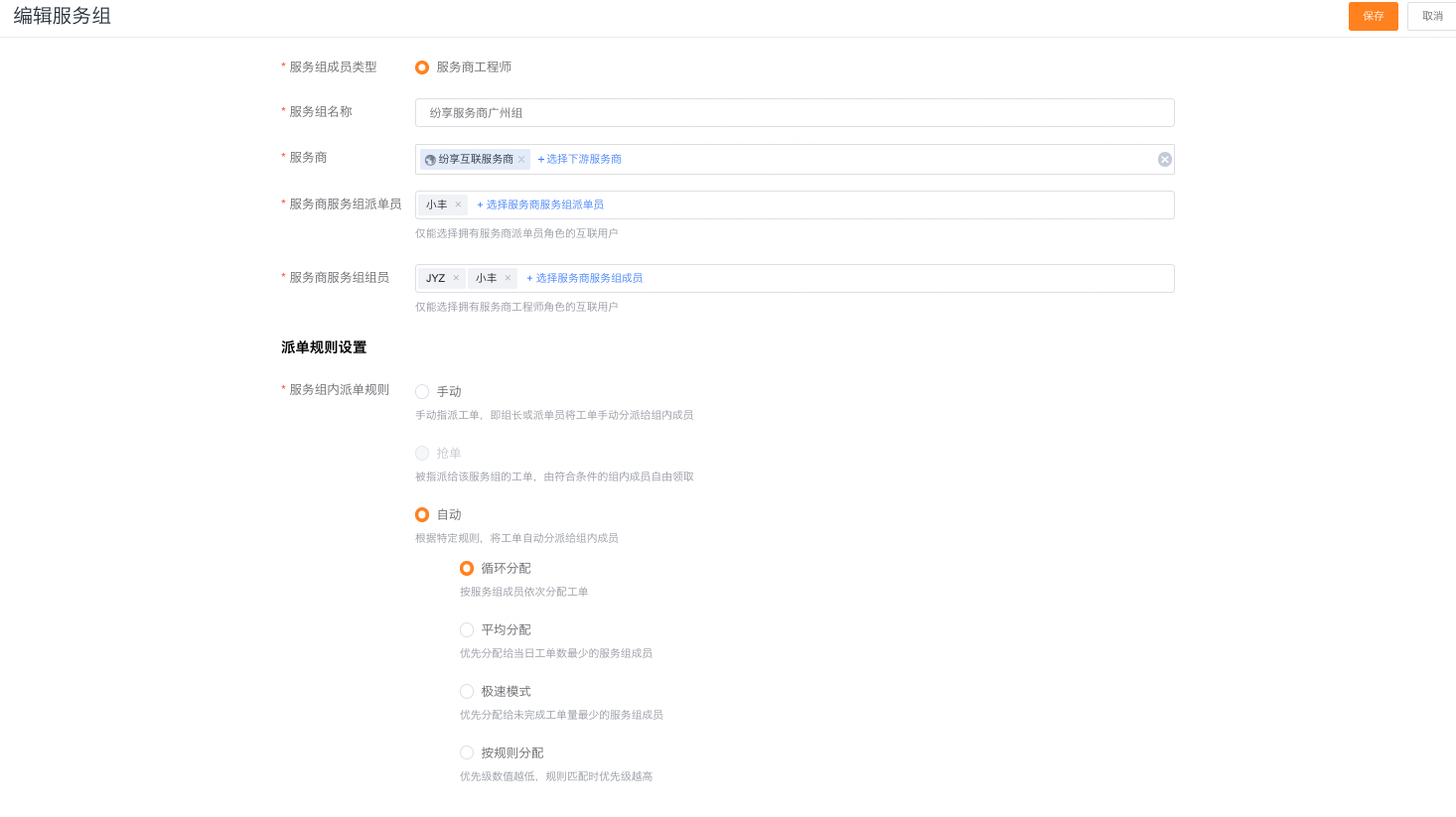
Select manual, round-robin, balanced, or fastest-response assignment. Claiming and rule-based assignment are unsupported.
Verify the result
- Each service group only displays its supported members and dispatch methods.
- The enterprise-side service group is handled by personnel dispatched within the enterprise, and the external service group is handled by personnel dispatched by the service provider.
- Auto dispatch, claiming, and rule-based capabilities are not assumed to be available across different group types.
- After selecting the service provider company, you can continue to enter the service provider engineer level.
Notes
- An external service group can only belong to one service provider.
- Neither the service provider enterprise group nor the external service provider engineer group supports allocation by rules, but other capabilities are different.
- Hybrid service groups do not support auto dispatch within the group.