Appearance
Configure a simple work order process
Overview
Configure the simple process assigned to a work order business type. This guide covers the configuration entry, available process nodes, and verification steps for Service Pass administrators.
Before you begin
- Sign in as a Service Pass administrator or use an account with permission to configure work order processes.
- Confirm that the business objects, roles, channels, and add-ons required for the scenario are enabled.
- Prepare a test work order and the required test accounts or channels.
Procedure
- Go to the configuration page described below and locate the target business type or process node.
- Configure the required nodes and options, then save the process.
- Use the applicable test account or work order to verify the entry, trigger conditions, and result.
1. About simple processes
Work order processes define the standard service sequence for an organization. If your organization uses multiple work order business types, you can enable the required nodes for each type in the simple process panel. Simple processes don't consume Business Flow quota.
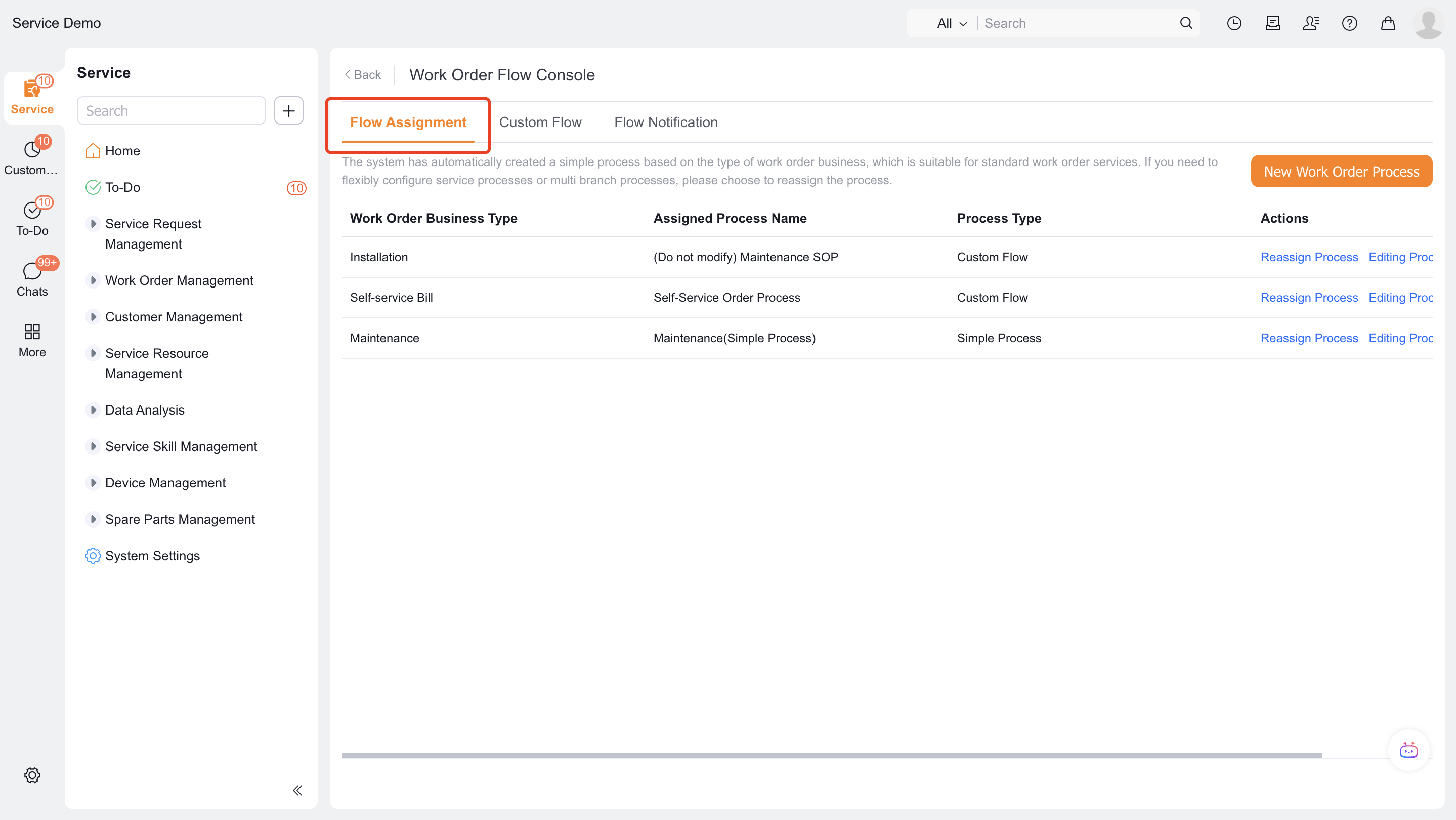
Go to Service Pass > System Settings > Service Process > Flow Assignment.
2. Configure or edit a simple process
NOTE: When you create a work order business type, the system automatically creates and assigns a simple process to it.
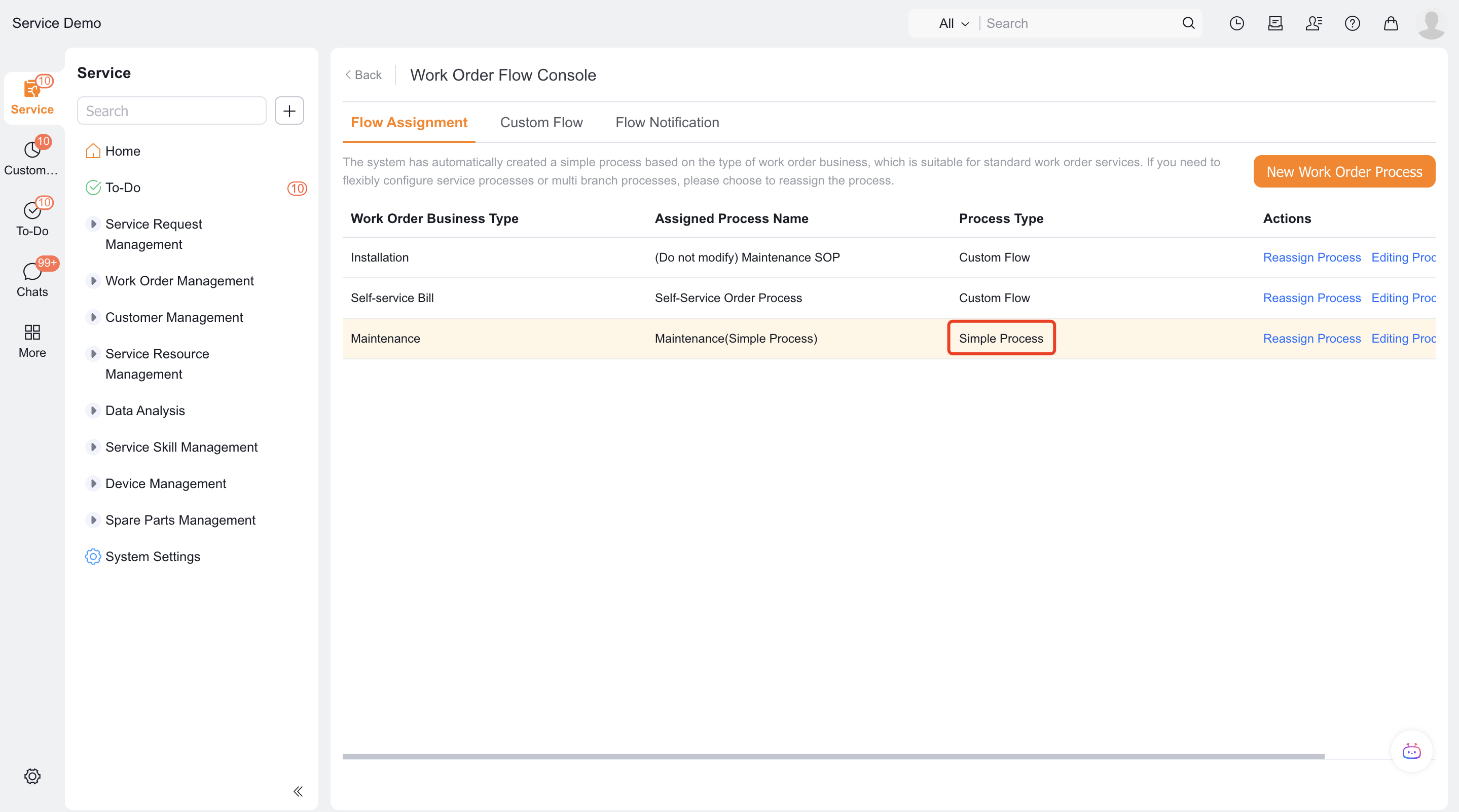
- On Flow Assignment, locate the business type that uses a simple process, then select the edit action.
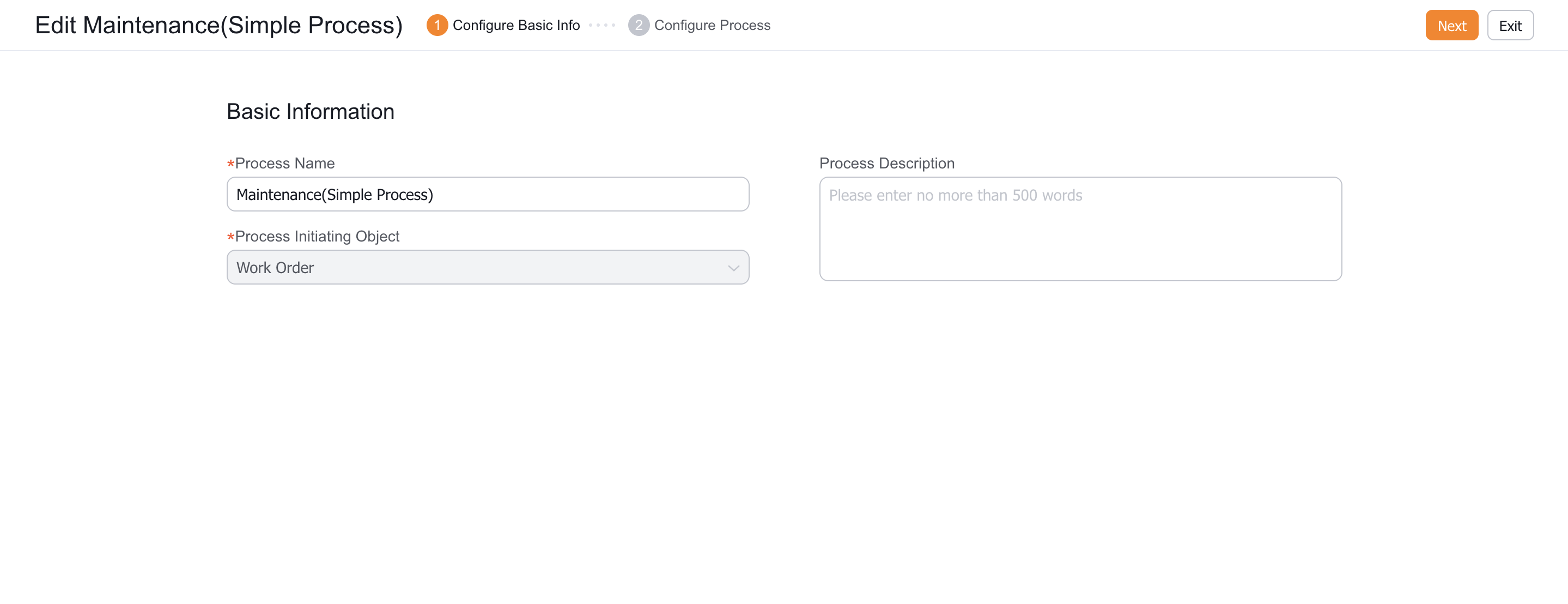
- Review the process name and initiating object, then select Next.
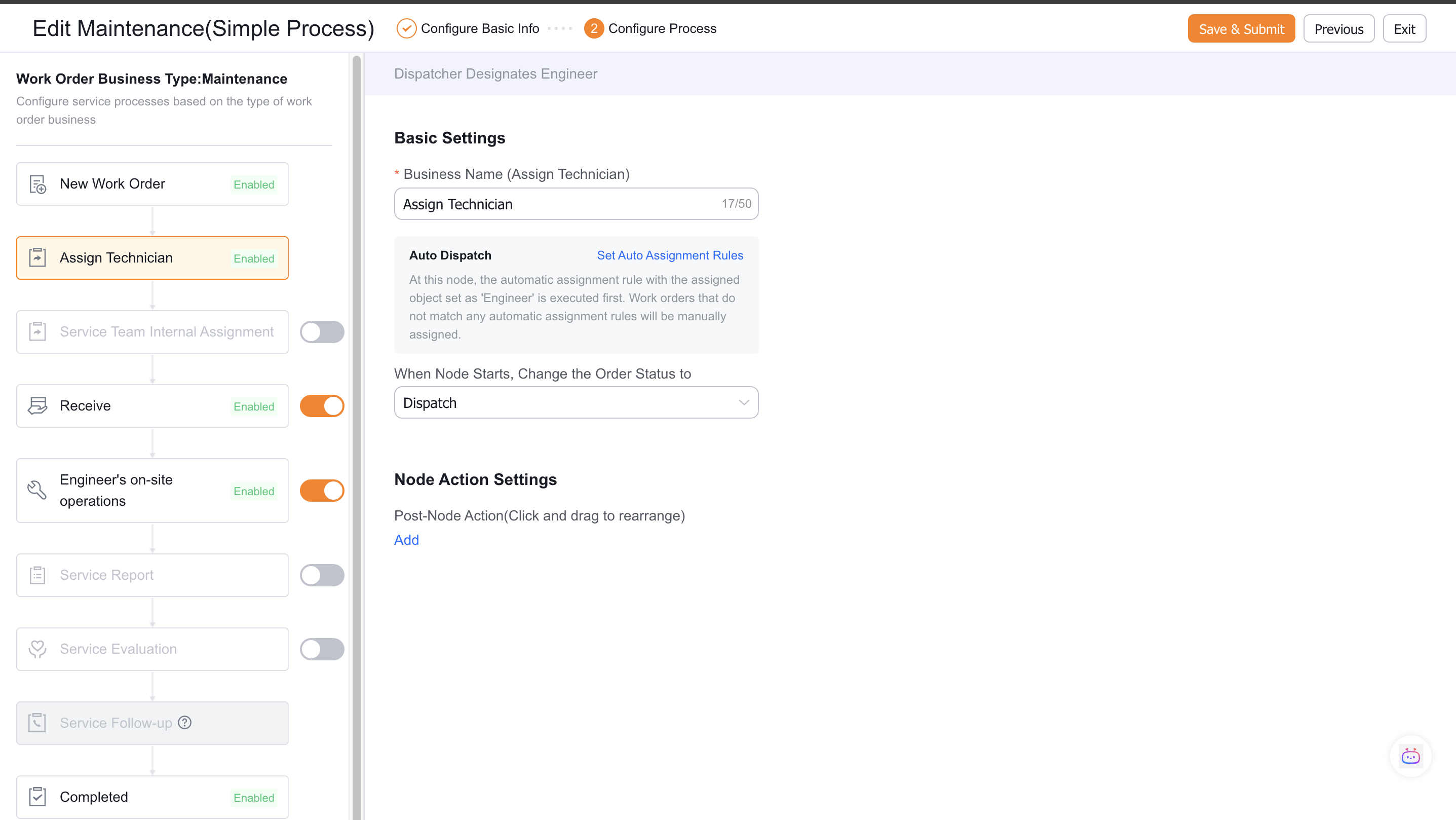
- Enable the required nodes. The node order is fixed and can't be rearranged.
- New work order: Enabled automatically and can't be disabled.
- Dispatcher assignment: A dispatcher assigns an engineer.
- Service group assignment
- Engineer acceptance
- Engineer field operation: See Configure general business nodes or Configure an on-site standard operation (SOP) template.
- Service report: See Configure service report generation rules.
- Service evaluation: See Configure a service evaluation template.
- Service follow-up: See Configure a manual follow-up.
- Completed
- Select Save & Submit.
Expected results and verification
- Use the applicable role, channel, or test work order to verify the process entry and result.
- If the process triggers a notification or automated task, verify the trigger condition and the next responsible role.
Notes
- Available menus, fields, actions, and channels depend on role permissions, the work order business type, and enabled add-ons.
- For an optional or limited-release capability, confirm that its dependency is enabled before testing it with a sample record.