Appearance
Roles and permissions reference
Overview
Roles, object permissions, data permissions, field permissions, and page layouts jointly control Service Pass access. This page separates internal employees, end users, and service providers. Use it to troubleshoot missing entries, unavailable actions, and hidden fields.
Internal employee roles
Service Pass administrators manage business configuration. Dispatchers review and assign pending work orders. Service engineers accept tasks and perform field service. Your organization can also create custom roles using platform permissions.
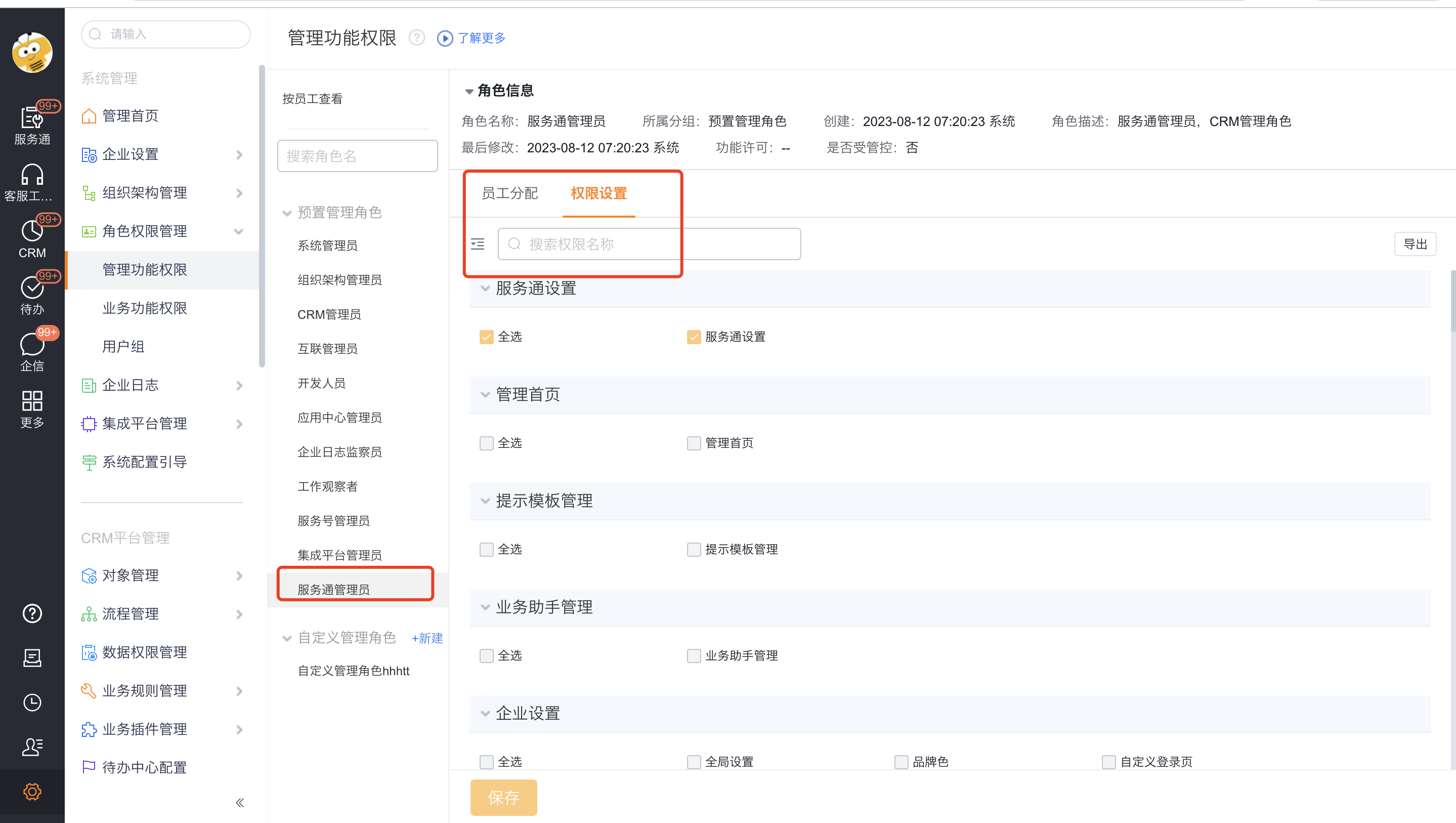
Permission layers
| Layer | What it controls | Common symptom |
|---|---|---|
| Menu and non-object permission | Non-object menus or pages, such as the engineer distribution map | The role cannot see the menu entry. |
| Object-level feature | Object list and detail access | The user cannot open the object list or details. |
| Action permission | Create, edit, import, start a process, generate a report, and similar actions | The corresponding action button is unavailable. |
| Field permission | Read-write, read-only, or hidden field access | A field is hidden or cannot be edited. |
| Data permission | Accessible record scope | The user sees only personal, department, or configured records. |
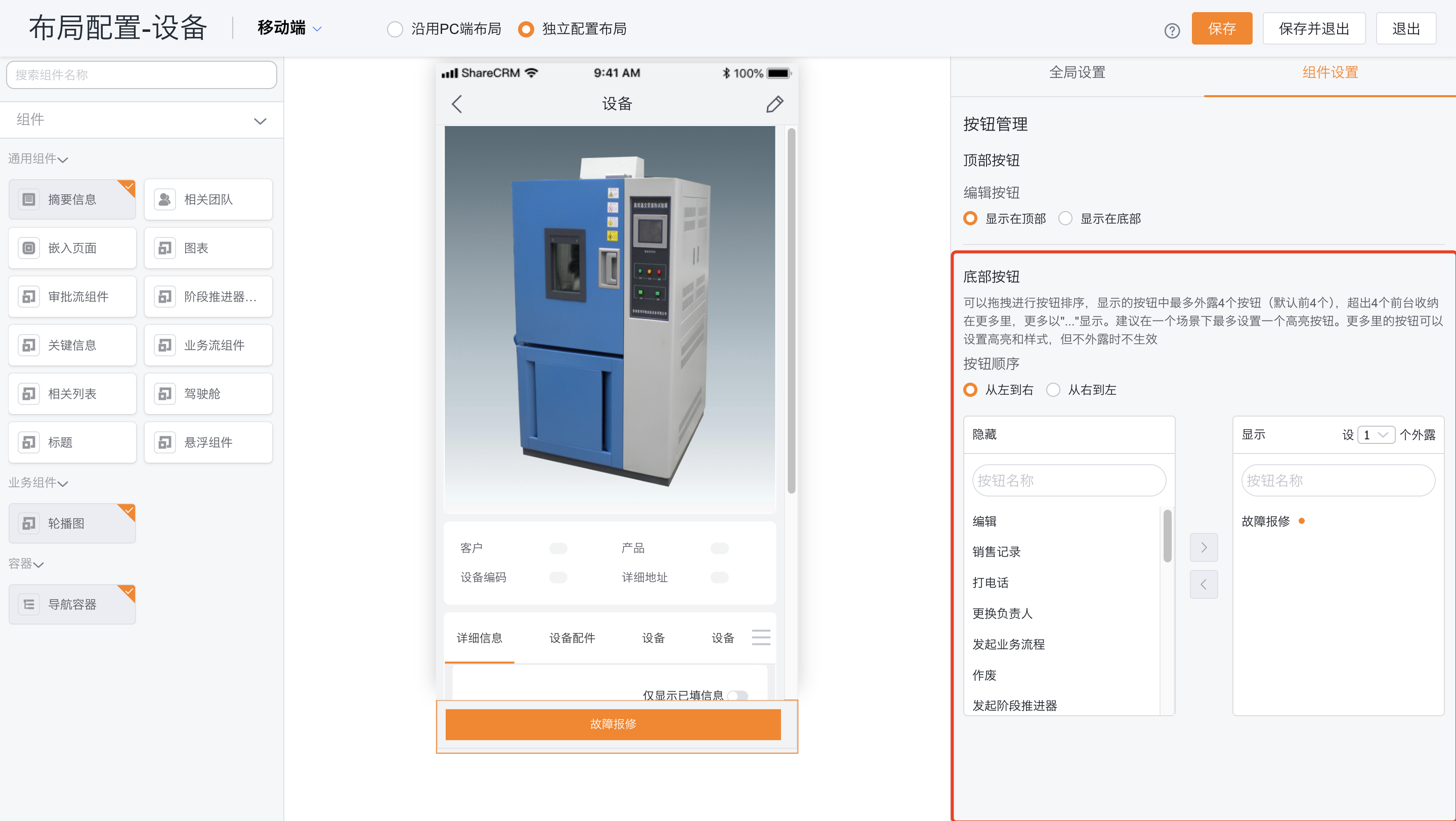
| Page layout | Fields, buttons, and positions | A permitted button is not exposed, or a field is absent from the layout. |
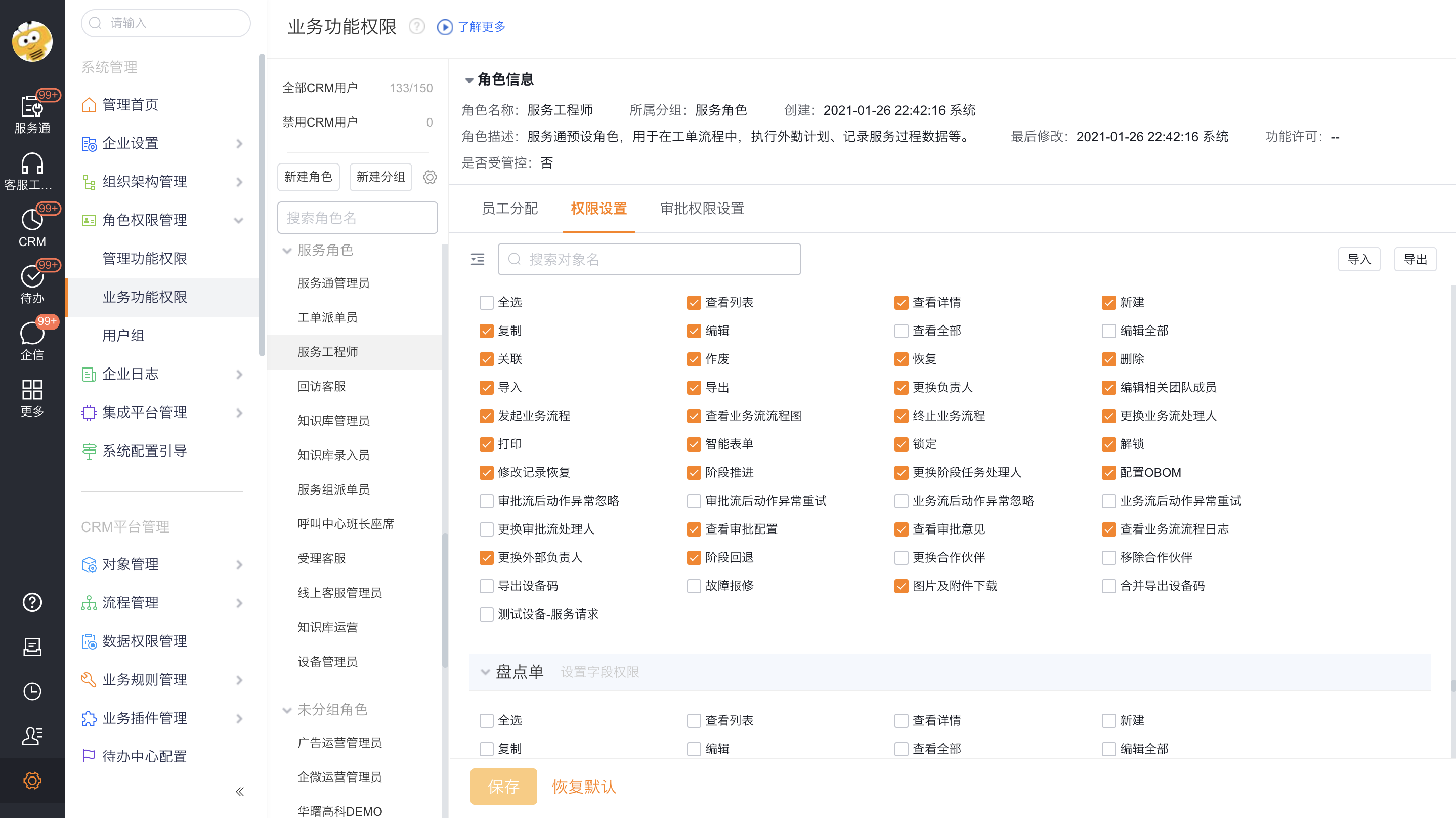
End-user permissions
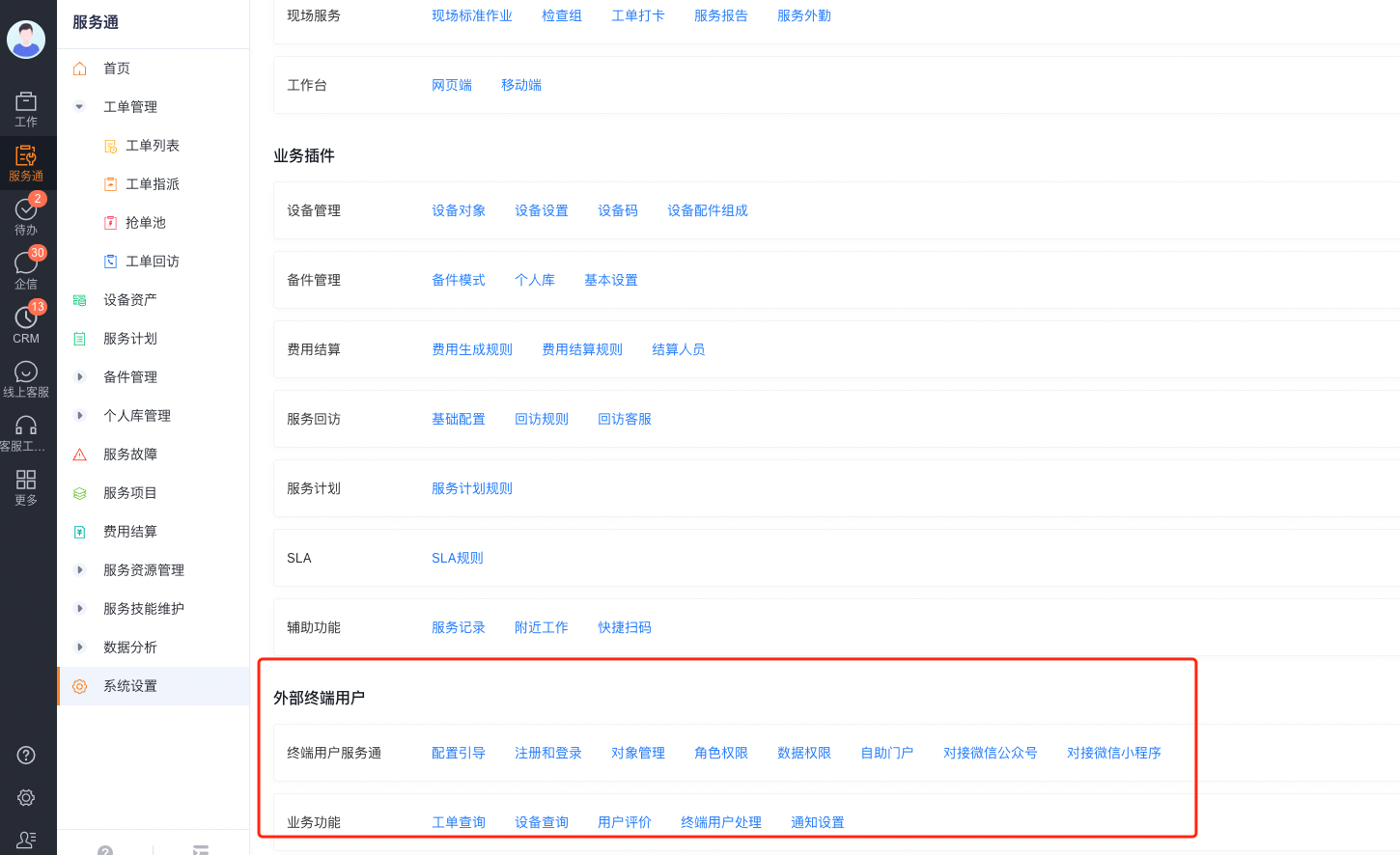
Entry point: Service Pass > System Settings > Full Feature Configuration > End-user Service Pass > Business Objects.
- Select the objects that end users can submit or query.
- Configure visible business types, page layouts, and data permissions for end-user roles.
- Configure object-level, action, and field permissions in the end-user interconnection role.
- Confirm that list and detail layouts expose the required buttons.
Service provider permissions
Entry point: Service Pass > System Settings > Full Feature Configuration > Service Provider Portal > Object Management.
Provider permissions use a structure similar to end-user permissions. However, provider roles, objects, and data scopes remain separate from internal roles. Check the following:
- The provider portal exposes the required object.
- The provider role has list and detail access.
- Provider engineers or dispatchers have the required action permissions.
- Field permissions allow the required work order fields to be read or updated.
- The provider application layout exposes the required buttons.
Troubleshooting order
- Confirm that the user opened the correct application or channel.
- Check object list and detail permissions.
- Check data permissions and business type scope.
- Check actions, field permissions, and layout buttons.
Limitations
- Object access does not grant action access or guarantee that a button appears.
- End-user, provider, and internal roles are not interchangeable. Configure them in their respective connected applications.
- Layouts, business types, and button visibility are configurable. Role names in this guide are not universal.
- Object and data permissions apply together. A restriction in either layer can hide a record.