Appearance
Configure account and contact searches
Overview
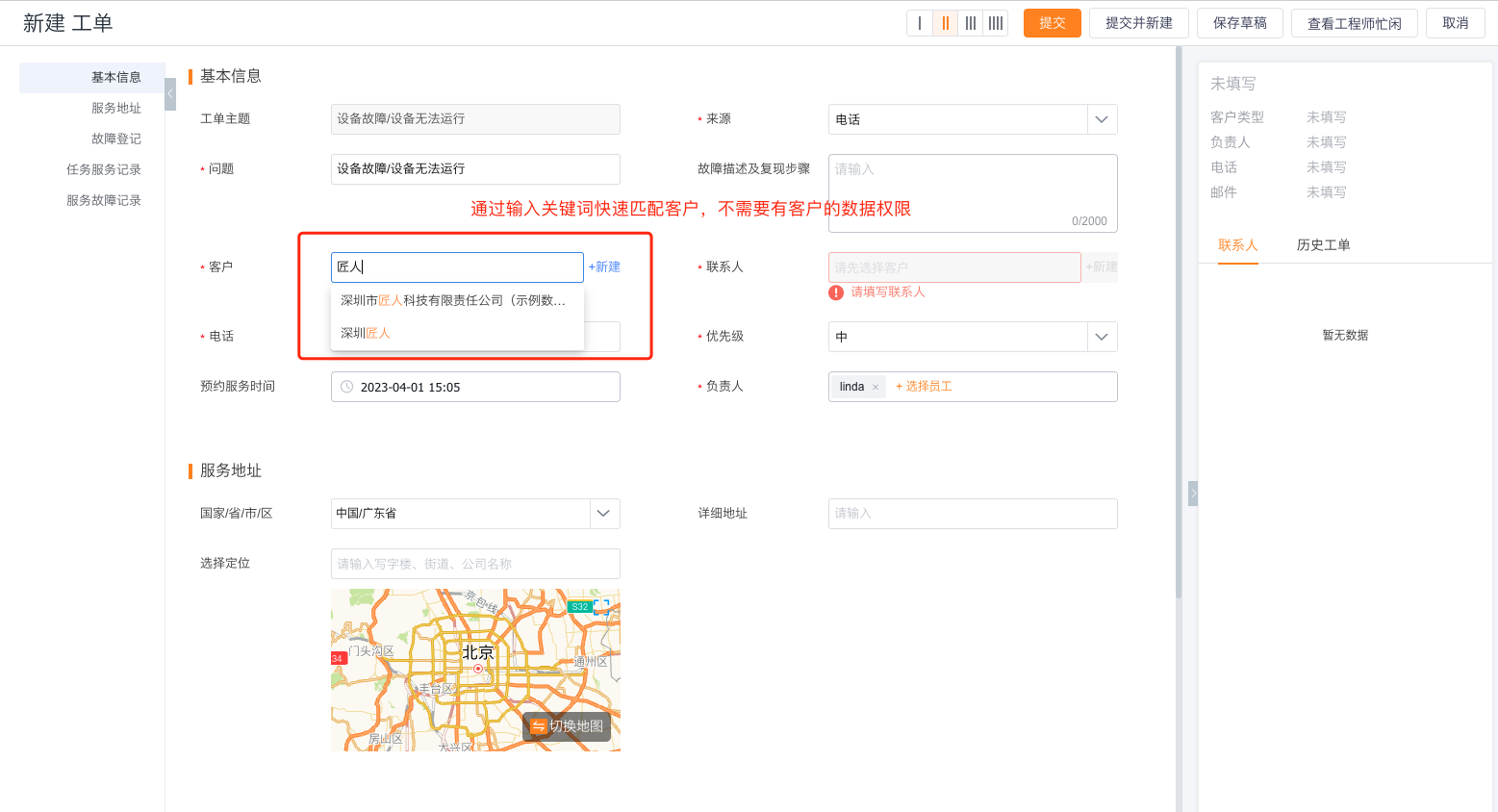
When customer service personnel report repairs on behalf of customers through the 400 hotline or online customer service, they need to associate the customer and contact person in the work order. Through this configuration, the bill of lading personnel can be allowed to enter keyword matching data without enlarging the permissions of the customer and contact objects; the standard search related fields can also be used to display only the data within the scope of the bill of lading personnel's permissions.
Before you begin
- Use a service pass administrator or an account with work order management and configuration permissions.
- Confirm that the Customer and Contact fields are included in the new/edit page layout of the work order business type.
- Select the appropriate filling method based on whether the person responsible for the bill of lading has the permissions for the customer and contact objects.
Select filling method
Enter Service > System Settings > Work Order Management > Work Order Customer/Contact Search.
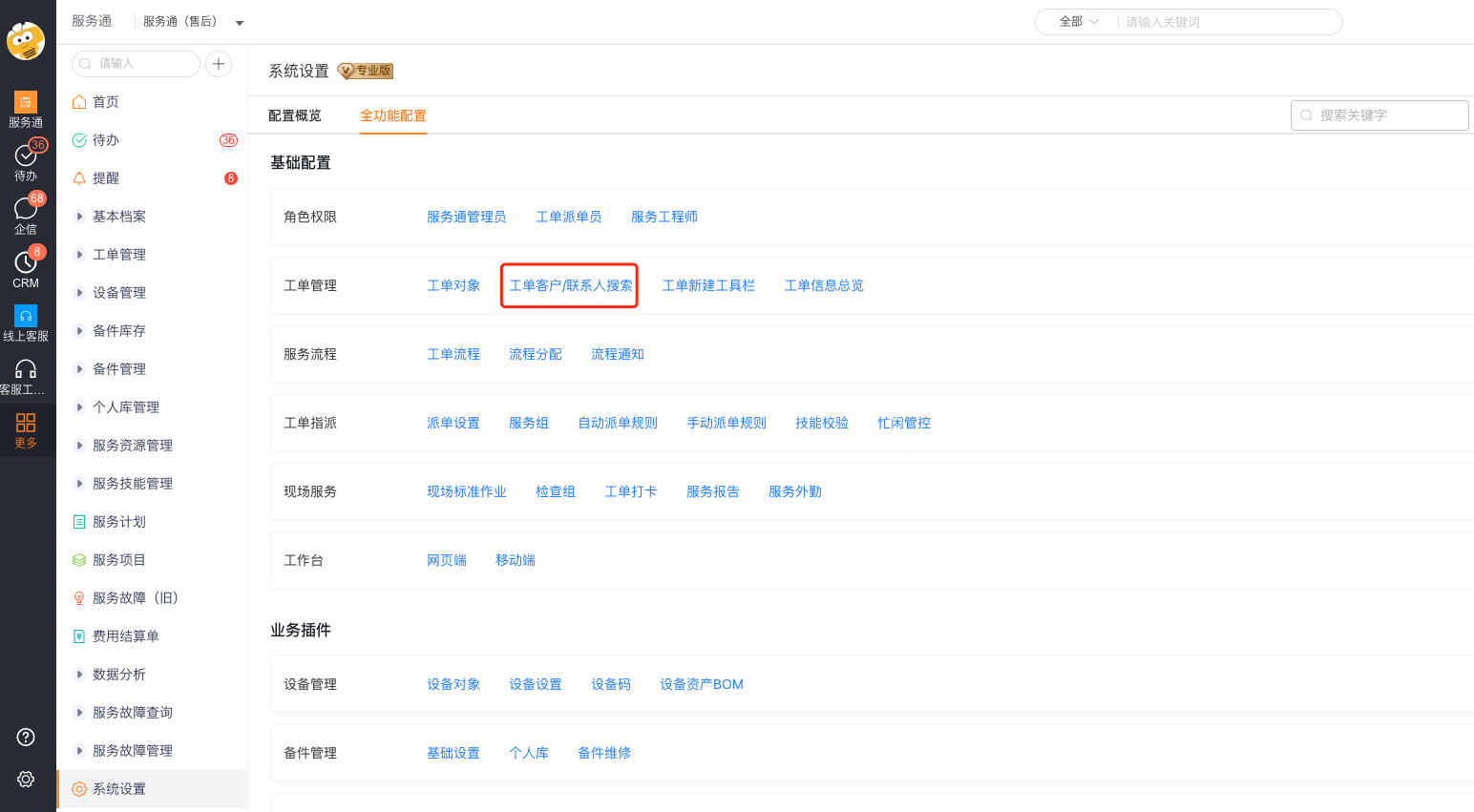
The applicable scope of the two filling methods is as follows:
| Fill-in method | Query method | Object permission requirements | Applicable scenarios |
|---|---|---|---|
| Text matching | Enter keywords when creating or editing a work order. The system matches accounts and contacts. | Request submitters don't need account or contact object permissions. | Customer service creates work orders for customers without broader object permissions. |
| Standard lookup relationship fields | Select records through the standard account and contact lookup fields. | Request submitters must have account and contact object permissions. | Select accounts and contacts through existing object permissions. |
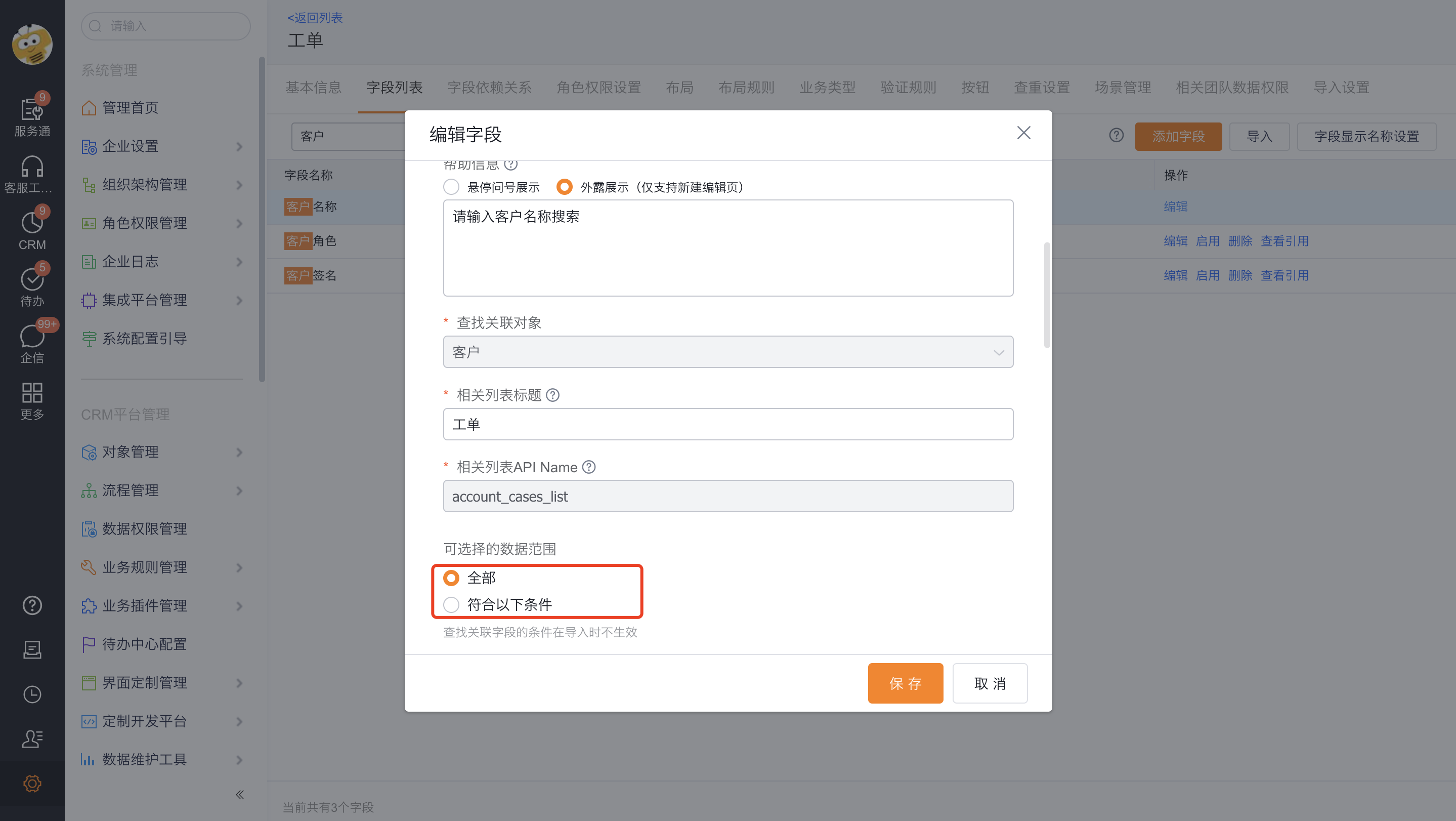
No matter which method is selected, the query results will be filtered by the data range of the Customer field in the work order object.
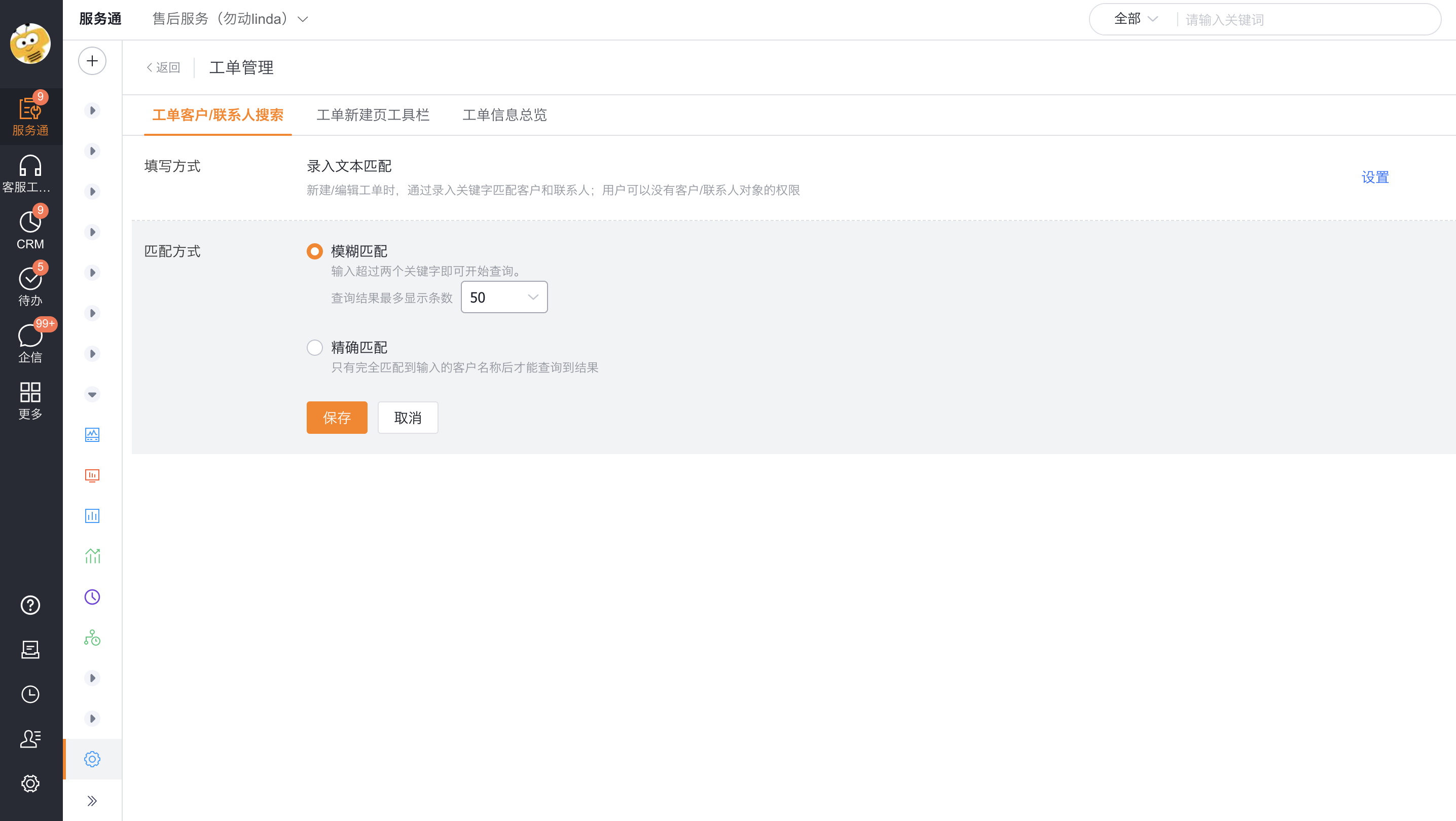
Configure input text matching
- Select Input text matching in the filling method.
- Select matching method:
- Fuzzy Match: Start the query after entering more than two keywords, and return up to 100 results.
- Exact match: Only results will be returned if the input content exactly matches the customer name.
- Save the configuration.
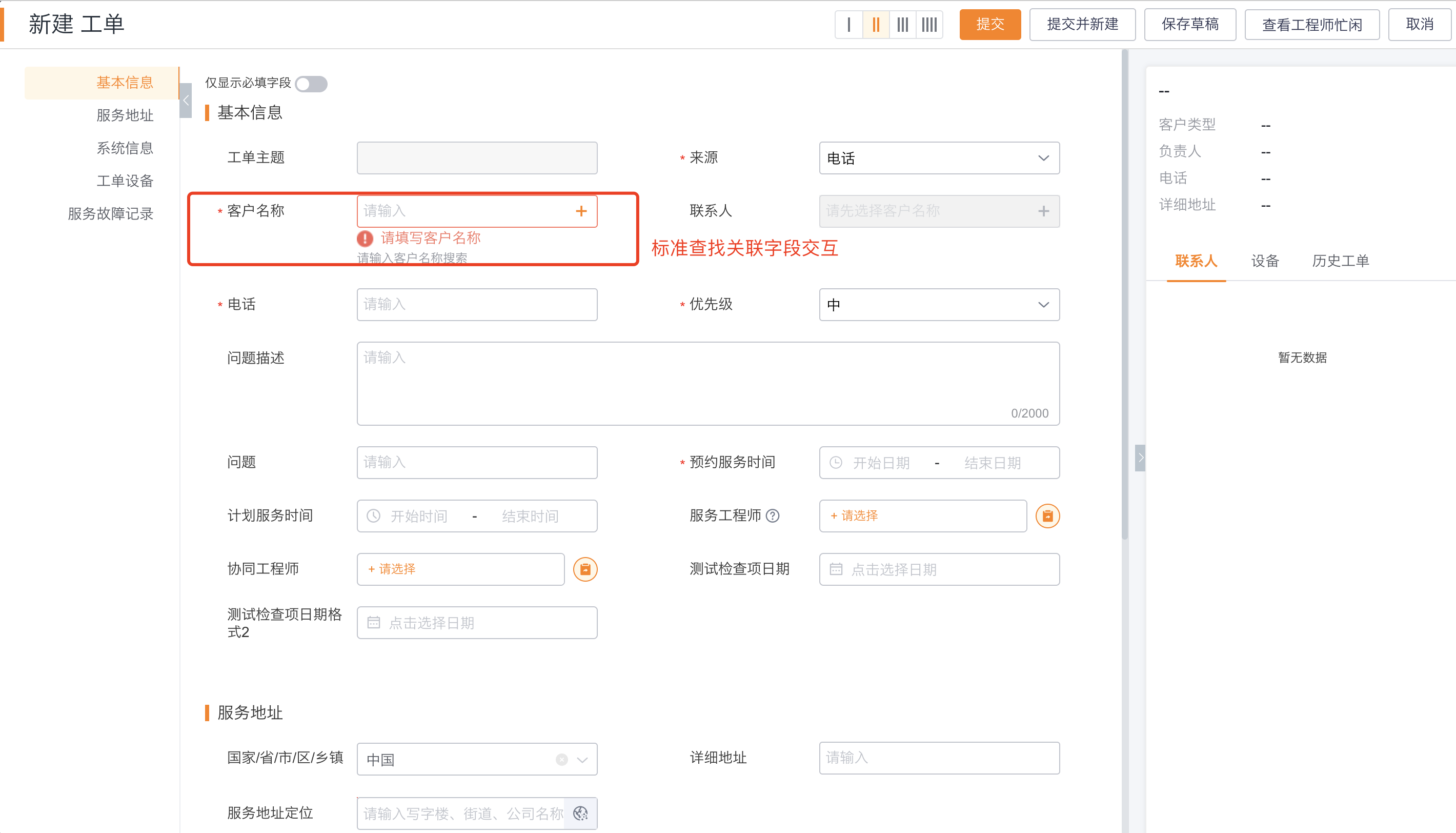
Configure standard search related fields
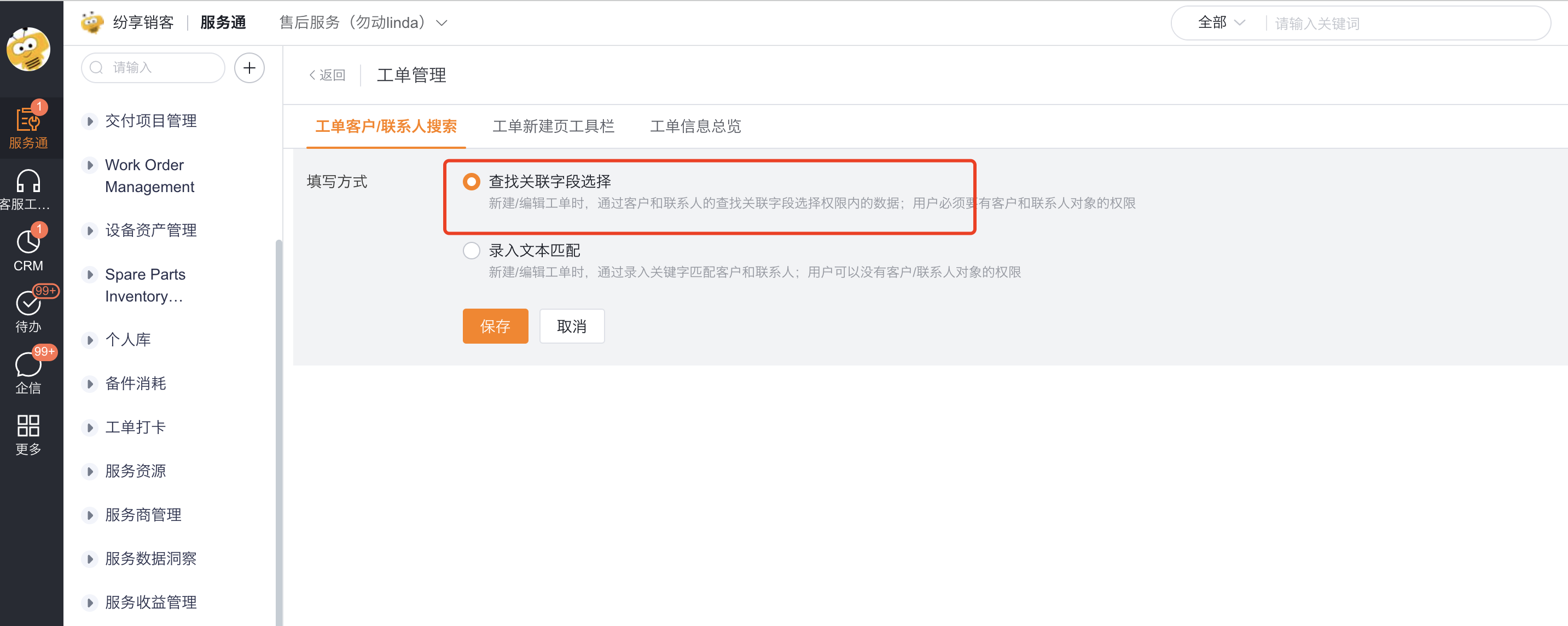
- Select Standard search related fields in the filling method.
- Save the configuration.
- Confirm that the bill of lading person has obtained the necessary permissions for the customer and contact objects.
Expected results and verification
- Use the target role to enter the work order creation or editing page.
- Check whether the filling controls for customers and contacts are consistent with the selected method.
- Use a record within the data range of the work order Customer field to verify the query results, and then use a record outside the range to verify the filtering effect.
- If you use input text matching, verify the keyword threshold for fuzzy matching, the upper limit of 100 results, or the exact matching requirements.
Notes
- Input text matching allows people without customer and contact object permissions to match, but it will not bypass the data range of the Customer field of the work order.
- Standard search related fields follow the bill of lading personnel's permissions on customer and contact objects; without permission, data cannot be selected in this way.
- Fuzzy matching requires entering more than two keywords. If there are too many results, a maximum of 100 will be displayed.