Appearance
Configure service skills
Overview
Service skills are used to record the capabilities and levels of engineers, and to filter out primary engineers or collaborative engineers who do not meet the requirements of the work order when dispatching orders. Skill verification applies only at Assign Engineer and Assign Within Service Group nodes.
Before you begin
- The relevant personnel have been assigned the Engineer role.
- Skill names, hierarchy, and the way work orders generate skill requirements have been determined.
- Administrators have service skills, service information and work order assignment configuration permissions.
Procedure
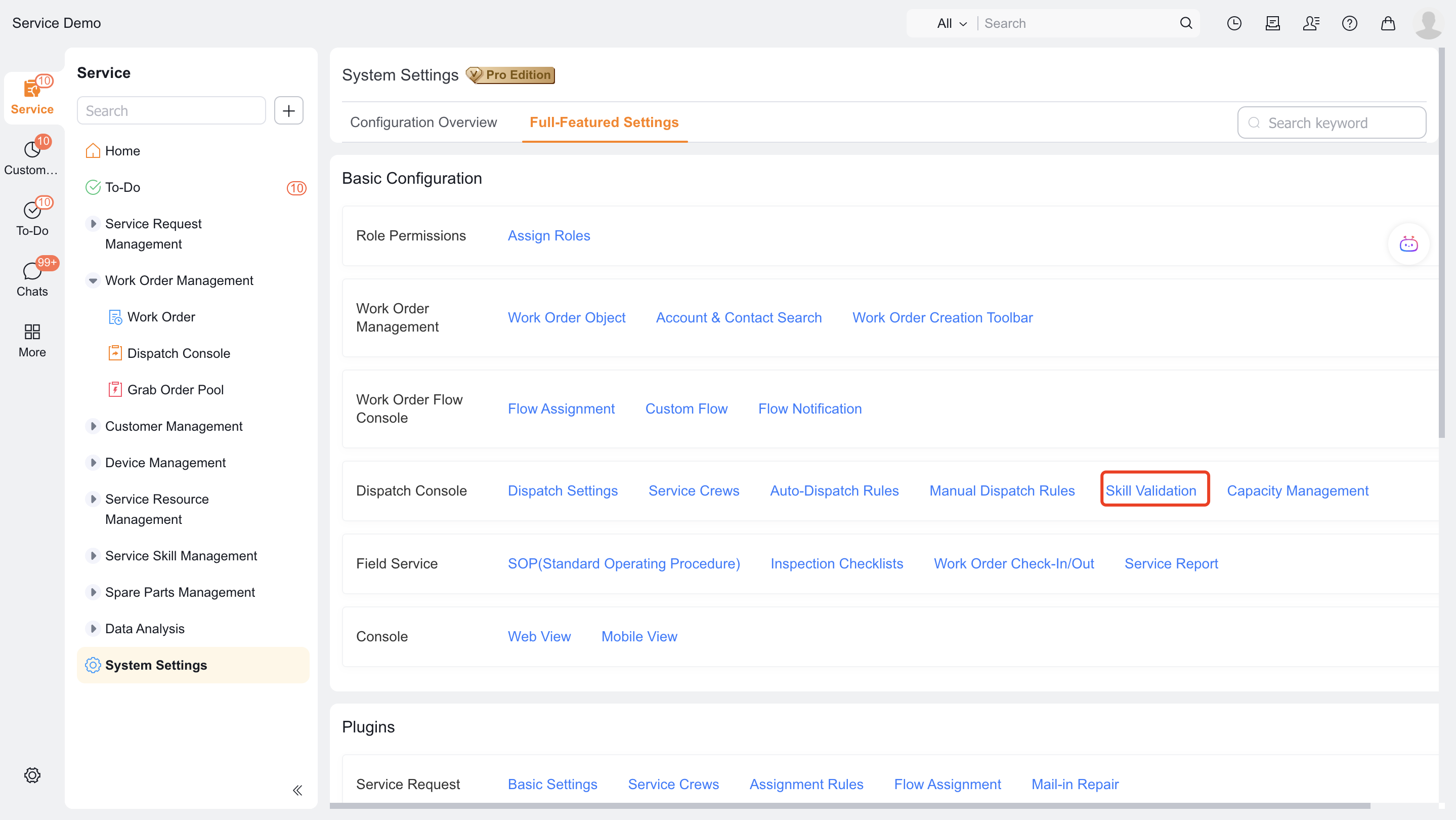
Go to Field Service > System Settings > Full Function Configuration > Work Order Assignment > Skill Verification and confirm that the entry is available.
1. Establish level models and skills
Enter the Skill Level Model (
SkillLevelModelObj) object. This object maintains a hierarchy that can be referenced by specific skills.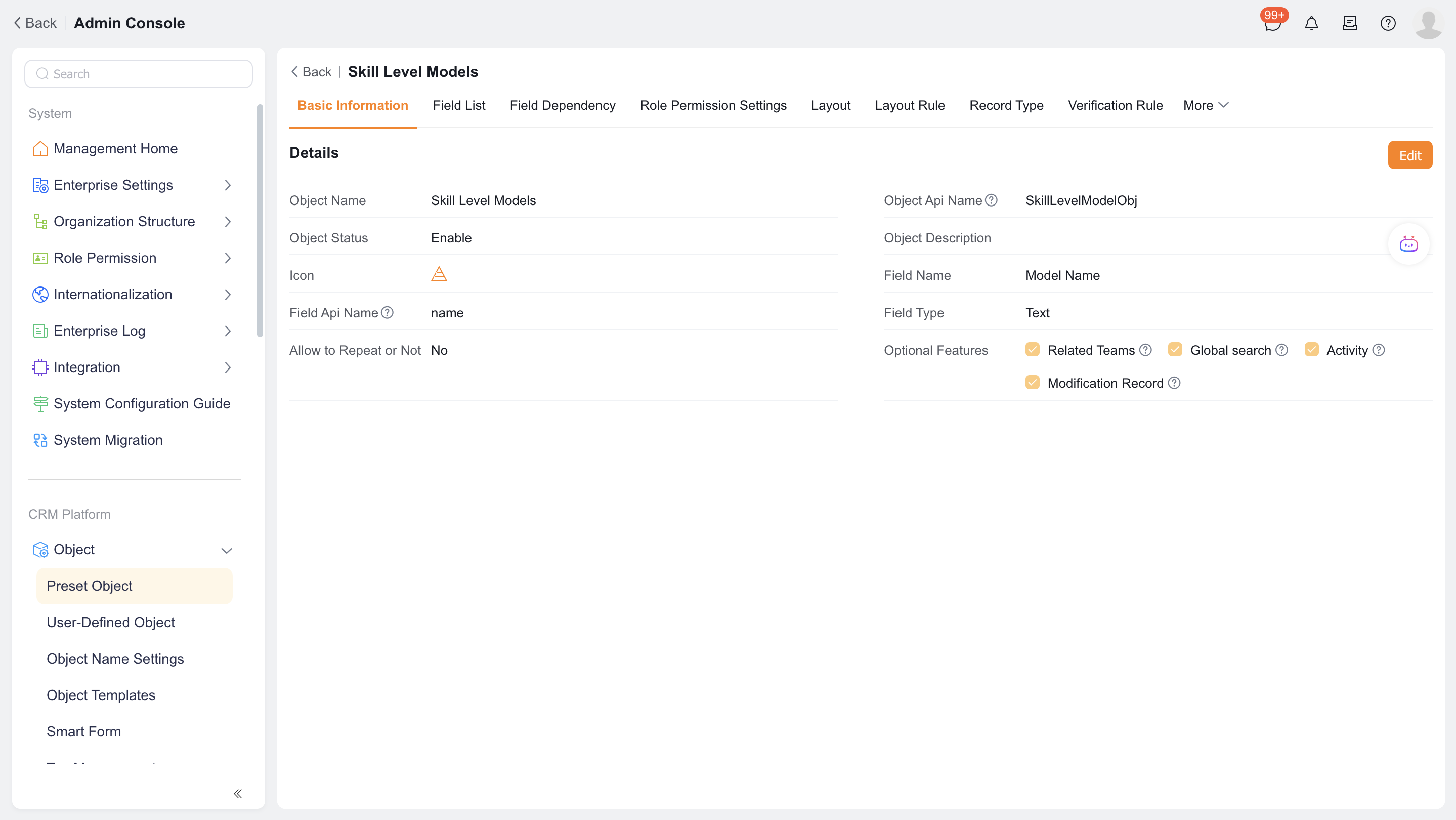
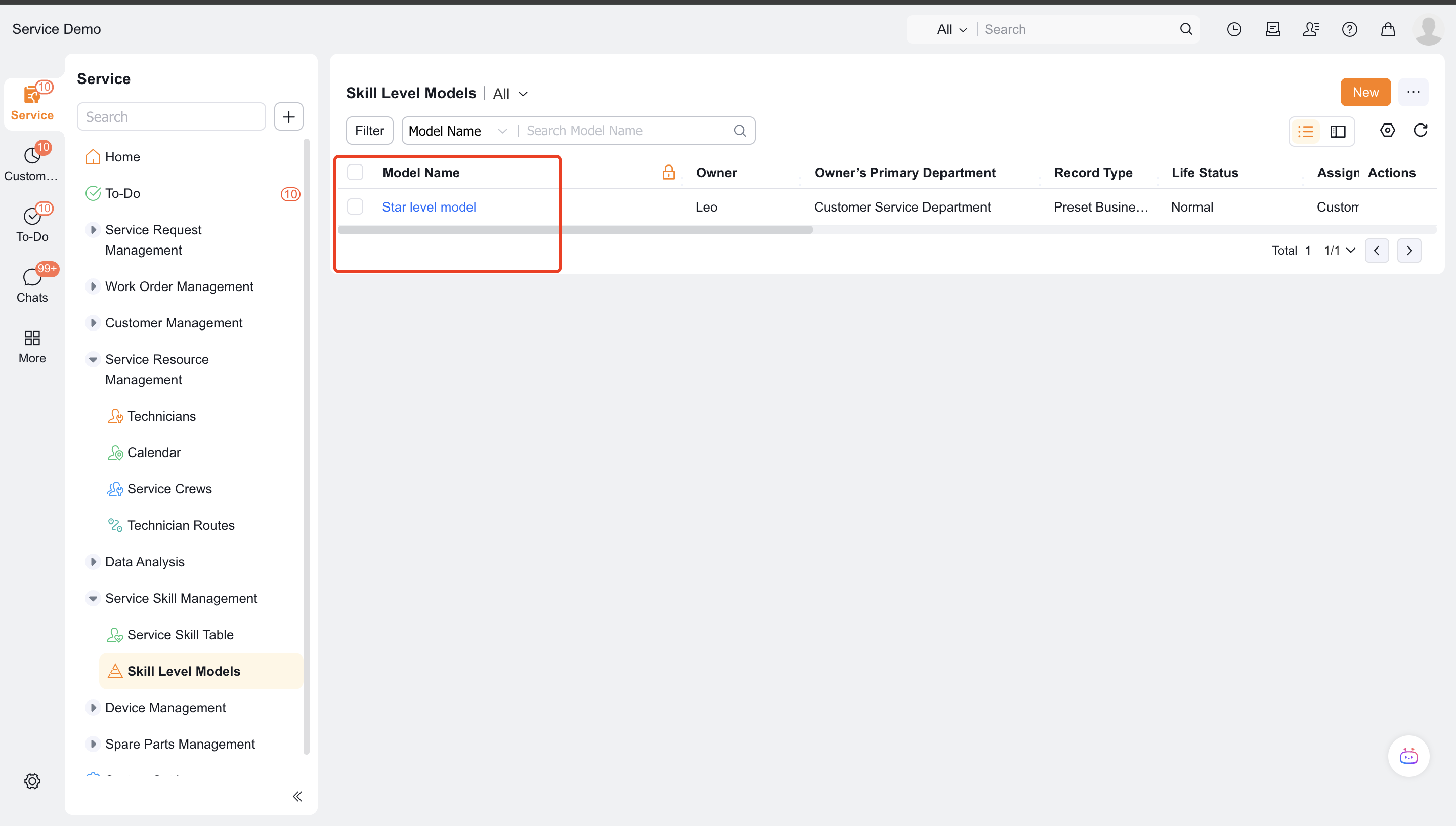
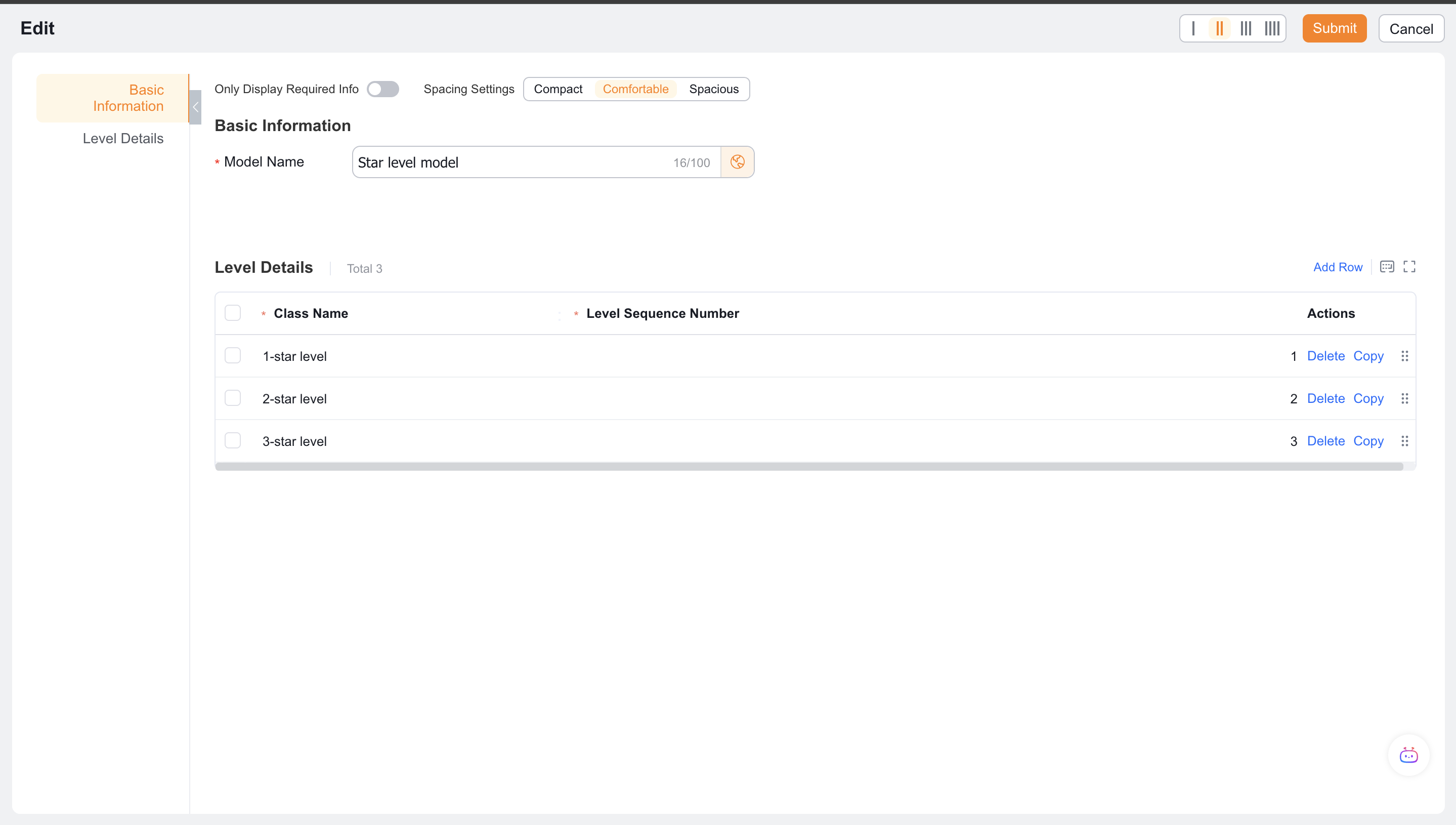
Click New, fill in the model name, add the level name and level serial number; the smaller the serial number, the higher the priority.
Enter the Service Skill Table (
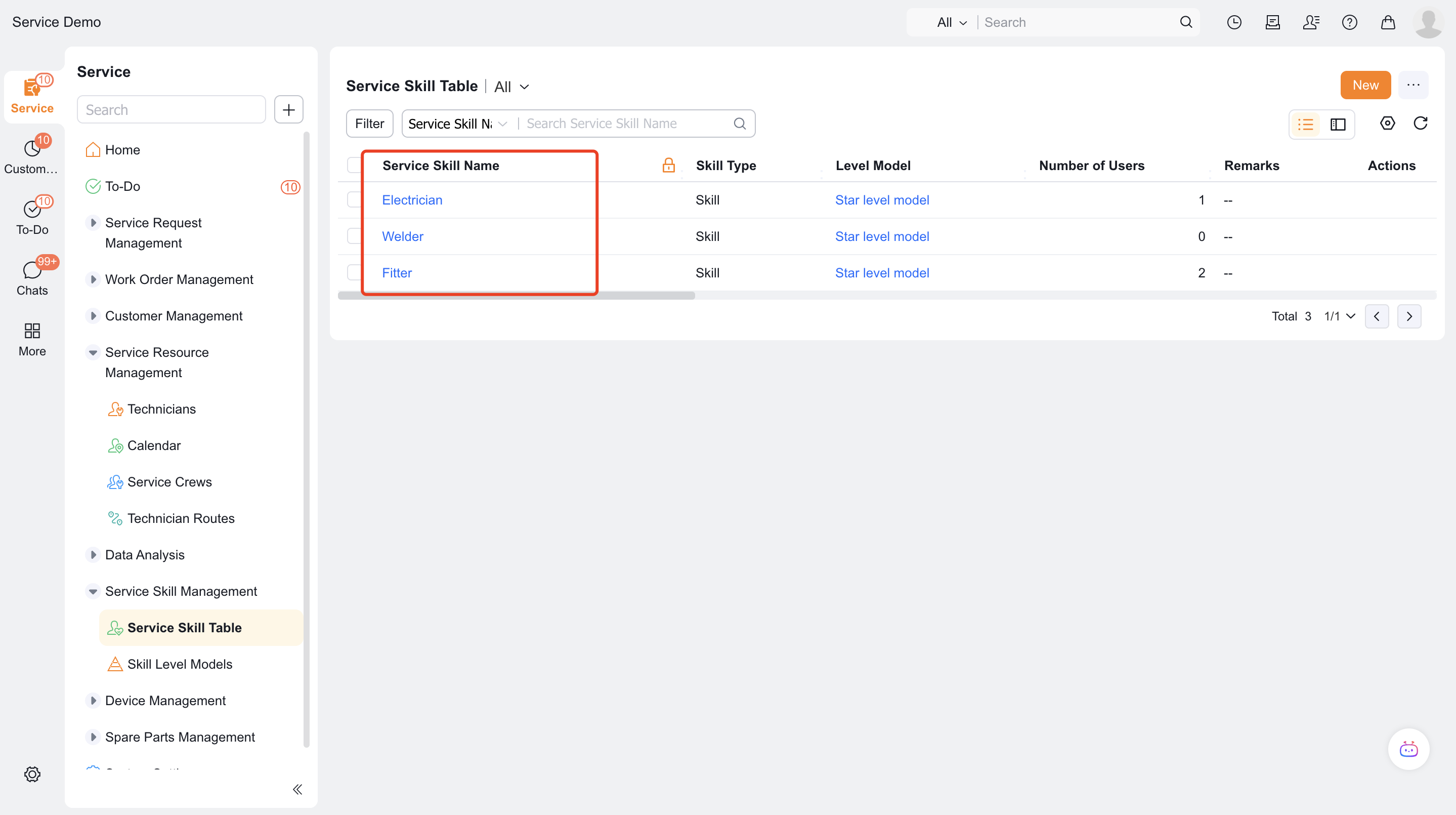
ServiceSkillObj) object. This object saves basic skill data for reference by engineer skills and work order skill requirements.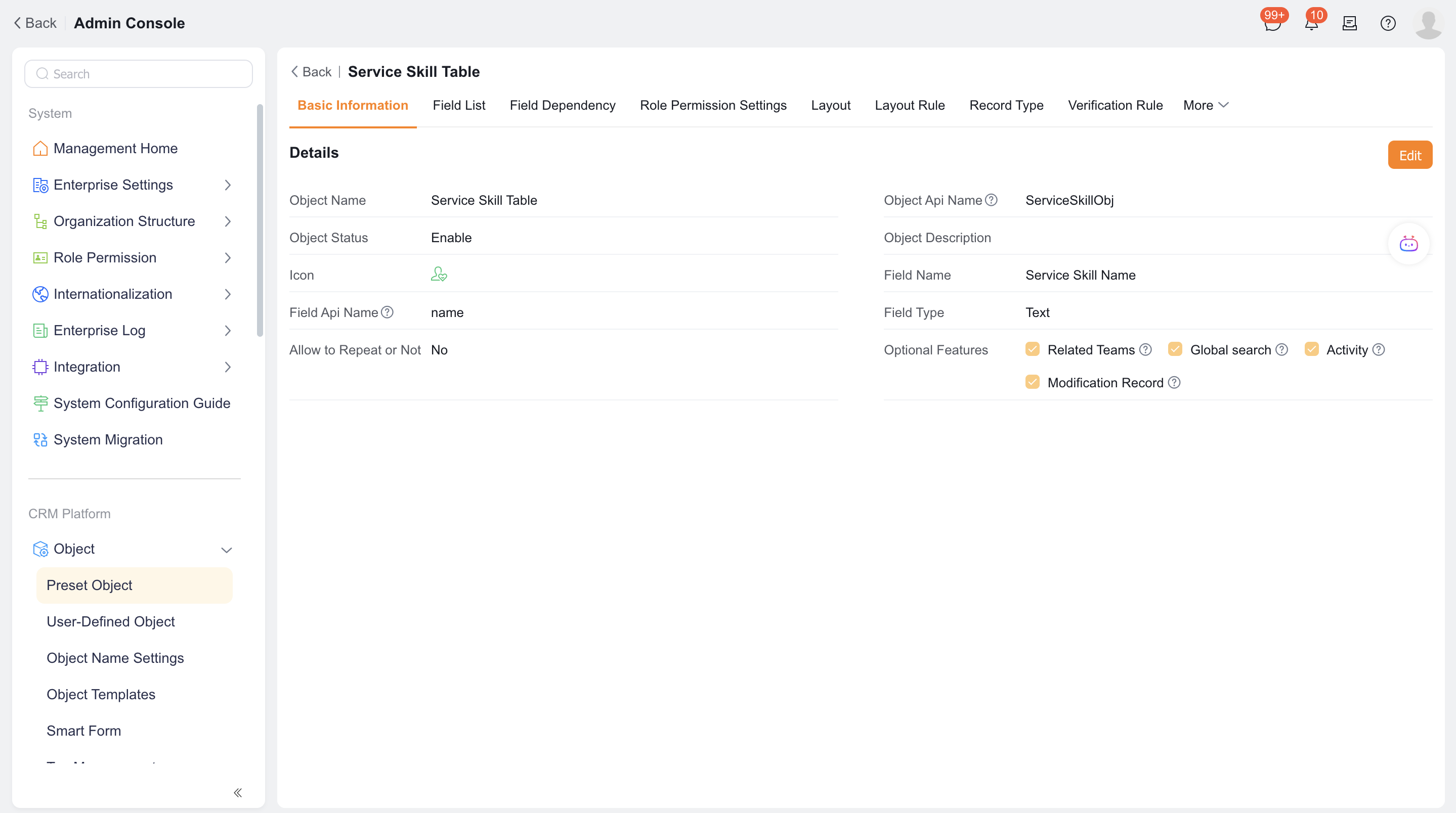
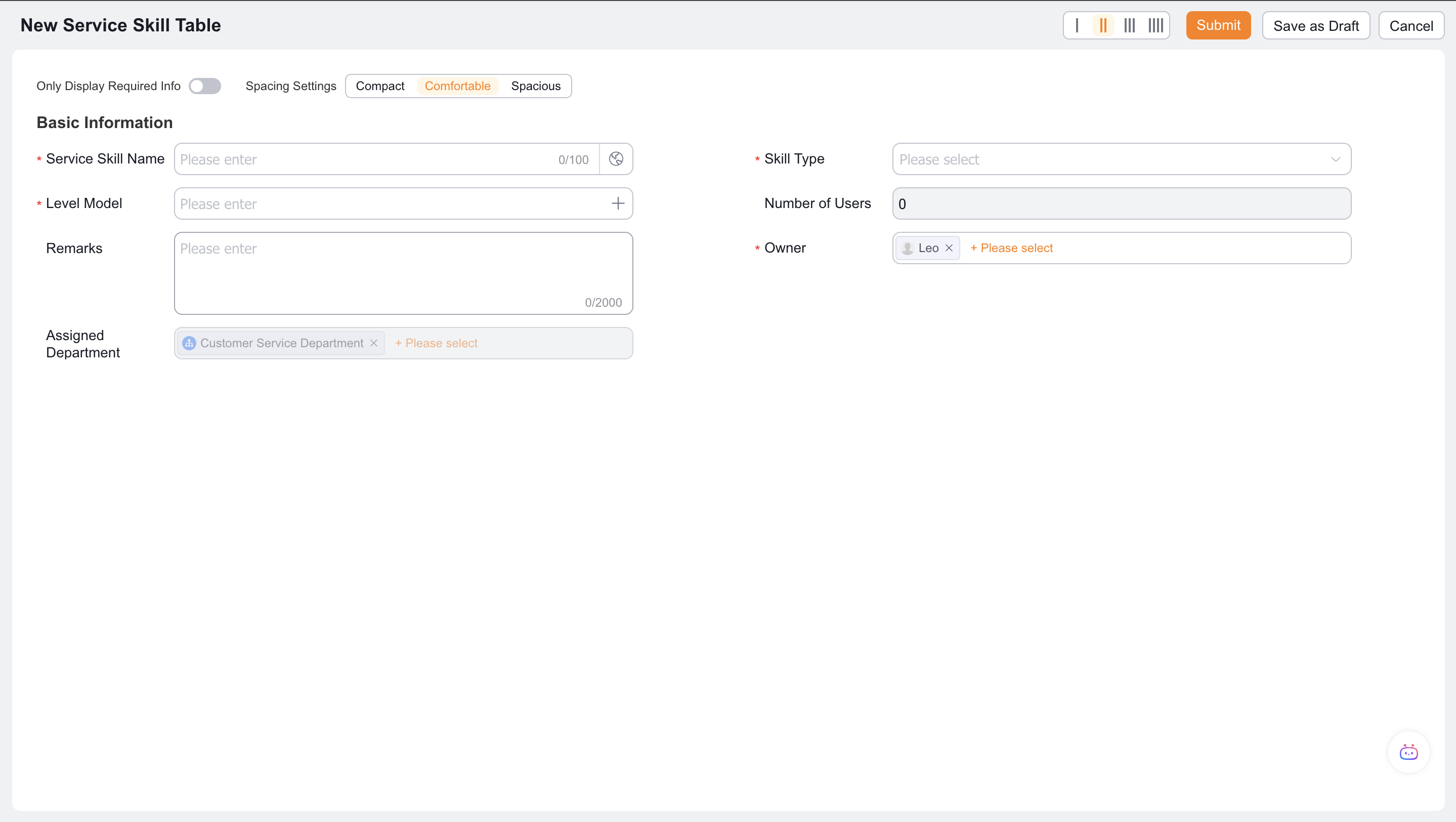
Click New, fill in the skill name, skill type and remarks, and reference the established level model. Skill types are only used for description and do not participate in judgment.
2. Maintain skills for engineers
Enter Service Information > Engineer Information and open the target engineer.
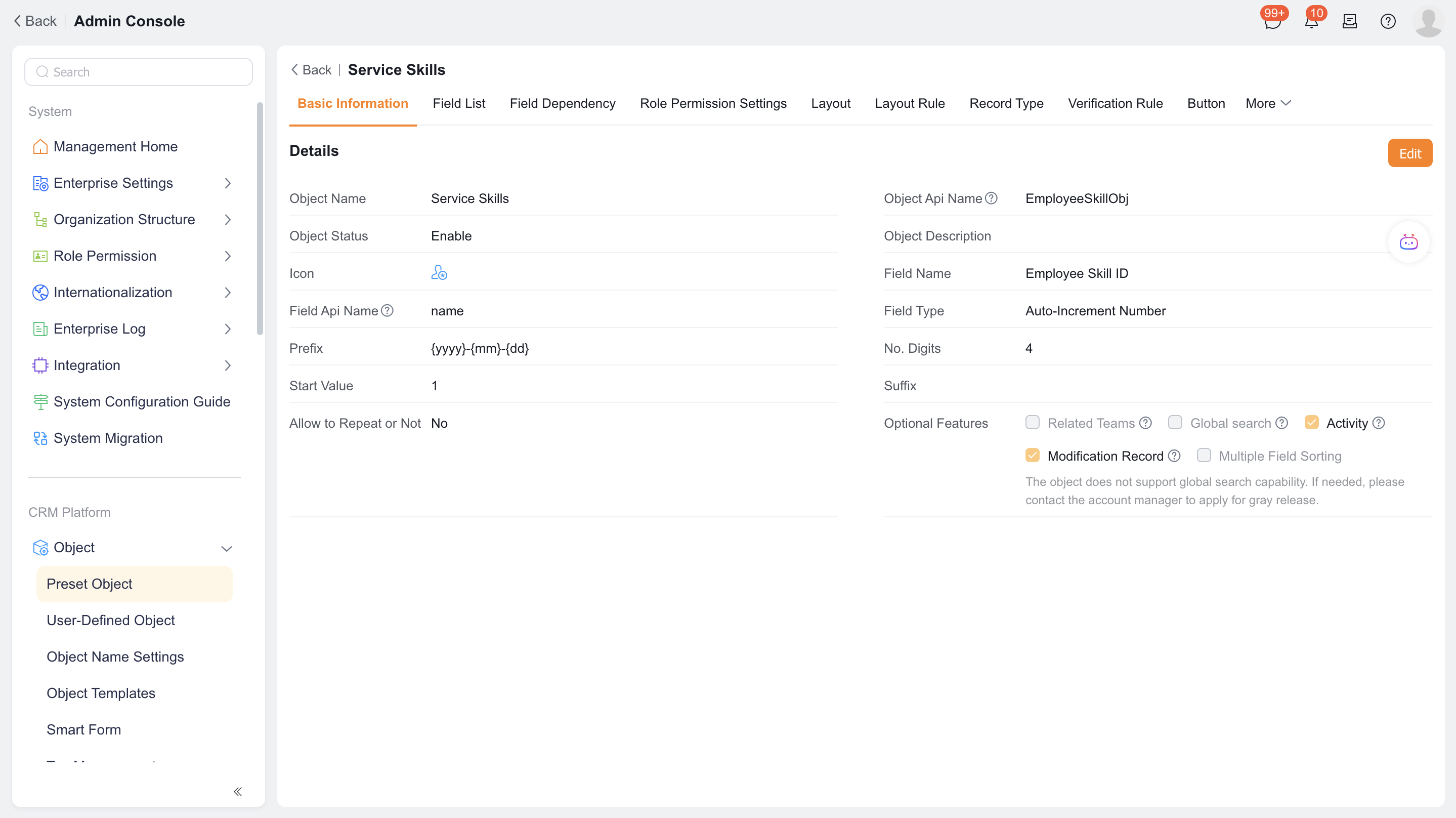
In the Service Skill (
EmployeeSkillObj) child object, click +.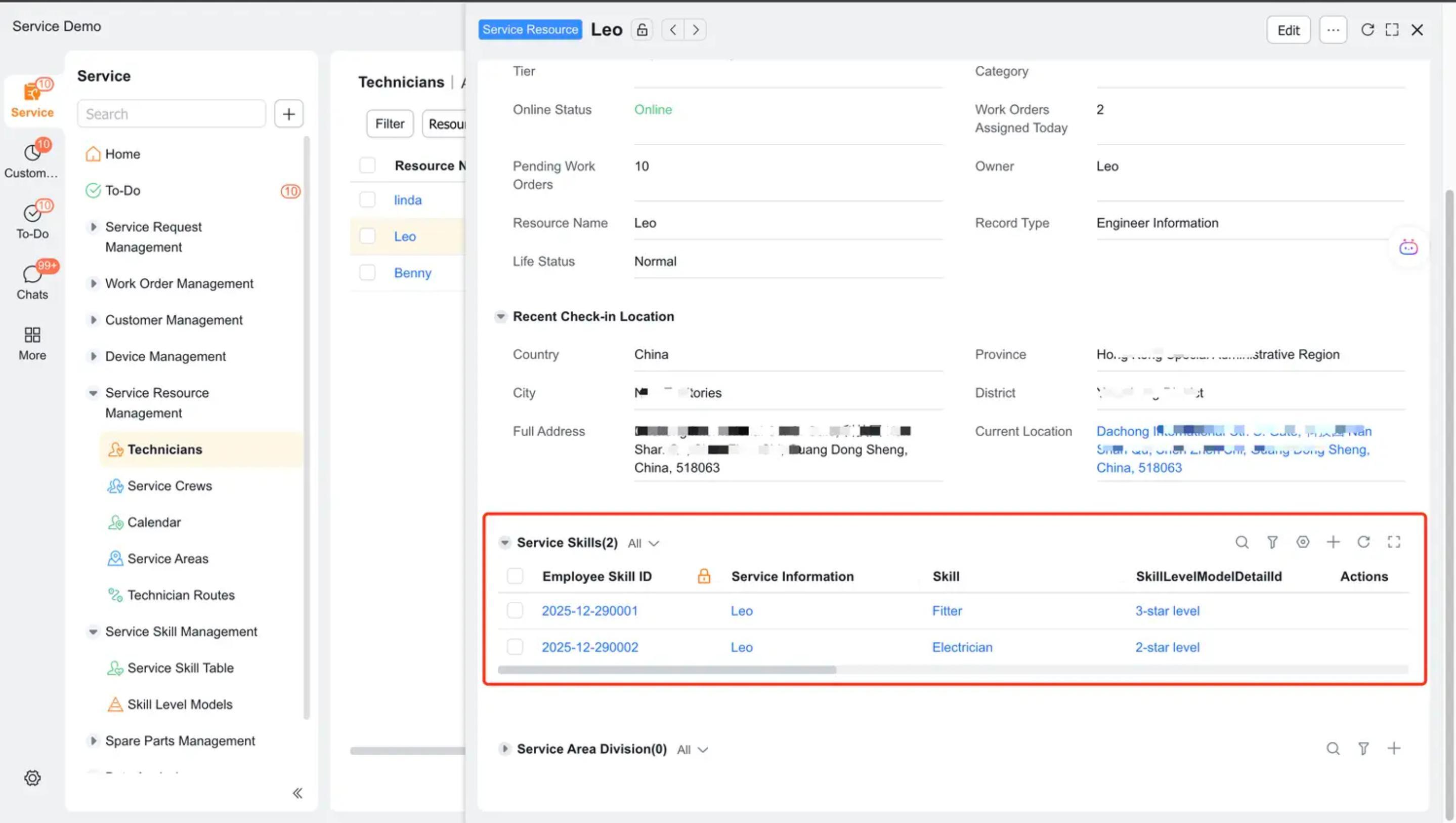
Select the service skills and level the engineer has.
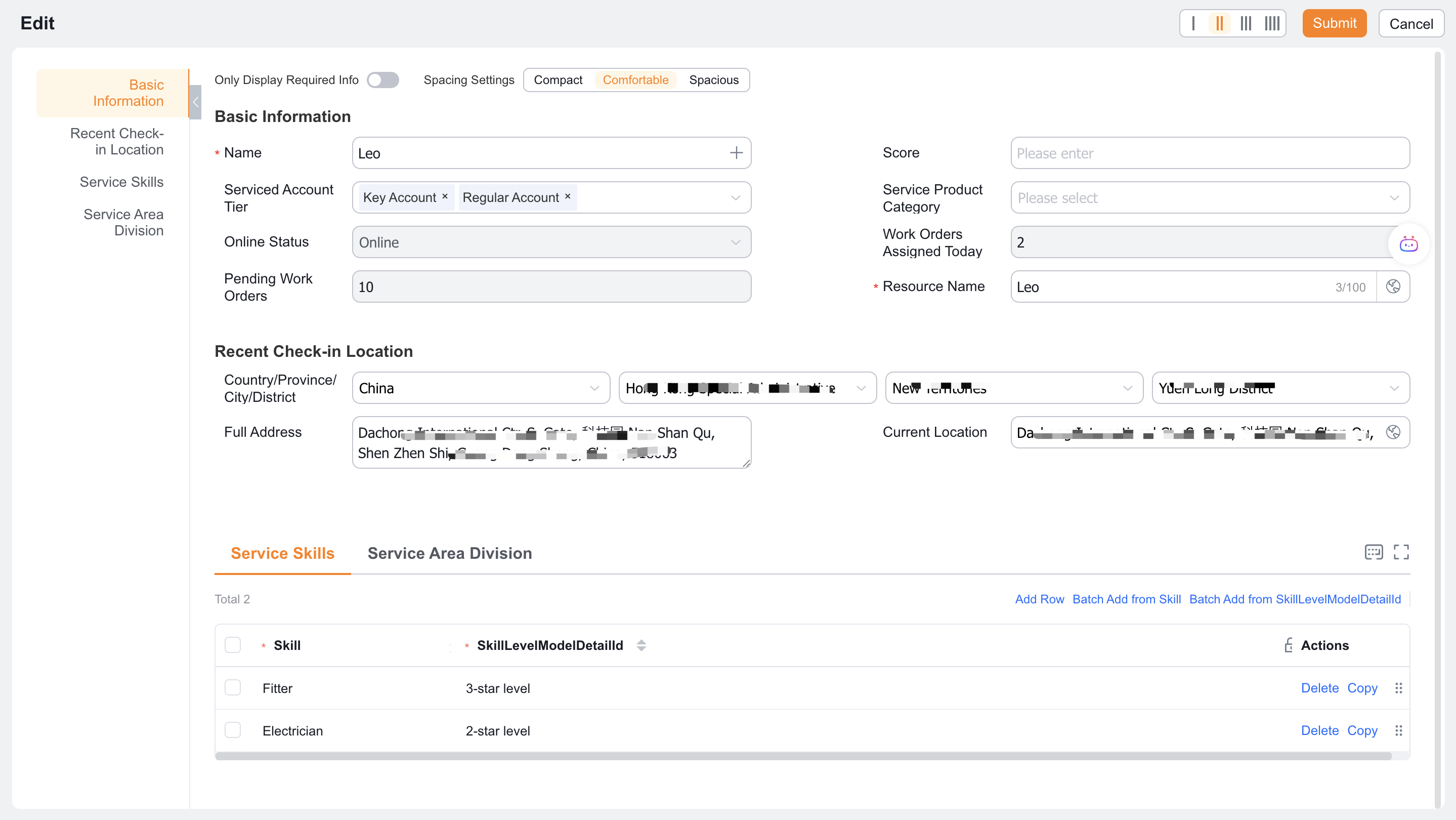
If the qualification has a validity period, fill in the skill expiration date; if the field does not exist on the page, add it to the layout first.
3. Select skill verification mode
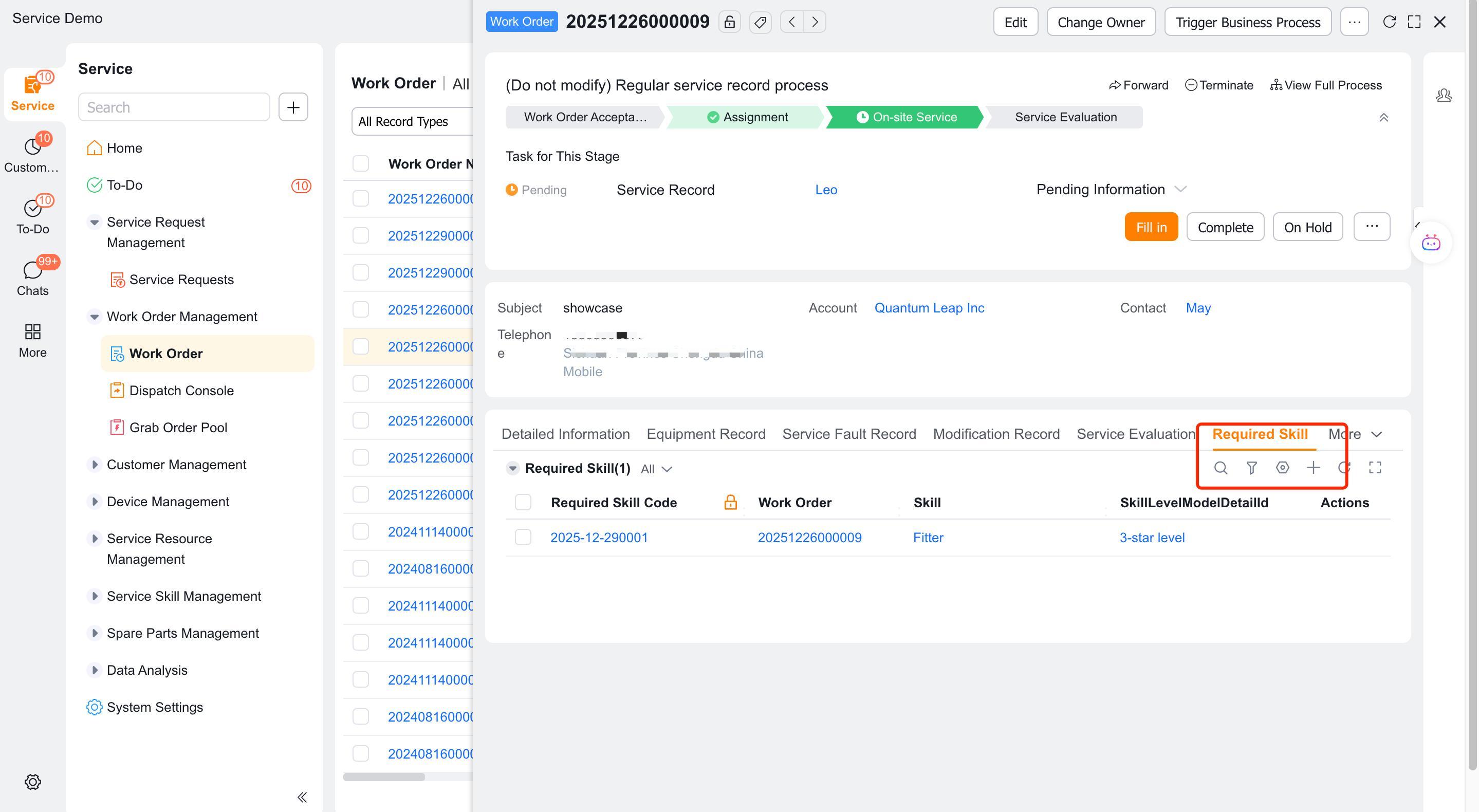
Review the Required Skills (
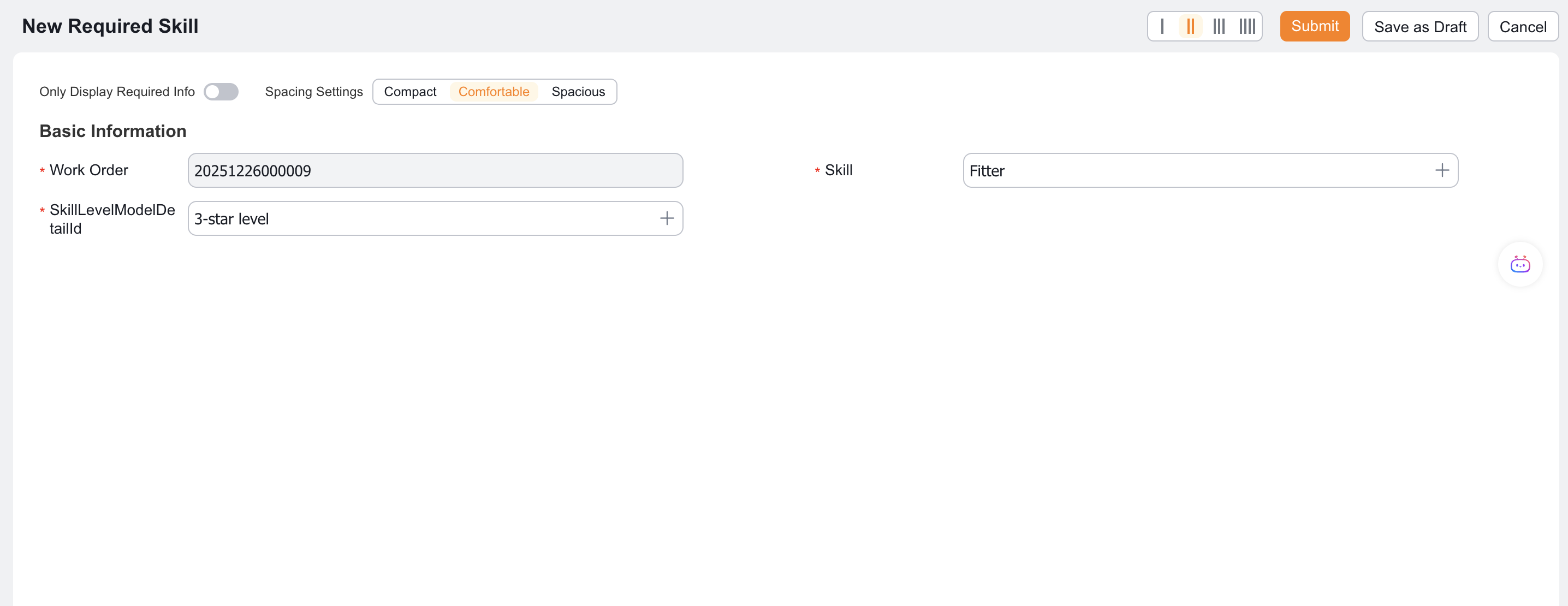
NecessarySkillObj) child object. This object is only used in Customized required skills mode and is used to save the skills, levels and applicable engineer range required for each work order.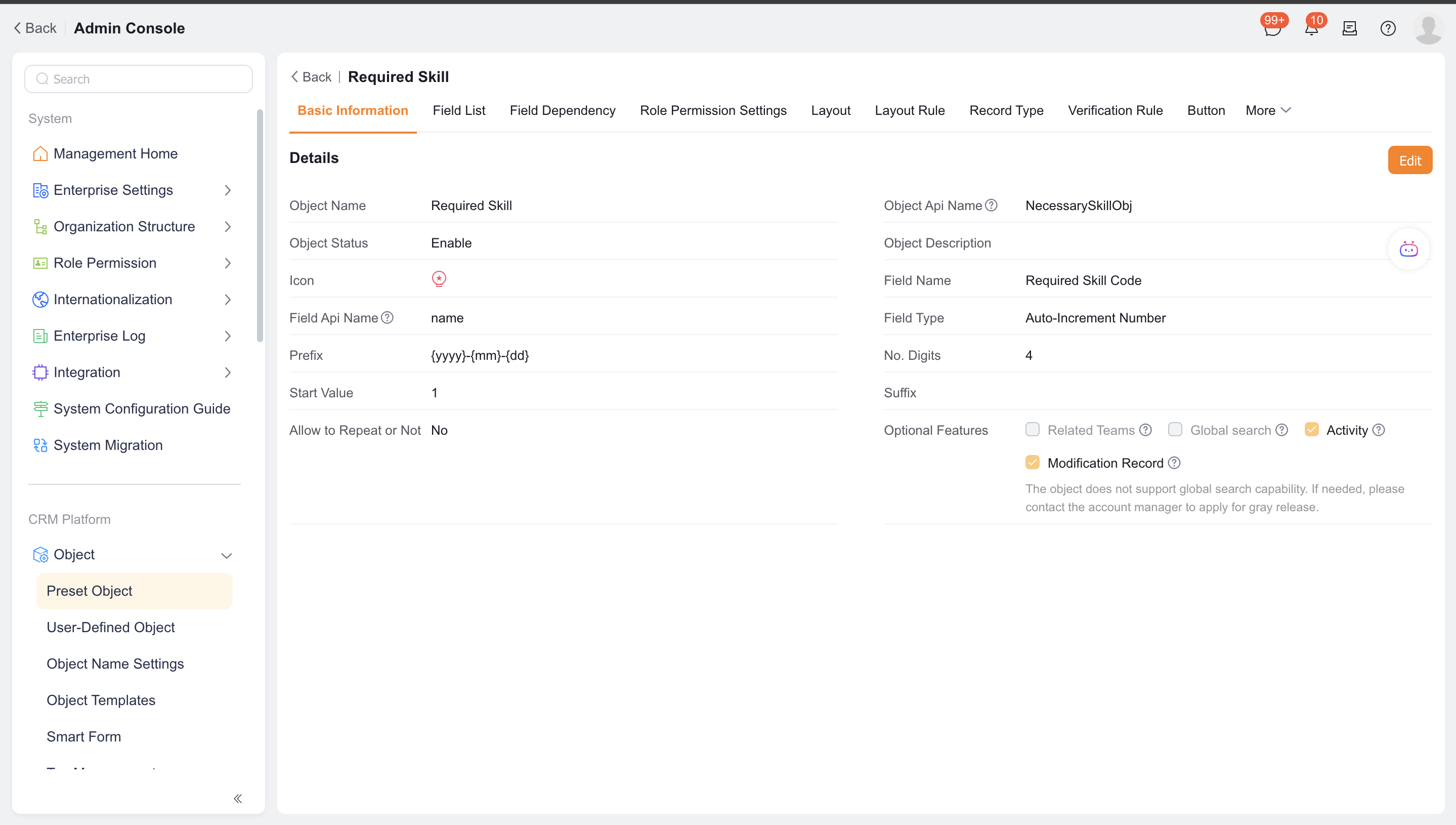
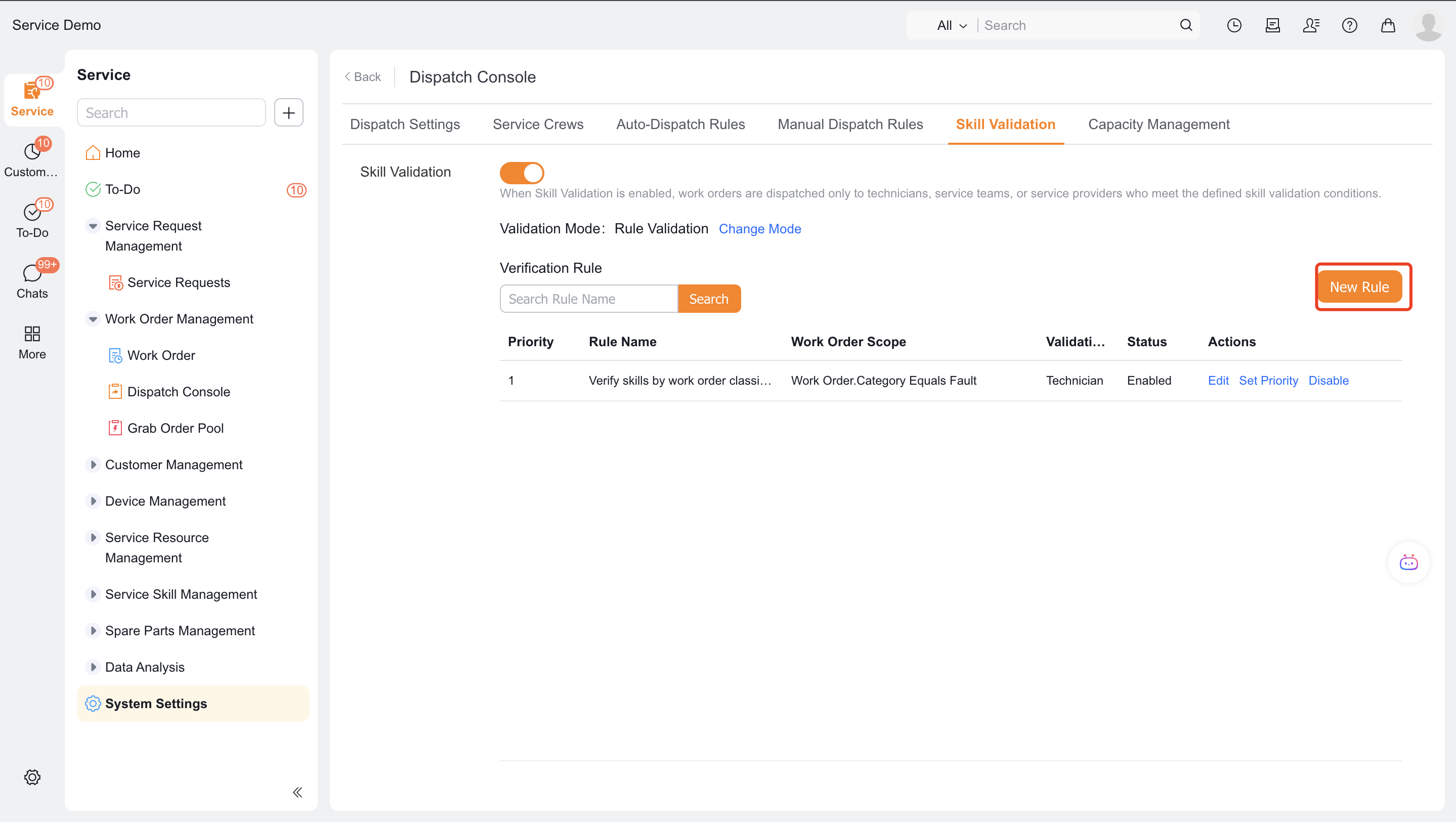
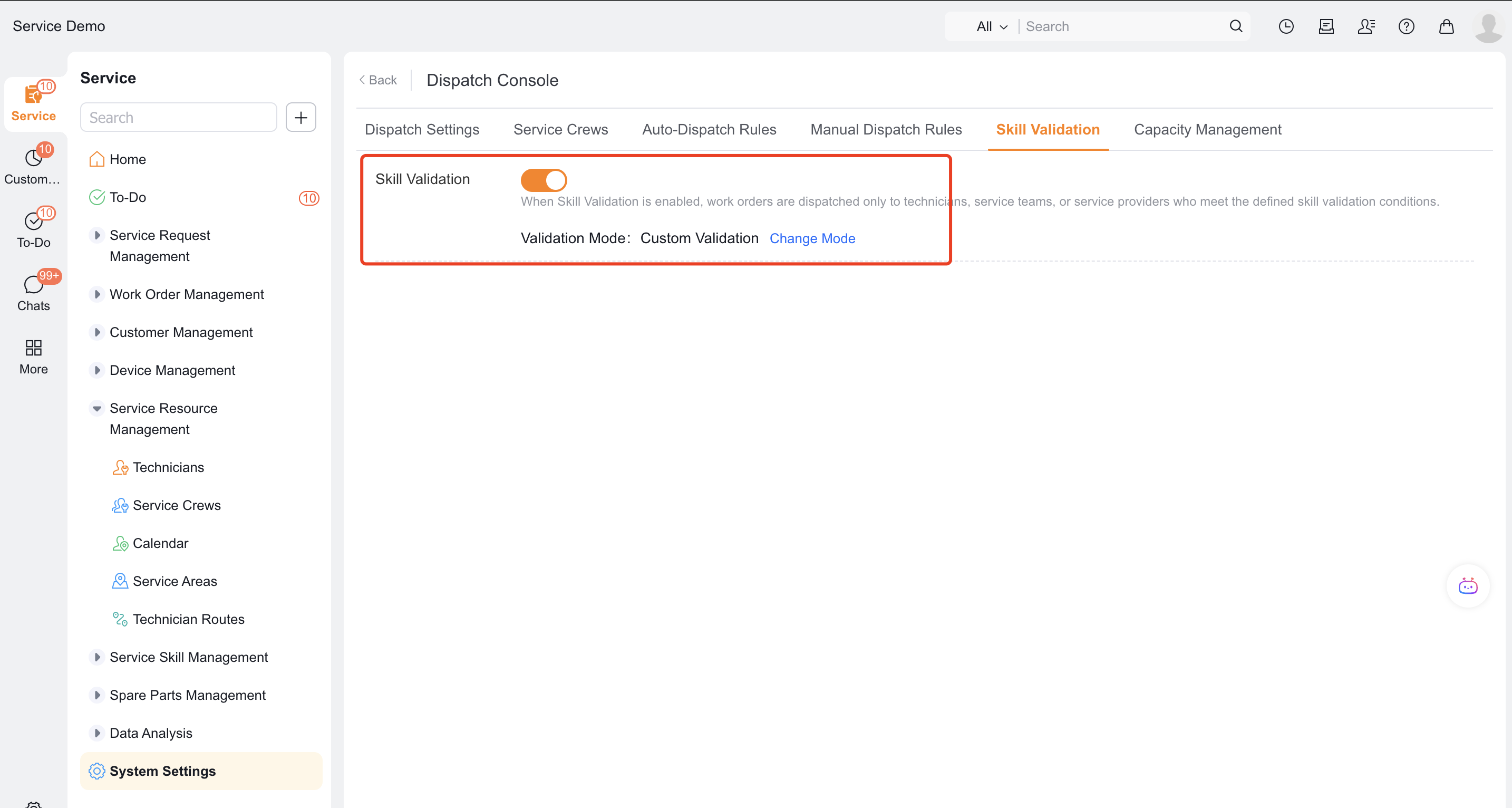
Enable the function in the skill verification settings and select the verification mode.
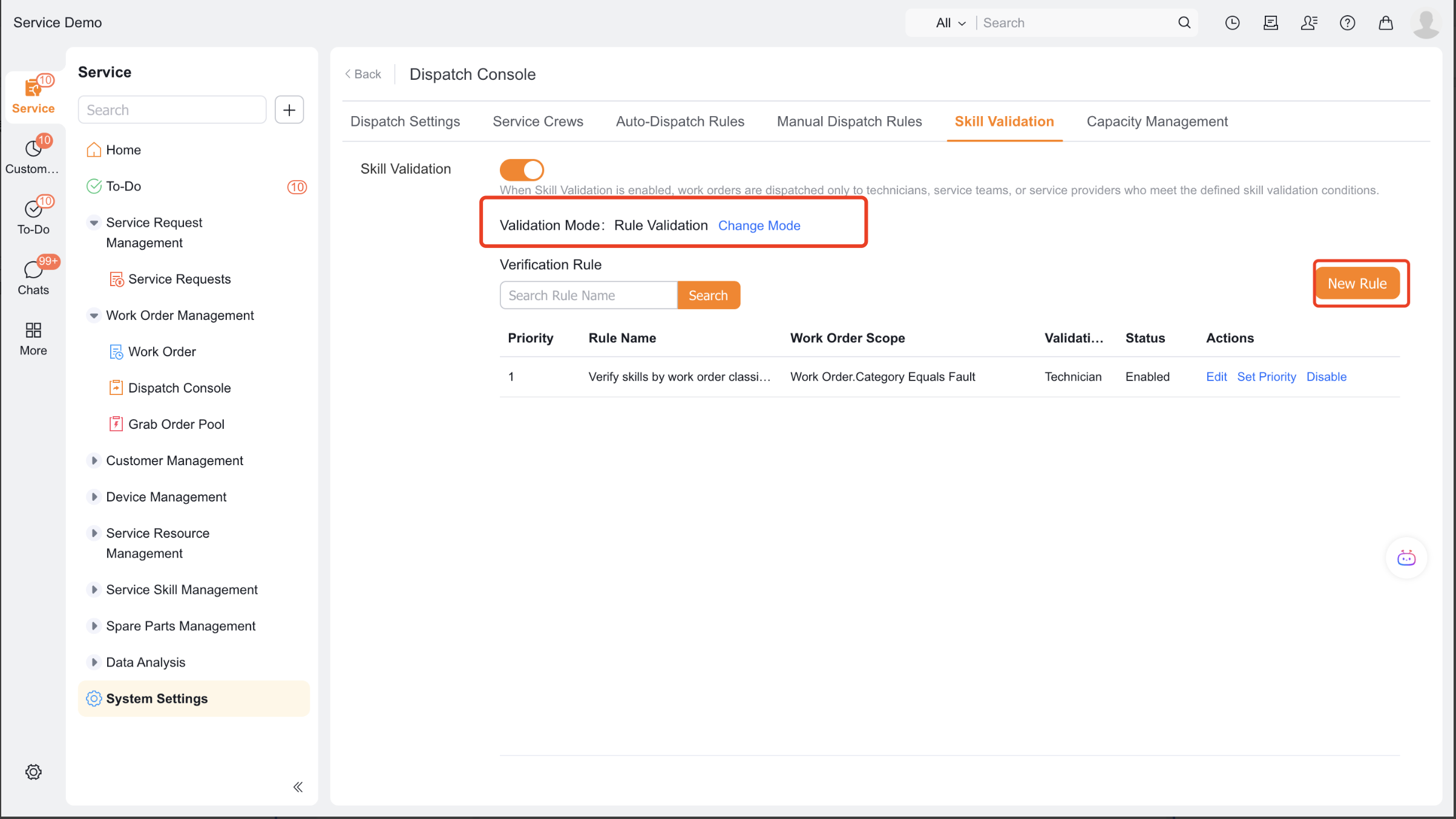
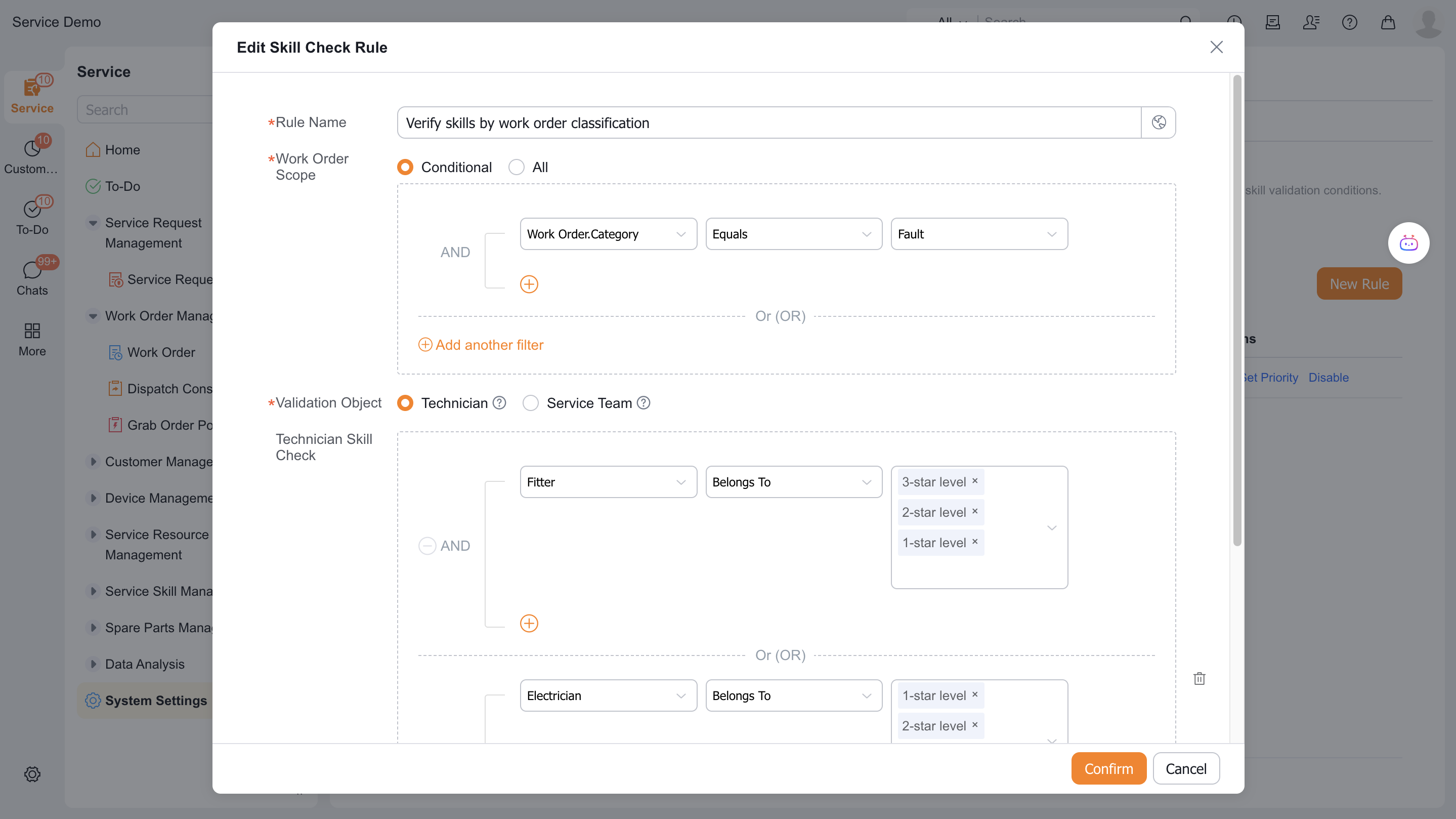
When selecting Skill Verification by Rule, click New Rule in the verification rule list to set the applicable work order conditions and the required skill levels of the primary engineer and collaborative engineer.
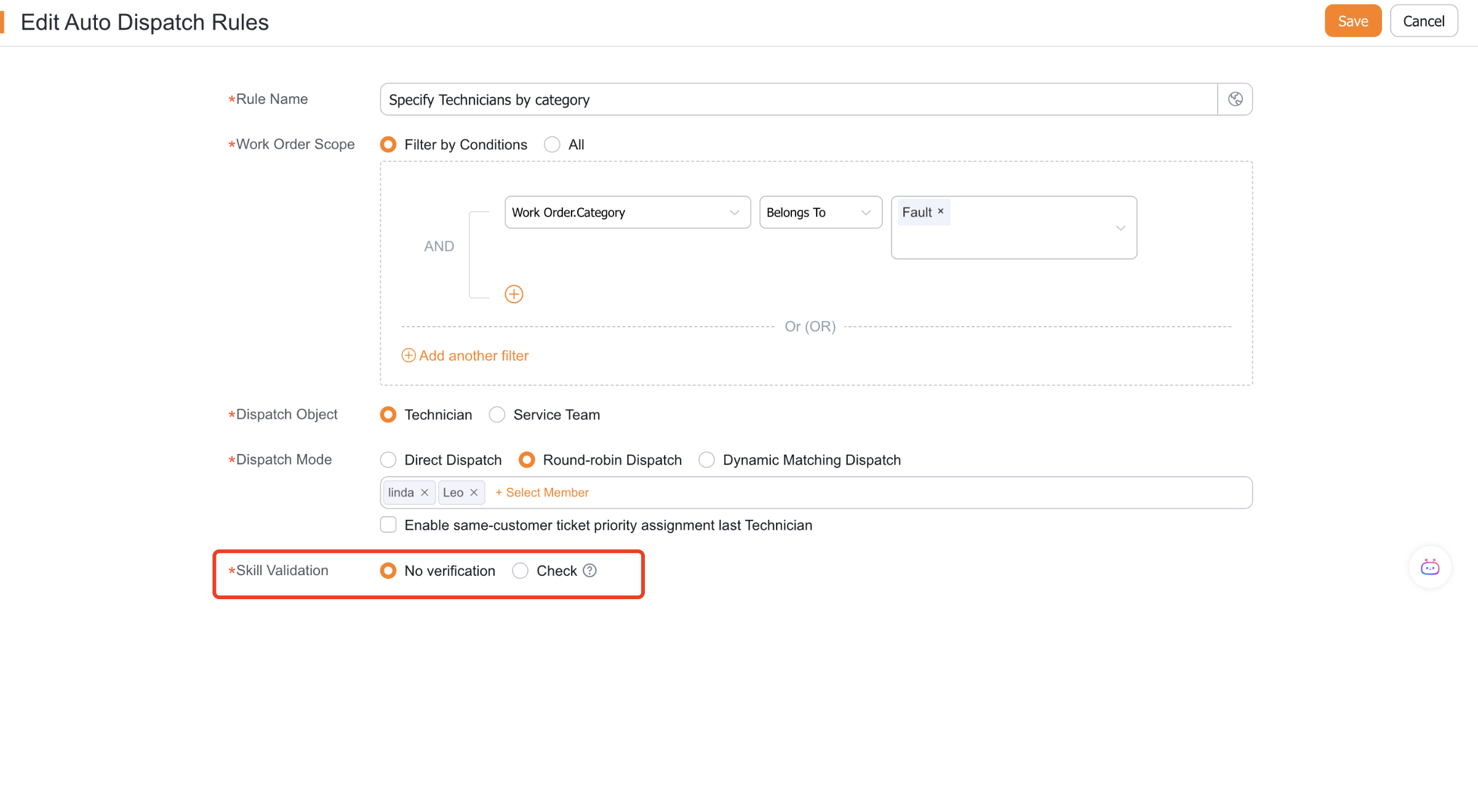
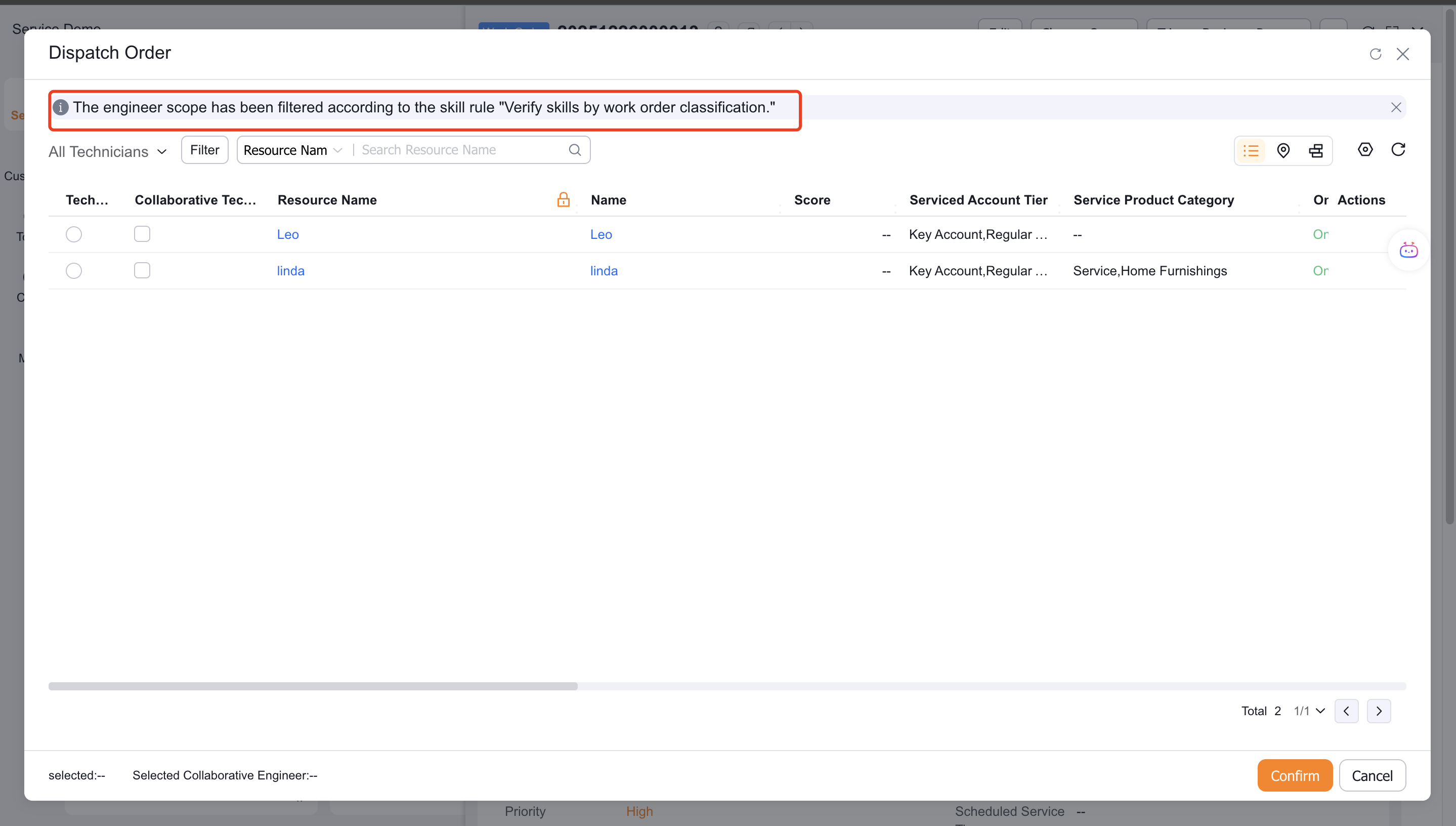
Enable skill adaptation as needed in auto dispatch rules; when manually assigned, the system filters primary engineers and collaborative engineers according to rules.
When selecting Customized required skills, maintain the skills, level and applicable engineer range from the object in the Required skills of each work order through functions or manually.
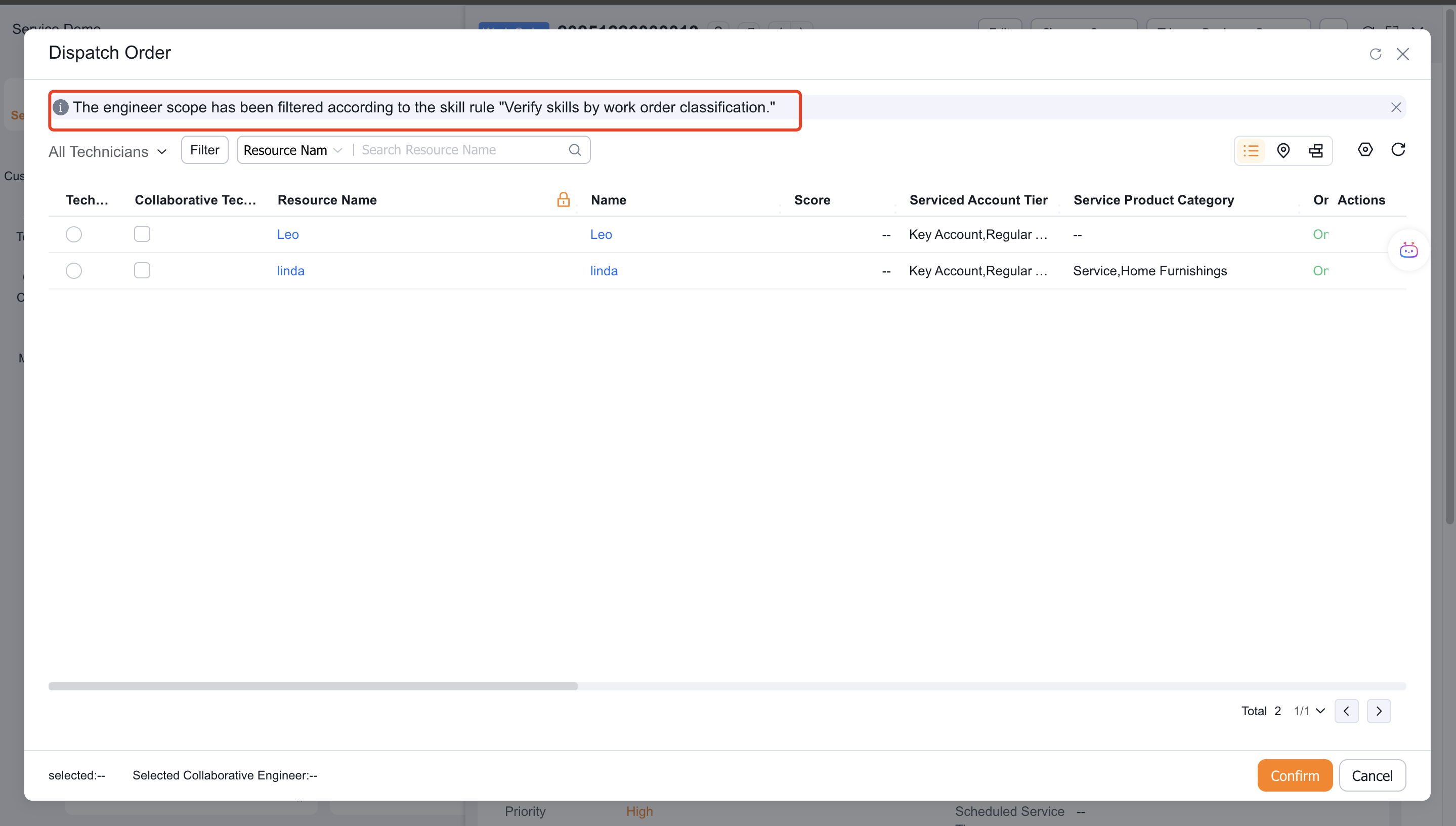
Enable skill adaptation as needed in auto dispatch rules; when manually assigned, the system filters personnel according to the required skill records of the work order.
Verify the result
- Manual dispatch only displays personnel who meet the skills, levels and validity conditions.
- The automatic dispatch rule that enables skill adaptation is only assigned from qualified engineers.
- Expired skills will no longer participate in screening as valid abilities.
- The custom required skills mode only reads the required skills records that have been generated under the work order.
FAQ
Auto dispatch does not apply skill conditions
In addition to enabling global skill verification, you must also set whether to adapt to skill verification in the corresponding auto dispatch rules.
Customized required skills are not effective
Check whether the skills, levels, and applicable scopes under the current mode and work order are complete.
Notes
- Rule-based verification and custom required skills are separate ways to define skill requirements.
- Collaborative engineers can only be selected manually. Auto dispatch and work-order claiming do not support collaborative engineers.
- Build a level model first, and then create service skills that reference the model.