Appearance
Configure service group rejection and transfer
Overview
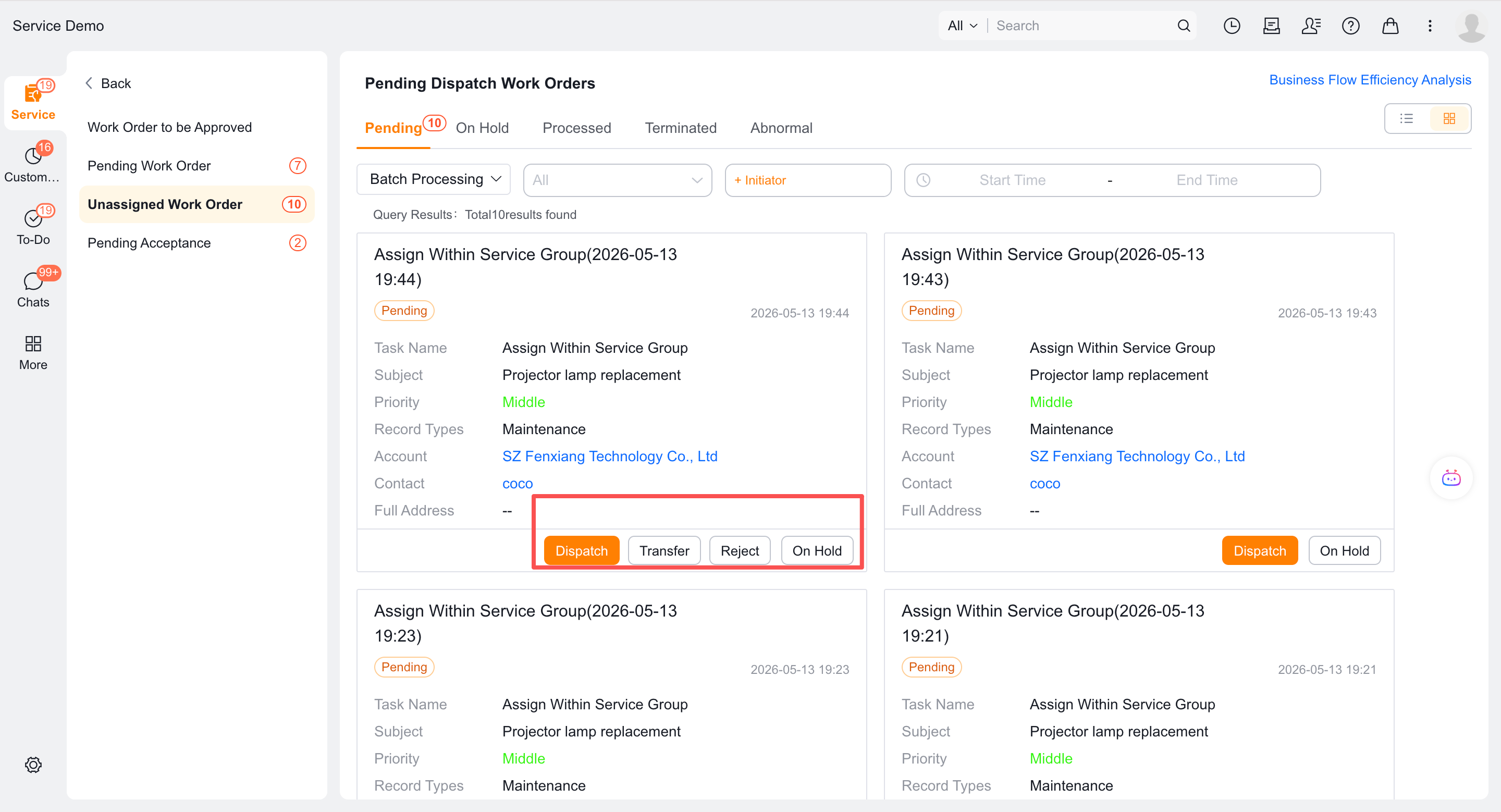
After an enterprise assigns a work order to a service group, that group's dispatcher can reject it or transfer it to another service group. Rejection returns the work order to the enterprise dispatcher; transfer sends it directly to the selected group.
Before you begin
- The dispatcher-to-service-group workflow is configured.
- The current service group has set up a service group dispatcher.
- Enterprise dispatchers can receive work orders rejected by a service group.
Procedure
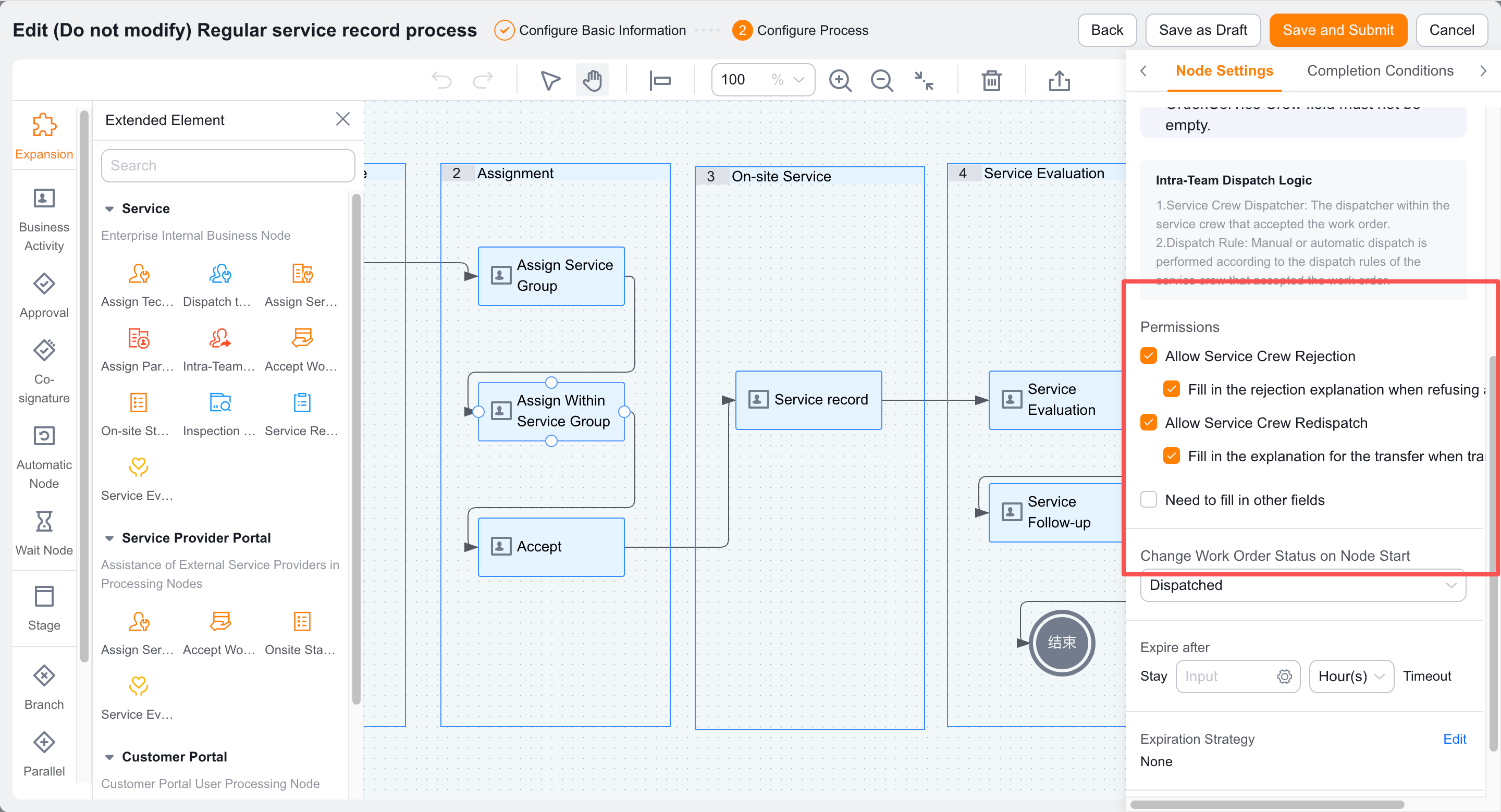
Enable Service Group Rejections in the Service Group Rejections and Delegation settings.
Configure whether a rejection reason is required.
Enable Service Group Delegation.
Configure whether a transfer reason is required.
Save the configuration.
Use a service group dispatcher account to test rejection and transfer from the to-do task.
Verify the result
- The service group dispatcher sees the enabled reject and transfer actions.
- After the service group rejects a work order, it returns to the enterprise dispatcher.
- After a transfer, the work order is assigned to the selected service group.
- Rejection and transfer reasons are required or optional according to the configuration.
Notes
- Service group rejection and engineer rejection occur at different levels and have different next responsible roles.
- The current service group initiates a transfer; a dispatcher with button permission initiates reassignment.