Appearance
Assign a service group
Assign a pending work order to a service group. The group's dispatcher can then assign an engineer.
Overview
Use a service group when you choose the responsible team before the specific engineer. After assignment, the service group dispatcher completes internal dispatch.
Before you begin
IMPORTANT
- Your account has the Dispatcher role.
- Your organization has enabled and configured eligible service groups.
- The target group's region and capabilities meet the work order requirements.
Procedure
- On the web, go to Tasks > Work Orders Pending Assignment.
- Select a work order, then select Assign Work Order.
- Select a service group.
- Verify the work order and service group, then submit.
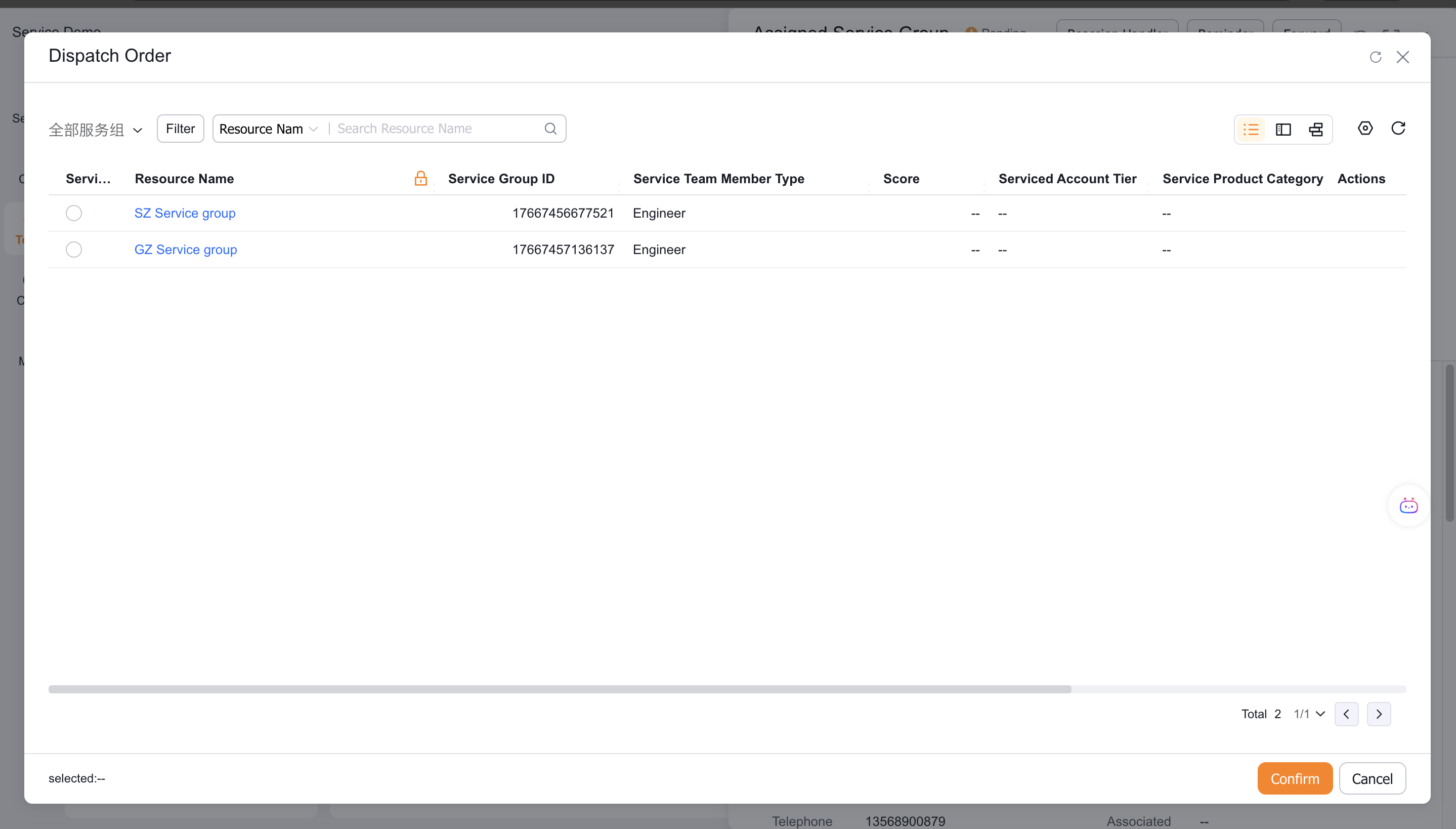
The selected group's dispatcher can then assign an engineer.
Reject or transfer a service group work order
With the required permissions, a service group dispatcher can:
- Transfer the work order to another service group.
- Reject the work order and return it to the organization-level dispatcher.
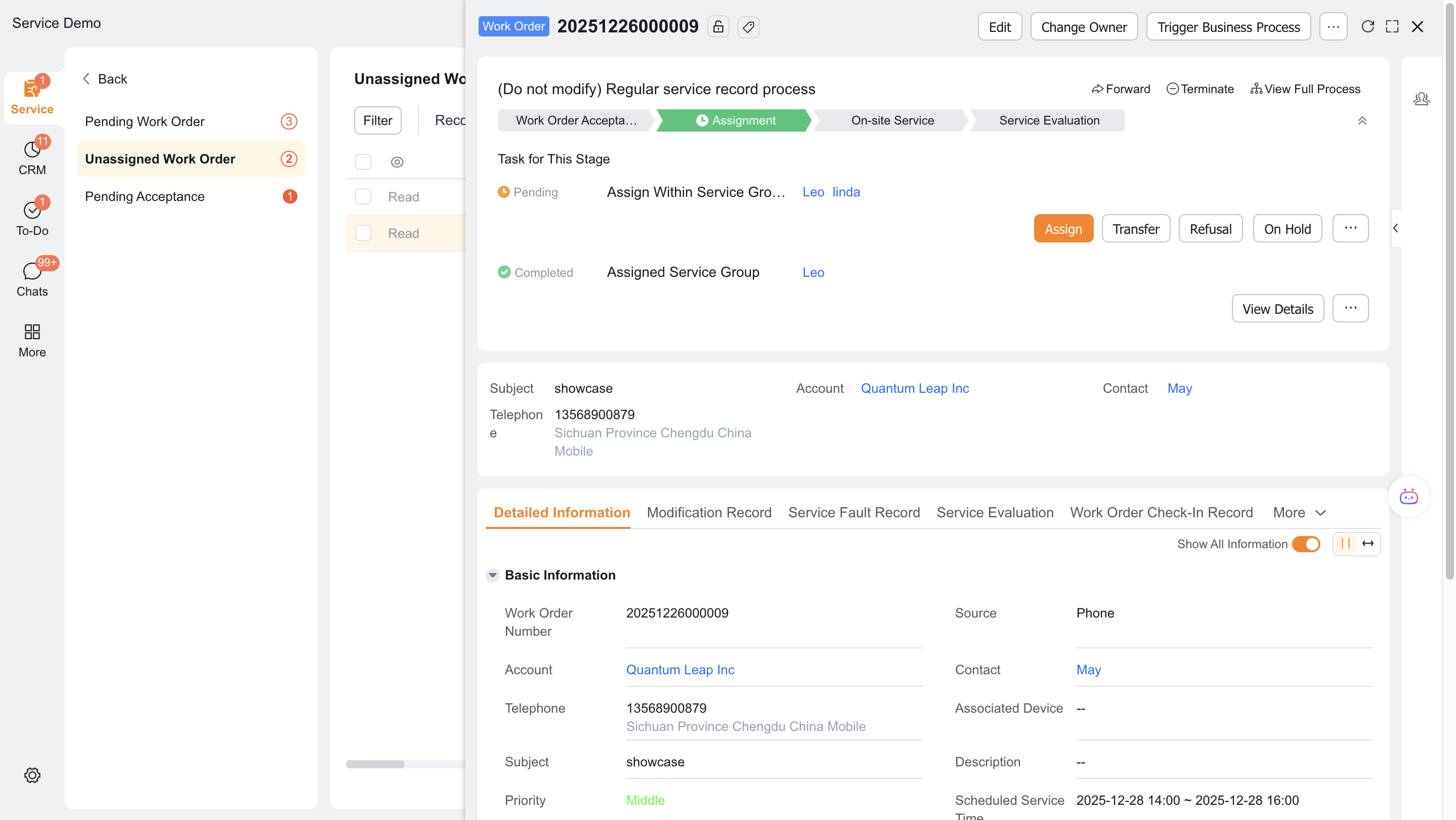
If either action is unavailable, ask an administrator to configure the required permission.
Expected result
- The work order enters the selected service group's dispatch stage.
- The group's dispatcher can assign an engineer in the group.
- Rejection returns the order to the dispatcher. Transfer sends it to the new group.
Notes
- Group assignment and engineer assignment are separate stages.
- Rejection and transfer require configured permissions.
- To replace an assigned group, see Reject, transfer, or reassign work orders.