Appearance
Assign an engineer
A dispatcher can assign an engineer directly. If a work order first enters a service group, the group's dispatcher assigns an engineer in that group.
Overview
List dispatch shows each candidate's online status, latest location, and assigned work order count. You can also select collaborating engineers.
Before you begin
IMPORTANT
- Organization-level dispatch requires the Dispatcher role.
- Group dispatch requires the Service Group Dispatcher role.
- Group dispatchers can normally select only engineers in their group.
Procedure
Assign an engineer on the web
Go to Tasks > Work Orders Pending Assignment.
Select a work order, then select Assign Work Order.
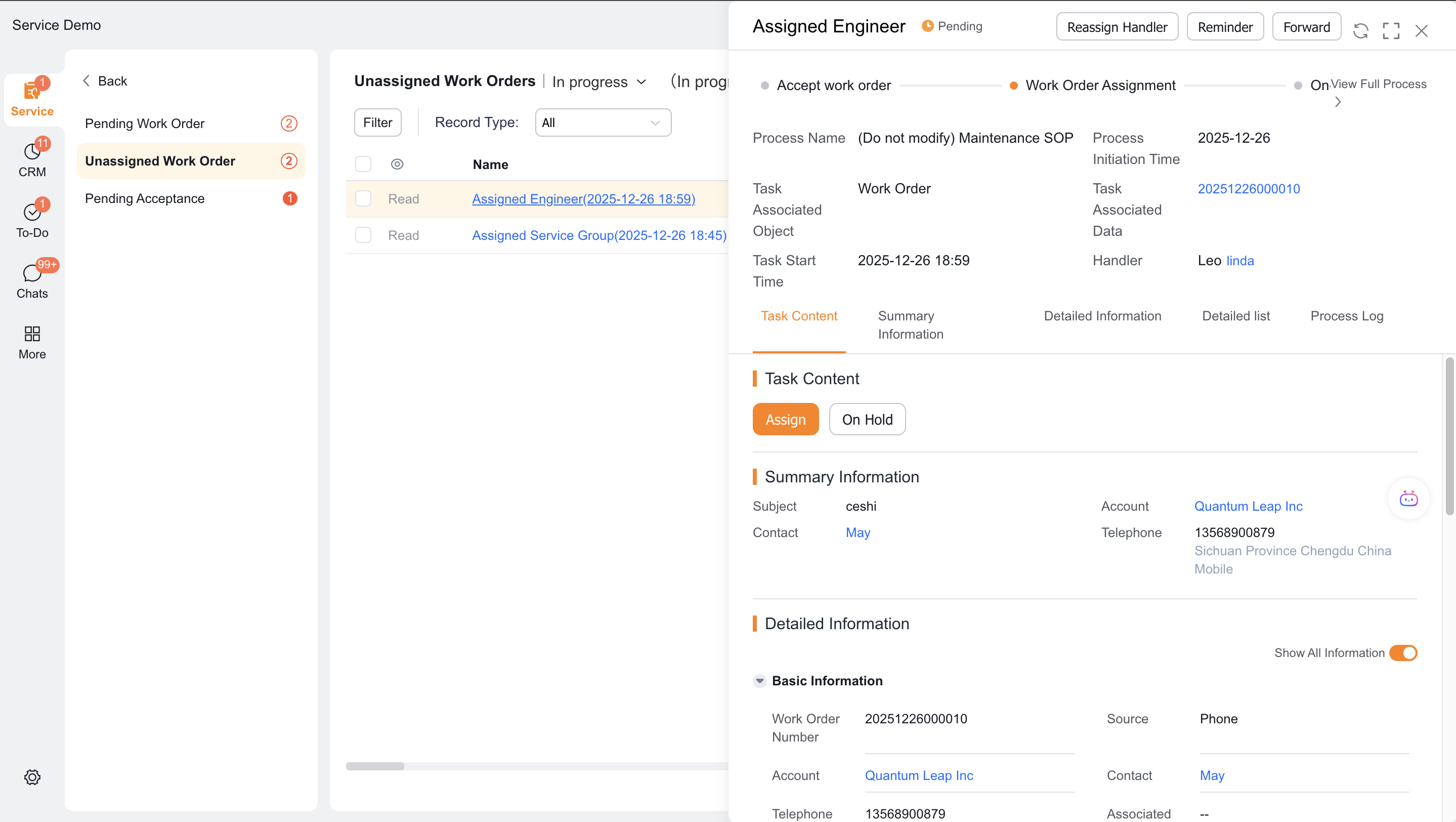
In list dispatch, review candidates' online status, latest location, and assigned work order count.
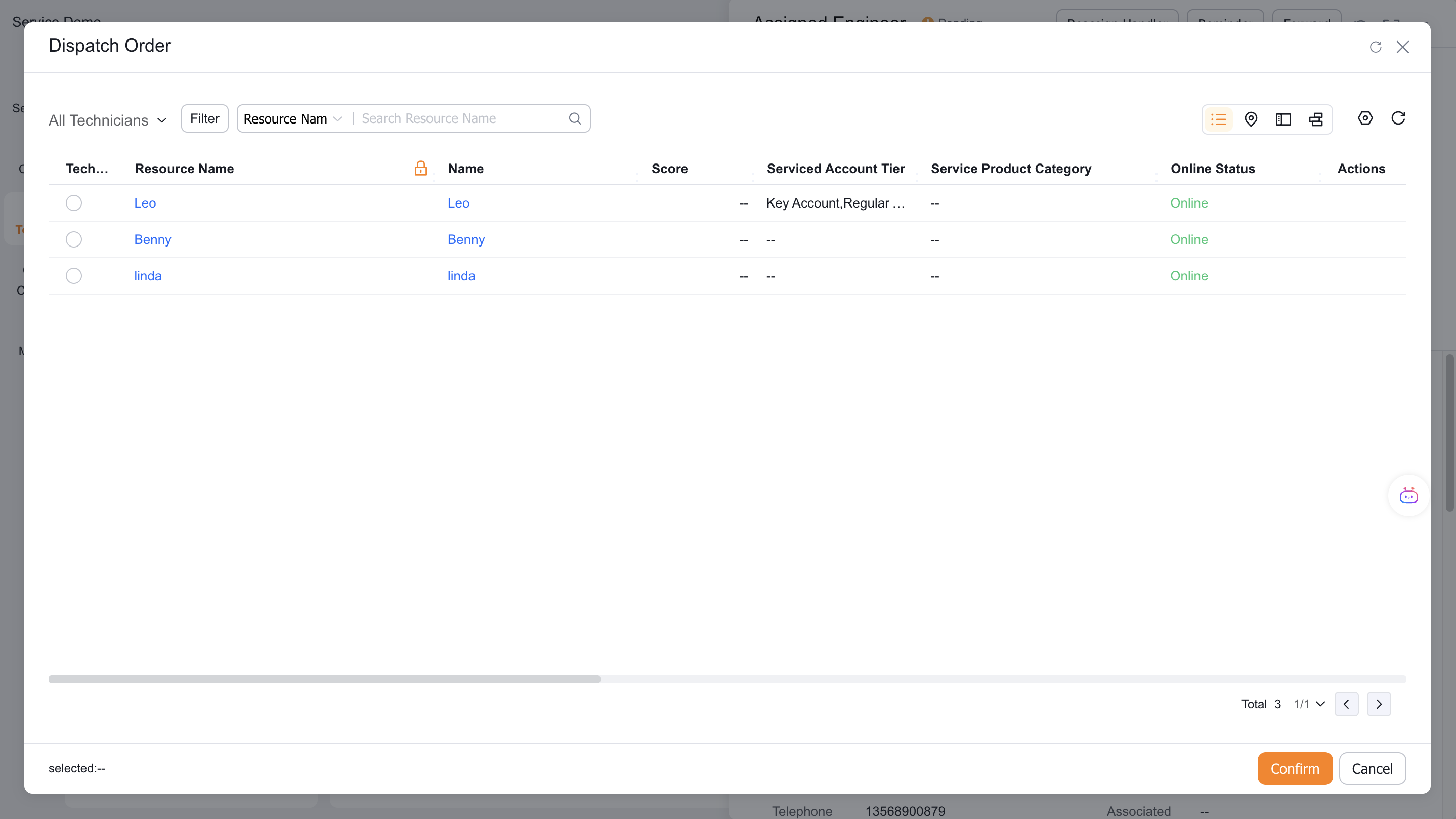
Select the responsible engineer and any collaborating engineers.
Verify the work order and engineers, then submit.
Service group dispatchers follow the same steps, but candidates normally include only engineers in the current group.
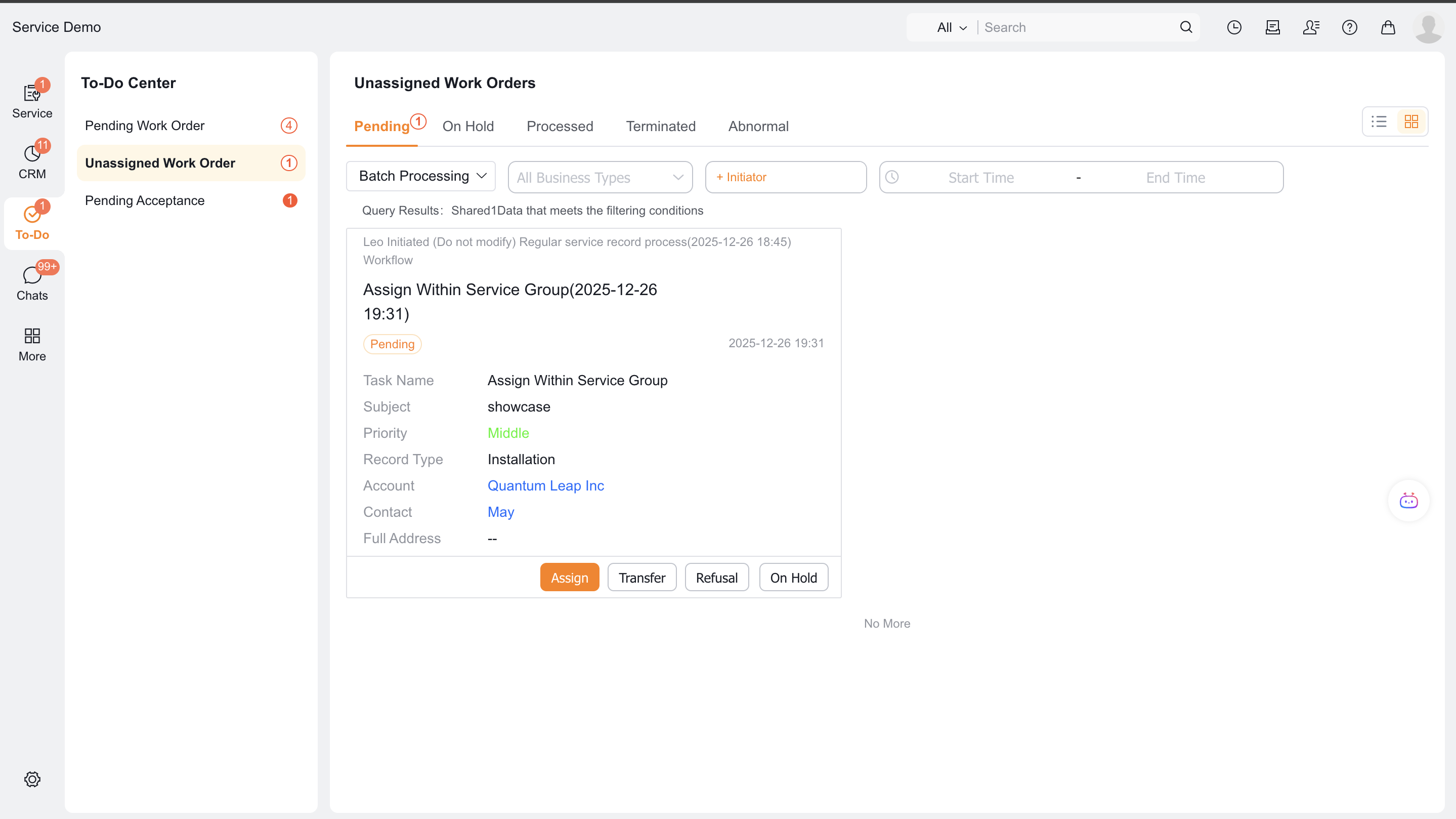
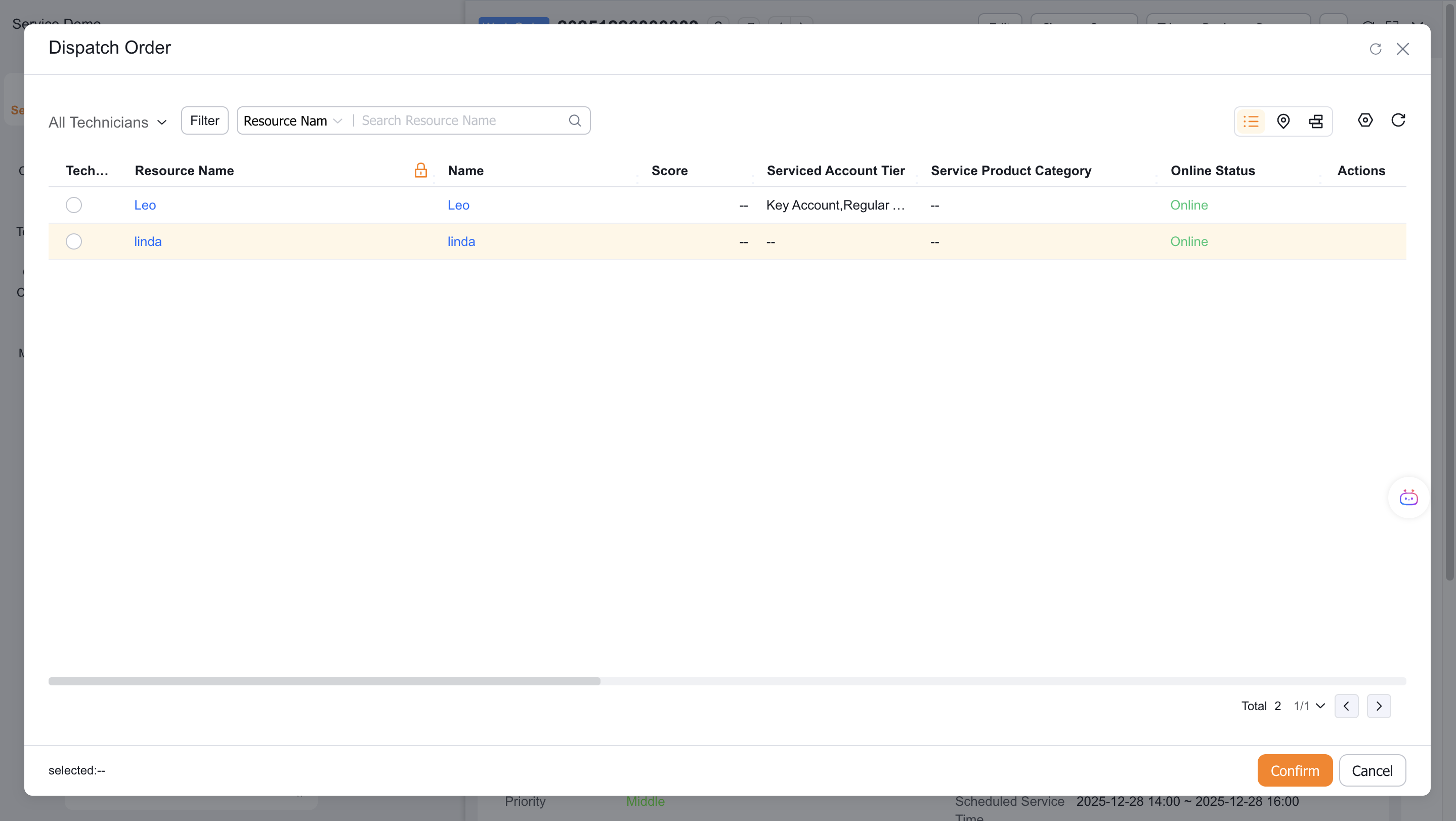
Assign an engineer in the App
Confirm that an administrator added Pending Assignment to the Service Pass workspace.
Open Pending Assignment in the workspace.
Select a work order, then select Assign Work Order.

Select the responsible engineer and any collaborating engineers.
Select OK.

Expected result
- The work order records the engineer assignment.
- If you selected collaborators, multiple engineers can process the order together.
Notes
- The App does not support map dispatch. Use the web for location-based selection.
- Group dispatchers can normally select only engineers in their group.
- The latest location comes from field check-ins and work order clock-ins. It is not real-time tracking.