Appearance
Complete dispatcher-to-service-group workflow
Overview
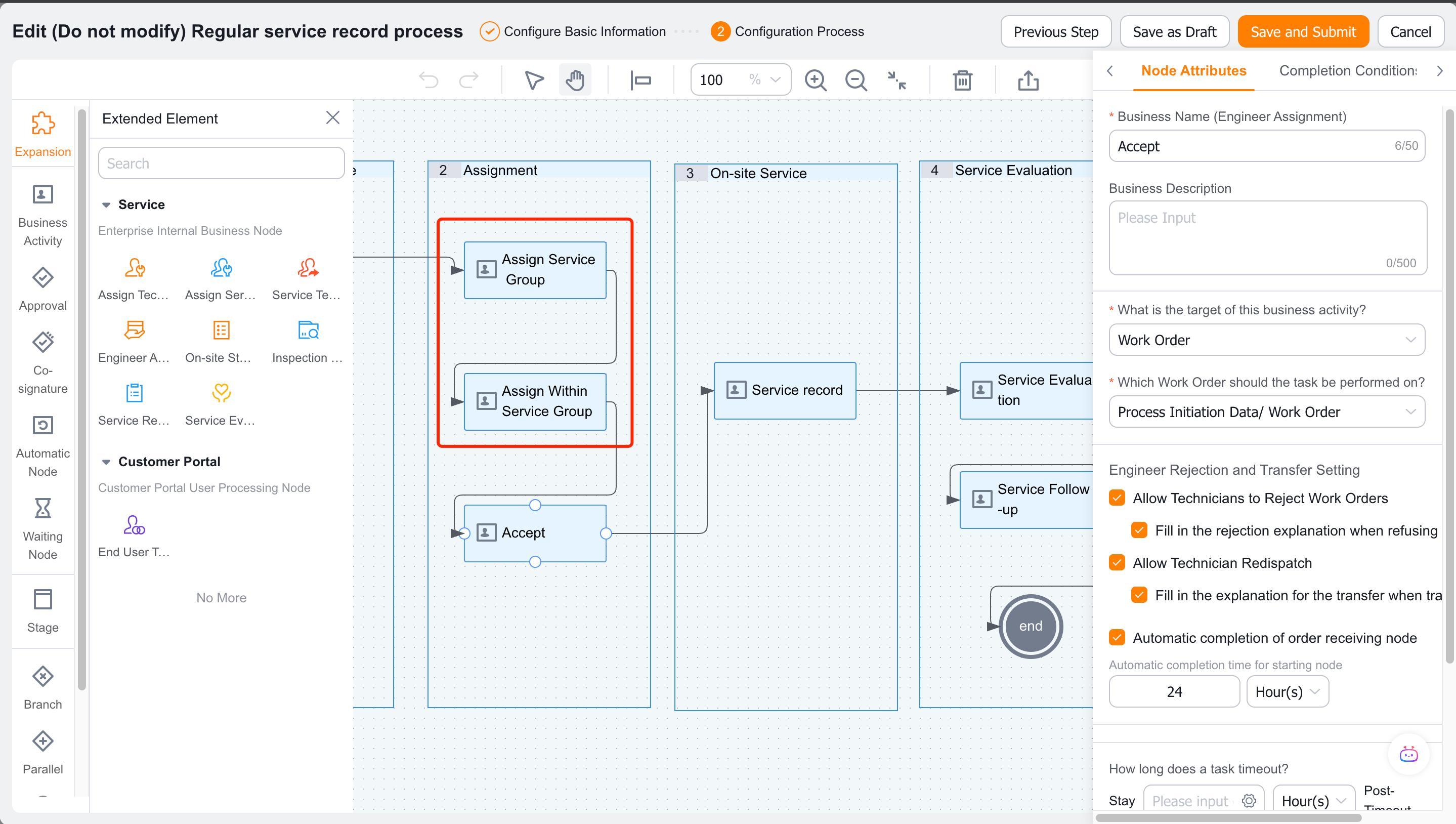
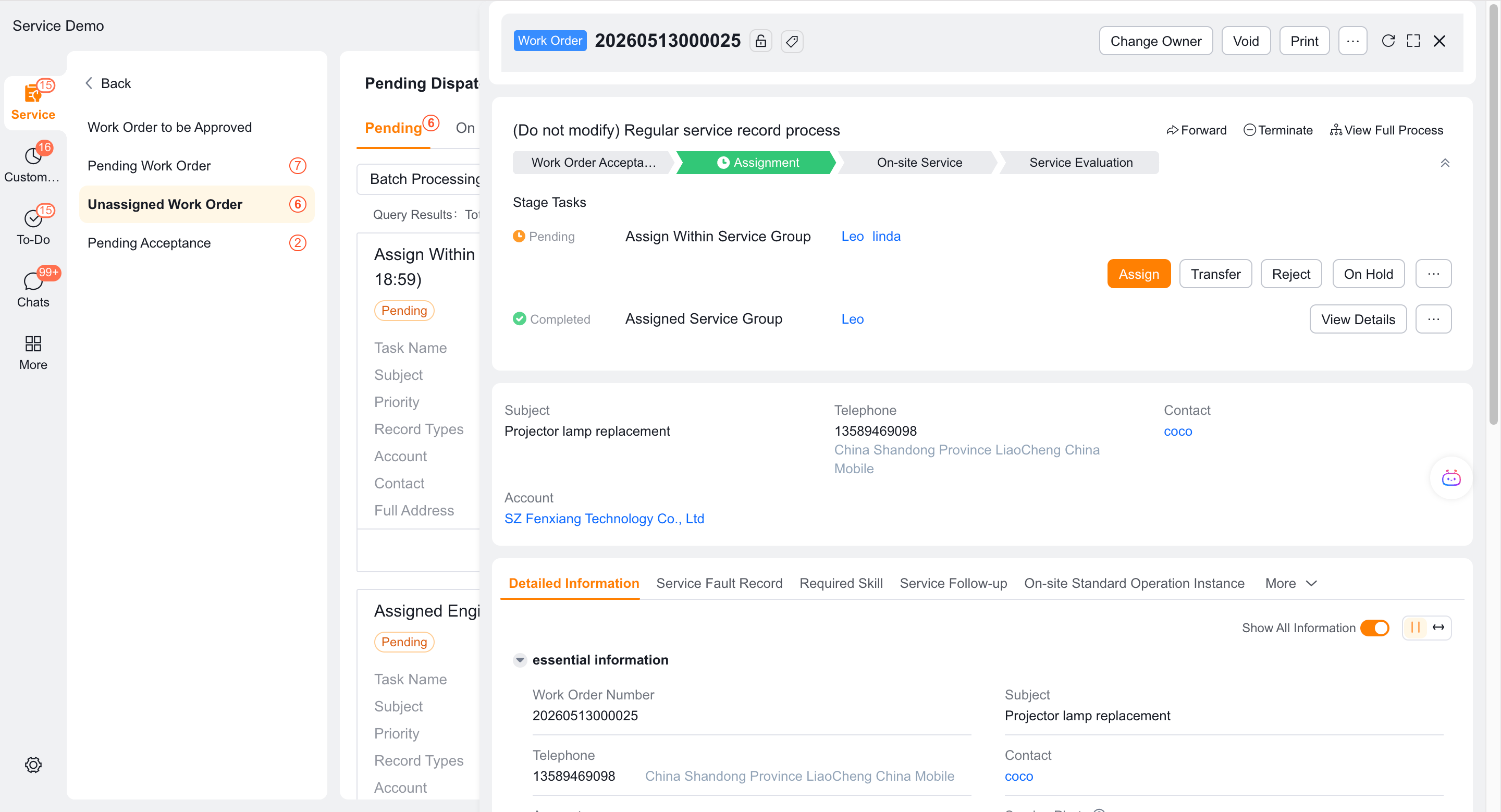
In a service-group workflow, the enterprise dispatcher first selects a service group. The assigned group's dispatcher or its internal rules then select an engineer. These two levels use the Assign Service Group and Assign Within Service Group nodes.
Before you begin
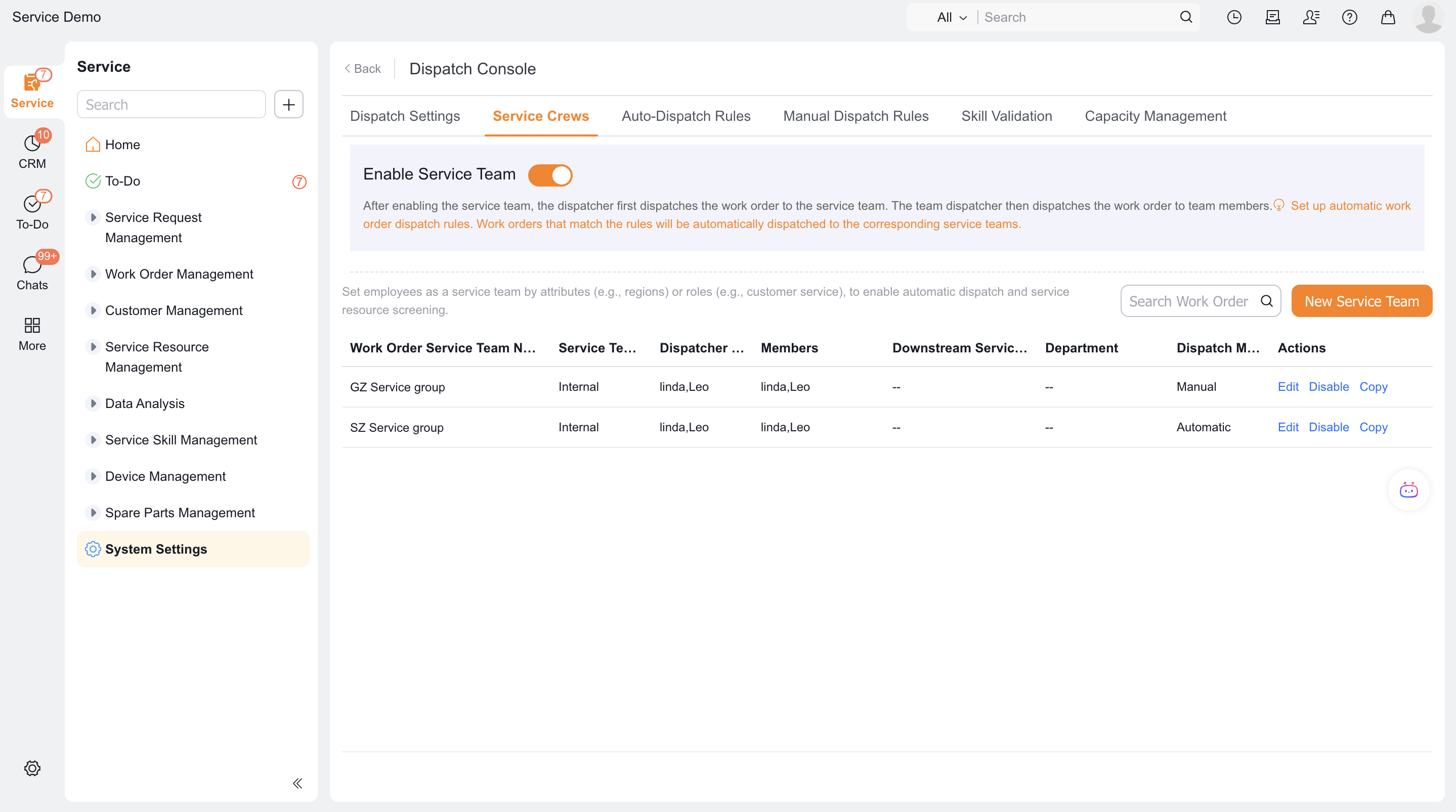
- The service group has been enabled and an intra-enterprise engineer service group has been established.
- Service group members, service group dispatchers and intra-group dispatch mode have been set.
- Enterprise dispatchers and service group dispatchers have corresponding roles.
Procedure
1. Configure enterprise-level service group assignment
Add the Assign Service Group node to the process canvas.
Set the handler as the dispatcher role, or specify the person through the preceding branch.
Modify the operation button name and process layout fields that need to be added when dispatching orders as needed.
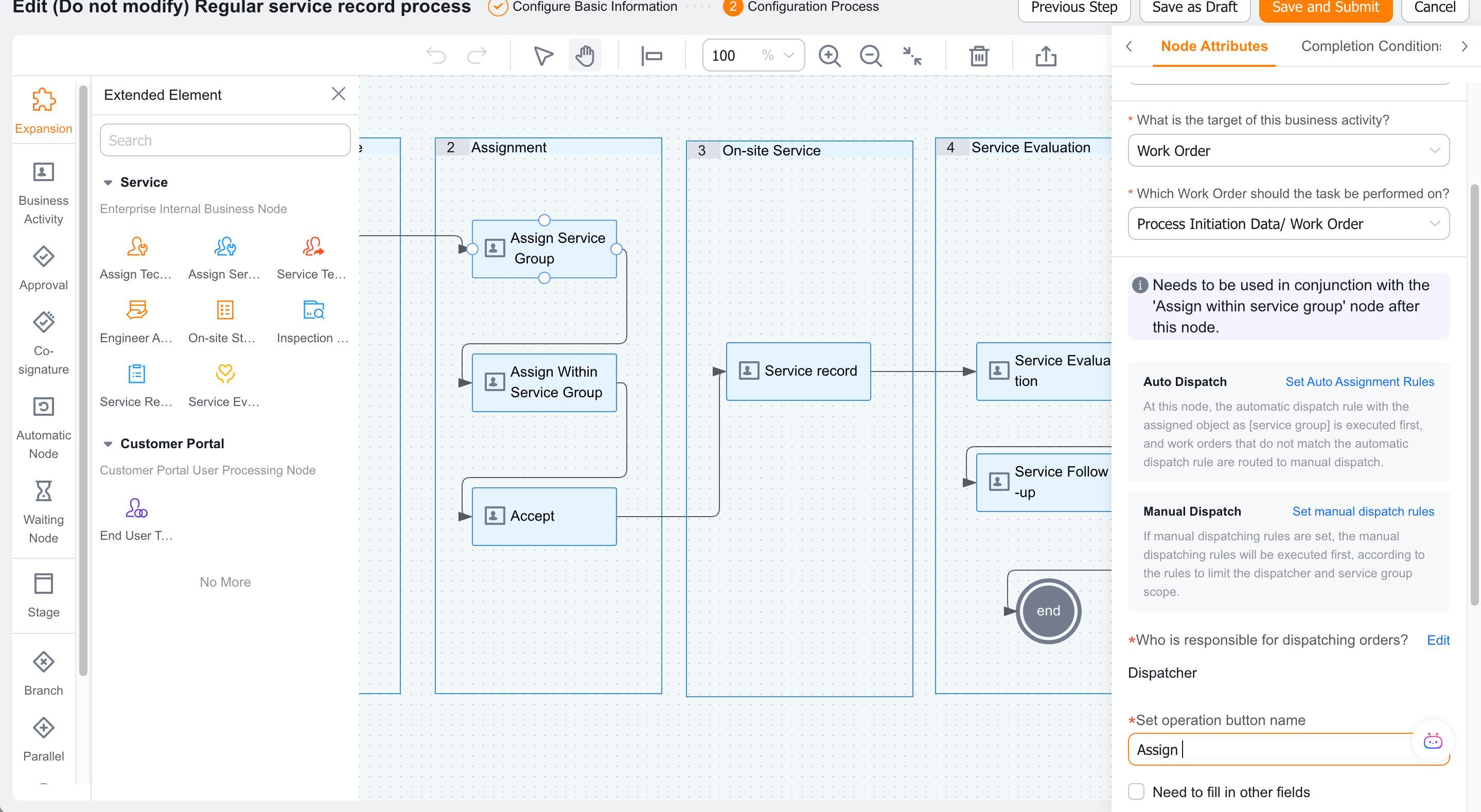
Configure automatic dispatch rules and manual scope rules whose assigned objects are service groups.
After the work order enters the node, it first tries the automatic rules of the service group; if it fails, it will generate an order to be handled by the enterprise dispatcher.
2. Configure assignment within the service group
Add an Assign Within Service Group node after Assign Service Group.
Ensure that the preceding service-group assignment completes or that the work order's Service Group field already has a value.
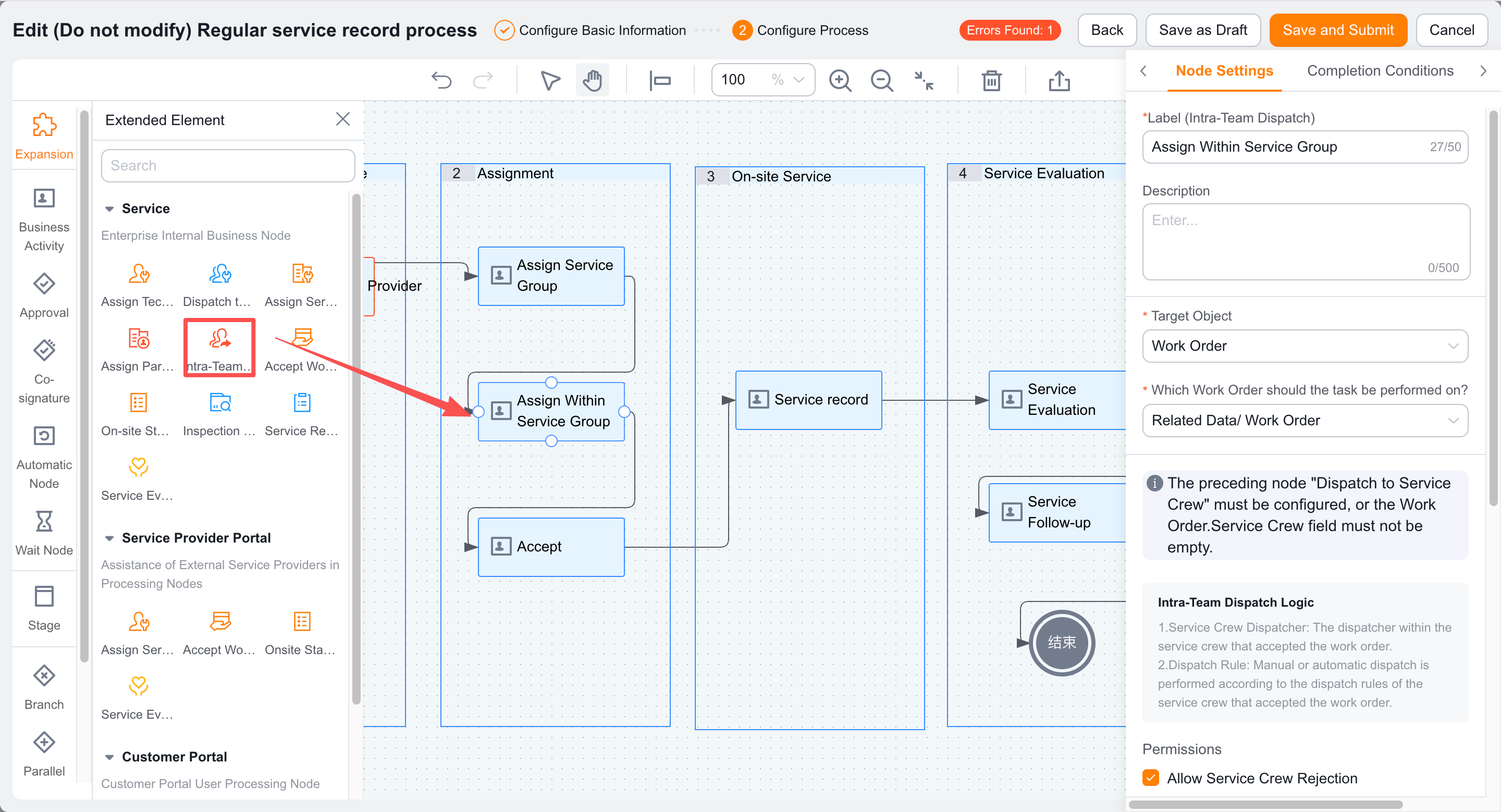
Save and publish the process.
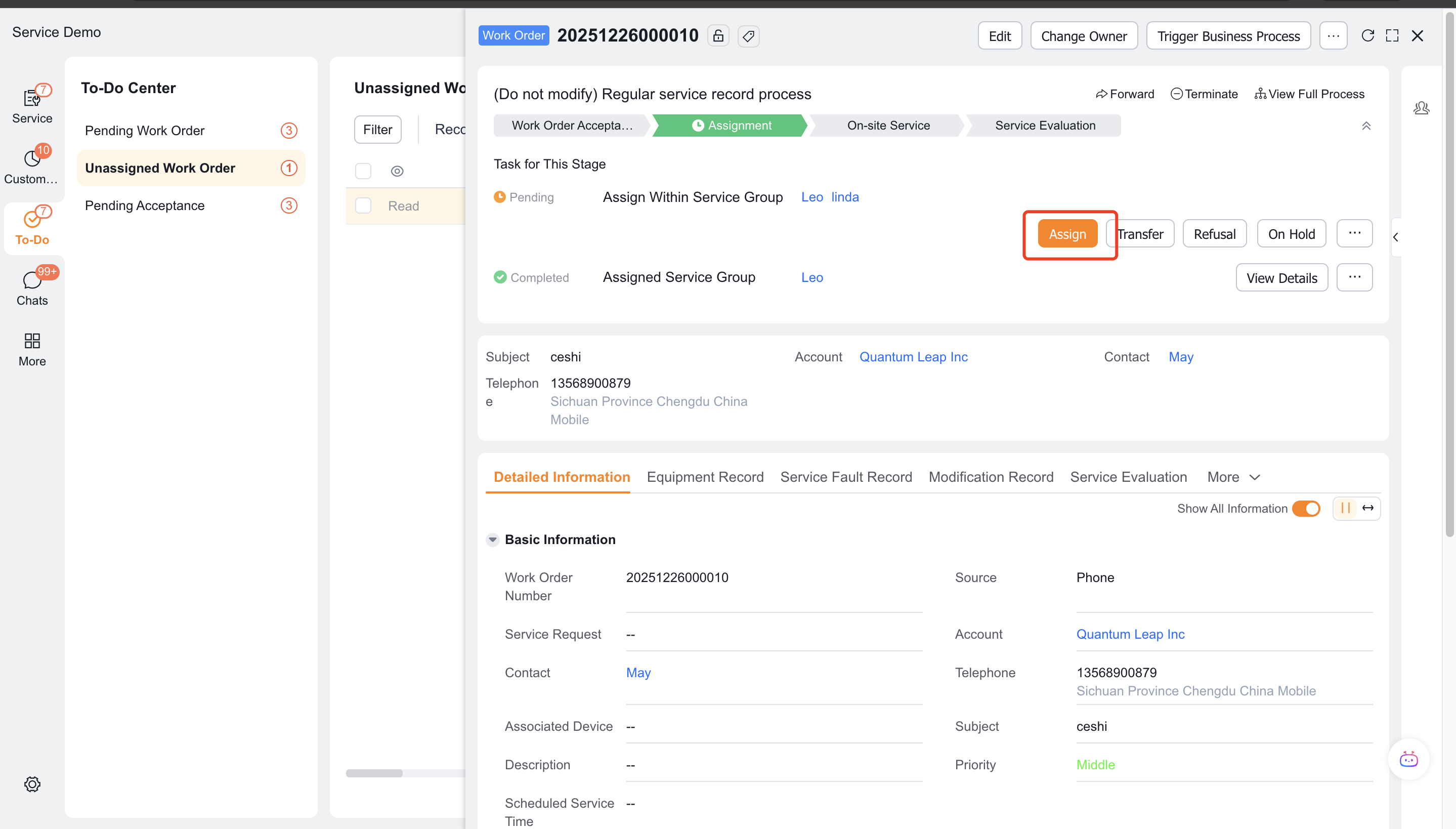
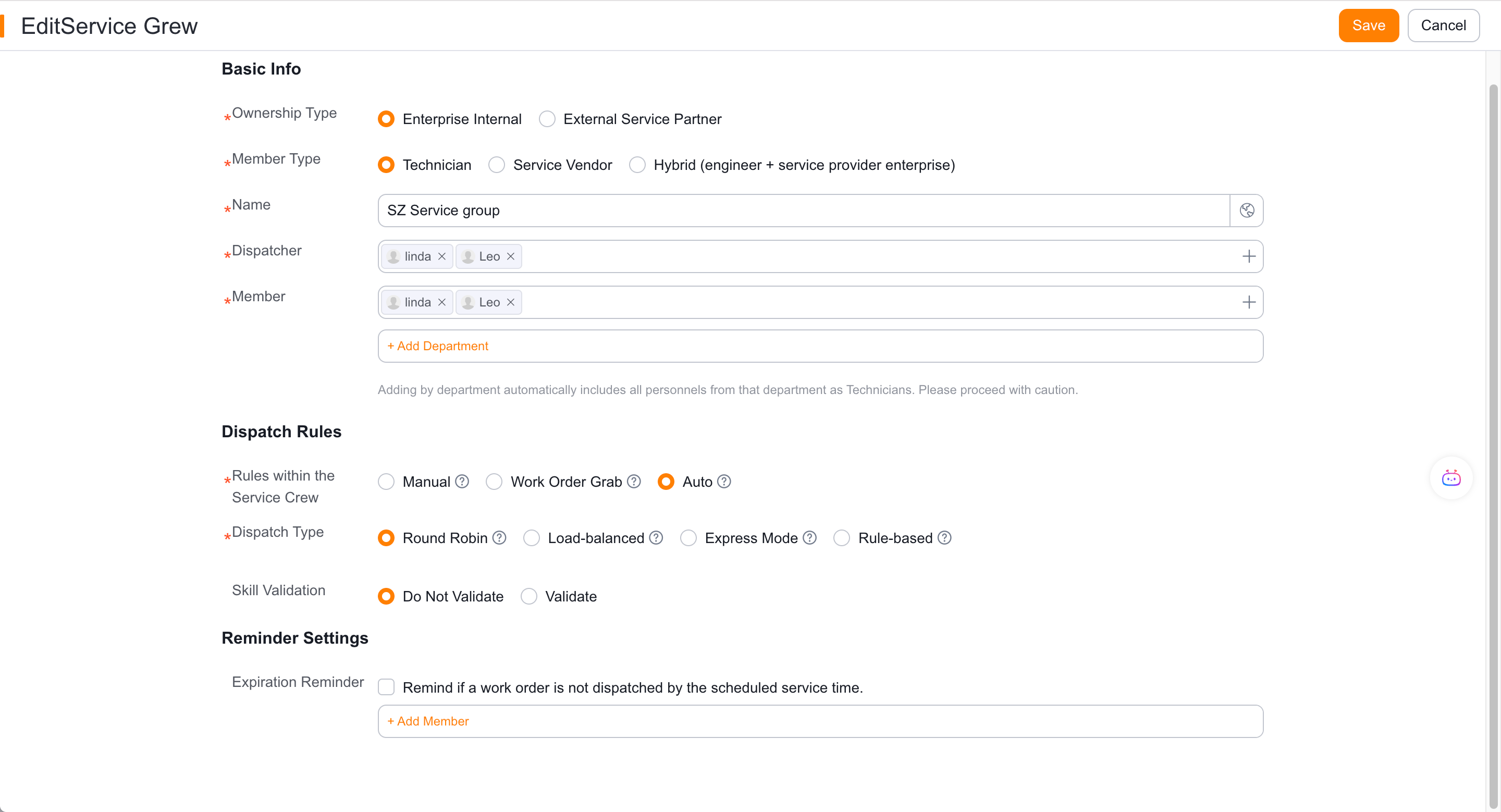
When the work order enters this node, the current service group applies its configured manual, claim, or auto dispatch mode.
3. Handle tasks within the group
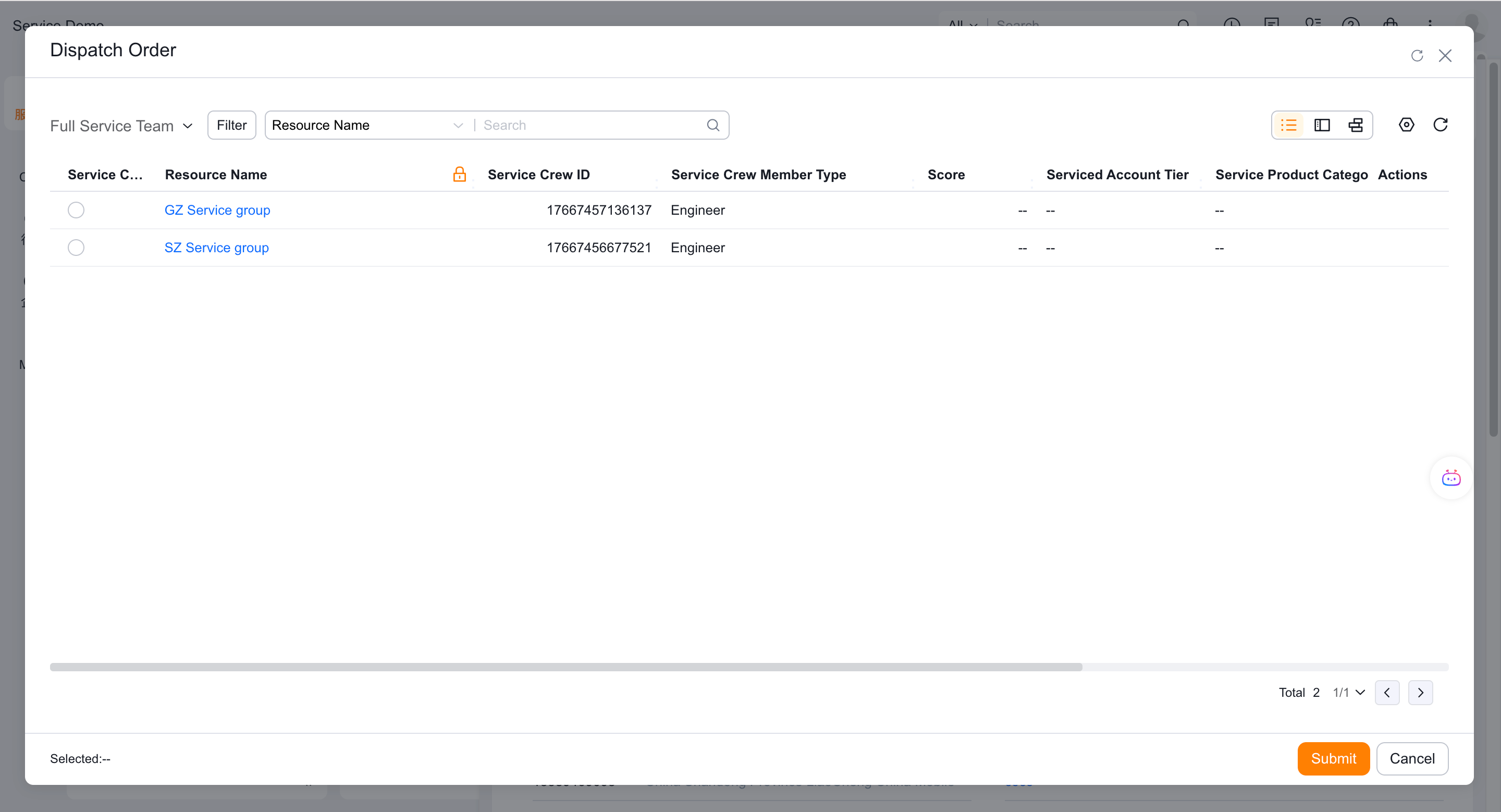
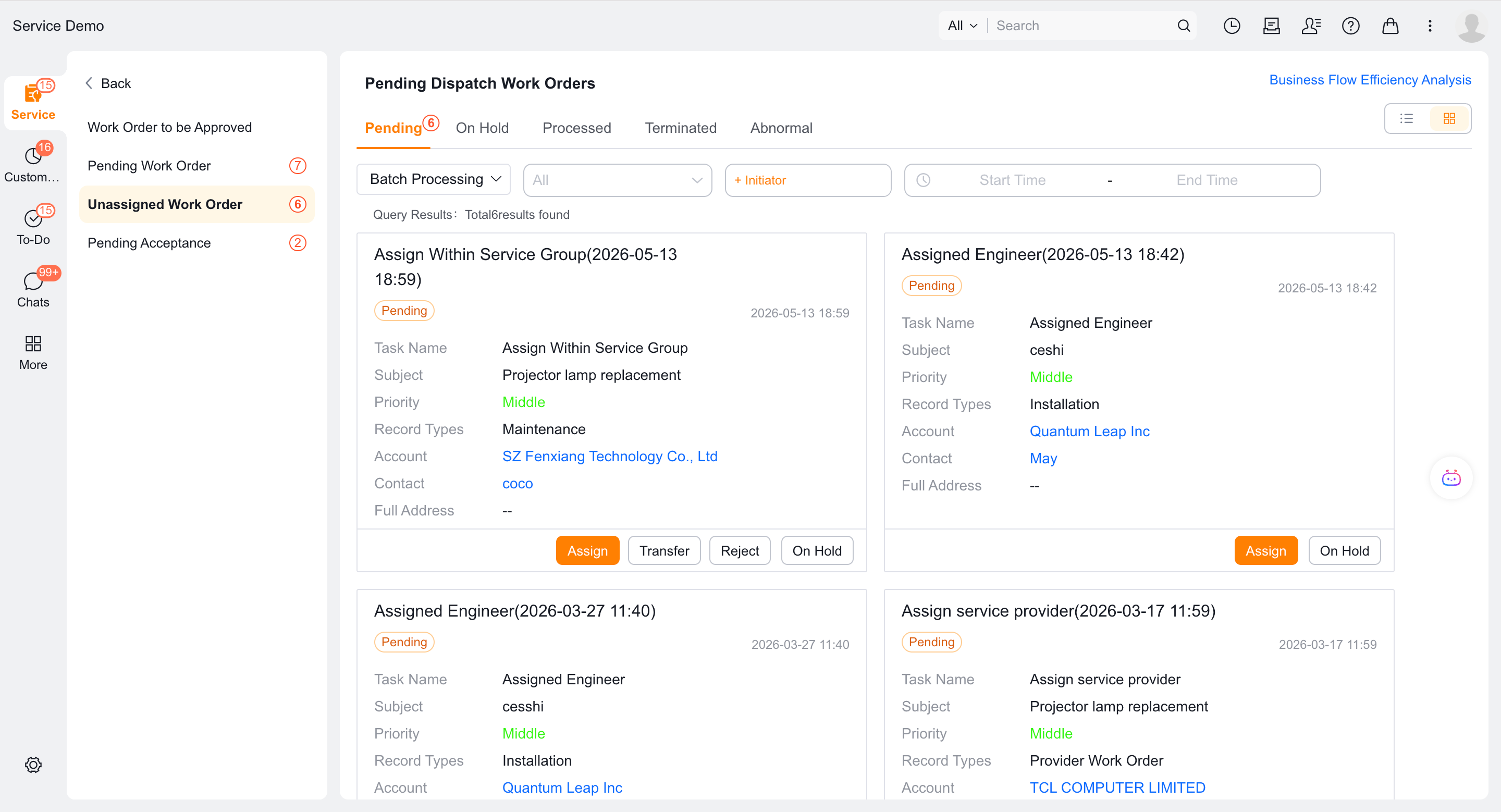
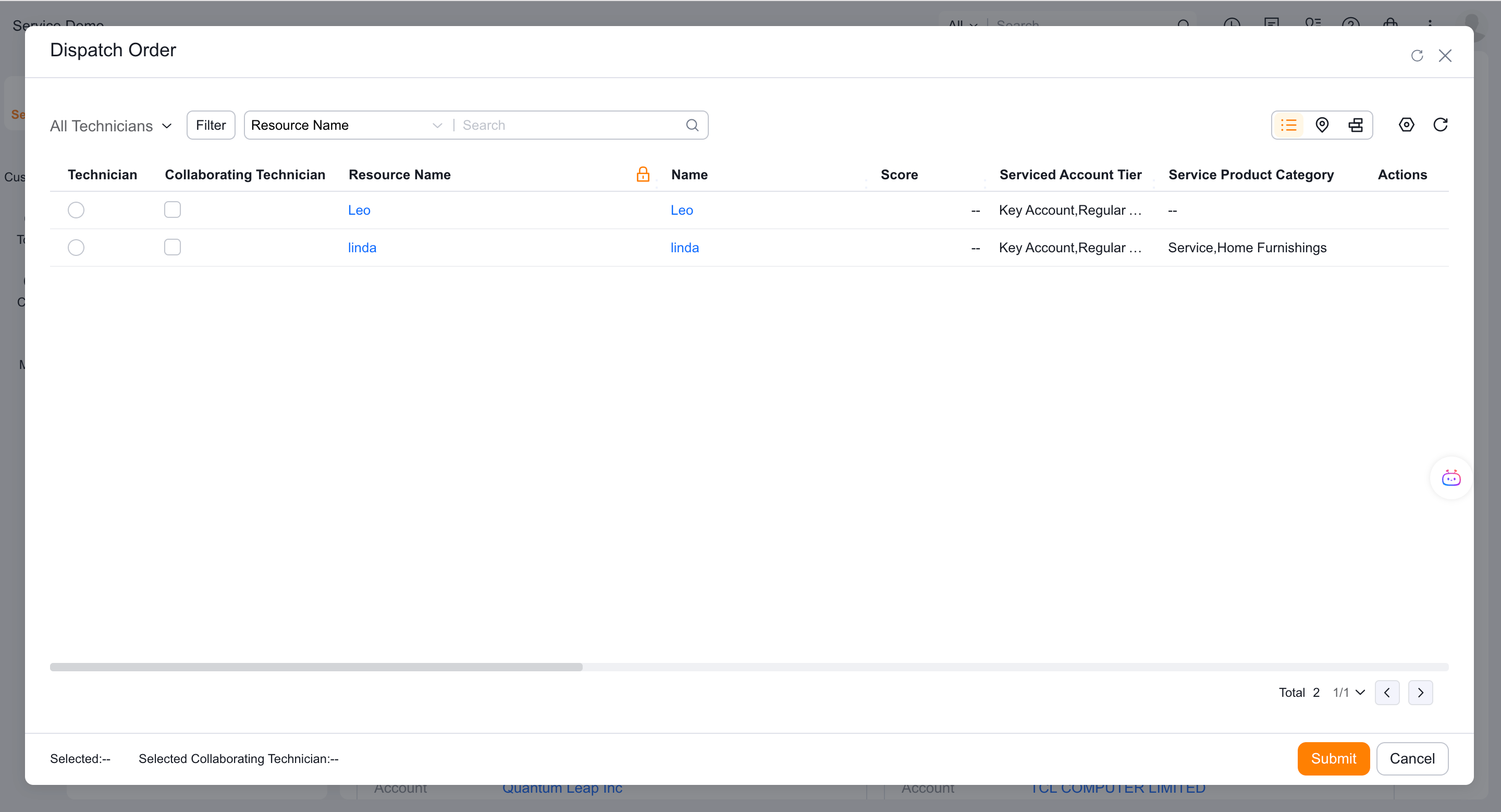
In manual mode, the dispatcher of the current service group selects members.
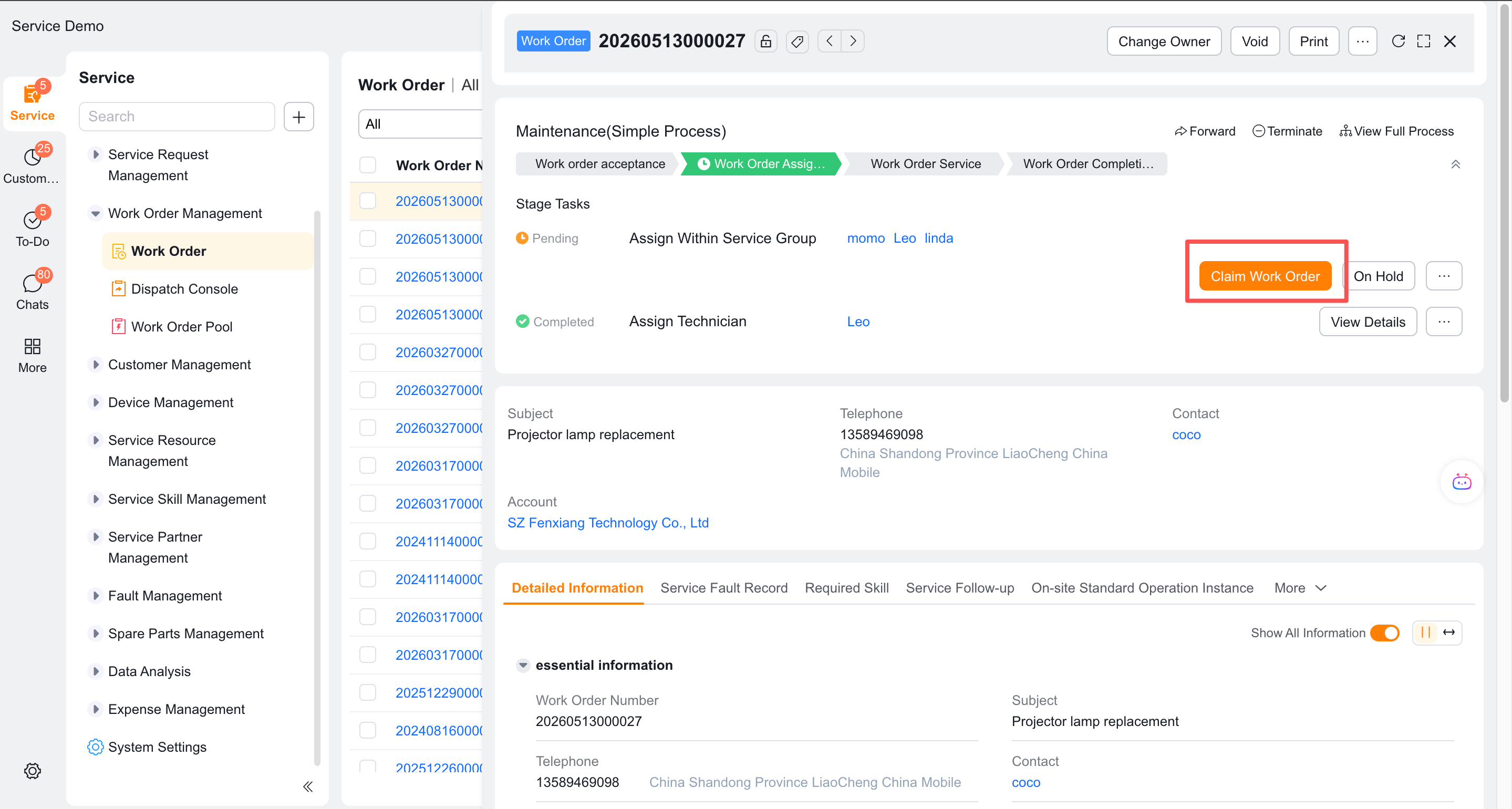
In claim mode, group engineers claim the work order. Depending on configuration, the service group dispatcher can claim it at the same time or intervene after a timeout.
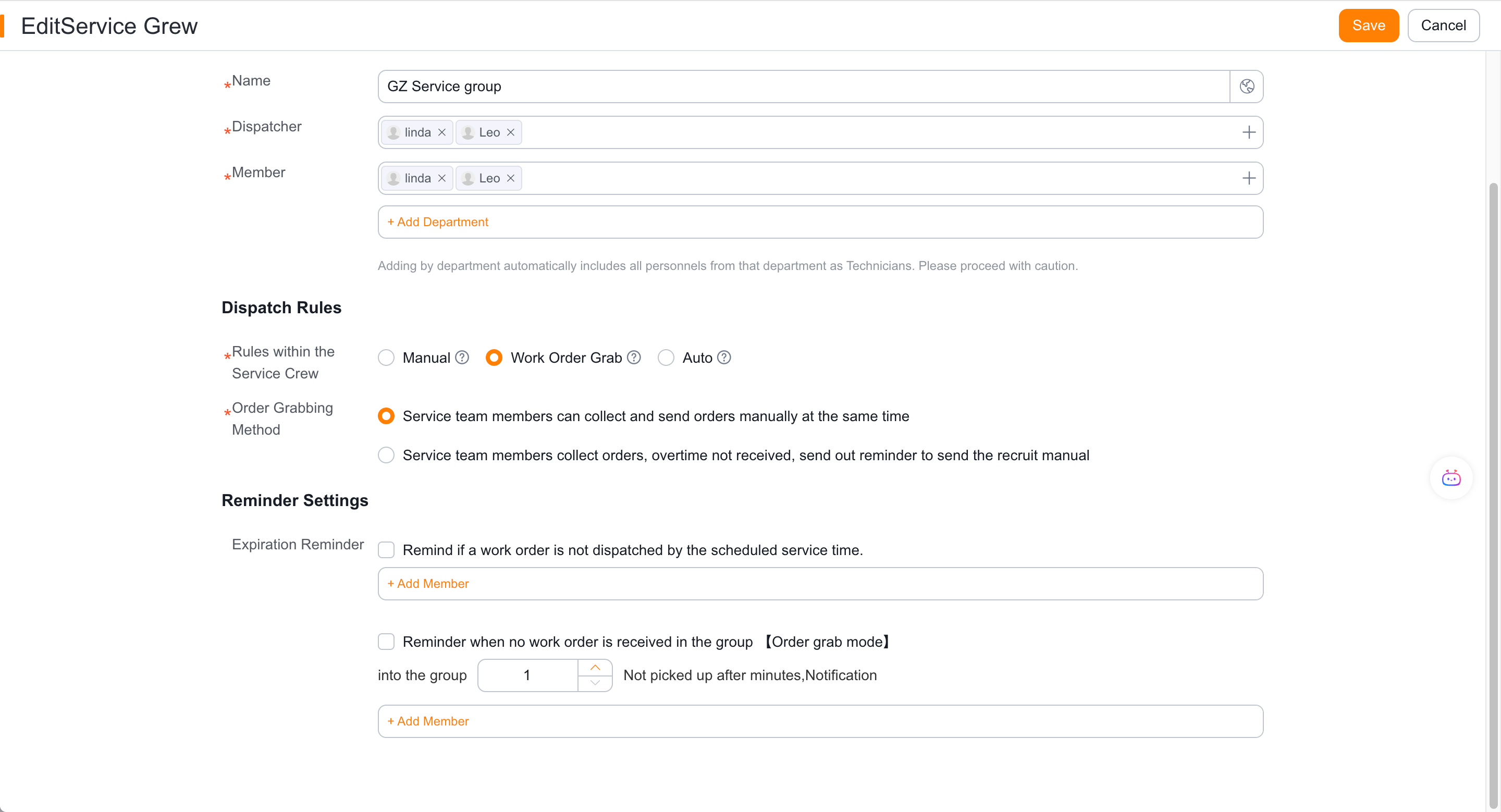
Auto dispatch uses round-robin, balanced, fastest-response, or rule-based assignment within the group. If no rule matches, the group handles the work order manually.
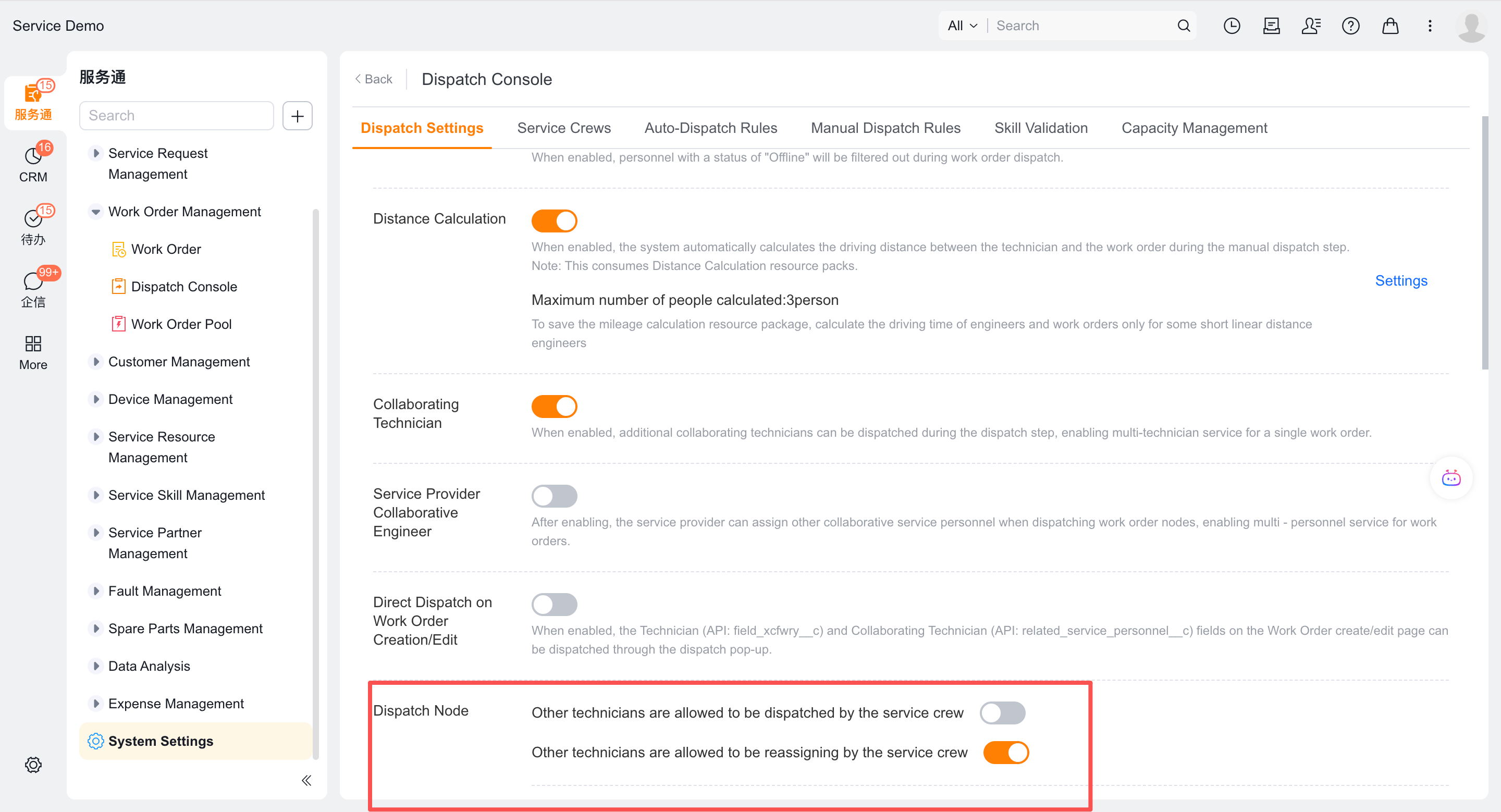
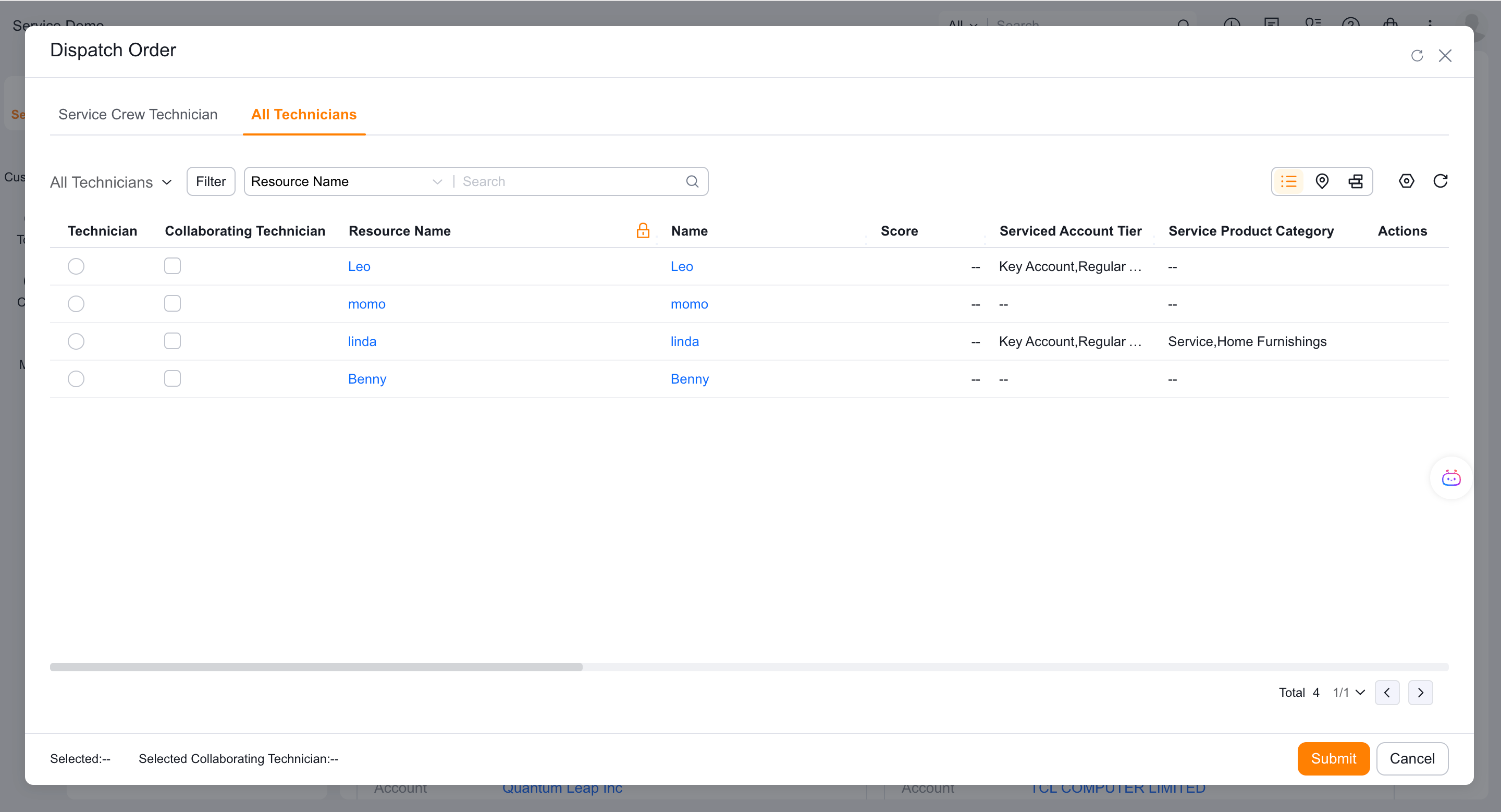
If you want to allow service group dispatchers to select engineers outside the group, you can enable the corresponding capability in the global settings; after enabling it, the Web assignment page displays the All Engineers tab.
4. Check the results
Enterprise-level assignment updates the dispatcher, dispatch method, dispatch time, and service group fields. Intra-group assignment updates the service group dispatcher, intra-group dispatch time and method, engineer, and collaborative engineer fields.
Verify the result
- When placing a work order, first select a service group, and then the group will assign engineers.
- When the automatic rule is not hit, it will enter the manual to-do of the correct level.
- Service group dispatchers can only select engineers within the group by default.
- Work orders record both enterprise-level and intra-group dispatch results.
Notes
- Enterprise-level auto dispatch and the service group's own intra-group mode are two-tier configurations.
- A service group dispatcher is distinct from an enterprise dispatcher and handles only tasks assigned to the current service group.
- When there is a lack of assigned nodes in the service group, engineers will not be automatically obtained after selecting the service group.