Appearance
Configure auto dispatch rules for service groups
Overview
The automatic dispatch service group rules take effect in the enterprise-level Assign Service Group node, and support specified allocation and round-robin assignment. It is only responsible for selecting the service group, not the engineers within the group.
Before you begin
- The assigned service group and subsequent assigned nodes in the service group have been configured in the process.
- An optional service group has been established and the dispatch method within the group has been set.
- Test tickets for rule hits and misses have been prepared.
Procedure
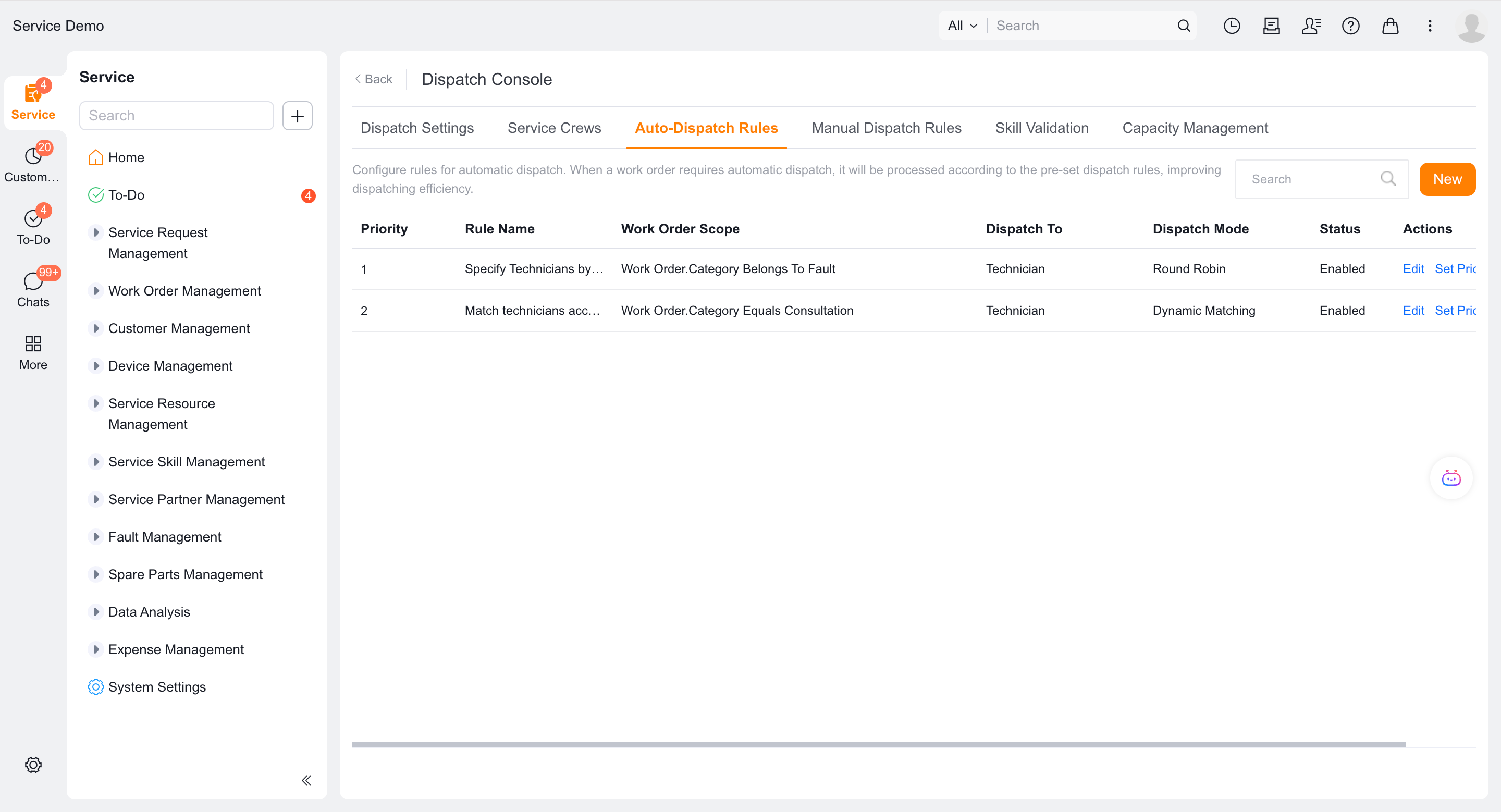
Enter Field Service > System Settings > Work Order Assignment > Automatic Order Dispatch and create a new rule.
Set the rule name, priority and work order scope; the smaller the number, the earlier it will be executed.
Set the assignment to Service Group.
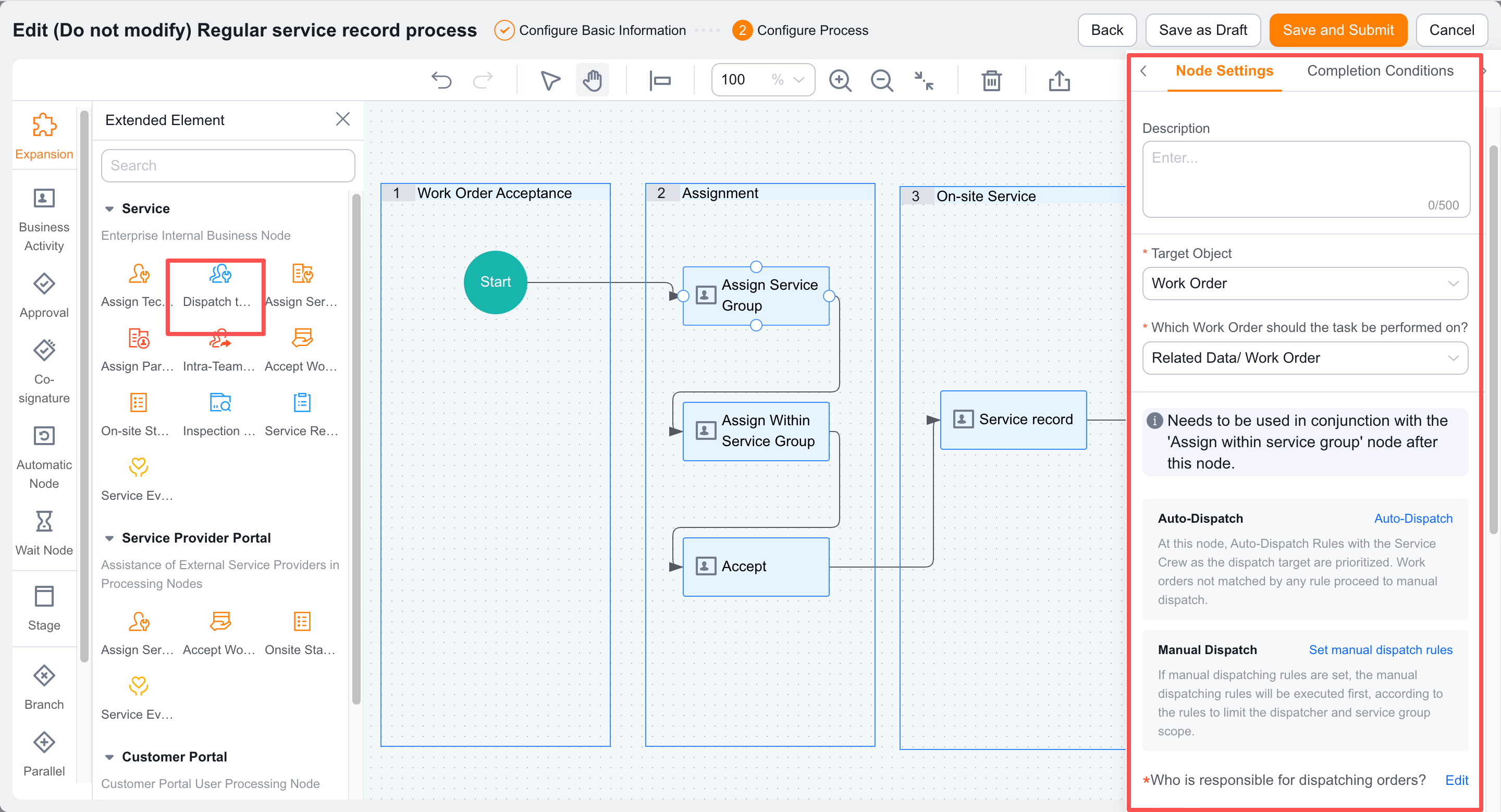
Select Specified Assignment and specify a service group, or select Round Robin Assignment and maintain multiple service groups.
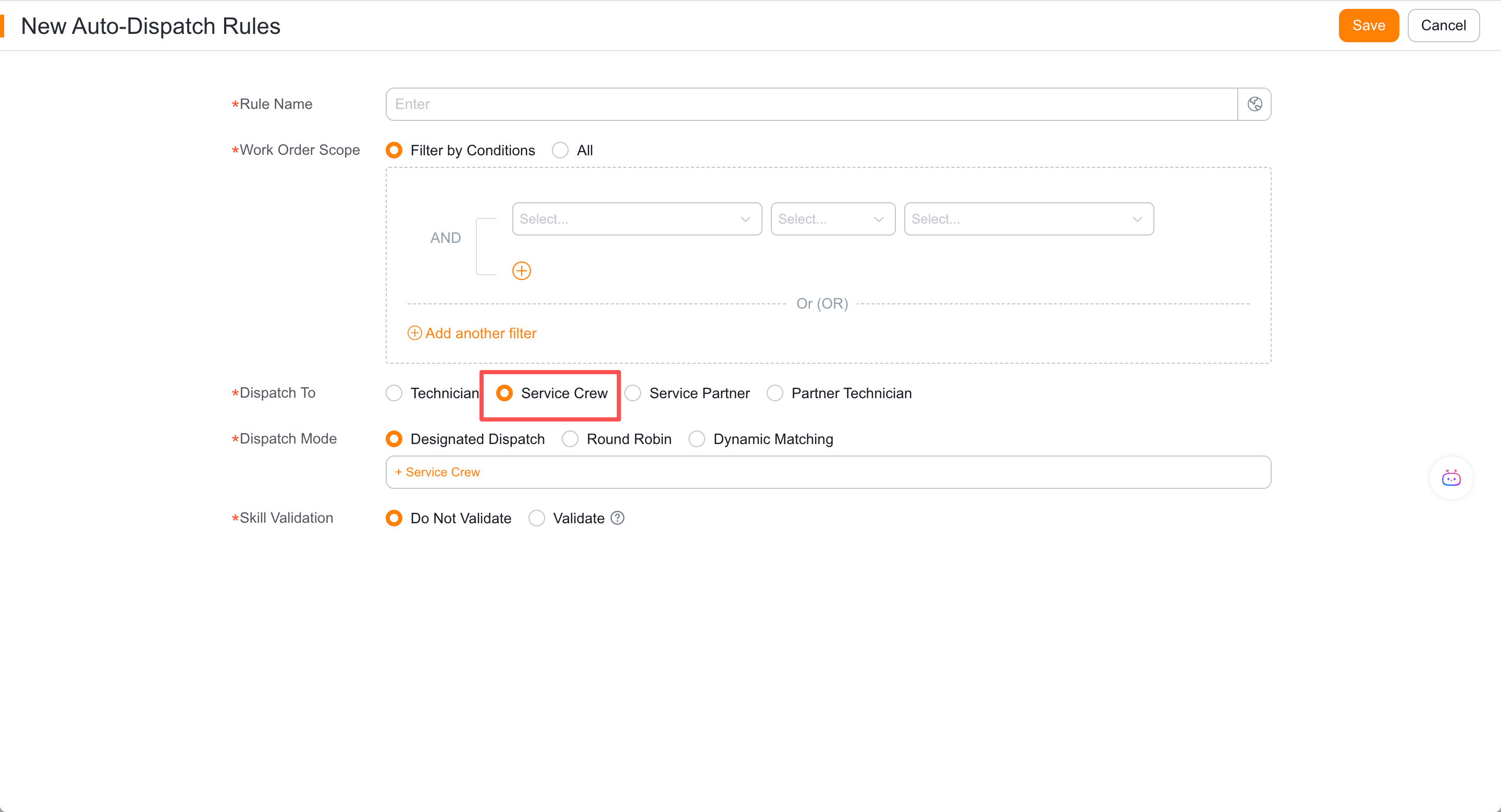
Save and enable the rule.
Check the members of the target service group, dispatchers, and the dispatch mode within the group.
Verify the result
- Work orders that match the rules are automatically assigned service group nodes.
- Unsuccessful work orders are manually assigned by the company’s dispatcher.
- The work order then enters Assign Within Service Group, where the assigned group applies its own dispatch mode.
- When automatically assigned, the dispatcher field is empty and the service group field is backfilled correctly.
FAQ
The service group has been automatically selected but there are no engineers
Check that an Assign Within Service Group node follows and that the assigned group has members and a dispatch mode.
Notes
- Dynamic matching does not work with assigned service groups.
- Do not create another enterprise-level service group rule for engineers in the group.